
Introduction
This manual provides instructions for the Generic replacement infrared (IR) remote control, designed for use with various Devanti 4K UHD Smart LCD LED TV models. Compatible models include, but are not limited to, STV-668-UHD-55-BK, STV-668-UHD-50-BK, STV-668-UHD-65-BK, and STV-668-UHD-43-BK. This remote operates via infrared technology and typically requires no programming; simply insert batteries to begin use.
Important Note: As a replacement item, this remote control may not support all functions present on the original television remote. Please verify compatibility with your specific TV model before use.
Setup
Battery Installation
The remote control requires two (2) AAA batteries (not included) for operation. Follow these steps to install the batteries:
- Locate the battery compartment cover on the back of the remote control.
- Slide the cover downwards or press the latch (if present) and lift to remove it.
- Insert two AAA batteries, ensuring the positive (+) and negative (-) terminals align correctly with the markings inside the compartment.
- Replace the battery compartment cover by sliding it back into place until it clicks securely.

Image: Back of the remote control with the battery compartment open, illustrating the correct orientation for AAA battery insertion.
Once batteries are installed, the remote is ready for use. No additional programming is typically required.
Operating Instructions
To operate your television with this remote control, ensure there is a clear line of sight between the remote's infrared emitter and the TV's IR receiver. Point the remote directly at the television.
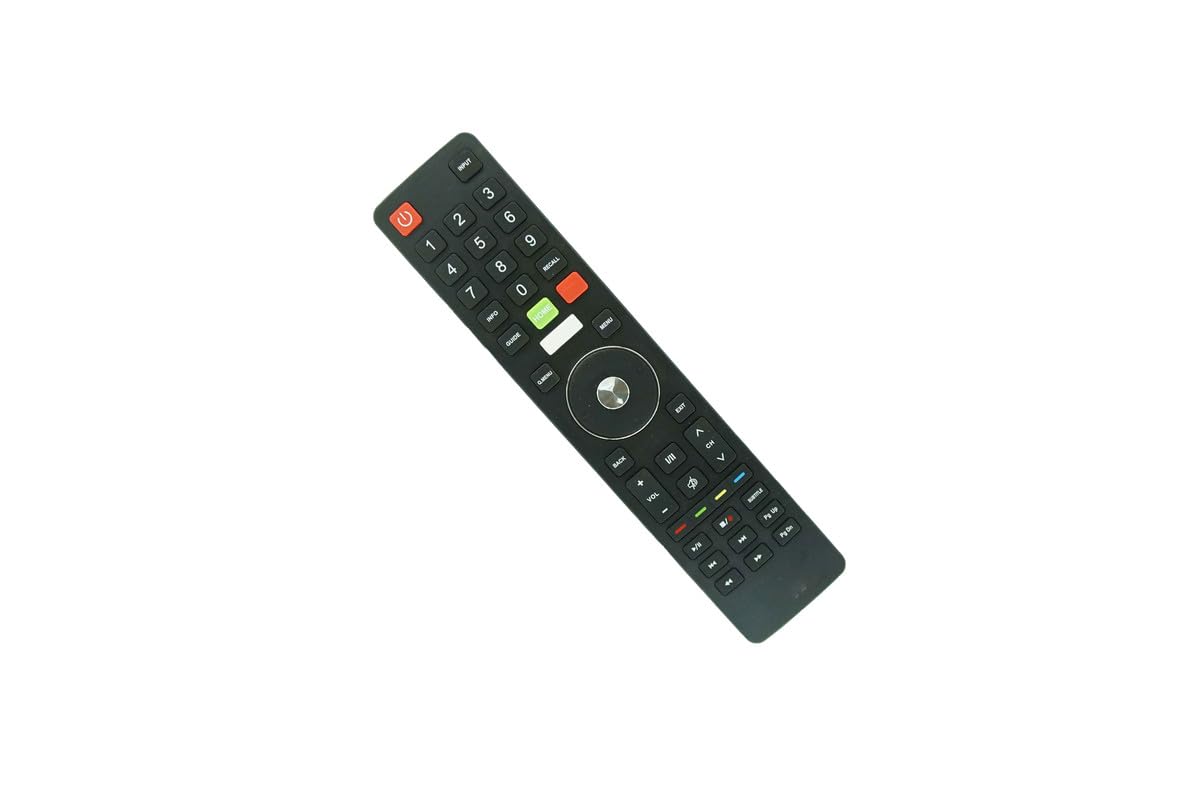
Image: Front view of the remote control, displaying the layout of all functional buttons.
Basic Functions
- Power (Red Button): Turns the television on or off.
- Input: Cycles through available input sources (HDMI, AV, etc.).
- Number Keys (0-9): Directly select channels.
- VOL +/-: Adjusts the volume level.
- CH ^/v: Changes the channel up or down.
- Mute: Silences the television audio.
Navigation and Menu Functions
- Menu: Accesses the television's main menu.
- Home (Green Button): Returns to the smart TV home screen.
- Navigation Pad (Up/Down/Left/Right/OK): Used to navigate menus and confirm selections.
- Back: Returns to the previous screen or menu.
- Exit: Closes the current menu or application.
Playback Controls
- Play/Pause: Starts or pauses media playback.
- Stop: Stops media playback.
- Fast Forward/Rewind: Skips forward or backward in media.
- Previous/Next Track: Navigates between tracks or chapters.
Maintenance
- Cleaning: Wipe the remote control with a soft, dry cloth. Do not use liquid cleaners or abrasive materials.
- Battery Replacement: Replace batteries when the remote's response becomes sluggish or stops working. Always replace both batteries at the same time with new ones.
- Storage: If the remote will not be used for an extended period, remove the batteries to prevent leakage and potential damage. Store in a cool, dry place.
Troubleshooting
- Remote not responding:
- Ensure batteries are correctly installed and not depleted. Replace with fresh batteries if necessary.
- Check for any obstructions between the remote and the TV's IR receiver.
- Ensure you are pointing the remote directly at the television.
- Some functions do not work:
- This is a replacement remote. Certain advanced or specific functions of your original TV remote may not be supported.
- Refer to your television's original manual for specific function details.
Specifications
- Brand: Generic
- Model Number: Easytry16873
- Connectivity Technology: Infrared (IR)
- Compatible Devices: Devanti 4K UHD Smart LCD LED Televisions (STV-668-UHD series)
- Maximum Number of Supported Devices: 1
- Power Source: 2 x AAA batteries (not included)
- Maximum Range: 8 Meters
- Manufacturer: SZHKHXD
Warranty and Support
Warranty Information
This product typically comes with a 90-day warranty from the date of purchase. Please retain your proof of purchase for any warranty claims.
Customer Support
For questions regarding compatibility or if your specific TV model is not explicitly listed, please contact the seller or manufacturer for assistance. Provide your television's full model number when seeking support.