
YETHKE YXS-02
YETHKE Star Projector User Manual
Model: YXS-02
Introduction
Thank you for choosing the YETHKE 4-in-1 Star Projector. This versatile device combines an aurora projector, a Bluetooth music speaker, and a white noise machine to create a relaxing and immersive environment. It features a dual projection lens capable of displaying 16 aurora colors and a vivid starry sky, transforming any room into a serene natural landscape. Enjoy soothing music and dynamic light effects for an unparalleled experience.
Package Contents
- 1 x YETHKE Star Projector
- 1 x Remote Control
- 1 x USB Cable
- 1 x User Manual
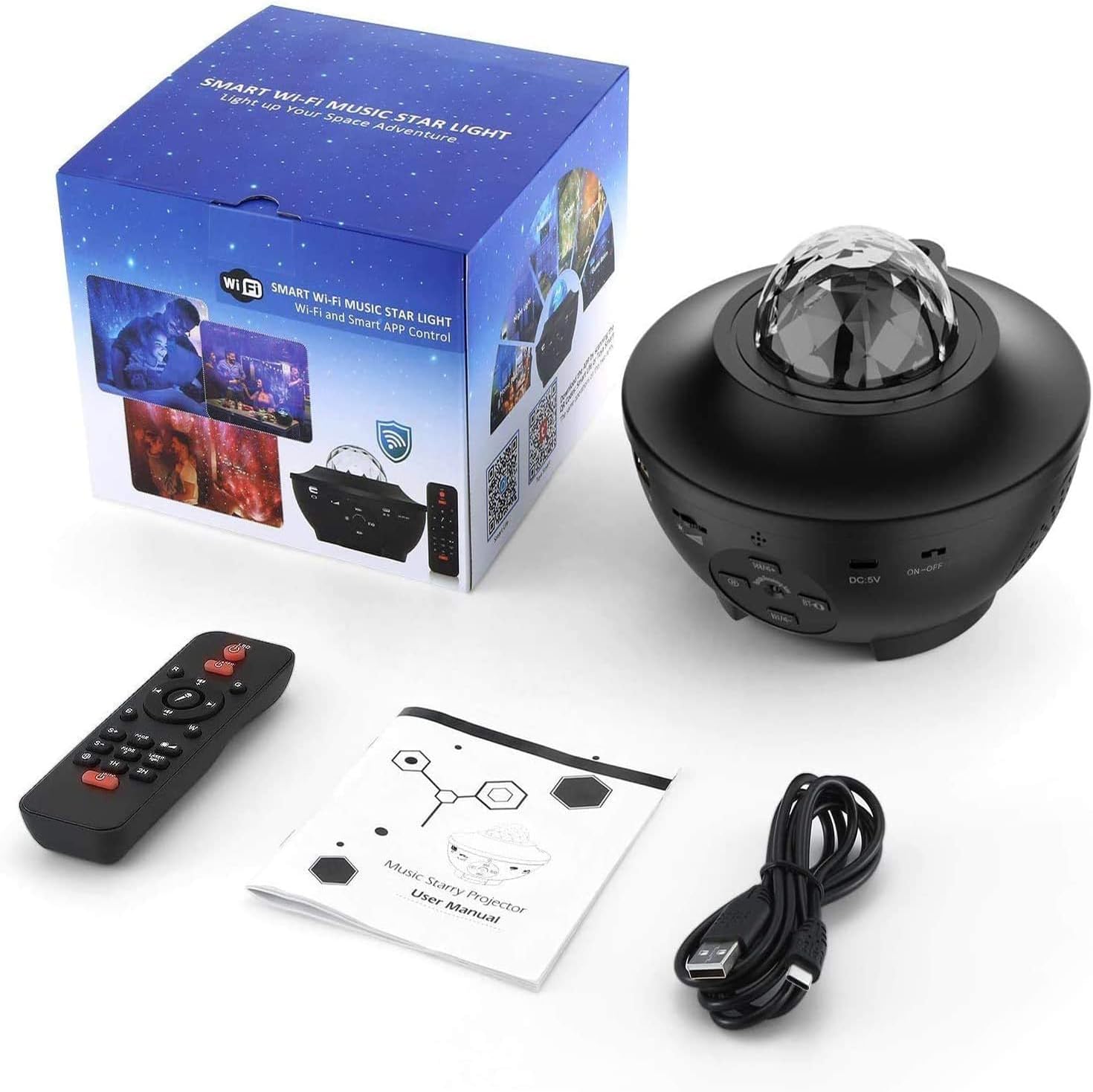
Image: All components included in the package, including the projector, remote, USB cable, and user manual.
Product Features
- 4-in-1 Functionality: Combines aurora projection, starry sky projection, Bluetooth music speaker, and white noise machine.
- Dynamic Projection: Features 16 colors of dynamic 360-degree rotating ocean waves and a vivid starry sky.
- Multiple Control Methods: Control via Smart WiFi App, included Remote Control, or directly using product buttons.
- Sound-Activated Mode: Projection effects can synchronize and flash with music or voice.
- Integrated Bluetooth Speaker: Connect your device to play music through the projector.
- Adjustable Brightness: Customize the light intensity to your preference.
- Timer Function: Set automatic shut-off for 1 hour, 2 hours, or 4 hours.
- USB Powered: Convenient power supply via USB cable.
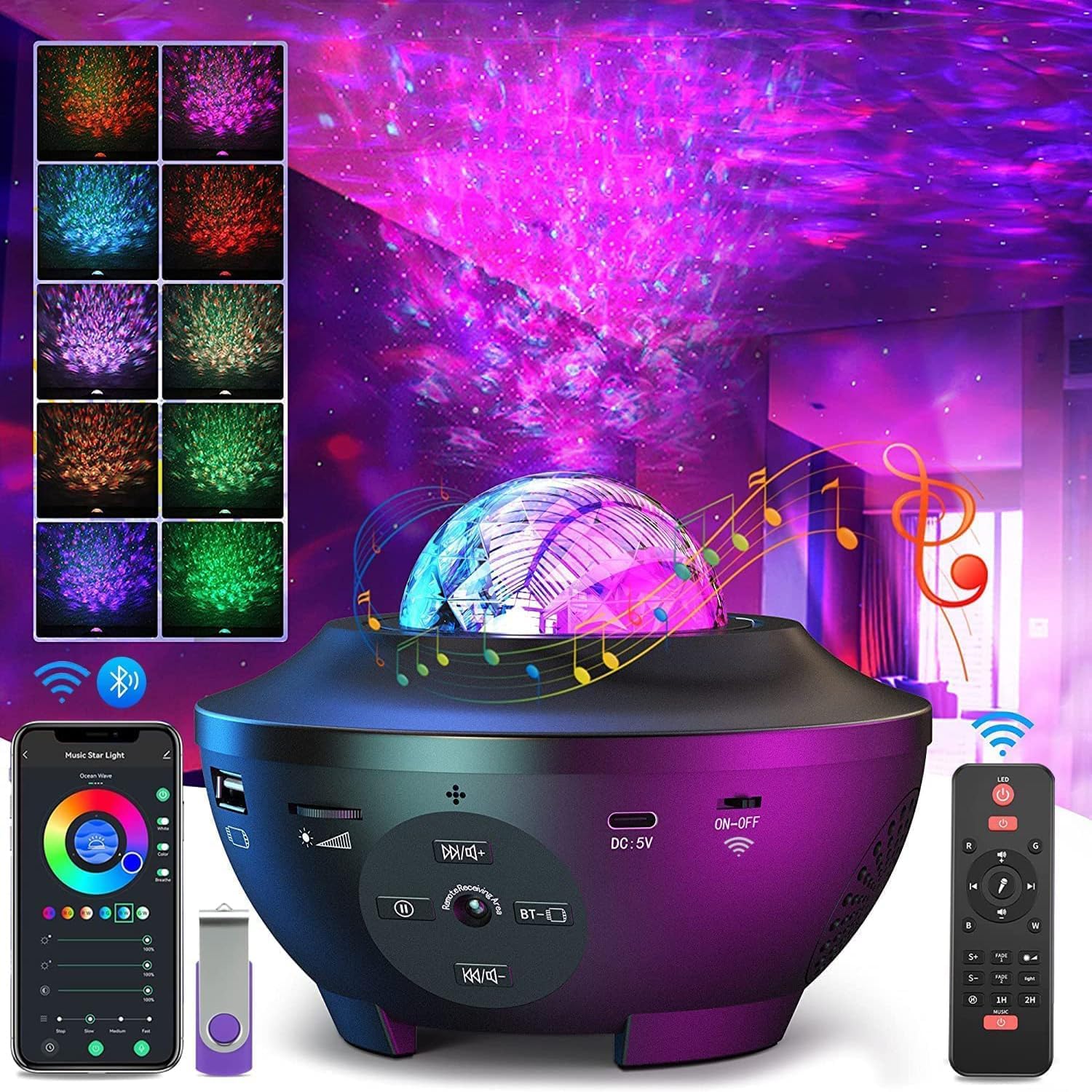
Image: The YETHKE Star Projector showcasing its diverse light effects and control interfaces, including app and remote.
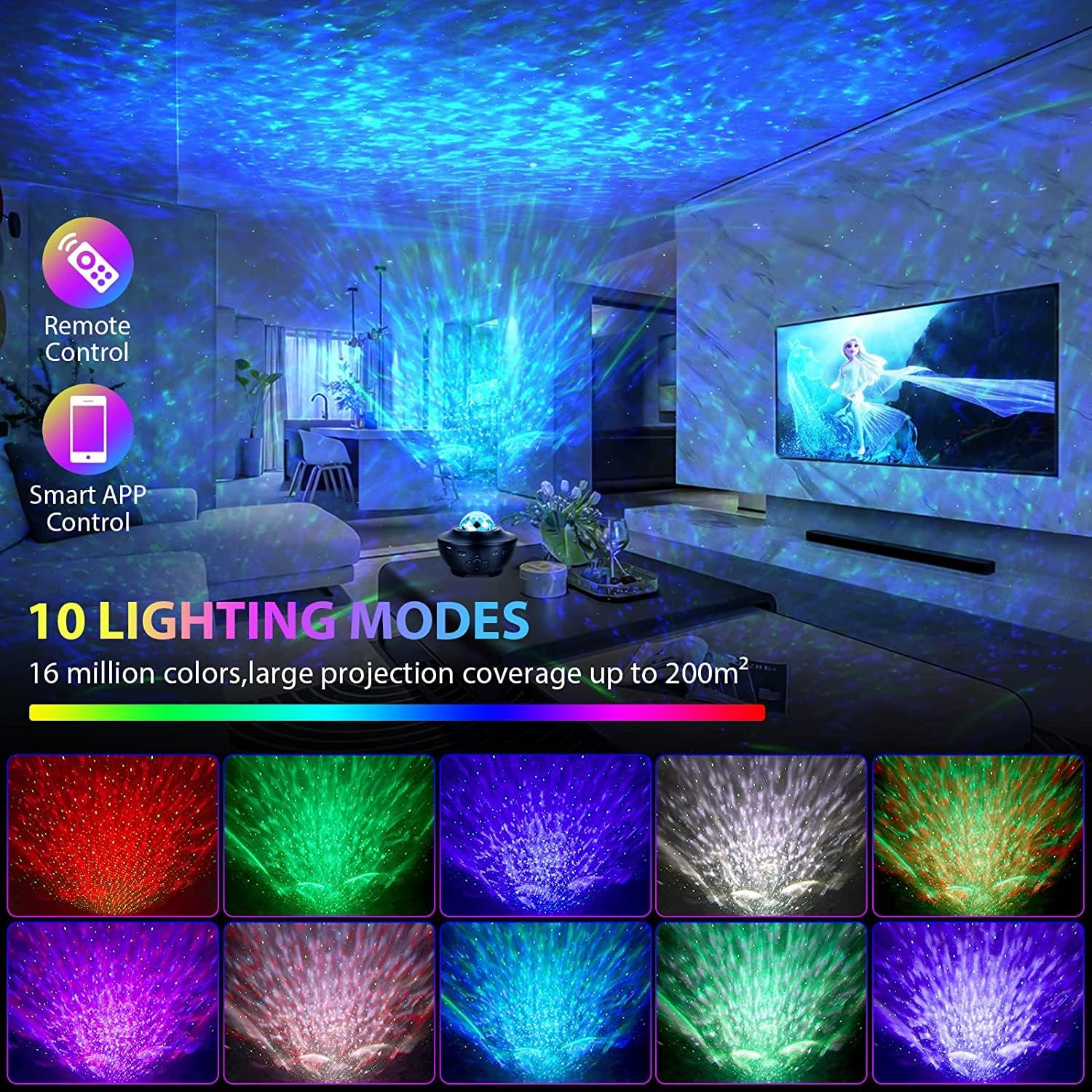
Image: An example of the projector's wide coverage and various lighting modes in a living room setting.
Setup
- Power Connection: Connect the provided USB cable to the DC 5V port on the projector and plug the other end into a compatible USB power adapter (not included) or a USB port on a computer/power bank. The projector will power on automatically.
- Remote Control Preparation: Ensure the remote control has working batteries. If not, insert 2 AAA batteries (not included) into the remote control's battery compartment.
- App Download (Optional): For smart control, download the 'Smart Life' or 'Tuya Smart' app from your smartphone's app store (iOS/Android). Register or log in to your account.
- WiFi Pairing (for App Control):
- Ensure your projector is powered on.
- Open the app and tap 'Add Device' or the '+' icon.
- Select 'Lighting' > 'Light Source (Wi-Fi)'.
- Follow the in-app instructions to connect the projector to your 2.4GHz Wi-Fi network. You may need to put the projector into pairing mode (refer to app instructions or projector manual for specific button presses).
- Bluetooth Pairing:
- Turn on the projector.
- On your smartphone or Bluetooth-enabled device, search for Bluetooth devices.
- Select 'YXS-02' or a similar name from the list to pair. A voice prompt will confirm successful connection.
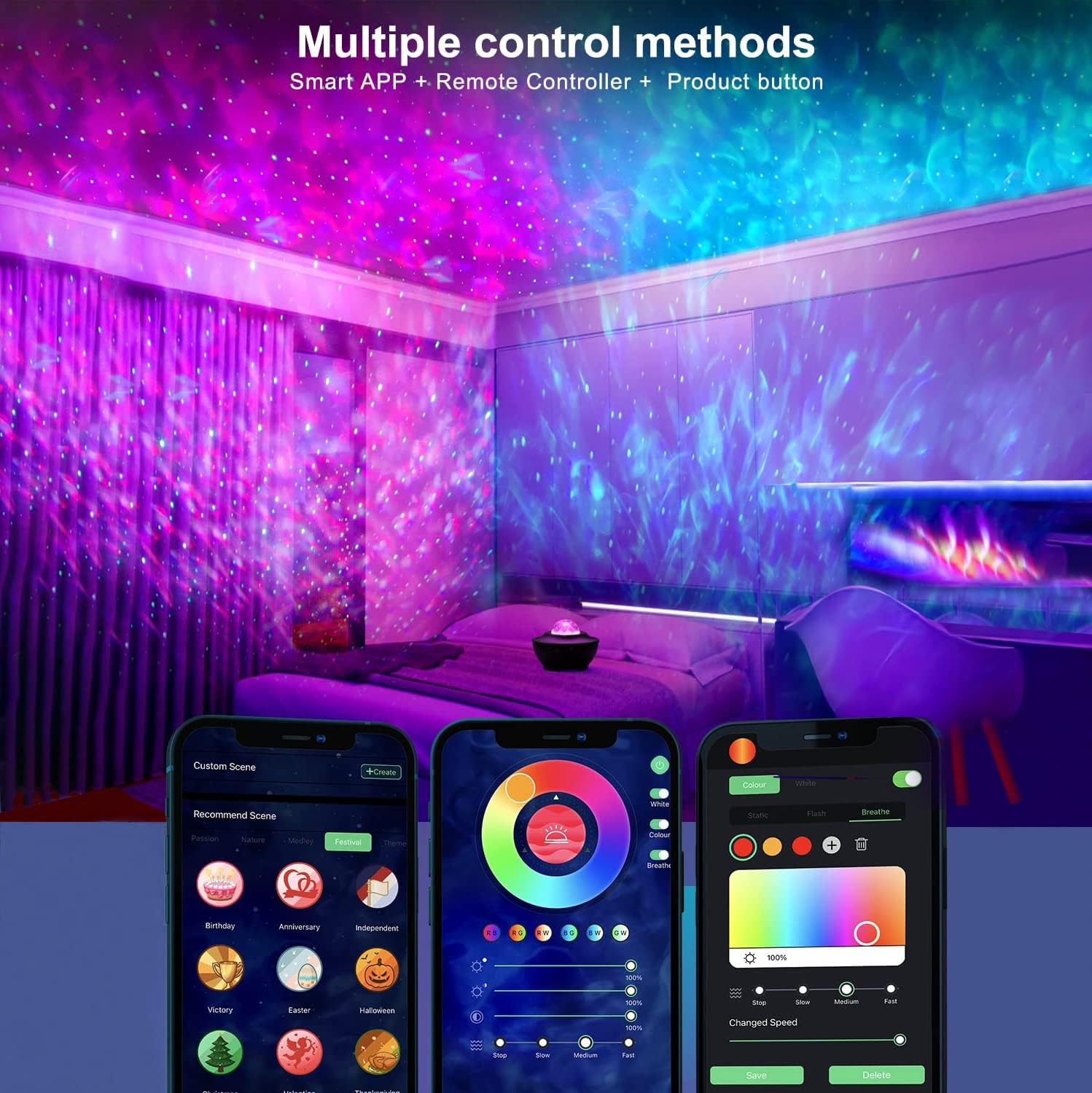
Image: Demonstrates the multiple control methods available, including the smart app, remote controller, and product buttons.
Operating Instructions
Basic Operation (Product Buttons)
- Power On/Off: Press the 'ON-OFF' button on the projector to turn it on or off.
- Light Mode Cycle: Press the 'Light Mode' button to cycle through different light effects (aurora, stars, combined).
- Brightness Adjustment: Use the brightness buttons to increase or decrease the projection brightness.
- Music Playback: Use the music control buttons (play/pause, next/previous track) for Bluetooth audio.
Remote Control Operation
The included remote control provides convenient access to all functions:
- Power Button: Turn the projector on or off.
- Aurora/Star Buttons: Independently control the aurora and star projection.
- Color Selection: Choose from various aurora colors.
- Brightness +/-: Adjust the brightness of the projection.
- Speed +/-: Control the rotation speed of the aurora effects.
- Music Controls: Play/pause, skip tracks, adjust volume for Bluetooth audio.
- Timer Buttons: Set auto-off timer for 1H, 2H, or 4H.
- Sound Activation: Activate the mode where lights react to music/sound.
Smart App Control (WiFi)
The 'Smart Life' or 'Tuya Smart' app offers advanced control and customization:
- Full Color Customization: Select from 16 million colors for aurora effects.
- Brightness & Speed Control: Fine-tune projection brightness and movement speed.
- Scene Modes: Choose from preset scenes or create custom lighting effects.
- Timer & Schedule: Set precise timers and schedules for automatic operation.
- Music Sync: Control music playback and sound-activated light effects.

Image: The mobile phone WiFi connection interface for controlling the star projector, demonstrating color and scene customization.
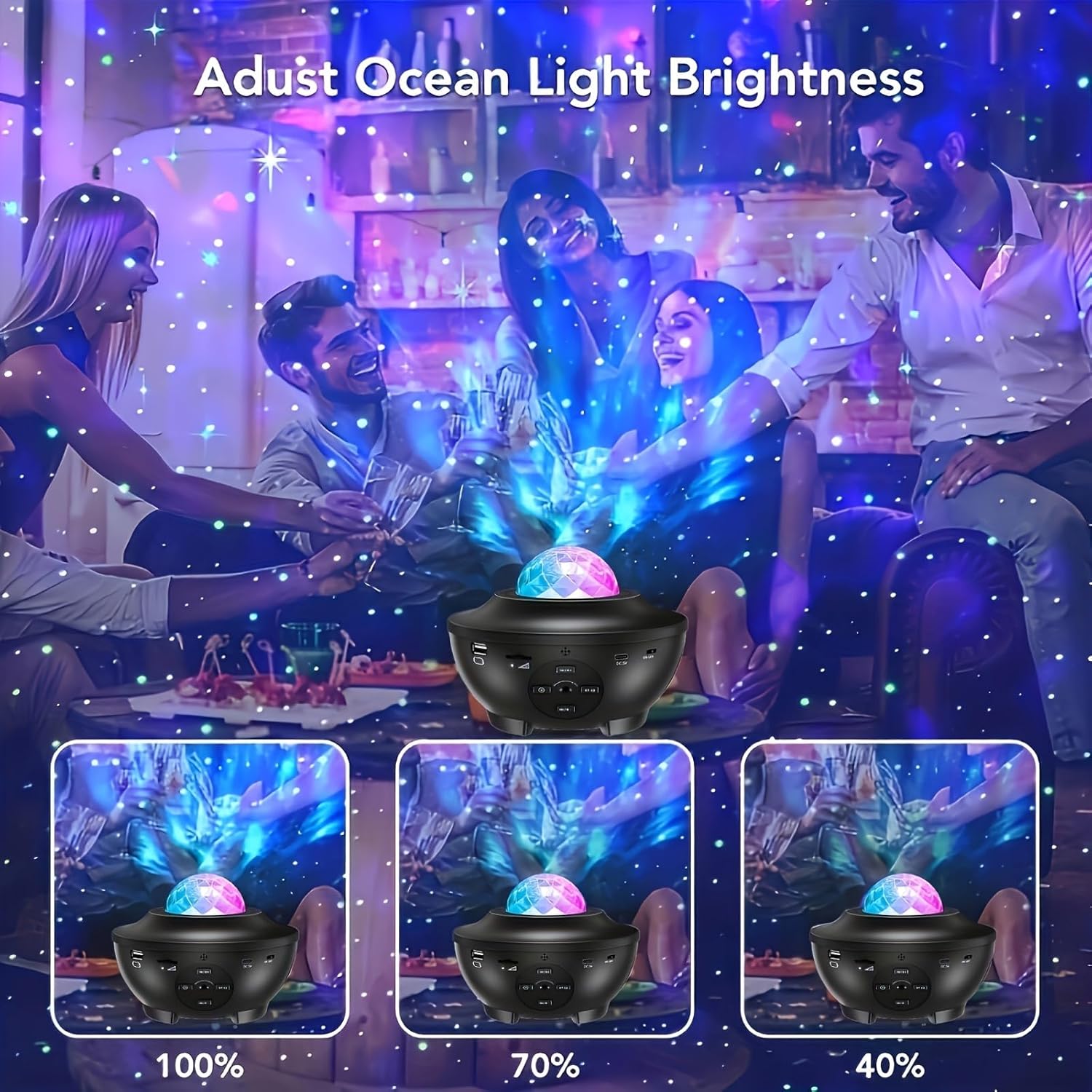
Image: Illustrates the adjustable ocean light brightness feature, showing different intensity levels.
Maintenance
- Cleaning: Use a soft, dry cloth to clean the projector's surface. Do not use abrasive cleaners or solvents.
- Lens Care: Gently wipe the projection lens with a microfiber cloth to ensure clear projection.
- Storage: When not in use, store the projector in a cool, dry place away from direct sunlight and extreme temperatures.
- Avoid Water: This device is not waterproof. Keep it away from water and high humidity.
Troubleshooting
| Problem | Possible Cause | Solution |
|---|---|---|
| Projector does not turn on. | No power supply or faulty cable. | Ensure USB cable is securely connected and power source is working. Try a different USB port or adapter. |
| No projection. | Light source off or obstructed. | Check if the light function is enabled via remote/app. Ensure the lens is not covered. |
| Remote control not working. | Batteries low/dead or remote out of range. | Replace remote batteries. Ensure remote is pointed at the projector and within range. |
| Bluetooth connection issues. | Device not in pairing mode or already connected. | Ensure projector is in Bluetooth pairing mode. Disconnect from other devices. Restart both devices. |
| App cannot connect to projector. | Incorrect WiFi network (not 2.4GHz) or pairing mode issue. | Ensure your phone and projector are on a 2.4GHz WiFi network. Re-enter pairing mode on the projector and try connecting again. |
| Lights not reacting to music. | Sound-activated mode not enabled. | Activate the sound-activated mode via remote or app. Ensure music volume is sufficient. |
Specifications
| Feature | Specification |
|---|---|
| Brand | YETHKE |
| Model Number | YXS-02 |
| Dimensions (L x W x H) | 16.26 x 16.26 x 12.95 cm (6.4 x 6.4 x 5.1 inches) |
| Weight | 500 g (1.1 lbs) |
| Material | Acrylonitrile Butadiene Styrene (ABS) Plastic |
| Light Source Type | LED (Diode électroluminescente) |
| Average Lifespan | 50,000 Hours |
| Power Source | Corded Electric (USB Cable) |
| Input Voltage | DC 5V |
| Control Methods | Smart WiFi App, Remote Control, Product Buttons |
| Connectivity | Bluetooth, WiFi (2.4GHz) |
| Certification | CE |
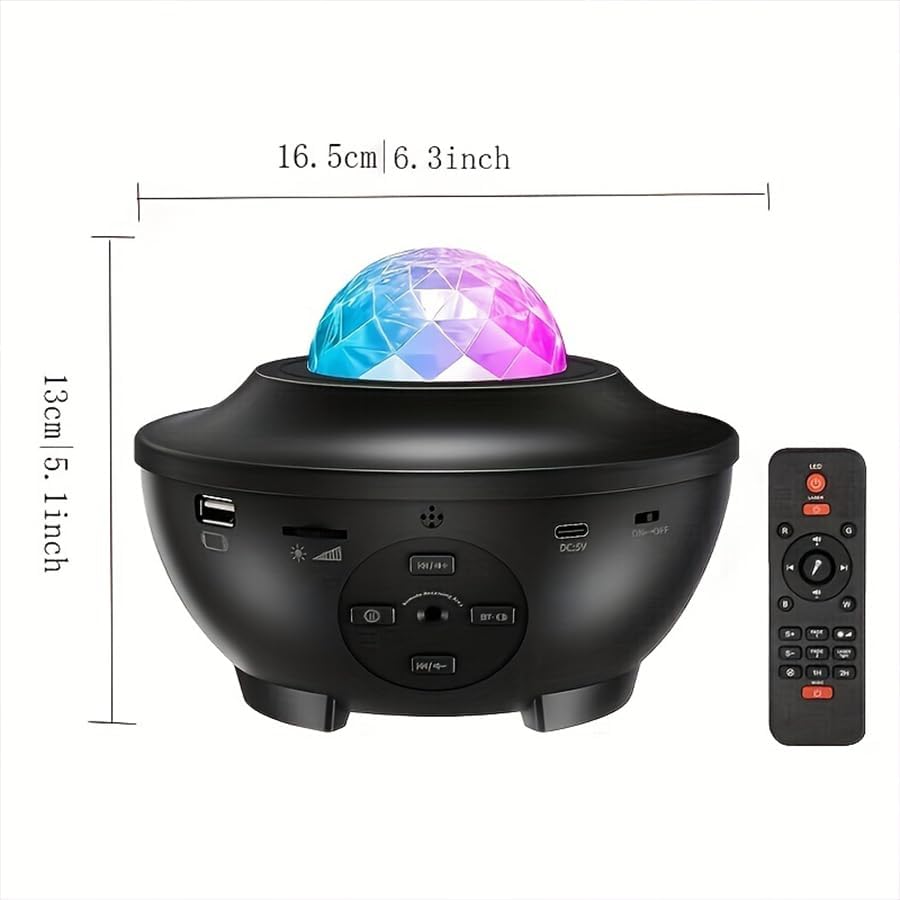
Image: Detailed dimensions of the YETHKE Star Projector.
Warranty and Support
This YETHKE product is designed for durability and performance. For any questions, technical support, or warranty claims, please refer to the contact information provided with your purchase or visit the official YETHKE website. Please retain your proof of purchase for warranty purposes.
Ask a question about this manual
Ask about setup, troubleshooting, compatibility, parts, safety, or missing instructions. Manuals+ will review the question and use this page’s manual context to help answer it.