
1. Introduction
Thank you for choosing the Taptoron LED Flood Light. This smart RGB color-changing floodlight is designed for both indoor and outdoor use, offering 800W equivalent brightness (8000LM) and daylight white (5700K) illumination. It features Bluetooth 5.0 Mesh technology for APP control, allowing for 16 million colors, 23 dynamic modes, DIY scenes, music rhythm synchronization, and timing functions. The IP66 waterproof rating ensures durability in various weather conditions.
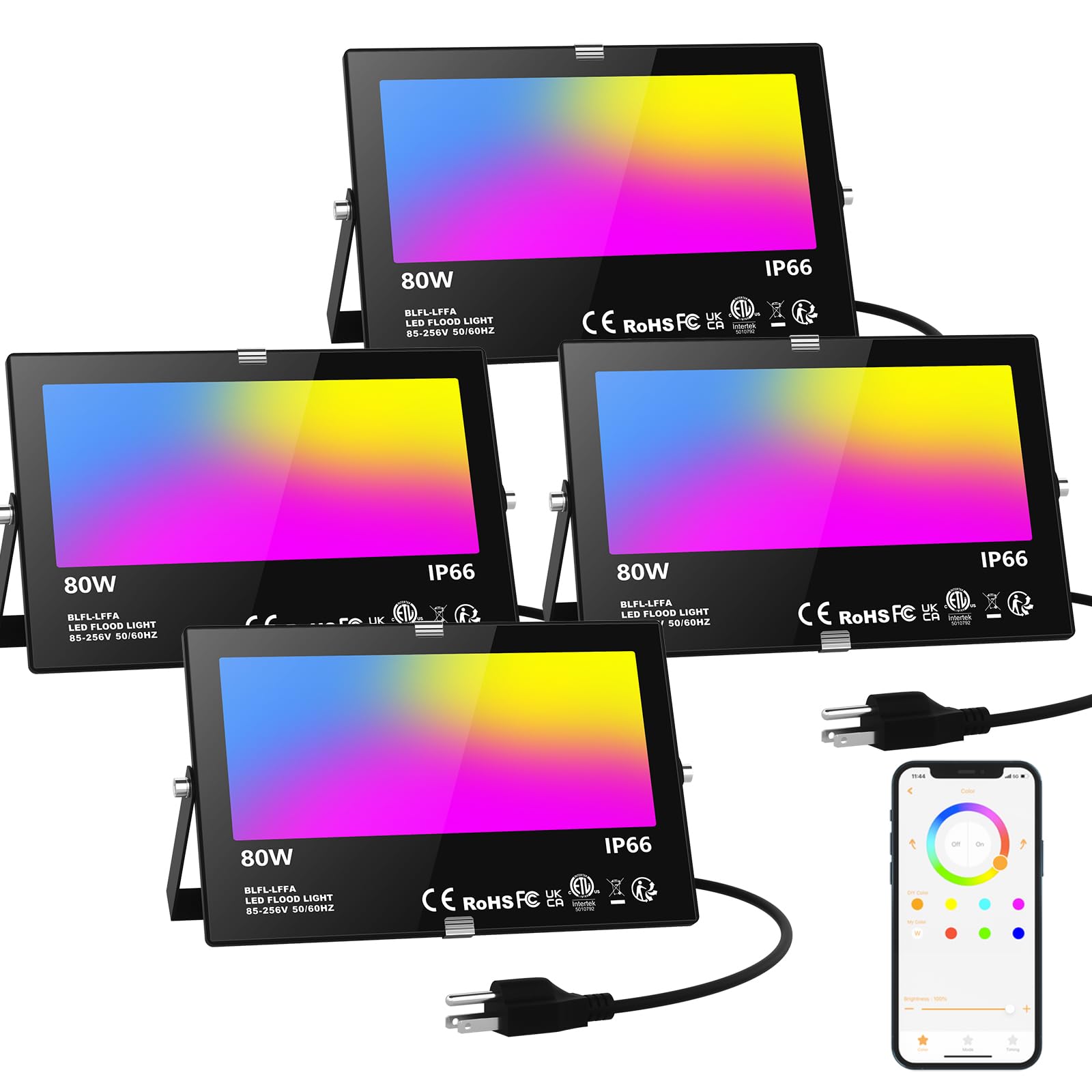
Image: Taptoron LED Flood Light illuminating a house at night, showcasing its features.
2. Safety Information
Please read all safety instructions carefully before installation and operation. Failure to follow these instructions may result in electric shock, fire, or other hazards.
- Electrical Safety: Ensure the power supply is disconnected before installation or maintenance. Use a grounded outlet. Do not exceed the specified voltage (110V AC).
- Installation: Install the floodlight in a stable location. Ensure proper wiring connections. Avoid installing near flammable materials.
- Outdoor Use: While rated IP66 waterproof, ensure all connections are secure and protected from direct water exposure if not specifically designed for submersion.
- Heat: The floodlight generates heat during operation. Do not cover the light or place it in an enclosed space without adequate ventilation.
- Eye Protection: Do not stare directly into the LED light source when it is illuminated, as it may cause eye strain or damage.
3. Package Contents
Verify that all items are present in your package:
- LED Flood Light (4 units)
- US Plug (4 units)
4. Specifications
| Feature | Specification |
|---|---|
| Model Number | BLFL-LFFA |
| Brand | Taptoron |
| Wattage | 80 Watts |
| Brightness | 8000 Lumens |
| Color Temperature | 5700 Kelvin (Daylight) |
| Light Color | RGBW (Red, Green, Blue, White) |
| Control Method | App (BRmseh) |
| Connectivity Protocol | Bluetooth 5.0 Mesh |
| Water Resistance Level | IP66 Waterproof |
| Material | Aluminum, Tempered Glass |
| Product Dimensions | 10.24"L x 6.5"W x 1.38"H |
| Voltage | 110 Volts (AC) |
| CRI | 85.00 |
5. Setup
5.1. Installation
The Taptoron LED Flood Light offers versatile installation options, including wall mount, ceiling mount, or ground placement. The adjustable bracket allows for a 360-degree rotation to direct light as needed. Ensure the mounting surface is stable and capable of supporting the light's weight.

Image: Product dimensions and multiple installation methods.
5.2. App Installation and Device Pairing
To control your Taptoron LED Flood Light, download the "BRmseh" app from your smartphone's app store. No registration or internet connection is required for basic control.
- Download and install the "BRmseh" app on your mobile device.
- Open the app and click the "+" icon to add a device.
- Confirm you have understood the guidelines and click "Enter to add".
- Power off the floodlight(s) and then power them back on. The lights will flash quickly, indicating they are in pairing mode.
- The app will scan and discover the devices. Select the lights you wish to add.
- Once added, you can control the lights individually or in groups.
Video: Demonstrates the process of adding a device to the BRmseh app for control.
6. Operating Instructions
6.1. Basic Control (On/Off, Brightness, Color)
After successful pairing, you can control your floodlights directly from the BRmseh app. The app provides a color wheel for selecting from 16 million colors, a brightness slider (1%-100%), and on/off toggles.
Video: Shows how to use the app to change colors, adjust brightness, and turn the floodlights on/off.
6.2. Dynamic Modes and DIY Scenes
The app includes 21 preset dynamic modes for various occasions (e.g., Christmas, Valentine's Day, Winter, Pool mode). You can also create and save up to 2 custom DIY lighting scenes based on your preferences.

Image: App interface displaying preset modes and DIY scene options.
6.3. Music Sync Function
Activate the music rhythm mode in the app. The floodlights can change colors in sync with music played from your phone's library or through the app's microphone feature, creating an immersive atmosphere for parties or events.

Image: Music rhythm feature in action, synchronizing lights with music.
6.4. Timing Function
Utilize the built-in timing chip to schedule automatic on/off times for your floodlights. You can set specific colors or modes to activate at certain times daily, helping to conserve energy and automate your lighting preferences.

Image: App interface for setting daily timers.
6.5. Group Control
Thanks to Bluetooth 5.0 Mesh technology, you can group multiple floodlights together for synchronized control. This allows you to manage several lights simultaneously, or even create separate groups for different lighting zones.

Image: Illustration of the Bluetooth Mesh group control feature.
7. Maintenance
To ensure optimal performance and longevity of your Taptoron LED Flood Light, follow these maintenance guidelines:
- Cleaning: Periodically clean the surface of the floodlight with a soft, damp cloth. Do not use abrasive cleaners or solvents.
- Inspection: Regularly check the power cord and connections for any signs of damage or wear. Ensure the mounting bracket is secure.
- Heat Dissipation: Keep the heat sink fins on the back of the light clear of debris to maintain proper heat dissipation.

Image: Heat dissipation design of the floodlight.
8. Troubleshooting
If you encounter issues with your Taptoron LED Flood Light, refer to the following table for common problems and solutions:
| Problem | Possible Cause | Solution |
|---|---|---|
| Light does not turn on | No power supply; Loose connection; Faulty outlet | Check power source; Ensure plug is securely connected; Test with a different outlet. |
| Cannot connect to app | Bluetooth is off; Light not in pairing mode; Too far from light | Ensure Bluetooth is enabled on your phone; Power cycle the light to enter pairing mode; Move closer to the light (within 20M). |
| Lights not synchronizing in a group | Lights are too far apart; Interference | Ensure lights are within Bluetooth Mesh range of each other; Reduce potential interference sources. |
| Colors are incorrect or flickering | App glitch; Power fluctuation | Restart the app; Power cycle the light; Check power stability. |
9. Warranty and Support
Taptoron is committed to providing high-quality products and friendly customer service. If you experience any issues related to this product, please do not hesitate to contact us. You can reach our customer service team through your purchase platform:
- Go to "Your Account"
- Select "Your Orders"
- Find the relevant order and click "Problem with the order"
- Choose "Contact the seller"
We are dedicated to resolving any concerns you may have.