
1. Introduction
Thank you for choosing the ATEngeus TF-28D Rechargeable Clip-on USB Desk Fan. This versatile and portable fan is designed to provide personal cooling in various environments, from your home and office to outdoor camping and car use. Featuring a powerful 5000mAh battery, three adjustable speeds, and 720-degree rotation, it offers convenience and comfort wherever you go. Please read this manual carefully to ensure proper use and maintenance of your fan.
2. Product Overview & Package Contents
Your ATEngeus TF-28D fan comes with the following items:
- ATEngeus TF-28D Rechargeable Clip-on USB Desk Fan
- USB Charging Cable (Type-C)
- User Manual

Image: The ATEngeus TF-28D fan with its clip-on base.
3. Key Features
- 3-Speed Settings: Easily switch between Low, Mid, and High fan speeds to suit your comfort needs.
- Powerful Airflow: Delivers wind speeds of 2.5 M/S (Low), 3.8 M/S (Mid), and 4.7 M/S (High).
- Long-lasting Battery: Equipped with a 5000mAh rechargeable battery, providing 5.5 to 20 hours of operation depending on the speed setting.
- 720° Rotation: The fan head can be manually rotated 360° horizontally and 360° vertically, allowing for flexible airflow direction.
- Versatile Mounting: Features a sturdy clip for attachment to various surfaces, a non-slip base for desktop use, and a small hole for wall mounting.
- Quiet Operation: Built-in brushless motor ensures powerful airflow with low noise levels (30-60dB).
- Easy to Clean: The front cover is detachable for convenient cleaning of the fan blades.
- USB-C Charging: Supports 5V 2A fast charging via a Type-C USB port.

Image: Illustration of the three fan speeds (Low, Mid, High) and corresponding battery life.
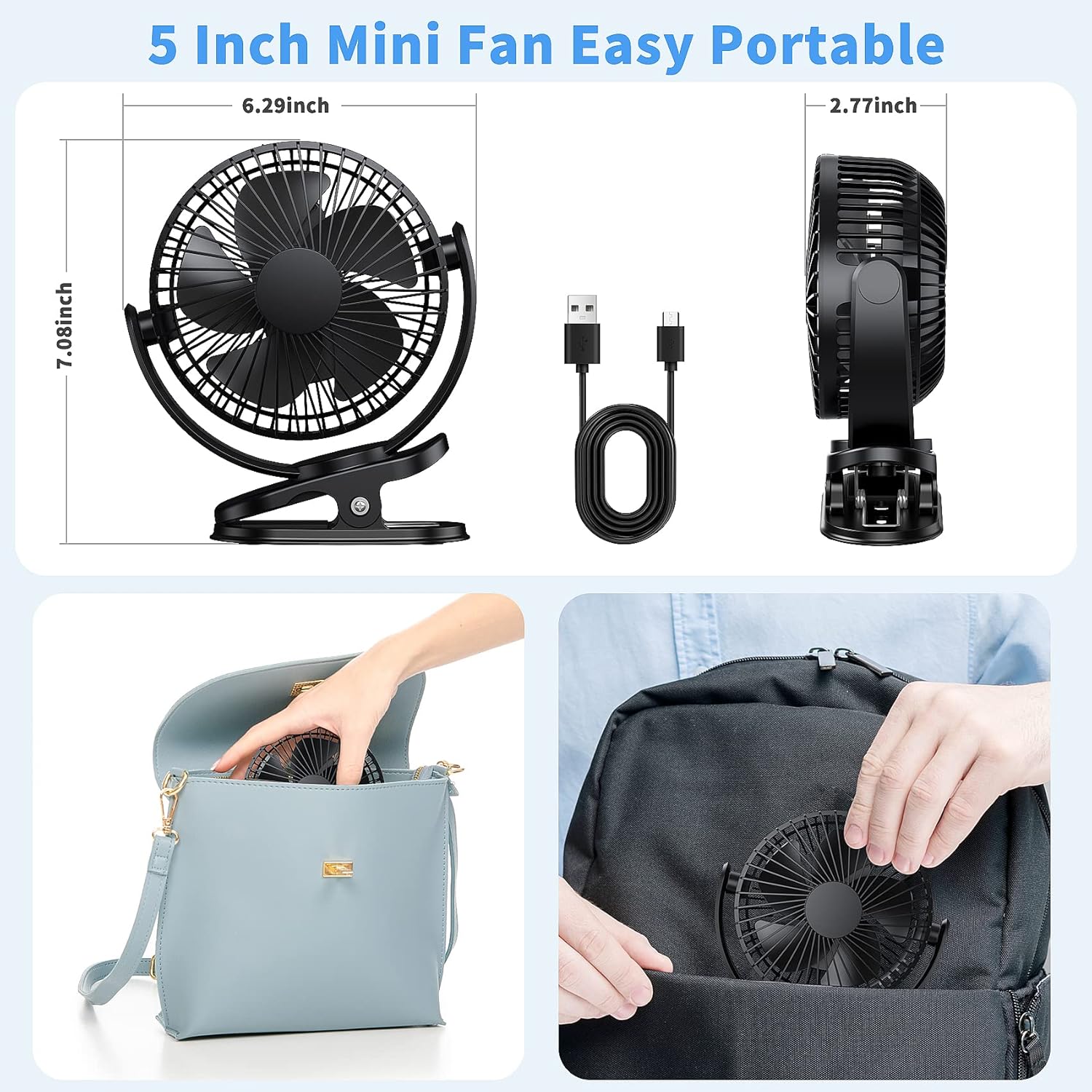
Image: Demonstrates the 720-degree manual rotation capability of the fan head.

Image: The fan operating quietly, suitable for use in a bedroom without disturbing sleep.
4. Setup
Before first use, ensure the fan is fully charged. The fan is ready to use out of the box, but a full charge is recommended for optimal performance.
4.1 Initial Charging
- Connect the provided USB Type-C charging cable to the fan's input port.
- Plug the other end of the USB cable into a 5V 2A USB power adapter (not included) or a compatible USB port (e.g., computer, power bank).
- The red indicator light will turn on during charging. Once fully charged, the blue indicator light will illuminate. A full charge takes approximately 3 hours.
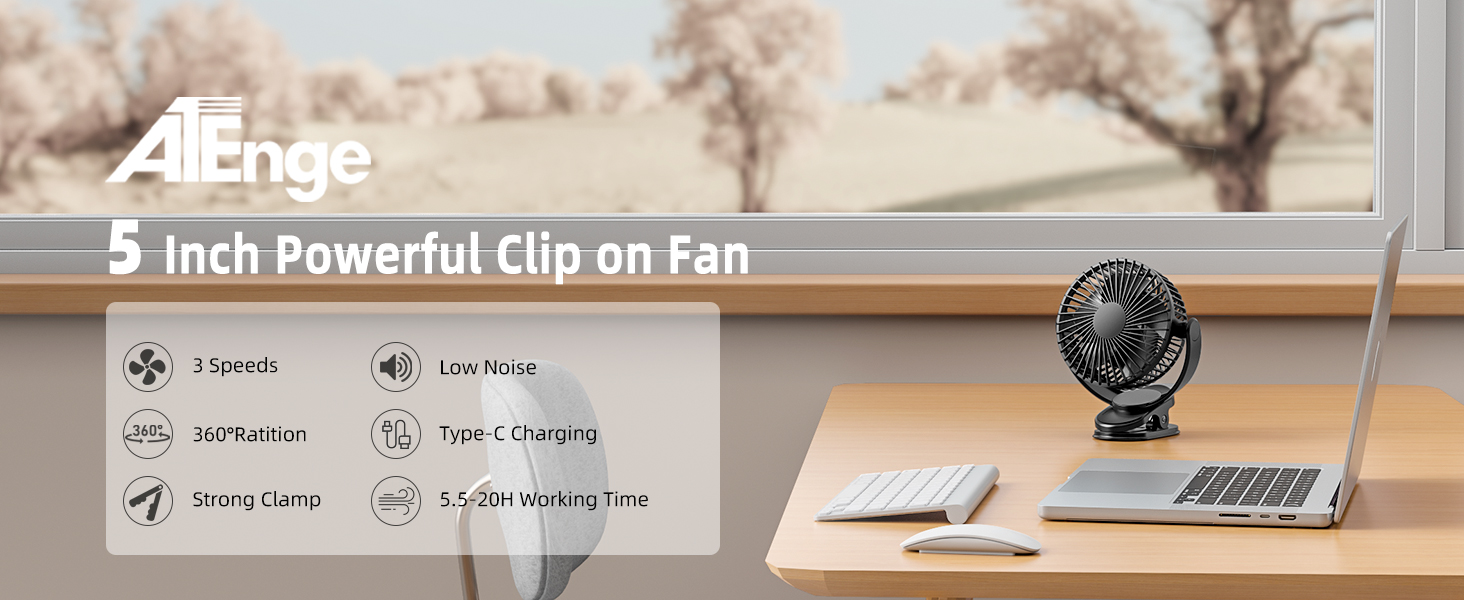
Image: The fan being charged via USB from a laptop, PC, power bank, or car charger.
5. Operation
5.1 Power On/Off and Speed Adjustment
- Locate the power button on the back of the fan.
- Press the power button once to turn the fan on to Low speed.
- Press the button again to cycle through Mid speed, then High speed.
- Press the button a fourth time to turn the fan off.
5.2 Adjusting Fan Direction
The fan head can be manually adjusted to direct airflow:
- Gently tilt the fan head up or down to adjust the vertical angle (360°).
- Rotate the entire fan unit on its base to adjust the horizontal direction (360°).
6. Placement Options
The ATEngeus TF-28D fan offers multiple placement options for maximum convenience:
- Clip-on: Use the sturdy clamp to attach the fan to desks, shelves, strollers, treadmills, or car visors.
- Desktop: Place the fan on any flat surface using its non-slip base for stable freestanding use.
- Wall-mounted: Utilize the small hole on the base to hang the fan on a wall hook.

Image: The fan demonstrating its versatility by being clipped onto a tent for camping, a stroller, a treadmill, and standing on a desktop.

Image: A detailed view of the fan's strong clip mechanism, highlighting its secure grip.
7. Maintenance
7.1 Cleaning the Fan
To maintain optimal performance and hygiene, regularly clean your fan:
- Ensure the fan is turned off and unplugged from any power source.
- Gently remove the front cover of the fan.
- Use a soft, dry cloth or a slightly damp cloth to wipe the fan blades and the inside of the cover. Do not use abrasive cleaners or immerse the fan in water.
- Once clean and dry, reattach the front cover securely.
8. Troubleshooting
- Fan not turning on: Ensure the battery is charged. Connect the fan to a power source using the USB cable.
- Weak airflow: Check the speed setting and adjust to a higher level if needed. Ensure the fan blades are clean and free from obstructions.
- Fan not charging: Verify that the USB cable is securely connected to both the fan and the power adapter. Try a different USB port or power adapter. The red indicator light should be on during charging.
- Unusual noise: Turn off the fan and check for any foreign objects obstructing the blades. Ensure the front cover is properly secured.
9. Specifications
| Specification | Detail |
|---|---|
| Model | TF-28D |
| Brand | ATEngeus |
| Battery Capacity | 5000mAh |
| Working Time | 5.5 - 20 hours (depending on speed) |
| Charging Time | Approx. 3 hours |
| Input Port | Type-C USB (5V 2A) |
| Number of Speeds | 3 |
| Wind Speed (Low) | 2.5 M/S |
| Wind Speed (Mid) | 3.8 M/S |
| Wind Speed (High) | 4.7 M/S |
| Rotation | 720° (360° horizontal, 360° vertical) |
| Noise Level | 30-60dB |
| Product Dimensions | 2.85"D x 6.29"W x 7.08"H |
| Item Weight | 380 Grams |
| Material | Plastic |
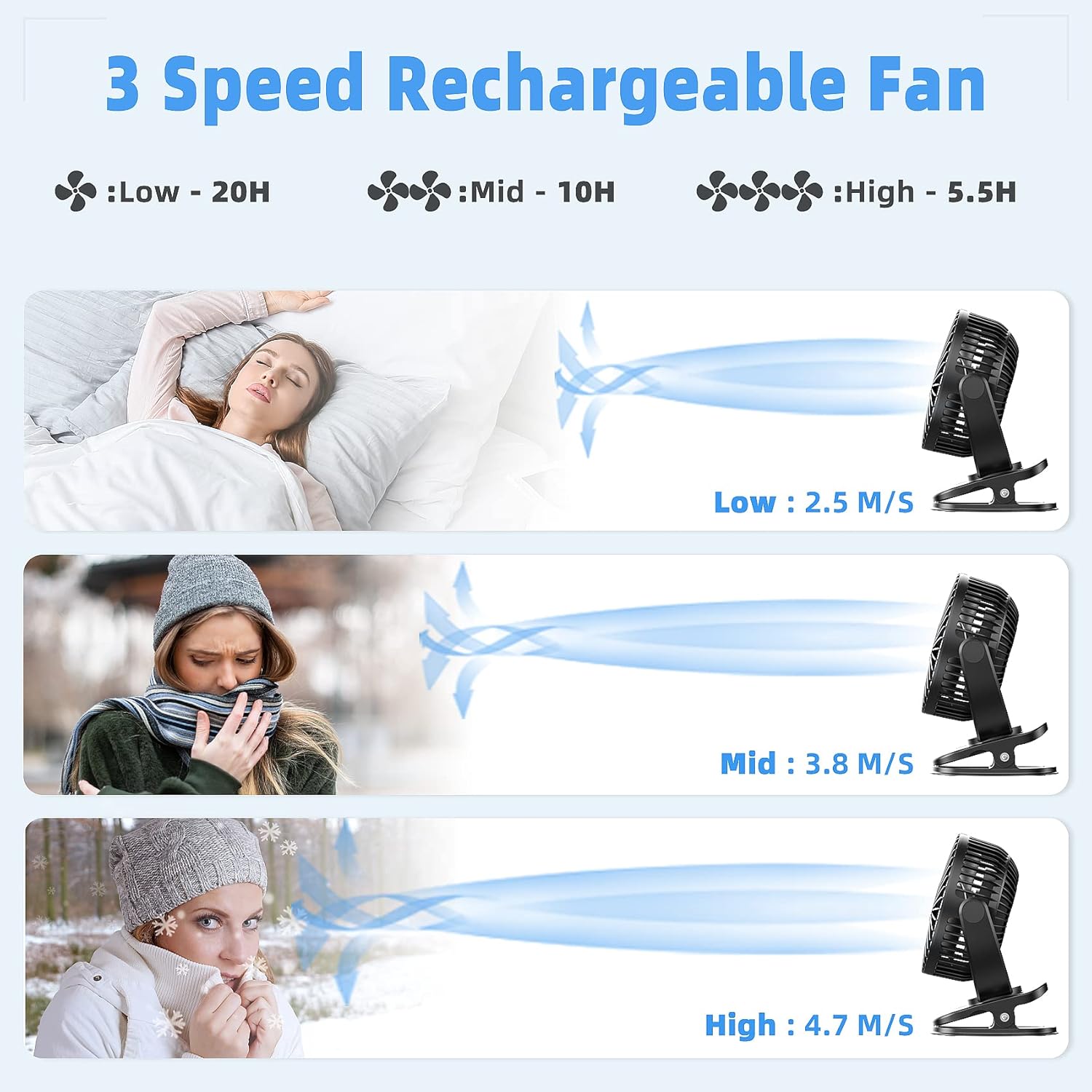
Image: Visual representation of the fan's compact dimensions, highlighting its portability.
10. Warranty & Support
ATEngeus provides a one-year after-sales service for defective products from the date of purchase. For any questions or support, please contact ATEngeus customer service. Human misuse, including disassembly, burning, immersion, and dropping, are not covered by the warranty.
