
1. Introduction
Thank you for choosing the BIGOU JCD-3LAYER Toddler Step Stool. This manual provides essential information for the safe assembly, operation, and maintenance of your new step stool. Please read these instructions carefully before use and retain them for future reference.
2. Safety Information
Your child's safety is paramount. Please observe the following safety guidelines:
- Always supervise children when they are using the step stool.
- Ensure the step stool is placed on a flat, stable, and dry surface before use.
- Verify all components are securely assembled before allowing a child to use the stool.
- Do not exceed the maximum weight limit of 100 pounds (45 kg).
- Do not allow children to jump on the step stool.
- Regularly check for loose screws or damaged parts. Discontinue use if any damage is found.
- Keep hands and feet clear of moving parts during conversion between 2-step and 3-step configurations.

3. Package Contents
Please check the box to ensure all parts are present:
- Step Stool Components (Side panels, steps)
- Plastic Screws (3 pieces)
- Anti-skid Silicone Pads (2 pieces)
- Instruction Manual
4. Assembly Instructions
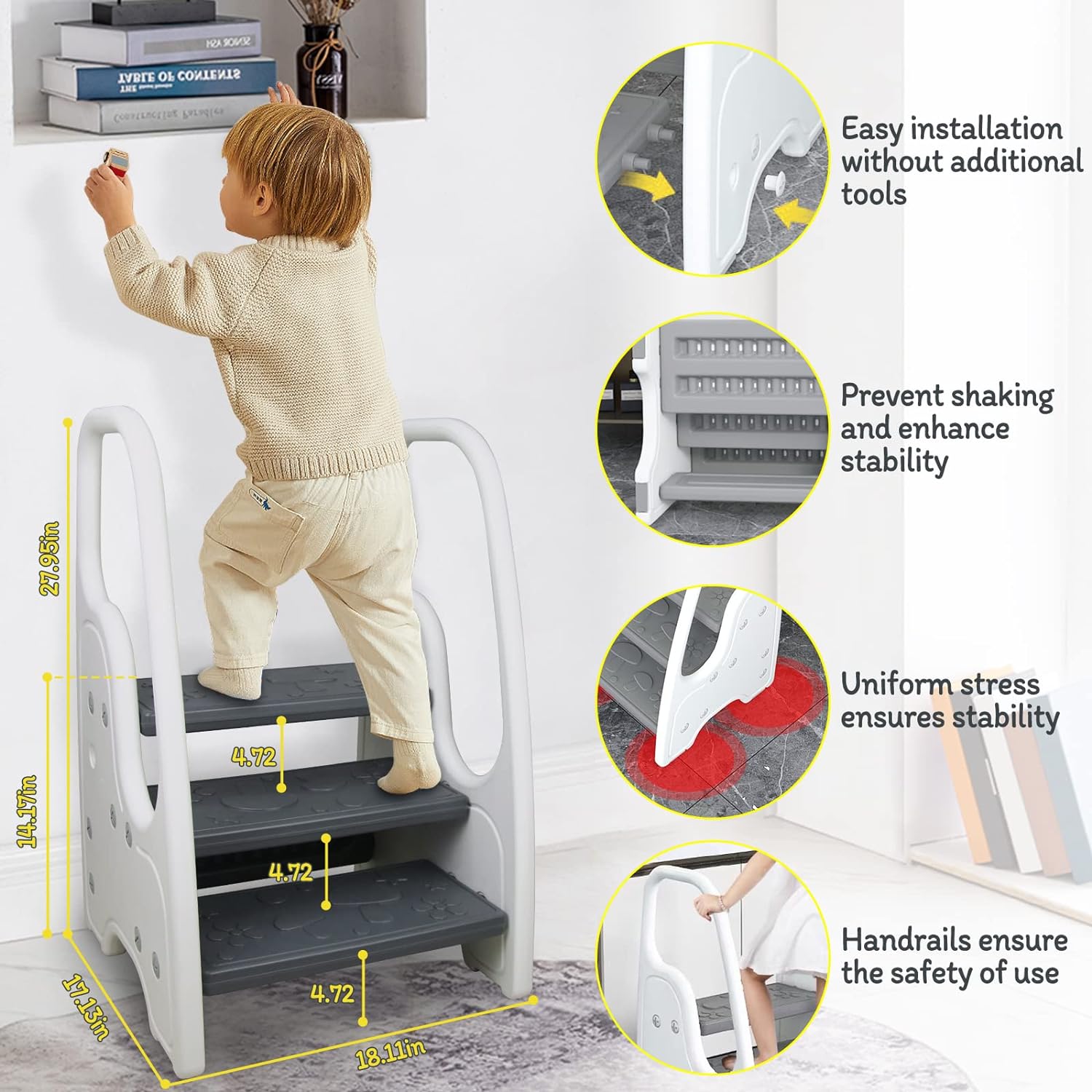
Assembly is straightforward and typically takes about 10 minutes. No additional tools are required.
- Unpack all components and verify against the package contents list.
- Align the steps with the slots on the side panels.
- Insert the plastic screws into the designated holes to secure the steps to the side panels. Hand-tighten until snug.
- Attach the anti-skid silicone pads to the bottom of the step stool's base.
- Ensure all connections are firm and stable before use.
5. Operating Instructions
5.1 Convertible Design (3-Step to 2-Step)
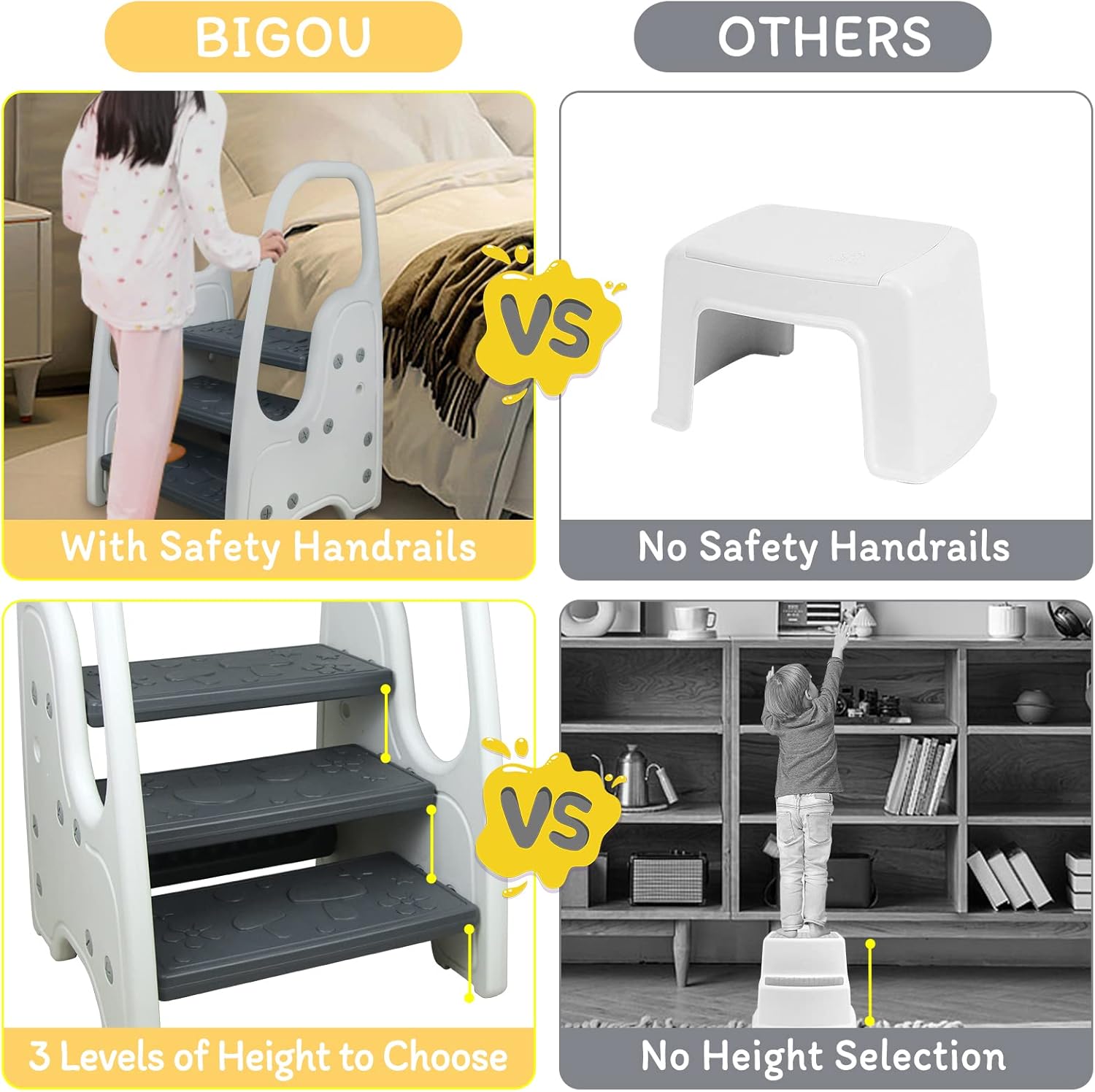
The BIGOU JCD-3LAYER step stool features a convertible design, allowing it to be used as a 3-step or 2-step stool to accommodate different heights and needs.
- To convert from 3-step to 2-step: Carefully remove the top step by disengaging its plastic screws. Store the step and screws safely.
- To convert from 2-step to 3-step: Reattach the top step using the plastic screws, ensuring it is securely fastened.

5.2 Multi-Purpose Use
This step stool is designed for various applications, promoting independence for toddlers:
- Bathroom Sink: Helps children reach the sink for washing hands and brushing teeth.
- Toilet Potty Training: Provides a stable platform for children to access the toilet independently.
- Kitchen Counter: Allows children to safely participate in kitchen activities.
- Reaching High Places: Assists children in accessing items on shelves or in cabinets.

6. Maintenance and Cleaning
To ensure the longevity and hygiene of your step stool:
- Cleaning: Wipe the step stool with a damp cloth and mild soap. Avoid abrasive cleaners that may damage the plastic.
- Drying: Ensure the stool is completely dry before storage or next use to prevent slipping.
- Inspection: Periodically check all screws and connections for tightness. Re-tighten if necessary.
- Storage: Store in a dry place away from direct sunlight and extreme temperatures.
7. Troubleshooting
If you encounter any issues with your step stool, refer to the following common solutions:
| Problem | Possible Cause | Solution |
|---|---|---|
| Stool feels wobbly | Loose screws or uneven surface. | Check and tighten all plastic screws. Ensure the stool is on a flat, even surface. |
| Stool slides on floor | Missing or worn anti-slip pads, wet floor. | Verify anti-slip silicone pads are correctly installed. Ensure floor is dry. Replace pads if worn. |
| Difficulty converting height | Steps not aligned correctly or screws too tight. | Loosen screws slightly, realign steps, then re-tighten. Refer to assembly instructions. |
8. Specifications
- Model Name: JCD-3LAYER
- Brand: BIGOU
- Material: Plastic
- Color: White
- Product Dimensions: 17"D x 18"W x 27"H (43.18 cm D x 45.72 cm W x 68.58 cm H)
- Item Weight: 7.3 Pounds (3.3 kg)
- Weight Limit: 100 Pounds (45 kg)
- Number of Steps: 3 (Convertible to 2)
- Special Feature: Adjustable, Non-Slip Pads, Handles
- Assembly Required: Yes
- Age Range (Description): Toddler - 6 years old
9. Warranty and Support
For any questions, concerns, or support needs regarding your BIGOU JCD-3LAYER Toddler Step Stool, please contact BIGOU customer service. While specific warranty details are not provided in this manual, please refer to your purchase documentation or contact the seller directly for warranty information.
You can typically find contact information for BIGOU customer service through the retailer where you purchased the product or by visiting the official BIGOU brand store online.