
DT NO.1 DT8Max
DT NO.1 DT8MAX Smart Watch User Manual
Model: DT8Max | Brand: DT NO.1
1. Introduction
Thank you for choosing the DT NO.1 DT8MAX Smart Watch. This manual provides essential information for setting up, operating, and maintaining your device to ensure optimal performance and longevity. The DT8MAX is a feature-rich smartwatch designed for daily use, offering advanced health monitoring, communication features, and a vibrant display.
Key Features:
- 2.0-inch HD IPS full view color screen with 420*485 resolution
- Bluetooth Calling functionality
- Wireless Charging for convenience
- IP67 Waterproof rating
- Real-time Heart Rate and Sleep Monitoring
- NFC and GPS Tracking capabilities
- Over 200 customizable watch faces
- Long battery life: 5-6 days of normal use, up to 25-35 days in power-saving mode
- Multiple menu styles and notification support

Image: The DT NO.1 DT8MAX Smart Watch showcasing its sleek design and two different watch face displays, one with a horse graphic and another with health metrics.

Image: A close-up view highlighting the 2.0-inch HD screen of the DT8 Max, emphasizing its vibrant display and frameless design.
2. Setup
2.1 Charging the Smart Watch
Before initial use, fully charge your DT8MAX Smart Watch.
- Connect the wireless charging cable to a USB power adapter (not included) or a computer's USB port.
- Place the back of the smartwatch onto the wireless charging pad. Ensure the watch aligns correctly with the charger.
- The watch screen will indicate charging status. A full charge typically takes less than 5 hours.
2.2 Initial Pairing with Your Smartphone
To unlock all features, pair your DT8MAX with your smartphone via the dedicated app.
- Download the companion application (e.g., 'WearPro' or similar, check watch manual for specific app name) from your phone's app store (App Store for iOS, Google Play Store for Android).
- Ensure Bluetooth is enabled on your smartphone.
- Open the downloaded app and follow the on-screen instructions to create an account or log in.
- In the app, navigate to 'Device' or 'Add Device' and select your DT8MAX from the list of available devices.
- Confirm the pairing request on both your phone and the smartwatch.
- Once paired, the watch will synchronize time, date, and other settings with your phone.
3. Operating Instructions
3.1 Basic Navigation
- Touch Screen: Tap to select, swipe left/right/up/down to navigate menus and screens.
- Side Button/Crown: Press to wake/sleep the screen, return to the home screen, or access the app list. Rotate the crown to scroll through menus or zoom in/out (functionality may vary by watch face/app).
3.2 Bluetooth Calling
The DT8MAX supports Bluetooth calling, allowing you to make and receive calls directly from your wrist.
- Ensure the watch is connected to your phone via Bluetooth.
- Access the 'Phone' or 'Dialer' app on your watch.
- You can dial numbers directly, access recent calls, or sync contacts from your phone (via the companion app).
- To answer an incoming call, tap the green answer icon on the watch screen.
3.3 Notifications
Receive notifications for calls, messages, and app alerts directly on your watch.
- Enable app notifications in the companion app on your smartphone.
- Swipe down from the top of the watch screen to view your notification center.
3.4 Health Monitoring
The DT8MAX provides various health tracking features.
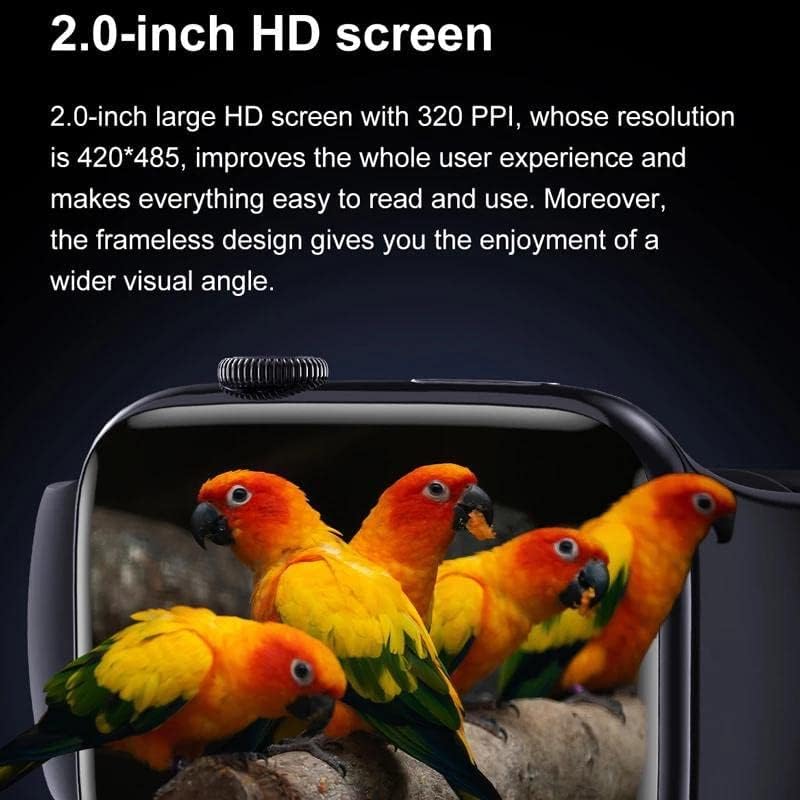
Image: An infographic illustrating the intelligent software solutions of the DT8MAX, including heart rate monitoring, motion meter step, call reminder, alarm clock reminder, weather forecast, sleep monitoring, blood oxygen measurement, and information reminder.
- Heart Rate: Access the heart rate app on the watch to measure your current heart rate. For continuous monitoring, enable it in the companion app.
- Sleep Monitoring: Wear the watch to bed for automatic sleep tracking. View detailed sleep data (deep sleep, light sleep, awake time) in the companion app.
- Activity Tracking: The watch tracks steps, distance, and calories burned. Set daily goals in the app.
3.5 Customizing Watch Faces
Personalize your watch with a wide selection of watch faces.

Image: A collection of DT8 Max smartwatches displaying various built-in and customizable watch faces, highlighting the extensive personalization options available.
- On Watch: Long-press the current watch face on the home screen, then swipe left/right to browse and tap to select.
- Via App: Open the companion app, navigate to 'Watch Faces' or 'Dial Market' to explore and download more options. You can also upload your own photos to create custom dials.
3.6 Mini-Games
The DT8MAX includes built-in mini-games for entertainment.

Image: A DT8 Max smartwatch displaying a mini-game on its screen, demonstrating the entertainment features available on the device.
- Access the 'Games' app from the watch's main menu.
- Select from available games such as Whac-A-Mole or Jigsaw puzzle.
4. Maintenance
4.1 Water Resistance (IP67)
The DT8MAX Smart Watch has an IP67 waterproof rating, meaning it is protected from dust and can withstand immersion in water up to 1 meter for up to 30 minutes. However, it is not suitable for hot water, saunas, or diving.
- Do not expose the watch to hot water or steam.
- Avoid prolonged immersion in water.
- Dry the watch thoroughly after exposure to water.
4.2 Cleaning
- Wipe the watch screen and body with a soft, lint-free cloth.
- For stubborn stains, dampen the cloth slightly with water. Do not use harsh chemicals or abrasive cleaners.
- Clean the charging contacts regularly to ensure efficient charging.
4.3 Battery Care
- Avoid completely draining the battery frequently.
- Charge the watch regularly, even if not in daily use, to maintain battery health.
- Store the watch in a cool, dry place when not in use for extended periods.
5. Troubleshooting
If you encounter issues with your DT8MAX Smart Watch, refer to the following common problems and solutions:
| Problem | Possible Solution |
|---|---|
| Watch not turning on or charging. | Ensure the wireless charger is properly connected and the watch is correctly placed on the charging pad. Check for any debris on the charging contacts. Try a different USB power source. |
| Bluetooth connection issues. | Ensure Bluetooth is enabled on both the watch and your phone. Restart both devices. Forget the device in your phone's Bluetooth settings and re-pair. Ensure the companion app is running in the background. |
| Notifications not appearing. | Check notification settings in the companion app and your phone's system settings. Ensure the app has necessary permissions. Make sure the watch is connected via Bluetooth. |
| Inaccurate health data (e.g., heart rate, steps). | Ensure the watch is worn snugly on your wrist, not too loose or too tight. Clean the sensor on the back of the watch. Ensure your personal information (height, weight) is accurate in the companion app. |
| Short battery life. | Reduce screen brightness. Turn off unnecessary features like continuous heart rate monitoring if not needed. Limit the number of active notifications. Ensure the watch is fully charged. |
6. Specifications
| Feature | Detail |
|---|---|
| Model Number | DT8Max |
| Dimensions | 45*38.2*10.8mm (Watch Body) | 23 x 3 x 1 cm (Product Dimensions) |
| Weight | 35.5g |
| Body Material | Stainless steel |
| Strap Material | Quick detachable silicone straps |
| Strap Width | 20mm |
| Display | 2.0" IPS full view color screen |
| Screen Resolution | 420*485 |
| Chip | RTK8762D |
| Battery Capacity | 280mAh |
| Charging Method | Wireless charging |
| Charging Time | Less than 5 hours |
| Battery Life (Normal Use) | 5-6 days |
| Battery Life (Power Saving Mode) | 25-35 days |
| Waterproof Rating | IP67 |
| Connectivity | Bluetooth |
| Operating System | Smartwatch OS |
| Special Features | Wireless Charging, NFC, GPS Tracking, Bluetooth Call |
7. Warranty and Support
For warranty information and customer support, please refer to the documentation provided with your purchase or contact the seller/manufacturer directly. Keep your proof of purchase for any warranty claims.
Manufacturer: Shenzhen Xinkeying Digital Co., Ltd
Related documentsDT8Max


Ask a question about this manual
Ask about setup, troubleshooting, compatibility, parts, safety, or missing instructions. Manuals+ will review the question and use this page’s manual context to help answer it.