
StitchGreen M41
StitchGreen M41 Bluetooth Earbuds User Manual
True Wireless Earbuds with 120Hrs Playback and 1200mAh Battery
1. Introduction
Thank you for choosing the StitchGreen M41 Bluetooth Earbuds. These true wireless earbuds are designed to provide a superior audio experience with advanced features such as Environmental Noise Cancelling (ENC), extended battery life, and a durable, waterproof design. This manual will guide you through the setup, operation, and maintenance of your new earbuds.
2. What's in the Box
- 2 x True Wireless Earbuds (Left and Right)
- 1 x USB-C Charging Case
- 1 x USB-C Charging Cable
- 3 x Original Ear Caps (S, M, L)
3. Product Overview
The StitchGreen M41 earbuds feature a robust design with intuitive controls and a multi-functional charging case.
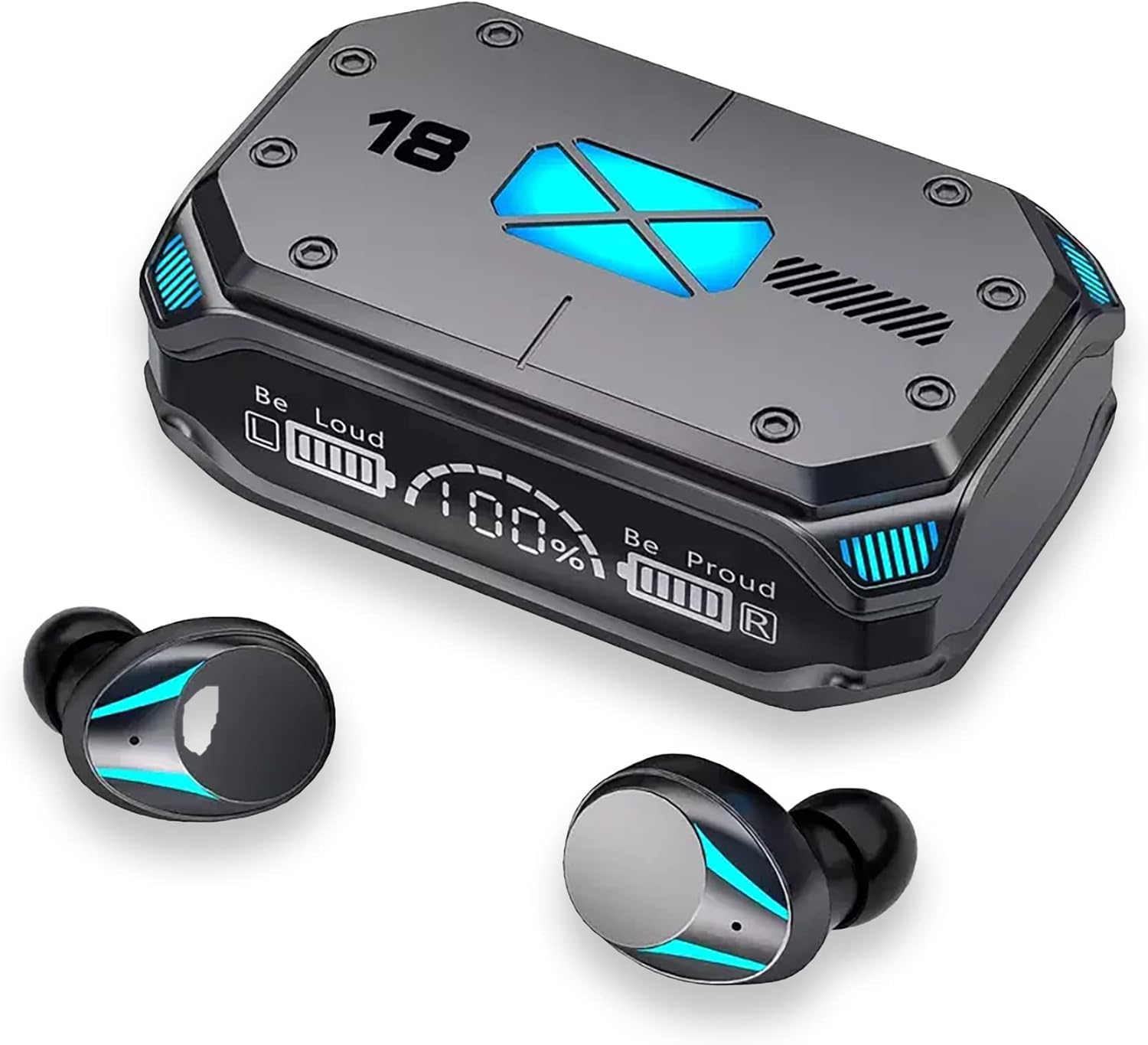
Figure 3.1: StitchGreen M41 Earbuds and Charging Case. The charging case features a digital display showing battery percentages for the case and individual earbuds, along with indicator lights.
3.1. Charging Case Features
- Digital Display: Shows battery levels for the charging case and each earbud.
- Magnetic Hatch Cover: Ensures secure closure and easy access to earbuds.
- Portable Power Bank: The 1200mAh battery in the case can also charge other mobile devices via its USB-C port.
- Sensitive Metal Contacts: For efficient and rapid earbud charging.

Figure 3.2: Magnetic Hatch Cover. The case opens with a slight toggle due to its built-in sensitive magnet.

Figure 3.3: Portable Power Bank Function. The charging case can be used to charge other mobile devices, ensuring you stay powered throughout the day.

Figure 3.4: Sensitive Metal Contacts. Earbuds recharge rapidly by simply placing them in the charging case.
3.2. Earbud Features
- ENC Environmental Noise Cancelling: Equipped with 4 microphones for clear calls.
- IPX7 Waterproof: Designed to withstand rain and sweat.
- 8mm Dynamic Driver: Provides clear audio and rich bass.
- Touch Controls: Manage playback, calls, and voice assistant.

Figure 3.5: IPX7 Waterproof. The multi-process design ensures life-level waterproofing, protecting against rain and sweat.
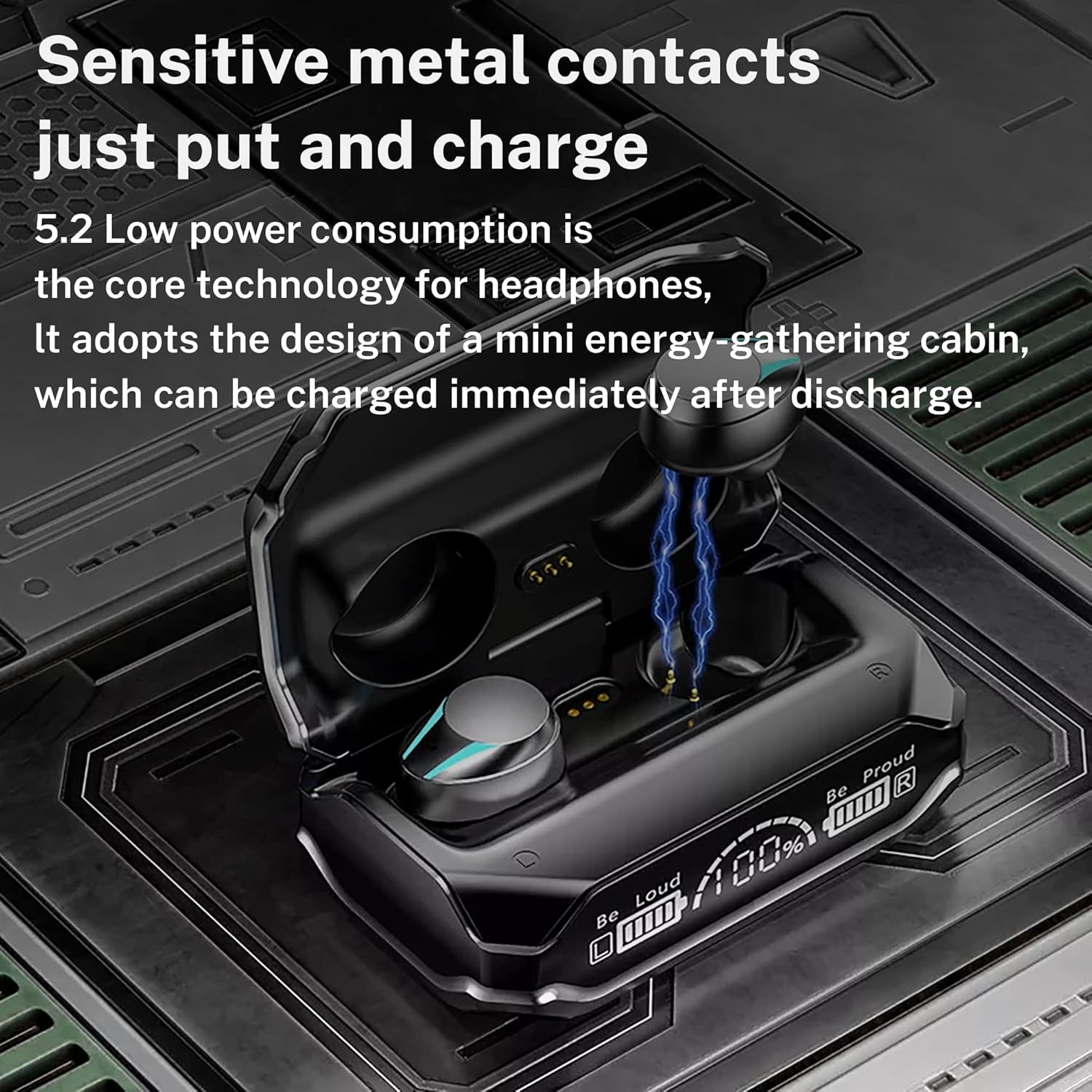
Figure 3.6: 8mm Biodiaphragm. The audio is parsed clearly with undistorted details, providing an excellent listening experience.
4. Setup
4.1. Initial Charging
Before first use, fully charge the charging case and earbuds. Connect the provided USB-C cable to the charging case and a compatible USB power source. The digital display on the case will show the charging progress. Ensure both earbuds are properly seated in their charging slots within the case.
- Charging Time: Approximately 2 hours for a full charge.
- Battery Life: Up to 120 hours of total playback with the charging case.
4.2. Bluetooth Pairing
- Power On: Open the charging case. The earbuds will automatically power on and enter pairing mode.
- Activate Bluetooth: On your device (smartphone, tablet, PC), enable Bluetooth.
- Select Device: Look for "M41" in the list of available Bluetooth devices and select it to connect.
- Confirmation: Once connected, you will hear an audio prompt, and the earbud indicator lights may change.
- Automatic Reconnection: After the initial pairing, the earbuds will automatically connect to the last paired device when removed from the case, provided Bluetooth is enabled on the device.
The M41 earbuds utilize Bluetooth 5.3 for stable and efficient wireless communication.
5. Operating Instructions
5.1. Touch Controls
The M41 earbuds feature touch-sensitive controls for easy management of audio playback and calls.

Figure 5.1: Earbud Touch Control Functions.
| Action | Function |
|---|---|
| One tap on either headset | Pause/Play playback |
| Double click on left ear | Previous piece (track) |
| Double click on right ear | Next track |
| Tap 1 time on headset | Answer/Hang up call |
| Press and hold headset for 1 second | Reject call |
| Press and hold headset for 2 seconds | Activate Voice Assistant (Siri, Google Assistant, etc.) |
5.2. Gaming Mode
The M41 earbuds feature a low-latency mode, ideal for gaming, ensuring real-time synchronization of audio with on-screen action.

Figure 5.2: Enhanced Gaming Experience. The upgraded BT 5.2 Chip reduces power consumption and offers low latency for real-time audio synchronization.
6. Maintenance
Proper maintenance ensures the longevity and optimal performance of your StitchGreen M41 earbuds.
- Cleaning: After each use, it is essential to wipe off any sweat, earwax, or grease from the surface of the earbuds and charging contacts. Accumulation of these substances can lead to erosion of internal components and affect charging efficiency.
- Storage: Store the earbuds in their charging case when not in use to protect them from dust and physical damage.
- Temperature: Avoid exposing the earbuds to extreme cold environments, as this can make the ear wires hard and brittle.
- Water Exposure: While IPX7 waterproof, avoid prolonged submersion in water. Dry thoroughly if exposed to liquids.
Video 6.1: StitchGreen M41 Bluetooth 5.2 Wireless Earbuds Charging Case. This video demonstrates the product and highlights features relevant to maintenance, such as cleaning the earbuds.
7. Troubleshooting
If you encounter issues with your StitchGreen M41 earbuds, refer to the following common solutions:
| Problem | Solution |
|---|---|
| Earbuds not pairing/connecting |
|
| No sound or low volume |
|
| Charging case not charging |
|
| Earbuds not charging in case |
|
| Audio lag or intermittent connection |
|
8. Specifications
| Feature | Detail |
|---|---|
| Model Name | M41 Wireless Earbuds |
| Brand | StitchGreen |
| Connectivity Technology | Wireless (Bluetooth) |
| Bluetooth Version | 5.3 |
| Bluetooth Range | 10 Meters |
| Ear Placement | In Ear |
| Form Factor | In Ear |
| Noise Control | None (Features ENC for calls) |
| Audio Driver Type | Dynamic Driver |
| Audio Driver Size | 8 Millimeters |
| Battery Life (Earbuds) | Not specified individually, total 120 hours with case |
| Carrying Case Battery Average Life | 120 Hours (total playback) |
| Charging Time | 2 Hours |
| Water Resistance Level | IPX7 Waterproof |
| Control Method | Touch |
| Compatible Devices | Android, iPhone, PC, Laptop, other Bluetooth-enabled devices |
| Material | Plastic, ABS+PC |
| Item Weight | 0.12 Kilograms (4.2 ounces) |
| Product Dimensions | 2.68 x 1.97 x 1.18 inches |
| Manufacturer | Shenzhen Modern Life Electronic Technology Co. Ltd. |
9. Warranty and Support
The StitchGreen M41 Bluetooth Earbuds come with a 30-day return policy. For any product-related inquiries, technical support, or warranty claims beyond the return period, please contact the seller directly through the platform where the purchase was made. As a small business brand, StitchGreen is committed to providing customer satisfaction.