
Accinouter Finder 26-V3
Accinouter Finder 26-V3 Electric Bike User Manual
Model: Finder 26-V3 | Brand: Accinouter
1. Introduction
This manual provides essential information for the safe and efficient operation, assembly, and maintenance of your Accinouter Finder 26-V3 Electric Bike. Please read this manual thoroughly before your first ride and keep it for future reference. Proper assembly and adherence to safety guidelines are crucial for your riding experience and the longevity of your e-bike.
The Accinouter Finder 26-V3 is a powerful electric bike designed for various terrains, featuring a 5000W dual motor, 26-inch fat tires, a 60V 25Ah removable battery, and full suspension for enhanced comfort and performance.
2. Safety Guidelines
- Always wear a helmet and appropriate safety gear when riding.
- Familiarize yourself with local traffic laws and regulations for electric bikes.
- Perform a pre-ride inspection before each use, checking brakes, tire pressure, battery level, and all connections.
- Do not ride under the influence of alcohol or drugs.
- Avoid riding in extreme weather conditions or on excessively slippery surfaces.
- Ensure the battery is securely locked in place before riding.
- Be aware of your surroundings and ride defensively.
3. Setup and Assembly
Your Accinouter Finder 26-V3 Electric Bike requires some assembly before its first use. Please follow these steps carefully. Refer to the assembly video for visual guidance.
3.1 Unboxing and Parts Identification
Carefully remove all components from the packaging. Lay them out and identify each part against the packing list. The package includes the main bike frame, front wheel, pedals, fenders, headlight, rear rack, mirrors, and a tool kit.
Video Description: This video demonstrates the complete unboxing and assembly process for the TT-EBIKE Dual Motor Electric Bike, which shares similar assembly steps with the Accinouter Finder 26-V3. It covers unpacking, attaching the front wheel, handlebars, pedals, fenders, headlight, and rear rack, as well as battery installation and initial charging. The video also shows how to connect the front wheel motor cable and adjust the suspension.
3.2 Handlebar Installation
Attach the handlebars to the stem. Ensure they are centered and tightened securely using the provided hex wrench. Adjust the angle for comfortable riding posture.
3.3 Seat Post Adjustment
Insert the seat post into the frame. Adjust the seat height to ensure your feet can comfortably touch the ground when stopped. Secure the quick-release lever firmly.
3.4 Front Wheel Assembly
Carefully align the front wheel with the fork. Ensure the brake rotor slides correctly into the caliper. Secure the wheel using the quick-release skewer or axle nuts, depending on the specific design. Note: Due to manufacturing variations, the front wheel mounting method may differ. Refer to the detailed video for specific front wheel installation instructions.
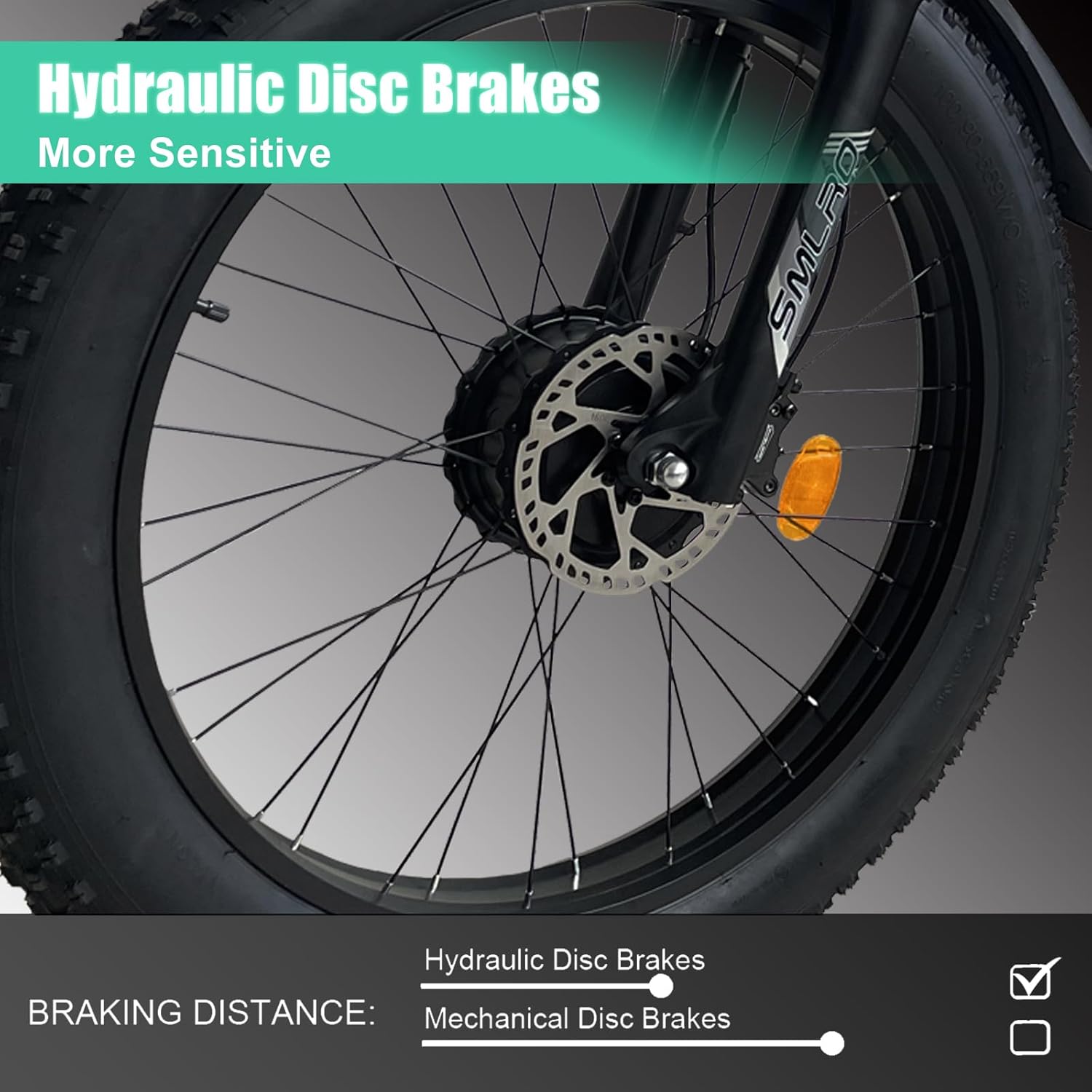
Image Description: A close-up view of the front wheel of the Accinouter Finder 26-V3 Electric Bike, highlighting the hydraulic disc brake system. The brake caliper and rotor are clearly visible, emphasizing the bike's sensitive braking capability.
3.5 Pedal Installation
The pedals are marked 'L' for left and 'R' for right. Thread the 'L' pedal counter-clockwise into the left crank arm and the 'R' pedal clockwise into the right crank arm. Tighten them firmly with a wrench.
3.6 Fender and Headlight Attachment
Attach the front and rear fenders to their designated mounting points. Install the headlight onto the front fork and connect its power cable. Ensure the headlight is securely fastened to prevent loosening during rides.
3.7 Rear Rack and Mirrors
Mount the rear rack to the frame using the provided hardware. Attach the rearview mirrors to the handlebars, adjusting them for optimal visibility.
3.8 Battery Installation and Initial Charge
Unlock the battery compartment, slide the 60V 25Ah removable battery into place, and lock it securely. Connect the charger to the battery and a power outlet. The indicator light on the charger will be red during charging and turn green when fully charged. It is recommended to fully charge the battery before the first ride.

Image Description: A detailed view of the removable 60V 25Ah lithium-ion battery, emphasizing its design and integration into the bike frame. This battery powers the dual motor system.
4. Operating Instructions
Understanding your e-bike's controls and riding modes is key to a safe and enjoyable experience.
4.1 Powering On/Off
To power on the e-bike, press and hold the power button on the control panel for 5 seconds. The LCD display will illuminate. To power off, press and hold the same button for 5 seconds.
4.2 LCD Display and Controls
The smart digital LCD display shows speed, total distance, battery power, and current riding mode. Use the control buttons to navigate through settings and adjust assistance levels.

Image Description: A view of the handlebar controls and the smart digital LCD display, illustrating the various buttons for gear shifting, throttle, headlight, horn, and mode selection. A phone holder is also visible.
4.3 Riding Modes
The Accinouter Finder 26-V3 offers three distinct riding modes:
- Electric Only Mode: Provides power solely from the motor, with a battery range of 40-50 km.
- Human Only Mode: Operates as a traditional bicycle, requiring pedal power.
- Pedal Assist Mode: The motor provides assistance as you pedal, extending the battery range to 60-90 km.
You can customize your ride with the Shimano 7-speed gear system, offering more options than normal modes.
4.4 Dual Motor Operation
The Finder 26-V3 features a dual motor system (front and rear). The display indicates the active drive mode:
- If the default display shows '1' when powered on, it indicates rear-wheel drive.
- Quickly press the mode button once to switch to '2', which indicates front-wheel drive.
- When switched to '2', pressing once more will display both '1' and '2', indicating a dual-drive state.
Video Description: This video showcases the SMLRO V3 Plus E-Bike in various outdoor settings, demonstrating its performance and features. It highlights the bike's ability to handle different terrains and its overall design, providing a visual representation of the riding experience.
5. Maintenance
Regular maintenance ensures the longevity and safe operation of your e-bike.
5.1 Battery Care
- Charge the battery regularly, even if not in use, to maintain its health.
- Avoid completely draining the battery.
- Store the battery in a cool, dry place away from direct sunlight and extreme temperatures.
5.2 Tire Maintenance
Check tire pressure before each ride. The 26-inch fat tires are designed for various terrains, but proper inflation is essential for performance and safety.

Image Description: A close-up of the 26-inch fat tires, highlighting their robust tread pattern suitable for gravel, snow, beach, city roads, and potholes. The image emphasizes the bike's all-terrain capability.
5.3 Brake System
Regularly inspect the hydraulic disc brakes for wear and tear. Ensure brake levers are responsive and provide adequate stopping power. Adjust or replace brake pads as needed.
5.4 General Inspection
Periodically check all bolts, nuts, and quick-release mechanisms for tightness. Lubricate the chain and moving parts as necessary. Inspect the full suspension system for proper function.

Image Description: A close-up view of the full suspension system, including the rear shock absorber, designed to provide a smooth ride over varied terrain.
6. Specifications
| Feature | Detail |
|---|---|
| Brand | Accinouter |
| Model Name | FINDER 26-V3 |
| Bike Type | Mountain, Dirt, Snow, Commute, Rod, Electric |
| Age Range | Adult |
| Motor Power | 5000W Dual Motor (Brushless front and rear) |
| Battery | 60V 25Ah Removable Lithium Battery |
| Max Speed | 20 MPH |
| Wheel Size | 26 Inches |
| Tires | 4-inch wide Puncture-Resistant Fat Tires |
| Gears | Shimano 7 Speed |
| Brake Style | Disc (Hydraulic) |
| Suspension Type | Full Suspension |
| Frame Material | Aluminum |
| Item Weight | 83 Pounds |
| Maximum Weight Recommendation | 264 Pounds |
| Special Features | Adjustable Handlebars, Adjustable Seat, Digital Display, Headlight, Rechargeable |
| Included Components | Fender, Lock, Mobile Phone Holder, Mudguard, Pump |
7. Troubleshooting
If you encounter any issues with your Accinouter Finder 26-V3 Electric Bike, please refer to the following general troubleshooting tips:
- Bike not powering on: Check if the battery is fully charged and securely installed. Ensure all electrical connections are firm.
- Motor not assisting: Verify that the pedal assist level is set above zero on the display. Check for any error codes on the LCD.
- Brakes not responsive: Inspect brake pads for wear and ensure cables (if mechanical) or fluid levels (if hydraulic) are adequate. Seek professional assistance if unsure.
- Unusual noises: Stop riding immediately and inspect the bike for loose parts, rubbing components, or damaged areas.
For more complex issues or if troubleshooting steps do not resolve the problem, please contact Accinouter customer support.
8. Warranty Information
The Accinouter Finder 26-V3 Electric Bike comes with a limited warranty to ensure your peace of mind.
- 12 Months Warranty: Applies to the battery, charger, motor, and controller.
- 1 Year Warranty: General warranty for the product.
Please retain your proof of purchase for warranty claims. The warranty covers manufacturing defects and does not cover damage due to misuse, accidents, or normal wear and tear.
9. Customer Support
For any questions, technical assistance, or warranty inquiries, please contact Accinouter customer support. We aim to provide a 24-hour quick response.
You can visit the official Accinouter Store on Amazon for more information and support: Accinouter Store
Related documentsFinder 26-V3

Ask a question about this manual
Ask about setup, troubleshooting, compatibility, parts, safety, or missing instructions. Manuals+ will review the question and use this page’s manual context to help answer it.