
SUPCASE Edge XT for Samsung Galaxy S23 Ultra

SUPCASE Edge XT Full-Body Case Instruction Manual
For Samsung Galaxy S23 Ultra
1. Introduction
This manual provides detailed instructions for the installation, usage, and maintenance of your SUPCASE Edge XT Full-Body Case for the Samsung Galaxy S23 Ultra. This case is designed to offer robust protection for your device, featuring a built-in screen protector and military-grade drop protection.

Image: The SUPCASE Edge XT Full-Body Case, showcasing its clear design and protective frame.
2. Compatibility
The SUPCASE Edge XT Full-Body Case is specifically designed for the following device:
- Samsung Galaxy S23 Ultra 5G (2023 Release)
This case is not compatible with the Samsung Galaxy S23+ (6.6") or Samsung Galaxy S23 (6.1").

Image: A visual guide confirming compatibility only with the Samsung Galaxy S23 Ultra.
3. Package Contents
Upon opening your package, please ensure all the following items are present:
- SUPCASE Edge XT Front Frame with Built-in Screen Protector
- SUPCASE Edge XT Back Cover
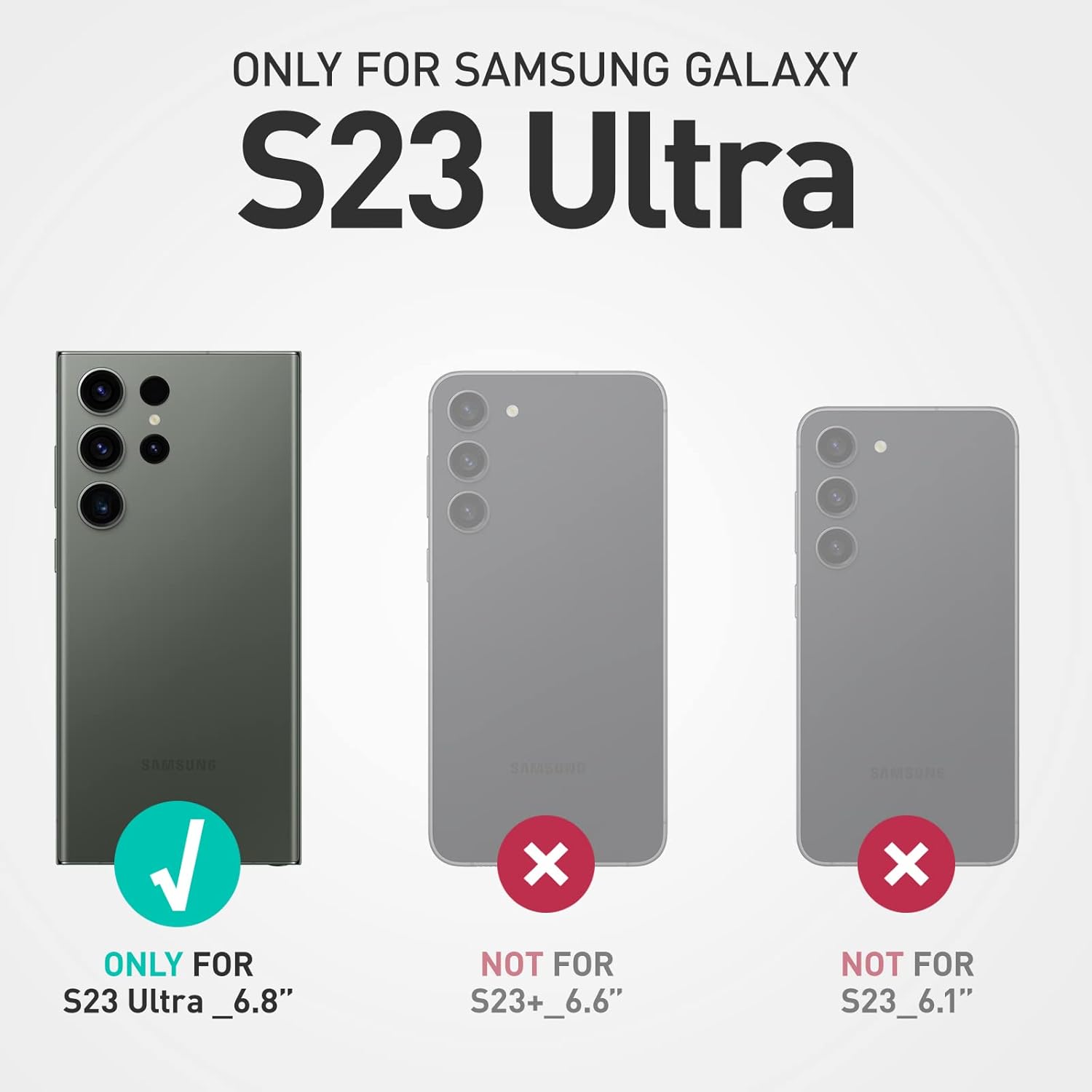
Image: The two main components of the SUPCASE Edge XT case: the front frame with screen protector and the clear back cover.
4. Setup and Installation
Follow these steps to properly install your SUPCASE Edge XT case:
- Separate the Case Components: Gently pry apart the front frame from the back cover. Start from a corner and work your way around the edges until the two pieces separate.
- Clean Your Device: Ensure your Samsung Galaxy S23 Ultra's screen and back are thoroughly clean and free of dust, fingerprints, and smudges. Use a microfiber cloth for best results.
- Install Phone into Front Frame: Place your Samsung Galaxy S23 Ultra into the front frame, ensuring it sits securely and flush within the frame. The built-in screen protector should align perfectly with your phone's display.
- Attach the Back Cover: Align the back cover with the front frame and your phone. Start by snapping one side into place, then carefully press around the edges until the entire back cover is securely fastened. Ensure there are no gaps.
- Fingerprint Sensor Calibration: For optimal fingerprint recognition, it is highly recommended to re-register your fingerprints after the case has been installed. This accounts for the built-in screen protector and improves accuracy.

Image: The phone being carefully inserted into the front frame of the case, highlighting the built-in screen protector.
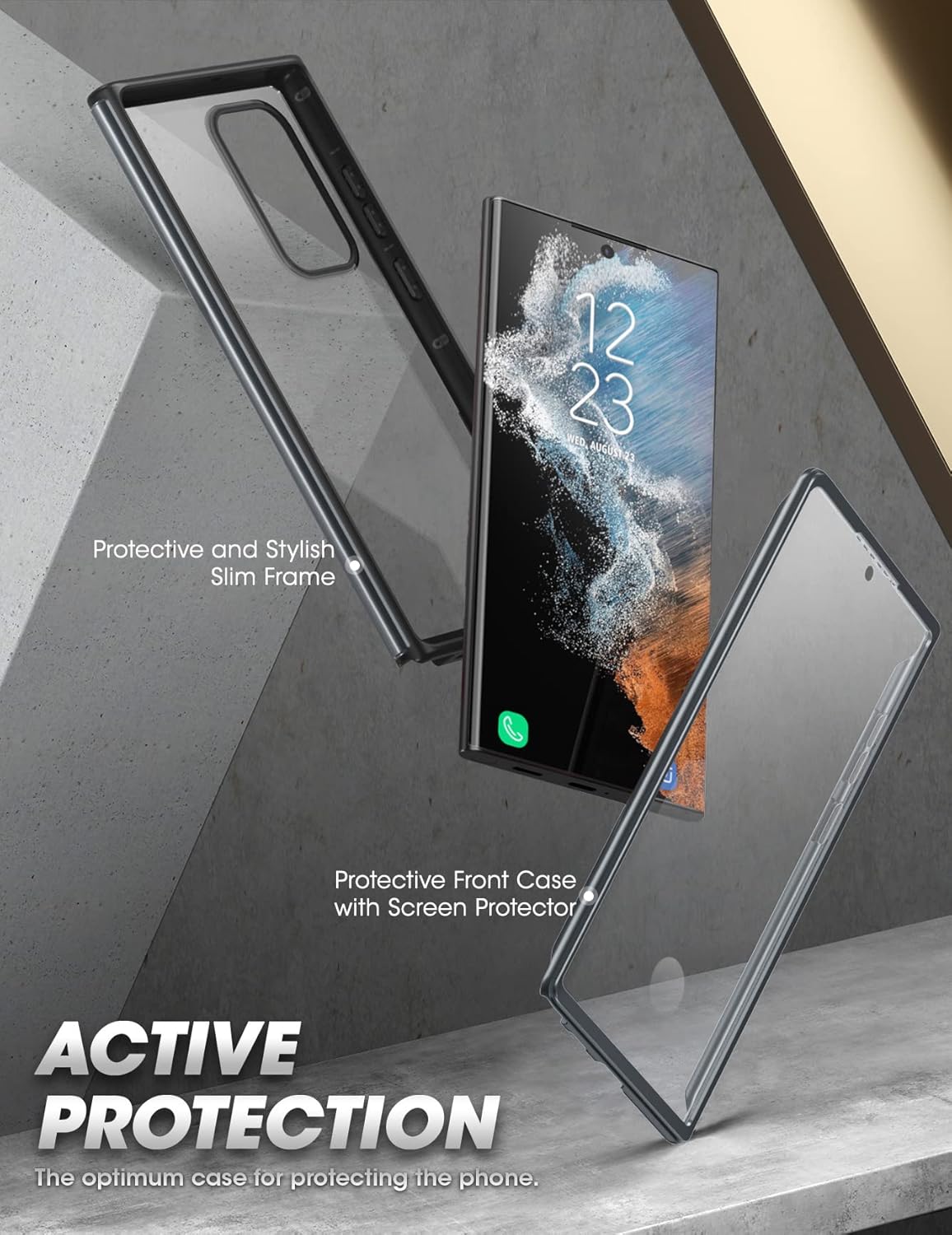
Image: The phone fully enclosed within the assembled SUPCASE Edge XT case, demonstrating a secure fit.
5. Operating and Usage
Your SUPCASE Edge XT case is designed for daily use, providing protection while maintaining full functionality of your Samsung Galaxy S23 Ultra.
- Access to Ports and S-Pen: The case features precise cutouts for all ports, speakers, and the S-Pen, allowing for easy access and functionality without removing the case.
- Button Functionality: The case's button covers are designed to maintain tactile feedback and responsiveness for the power and volume buttons.
- Fingerprint ID: The built-in screen protector is designed to be compatible with the ultrasonic fingerprint sensor. Ensure your fingerprints are re-registered after installation for best performance.

Image: A detailed view of the case's precise cutouts for the charging port and S-Pen, ensuring unhindered access.

Image: An illustration demonstrating the fingerprint ID compatibility of the built-in screen protector.
6. Maintenance
To ensure the longevity and clarity of your SUPCASE Edge XT case, follow these maintenance guidelines:
- Cleaning: Use a soft, damp cloth to wipe down the case. For stubborn smudges, a small amount of mild soap can be used. Avoid harsh chemicals or abrasive materials.
- Screen Protector Care: The built-in screen protector is scratch-resistant. To maintain its clarity, clean it regularly with a soft, lint-free cloth. If dust or debris gets underneath, carefully remove the case, clean both the phone screen and the protector, and re-install.
- Avoid Extreme Conditions: While the case offers robust protection, prolonged exposure to extreme temperatures or direct sunlight can affect its material integrity over time.

Image: Features of the advanced clear protective finish, including resistance to scratches, watermarks, and fingerprints.
7. Troubleshooting
Here are solutions to common issues you might encounter:
- Fingerprint Sensor Not Working:
- Ensure your fingerprints were re-registered after case installation.
- Clean the fingerprint area on the screen protector and your finger.
- Ensure the screen protector is free of air bubbles or debris over the sensor area.
- Dust or Debris Under Screen Protector:
- Carefully remove the case.
- Clean both your phone screen and the inside of the screen protector with a microfiber cloth.
- Re-install the case, ensuring a dust-free environment during installation.
- Case Not Fitting Securely:
- Verify that you have the correct model (Samsung Galaxy S23 Ultra).
- Ensure all edges are properly aligned and snapped into place during installation.
8. Specifications
| Product Dimensions | 6.87 x 3.5 x 0.56 inches |
| Item Weight | 2.82 ounces |
| Material | Polycarbonate (PC) + Thermoplastic Polyurethane (TPU) |
| Special Features | Built-in Screen Protector, Military-Grade Drop Protection, Scratch Resistant, Discolor Resistant |
| Compatible Devices | Samsung Galaxy S23 Ultra (2023 Release) |
9. Warranty and Support
SUPCASE products are designed for durability and quality. Your SUPCASE Edge XT case comes with:
- 1 Year Protection: This product is covered by a 1-year protection period from the date of purchase.
- Full Support: For any inquiries, technical assistance, or warranty claims, please visit the official SUPCASE store or contact customer service through the retailer where the product was purchased.
Image: An infographic detailing SUPCASE's commitment to 1-year protection, full support, high-quality materials, and positive reviews.
For more information and to explore other products, visit the SUPCASE Store.
Ask a question about this manual
Ask about setup, troubleshooting, compatibility, parts, safety, or missing instructions. Manuals+ will review the question and use this page’s manual context to help answer it.