
1. Introduction
This manual provides essential information for the proper setup, operation, and maintenance of your Purewell PW-OB Basic 3-Stage Gravity Water Filter System. This system is designed to provide filtered water using a multi-stage filtration process without requiring electricity.
The Purewell gravity water filter system incorporates a composite filter technology, designed to reduce various contaminants. The black carbon filter is certified to NSF/ANSI 42 for the reduction of chlorine, taste, and odor, and NSF/ANSI 372 for lead-free compliance. It utilizes a 0.01µm hollow fiber UF membrane, a silver ion membrane, and an activated carbon block.

Image: NSF Certification Logo. This image displays the NSF certification logo, indicating that the Purewell system has been independently tested and certified against NSF/ANSI 42 and 372 standards for the reduction of chlorine, taste, and odor.
For more details on certifications, please refer to the official reports:
2. Safety Information
Please read and understand all safety instructions before using your water filter system. Failure to follow these instructions may result in product damage or personal injury.
- Use only with potable water sources. Do not use with water that is microbiologically unsafe or of unknown quality without adequate disinfection before or after the system.
- Do not expose the system to freezing temperatures, as this can damage the filters and housing.
- Keep the system out of direct sunlight for prolonged periods to prevent algae growth and material degradation.
- Ensure the system is placed on a stable, level surface to prevent tipping.
- Do not use abrasive cleaners or solvents on the stainless steel housing.
- Always wash hands before handling filters or internal components.
3. What's in the Box
Carefully unpack all components and ensure everything listed below is present:
- Upper Chamber (1)
- Lower Chamber (1)
- Spigot (1)
- Water Filters (2)
- Stand (1)
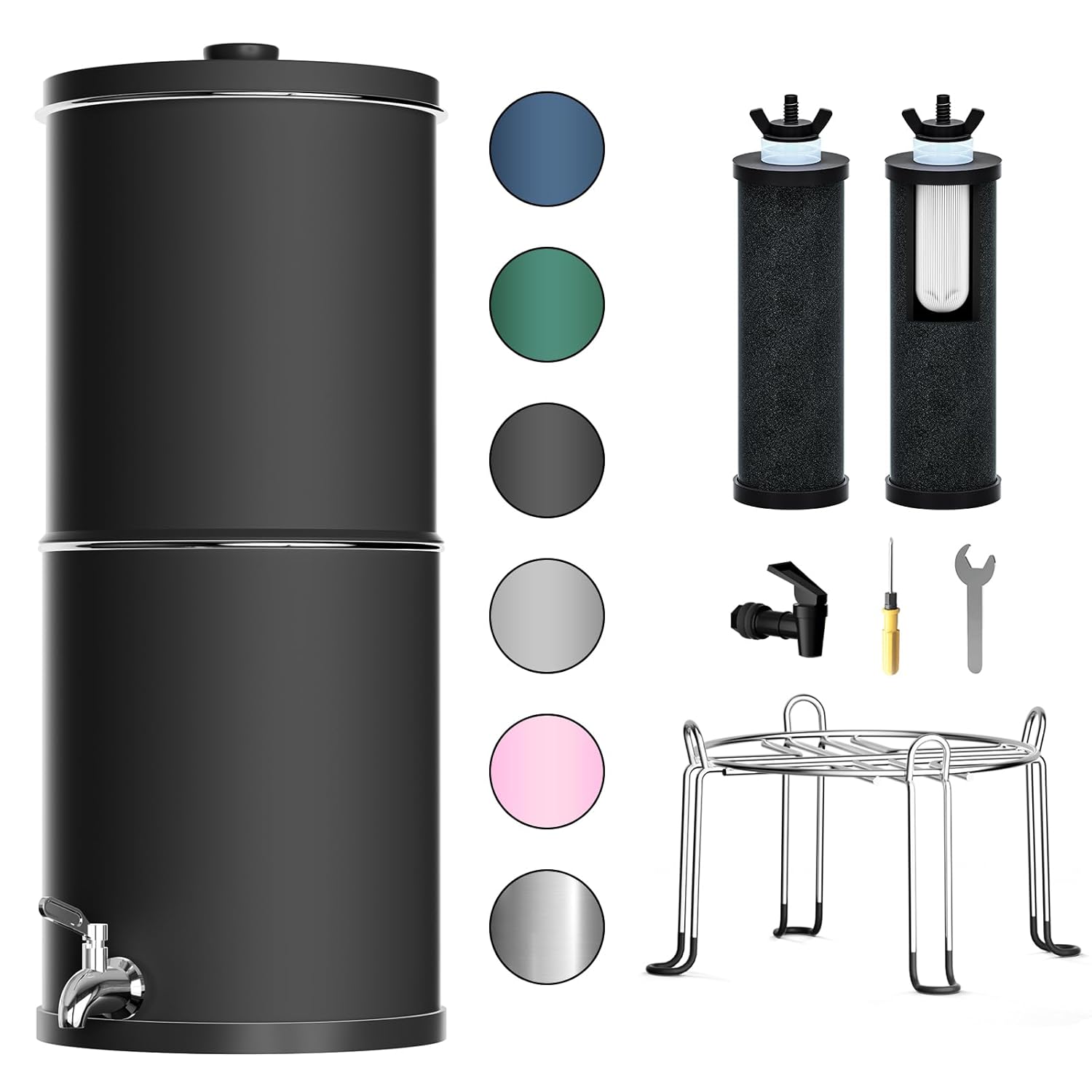
Image: Purewell Gravity Water Filter System Components. This image shows all the parts included in the Purewell water filter system: the upper and lower stainless steel chambers, two black carbon filters, a spigot, and a metal stand.
4. Setup Instructions
4.1. Filter Preparation (Priming)
- Unscrew the wing nut and washer from the threaded stem of each filter.
- Hold the filter under a cold water tap. Allow water to run through the filter for at least 1 minute to remove any loose carbon dust and to saturate the filter media. You may see some black water initially; this is normal.
- Ensure water flows freely from the filter.
4.2. Spigot Installation
- Locate the hole in the lower chamber for the spigot.
- Insert the spigot stem through the hole from the outside.
- Place a washer on the inside of the stem, followed by the nut.
- Hand-tighten the nut firmly. Do not overtighten.
4.3. Filter Installation
- Place the upper chamber upside down on a clean, stable surface.
- Insert the threaded stem of each primed filter into the holes in the bottom of the upper chamber.
- Secure each filter with a washer and wing nut from the inside of the upper chamber. Hand-tighten firmly to ensure a good seal.
4.4. System Assembly
- Place the metal stand on a stable, level countertop.
- Position the lower chamber onto the stand.
- Place the upper chamber (with filters installed) on top of the lower chamber. Ensure it sits securely.
- Place the lid on the upper chamber.

Image: Assembled Purewell Gravity Water Filter System. This image shows the fully assembled water filter system with the upper and lower chambers, spigot, and stand, ready for use on a countertop.
5. Operating Instructions
5.1. Filling the System
- Remove the lid from the upper chamber.
- Pour untreated water into the upper chamber. The system has a capacity of 2.25 gallons.
- Replace the lid.
- Water will gravity-feed through the filters into the lower chamber. This process typically takes approximately 40 minutes for a full chamber, achieving a flow rate of about 4 gallons per hour.
- Important: When the lower chamber is full of filtered water, do not add more untreated water to the upper chamber, as this may cause overflow.

Image: 3-Stage Filtration Process Diagram. This diagram illustrates the three stages of filtration: Activated Carbon, Silver Ion, and Hollow Fiber UF Membrane, showing how contaminants like chlorine, rust, bad odor, particles, and heavy metals are addressed.
5.2. Dispensing Water
To dispense filtered water, simply open the spigot on the lower chamber. Close the spigot when finished.
6. Maintenance
6.1. Filter Lifespan and Replacement
- Each filter element has an estimated lifespan of 3000 gallons, providing a total of up to 6000 gallons for a pair of filters.
- For optimal performance, it is recommended to replace the filter elements every 6 months, regardless of gallon usage, as filter media can degrade over time.
- Replacement filters can be purchased from authorized Purewell retailers or the Purewell Store.
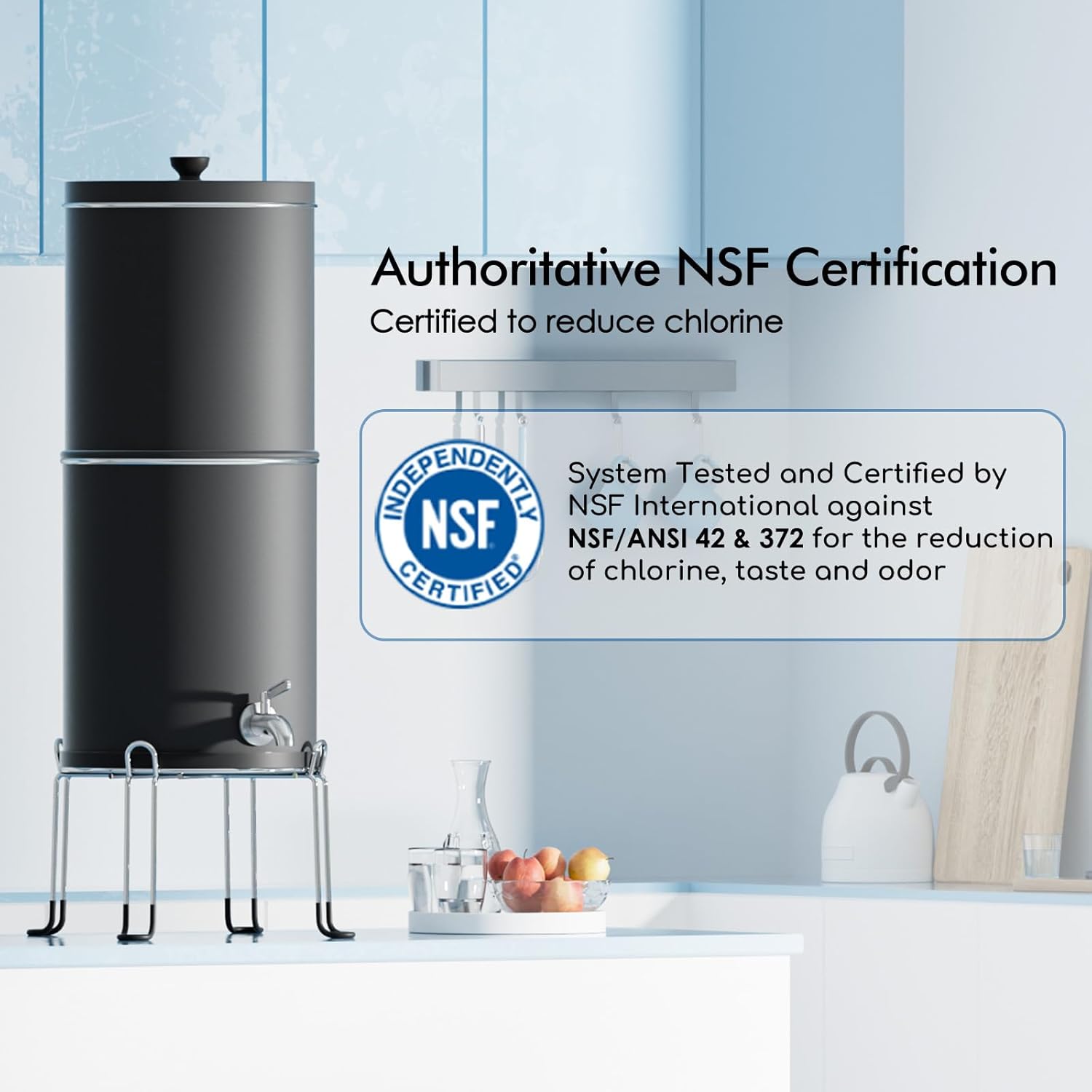
Image: Purewell Composite Carbon Filter vs. Ordinary Carbon Filter. This image highlights the internal structure of the Purewell composite carbon filter, showing its activated carbon, silver ion, and hollow fiber UF membrane layers, contrasting it with a simpler ordinary carbon filter.
6.2. Cleaning the Filters
If the flow rate significantly decreases before the recommended replacement interval, filters may be cleaned:
- Remove the filters from the upper chamber.
- Gently scrub the exterior of the filter elements under running cold water using a soft brush or sponge. Do not use soap or detergents.
- Re-prime the filters as described in Section 4.1 before re-installing.
6.3. Cleaning the Chambers
The 304 food-grade stainless steel chambers are designed for easy cleaning:
- Wash the upper and lower chambers with warm, soapy water. Rinse thoroughly.
- Dry completely before reassembling.
- Avoid using abrasive pads or harsh chemicals that could scratch or damage the stainless steel.

Image: 304 Stainless Steel Material Detail. This image shows a close-up of the 0.8mm thickened 304 stainless steel material used for the system's housing, emphasizing its durability and resistance to wear and corrosion.
7. Troubleshooting
| Problem | Possible Cause | Solution |
|---|---|---|
| Slow flow rate | Filters are clogged or not properly primed. | Remove and clean filters (Section 6.2). Re-prime filters (Section 4.1). Ensure wing nuts are not overtightened. |
| Water leakage | Spigot not properly installed or tightened. Chambers not seated correctly. | Check spigot installation and tighten nut (Section 4.2). Ensure upper chamber is correctly seated on the lower chamber. |
| Unpleasant taste or odor | Filters need replacement or re-priming. Initial carbon dust. | Ensure filters are properly primed. If taste/odor persists, replace filters (Section 6.1). |
| Water not filtering | Filters not installed or severely clogged. | Verify filters are installed correctly (Section 4.3). Clean or replace filters if necessary. |
8. Specifications
- Model: PW-OB Basic
- Product Dimensions: 8.8"L x 8.8"W x 20"H
- Item Weight: 7.7 Pounds
- Capacity: 2.25 Gallons
- Filtration Stages: 3-Stage (Activated Carbon, Silver Ion, Hollow Fiber UF Membrane)
- Filter Pore Size: 0.01µm
- Flow Rate: Approximately 4 gallons/hour
- Housing Material: 304 Food-Grade Stainless Steel
- Power Source: Non-electric (Gravity-fed)
- Certifications: NSF/ANSI 42, NSF/ANSI 372
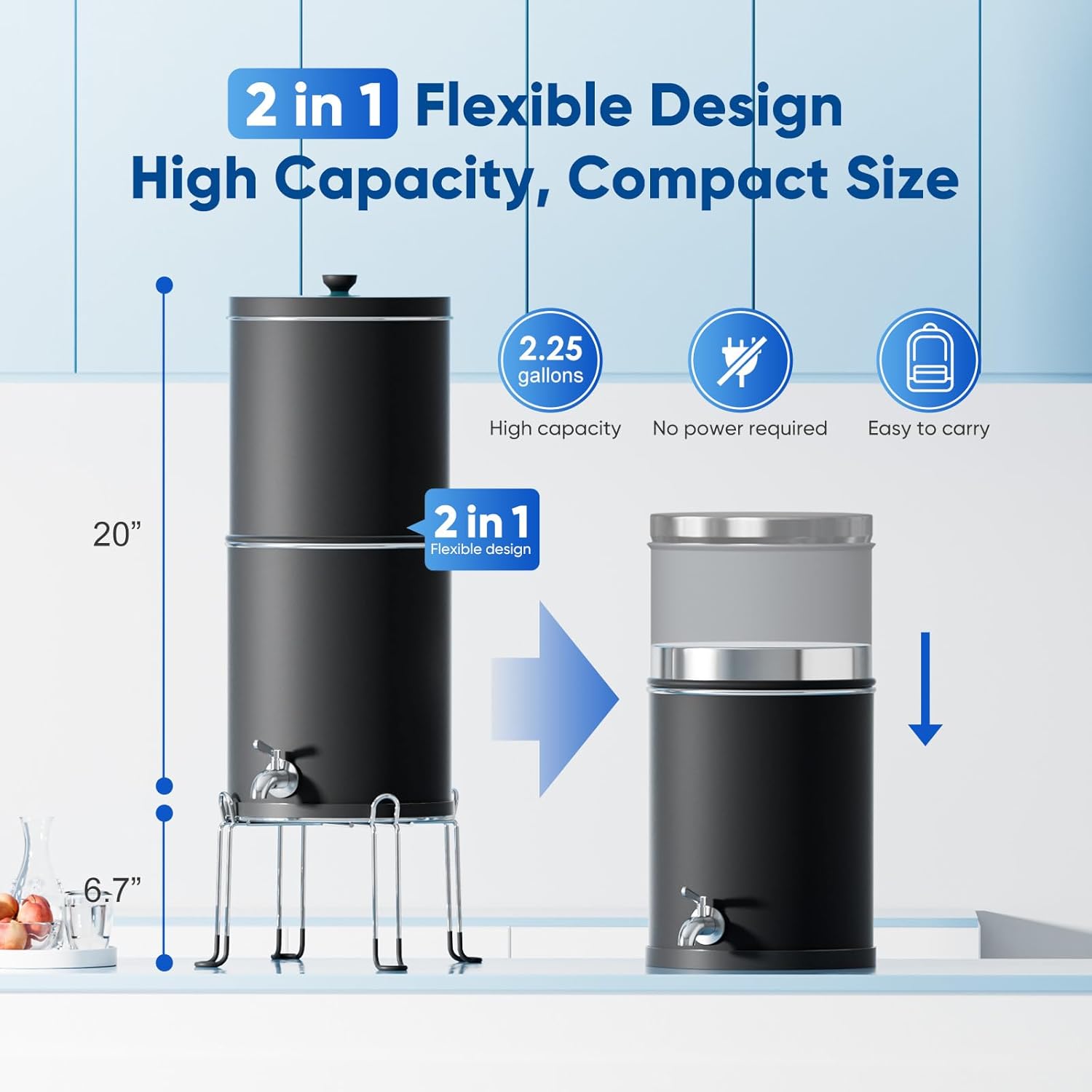
Image: Purewell Gravity Water Filter System Dimensions. This image illustrates the dimensions of the assembled system, showing a height of 20 inches and a stand height of 6.7 inches, along with icons indicating high capacity, no power requirement, and portability.
9. Warranty & Support
For warranty information and customer support, please refer to the documentation included with your purchase or visit the official Purewell website. You can also contact Purewell customer service directly for assistance with product inquiries, troubleshooting, or replacement parts.
Visit the Purewell Store for additional products and support resources.