
Introduction
Thank you for choosing the AX WABER Universal TV Stand. This manual provides detailed instructions for the safe and proper assembly, operation, and maintenance of your new TV stand. Please read this manual thoroughly before beginning installation and retain it for future reference.
This universal TV stand is designed to provide a stable and adjustable base for most LCD, LED, and OLED TVs ranging from 24 to 80 inches, with a maximum weight capacity of 150 lbs. It features 7 levels of height adjustment and is compatible with VESA hole patterns from 100x100mm up to 800x500mm.
Important Safety Information
Please read and understand all instructions before use. Failure to follow these instructions may result in serious injury or damage. If you have any questions, please contact customer support.
- Weight Capacity: Do not exceed the maximum weight capacity of 150 lbs (68 kg).
- TV Size: Ensure your TV size is within the recommended range of 24 to 80 inches.
- VESA Compatibility: Verify your TV's VESA pattern is compatible (100x100mm to 800x500mm).
- Stable Surface: Always place the TV stand on a stable, level, and sturdy surface.
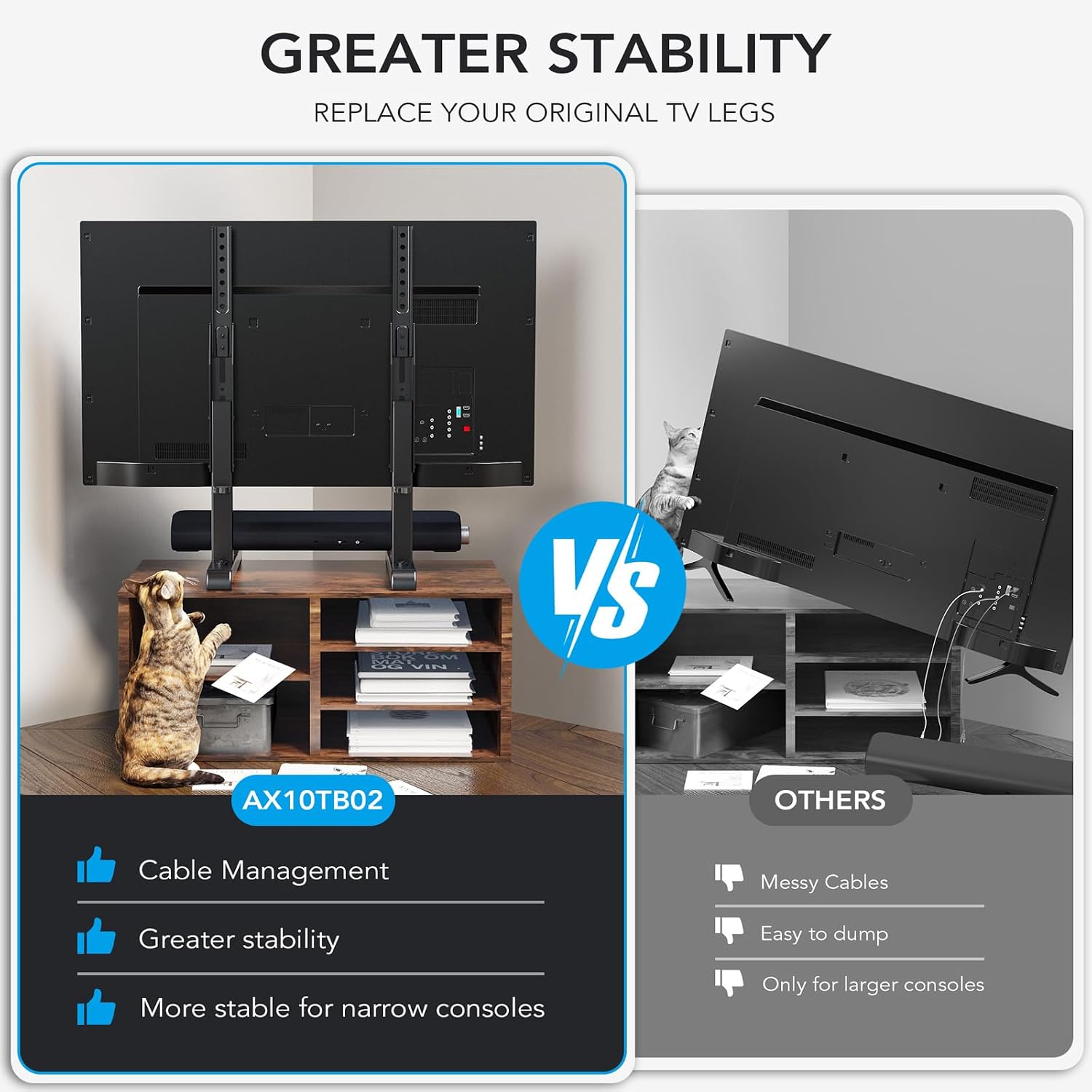
- Children and Pets: Keep children and pets away from the TV stand during assembly. Ensure the TV is securely mounted to prevent tipping.
- Assembly: Assemble the stand according to the instructions. Do not modify the product.
- Tools: Use appropriate tools as specified in the assembly section.
What's in the Box
Before starting assembly, please check all components against the parts list to ensure you have received everything and that there is no damage. If any parts are missing or damaged, do not proceed with assembly and contact customer support.

Accessory Bag: Contains all necessary screws, washers, and spacers for mounting various TV models.

TV Stand Legs: Two main vertical support legs with pre-drilled holes for height adjustment and VESA mounting.
Base Components: Includes the horizontal base bar, non-slip pads, and soundbar isolation pads for stability and vibration reduction.
Setup and Assembly
Follow these steps carefully to assemble your Universal TV Stand. It is recommended to have a second person assist with lifting and positioning the TV.
Step 1: Attach the Vertical Brackets to the TV
Carefully place your TV face down on a soft, clean surface to prevent scratches. Identify the VESA mounting holes on the back of your TV. Select the appropriate screws, washers, and spacers from the accessory bag that fit your TV's mounting holes. Attach the vertical mounting brackets to the back of your TV using these fasteners. Ensure they are securely tightened.

Image: Rear view of a TV with the vertical stand brackets securely attached to the VESA mounting points.
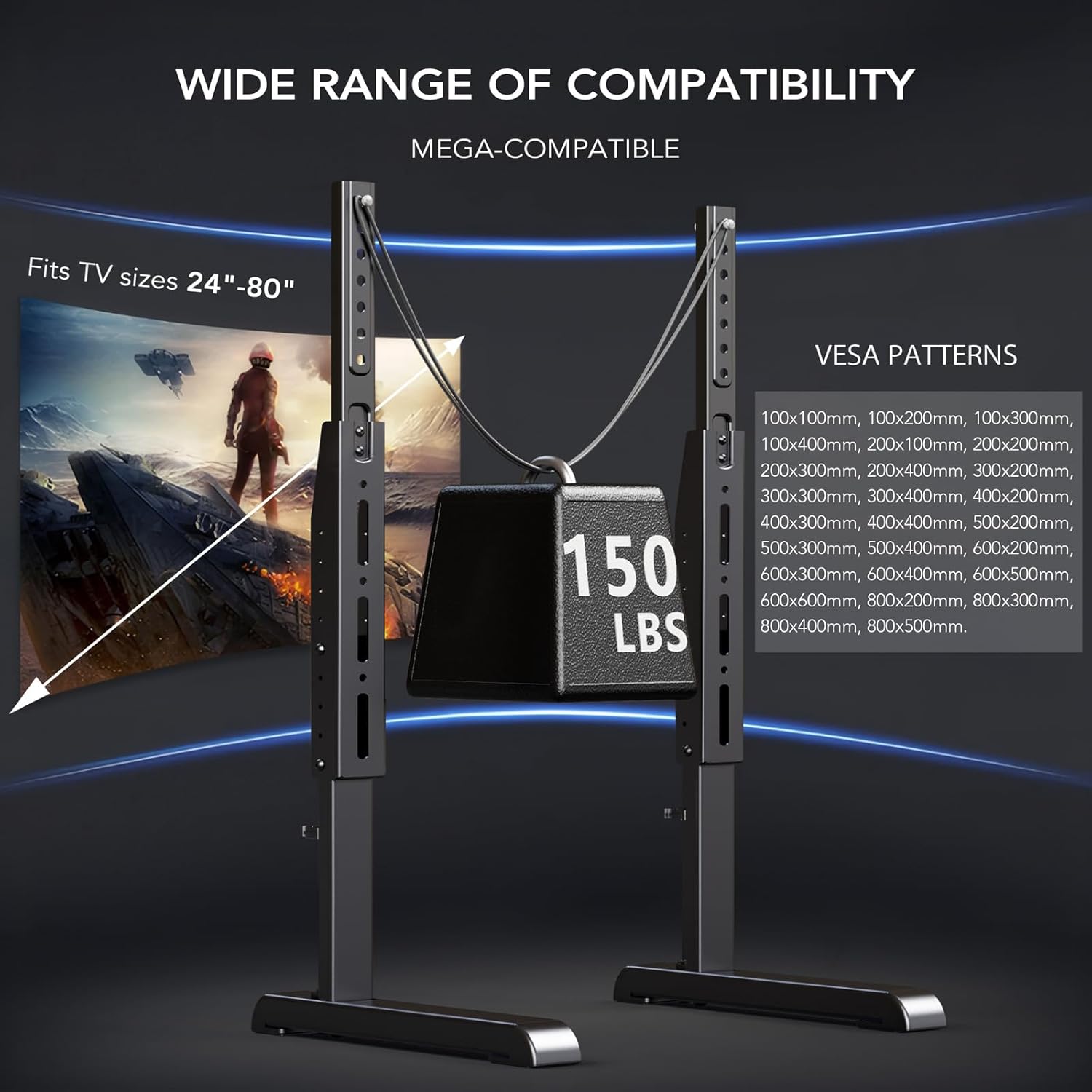
Image: Visual guide illustrating the wide range of VESA patterns supported by the stand, from 100x100mm up to 800x500mm.
Step 2: Assemble the Base
Connect the two base feet to the horizontal support bar. Ensure all screws are tightened to provide a stable foundation for the TV. Apply the non-slip pads to the bottom of the base feet to protect your furniture and prevent sliding.
Image: Detail of the base assembly, highlighting the non-slip pads and soundbar isolation pads for enhanced stability.
Step 3: Attach the TV to the Base
With assistance, carefully lift the TV and align the vertical brackets with the slots on the assembled base. Slide the TV down until it is securely seated. Fasten the TV to the base using the provided locking screws or clips to prevent accidental dislodgement.

Image: The TV stand in use, showcasing its height adjustability and how it integrates into a living space.

Image: A step-by-step visual guide to the quick and easy assembly process, emphasizing no drilling is required.
Operating Instructions
Height Adjustment
The AX10TB02 TV stand offers 7 levels of height adjustment to optimize your viewing experience. To adjust the height, loosen the screws on the vertical brackets that secure them to the main stand posts. Carefully lift or lower the TV to the desired height, ensuring both sides are level. Re-tighten all screws securely to lock the TV in place.
Image: The TV stand showcasing its height adjustment feature, allowing for optimal viewing angles.
Cable Management
Utilize the integrated cable management clips on the back of the vertical posts to organize and conceal your TV cables. This helps maintain a tidy appearance and prevents cable clutter.
Image: A visual representation of the cable management feature, showing how cables can be neatly routed along the stand's posts.
Maintenance
- Cleaning: Use a soft, dry cloth to clean the TV stand. Avoid abrasive cleaners or solvents that may damage the finish.
- Periodic Checks: Periodically check all screws and connections to ensure they remain tight and secure. Re-tighten if necessary.
- Relocation: If relocating the TV stand, always lift it with assistance and ensure the TV is securely attached or removed before moving.
Troubleshooting
| Problem | Possible Cause | Solution |
|---|---|---|
| TV stand is wobbly or unstable. | Screws are loose; stand is on an uneven surface; TV exceeds weight capacity. | Ensure all screws are tightened. Move stand to a level surface. Verify TV weight is within limits. |
| Cannot adjust TV height. | Locking screws are too tight; mechanism is jammed. | Loosen height adjustment screws. Check for obstructions. |
| TV does not fit the VESA pattern. | Incorrect VESA size. | Confirm your TV's VESA pattern is within 100x100mm to 800x500mm. |
Specifications
- Model: AX10TB02
- Brand: AX WABER
- Material: Alloy Steel
- Color: Black
- Compatible TV Sizes: 24 to 80 inches
- Maximum Weight Capacity: 150 lbs (68 kg)
- VESA Compatibility: 100x100mm, 100x200mm, 200x200mm, 200x300mm, 200x400mm, 300x300mm, 300x400mm, 400x400mm, 400x500mm, 600x400mm, 600x500mm, 800x400mm, 800x500mm
- Height Adjustment: 7 levels, adjustable from 17.6" to 32"
- Product Dimensions: 17 x 3.6 x 3.3 inches (packaged)
- Item Weight: 7 pounds
Warranty and Support
For warranty information or technical support, please refer to the official AX WABER website or contact their customer service directly. You can also find additional resources and FAQs on the product's Amazon page.
Online User Manual: Download PDF Manual
Product Videos
Watch these official product videos for visual guidance on assembly and features.
Video: An official overview of the AX Universal TV Stand AX10TB02, highlighting its features and benefits.
Video: A short preview demonstrating the Universal table top TV stand HT10B-002, focusing on its stability and ease of use.