
Introduction
The Iaret Smart Watch is a versatile fitness tracker and communication device designed for women, compatible with both Android and iOS smartphones. It features a 1.32-inch HD full touch screen, Bluetooth call functionality, AI voice control, and comprehensive health monitoring capabilities. This manual provides detailed instructions for setup, operation, maintenance, and troubleshooting to ensure optimal use of your smartwatch.
Official product video: Overview of the Iaret Smart Watch for Android and iOS Phones.
What's in the Box
- 1 Silver Smart Watch Body
- 1 Silver Stainless Steel Smartwatch Band
- 1 Purple Silicone Smartwatch Band
- 1 White Silicone Smartwatch Band
- 1 Smart Watch Charging Cable
- User Manual
Setup
1. Initial Charging
Before first use, fully charge your smartwatch. The watch comes with a magnetic charging cable. Align the magnetic end of the cable with the charging points on the back of the watch. It takes approximately 2.5 hours for a full charge.

Image: Magnetic charging cable connecting to the back of the Iaret Smart Watch.
2. App Installation & Pairing
Download the 'VeryFit' app from the Google Play Store (for Android 4.4 and above) or the Apple App Store (for iOS 7.1 and above). Ensure Bluetooth 5.0 is enabled on your smartphone. Open the app and follow the on-screen instructions to pair your device. The Bluetooth connection range is 8-10 meters.
Official product video: Guide to connecting the Smart Watch for Women with Text and Call functionality.
3. Notification Setup
Within the VeryFit app, enable notifications for calls, SMS, and various SNS messages (Facebook, WhatsApp, Instagram, Twitter, etc.) to receive alerts directly on your smartwatch.
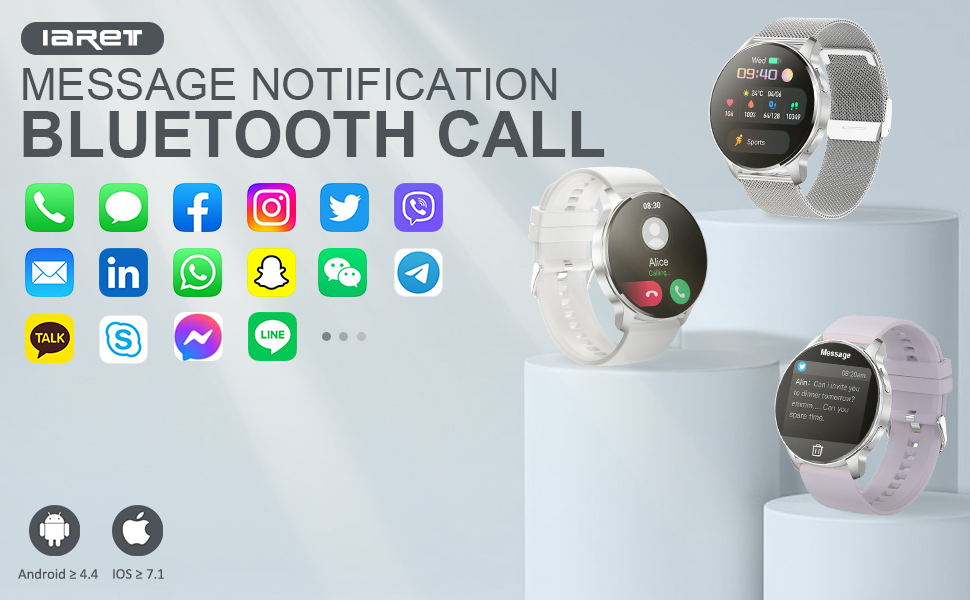
Image: Smart Watch showing Bluetooth call and smart notification settings within the app.
4. Watch Face Customization
The VeryFit app offers over 200 free watch faces. You can also customize your watch face using your favorite pictures from your phone gallery.
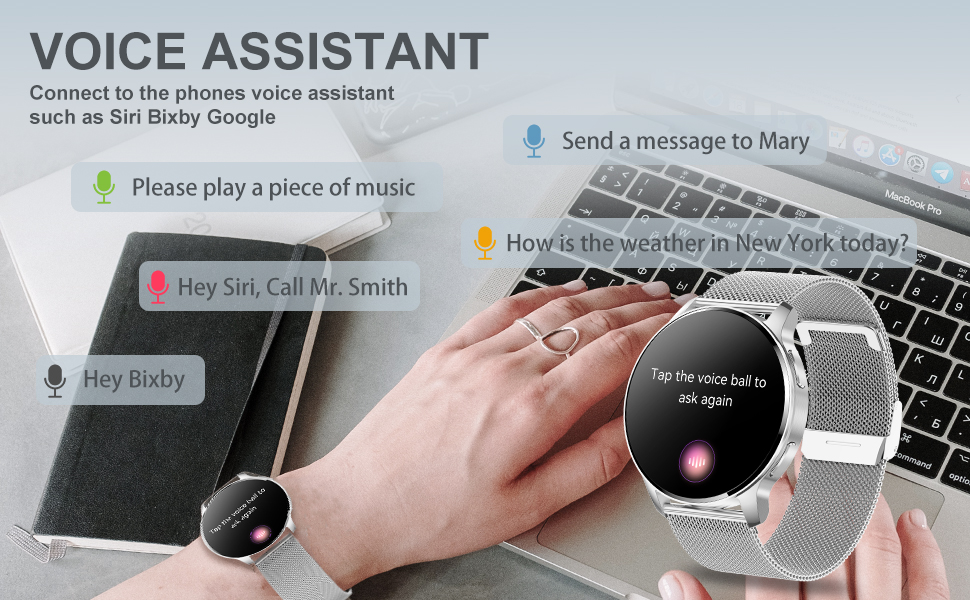
Image: Custom watch face options and DIY feature with personal pictures.
Official product video: Demonstrating the 200+ free watch faces available for the smartwatch.
5. AI Voice Control
The smartwatch supports AI voice assistants such as Siri, Bixby, and Google. Tap the voice ball on the watch screen to activate your phone's voice assistant for hands-free commands.

Image: AI Voice Assistant feature on the smartwatch, compatible with Siri, Bixby, and Google.
6. Unit Settings
Within the VeryFit app, you can adjust unit settings for weight (kg/lb), length (km/mi), and temperature (°C/°F) to your preference.
Operating Instructions
1. Navigation
The smartwatch features a 1.32-inch HD full touch color screen for smooth navigation. Swipe across the screen to access different functions and menus. A side button provides quick access or return functionality.
2. Fitness Tracking
The watch supports 20 sports modes including walking, running, climbing, cycling, swimming, elliptical, yoga, tennis, and golf. It accurately records all-day activities such as steps, distance, calories burned, and active minutes. All data can be synchronized to the VeryFit app for detailed analysis.

Image: Smart Watch showing various sport modes and activity tracking features.
3. Health Monitoring
Monitor your health with 24/7 heart rate, blood pressure, and blood oxygen detection. The high-performance motion sensor automatically monitors sleep status, providing comprehensive sleep quality analysis (deep sleep, light sleep, awake). Additional features include Female Physiological Cycle tracking, Drink Reminder, and Sedentary Reminder.
Note: This device is not intended for medical use.

Image: All-round health monitoring features of the smartwatch.
4. Call & Notification Management
Once connected via Bluetooth, you can dial and answer calls directly from your smartwatch. The watch will vibrate to notify you of incoming calls, SMS, and SNS messages, ensuring you don't miss important communications.
Official product video: Demonstrating SMS and SNS notifications on the Smart Watch.
5. Other Features
The smartwatch includes practical tools such as mobile music playback control, remote photo control, weather display, 'find phone' function, timer, alarm clock, and a calculator.
Maintenance
1. Water Resistance
The Iaret Smart Watch is IP67 waterproof. This means it is resistant to splashes and brief immersion in water, making it suitable for washing hands. It is not recommended for diving, showering, or sauna use.
2. Battery Life
Equipped with a 270mAH battery, the watch takes approximately 2.5 hours to fully charge. A full charge provides 3-7 days of normal usage, depending on individual usage patterns.
3. Cleaning
Wipe the watch screen and bands with a soft, dry cloth. Avoid using harsh chemicals or abrasive materials that could damage the device.
Troubleshooting
- Connection Issues: Ensure Bluetooth is enabled on your phone and the watch is within the 8-10 meter range. Restart both the watch and the app if connection problems persist.
- Notifications Not Appearing: Verify that notification permissions are enabled for the VeryFit app in your phone's settings, and that specific app notifications are toggled on within the VeryFit app.
- Inaccurate Readings: Ensure the watch is worn snugly on your wrist. For health monitoring, remain still during measurements.
- Battery Draining Quickly: Reduce the number of active notifications or continuous health monitoring features. Ensure the watch is fully charged.
Specifications
| Feature | Specification |
|---|---|
| Brand | Iaret |
| Model Number | dc078890-489a-4cef-9793-5647f67d79bb |
| Screen Size | 1.32 Inches |
| Shape | Round |
| Connectivity Technology | Bluetooth 5.0 |
| Battery Capacity | 270 Milliamp Hours |
| Battery Life (Normal Use) | 3-7 Days |
| Charging Time | 2.5 Hours |
| Water Resistance | IP67 |
| Operating System Compatibility | iOS 7.1 and above, Android 4.4 and above |
| Product Dimensions | 1.73 x 1.93 x 0.47 inches |
| Item Weight | 1.45 ounces (41 Grams) |
Warranty & Support
For warranty information, technical support, or further assistance, please refer to the contact details provided in the product packaging or visit the official Iaret website. Protection plans are available for purchase separately to extend coverage for your device.


