
Introduction
This manual provides detailed instructions for the Generic BF 630A1 61-Key Electric Piano Keyboard. Please read this manual thoroughly before using the product to ensure proper operation and to maximize your musical experience. This electronic keyboard is designed for beginners and offers various features to encourage musical exploration.
Setup
Follow these steps to set up your electric piano keyboard:
1. Power Supply
The keyboard supports two power supply methods:
- Battery Power: Insert three 1.5V "AA" batteries (not included) into the battery compartment located on the underside of the keyboard. Ensure correct polarity.
- DC Power: Connect the provided USB power cord to the DC power jack at the back of the keyboard. Connect the other end of the USB cable to a USB power adapter with a DC 5V-1A power output (adapter not included).
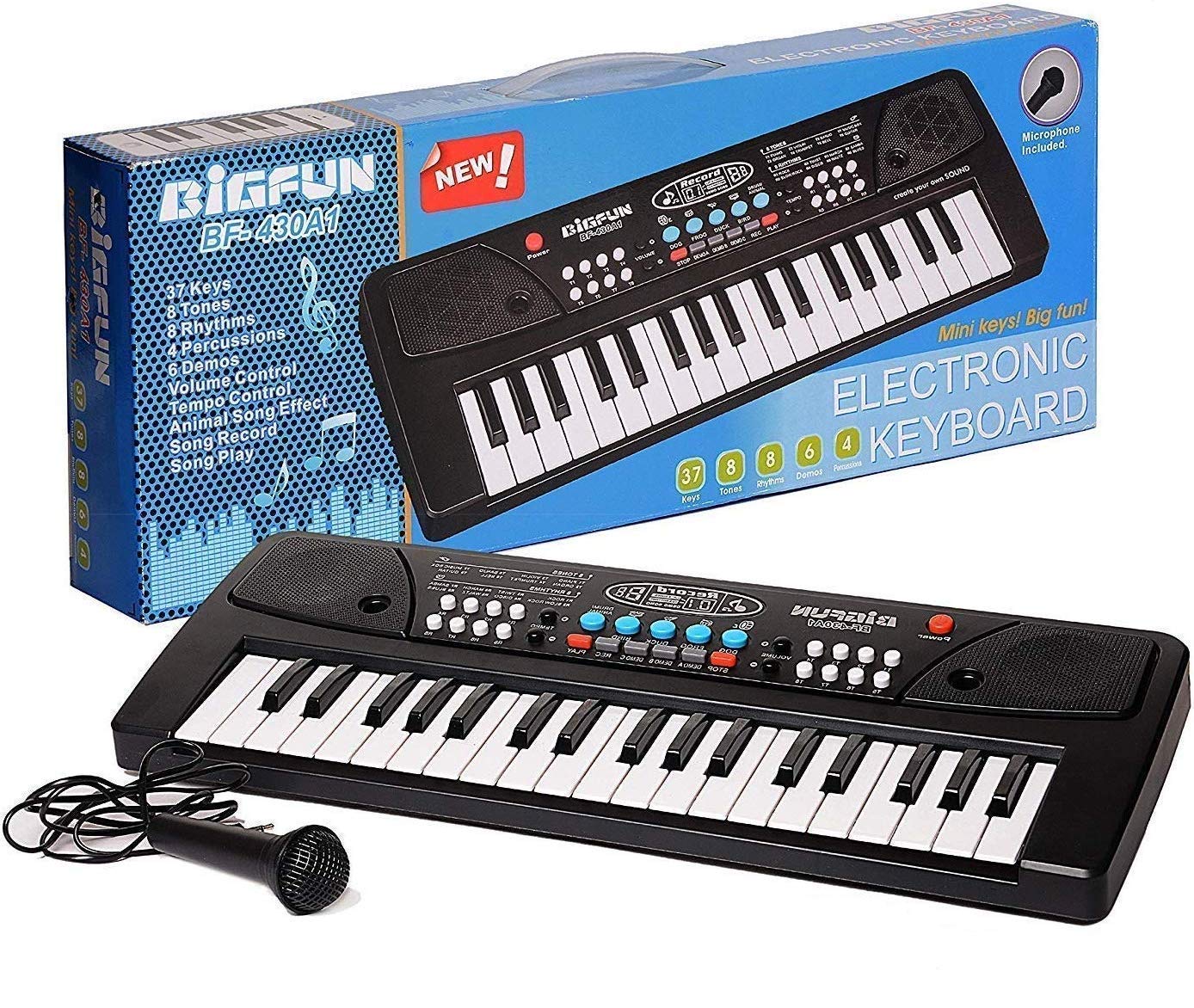
Figure 1: Dual Power Supply Options. The image illustrates the battery compartment for 3 AA batteries and the DC5V power supply port.

Figure 2: Battery Compartment. This image shows the location for inserting 3 AA batteries.
2. Microphone Connection
Connect the included microphone to the designated microphone jack on the keyboard. This allows for singing along while playing.
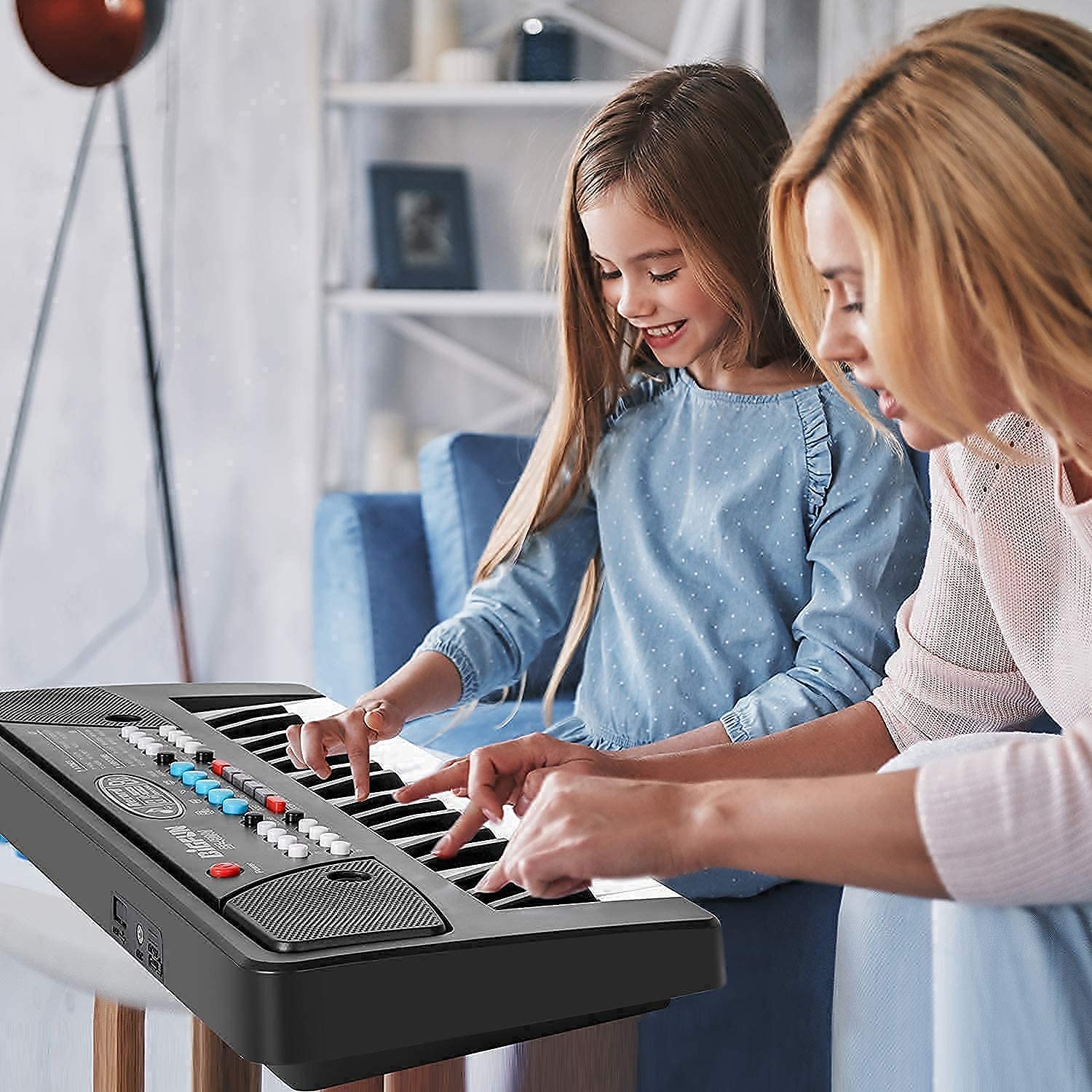
Figure 3: Included Components. The image displays the keyboard, its box, the microphone, and the USB charging cable, highlighting the accessories for setup.
Operating Instructions
Familiarize yourself with the various functions and controls of your electric piano keyboard:
1. Power On/Off
Press the Power button located on the top left of the keyboard to turn the unit on or off.
2. Key Functions
The keyboard features 61 black and white keys. The keys are designed with appropriate spacing for comfortable play, suitable for children.

Figure 4: Key Size Comparison. This image highlights the larger key size of the BF 630A1 for improved playability.
3. Tones and Rhythms
The keyboard offers a variety of tones and rhythms to enhance your musical creativity:
- 8 Tones: Select from Piano, Organ, Violin, Trumpet, Banjo, Bell, Music Box, and Guitar.
- 8 Rhythms: Choose from Rock, Slow Rock, Twist, Disco, March, Waltz, Samba, and Blues.
- 4 Percussion Sounds: Access different percussion effects.
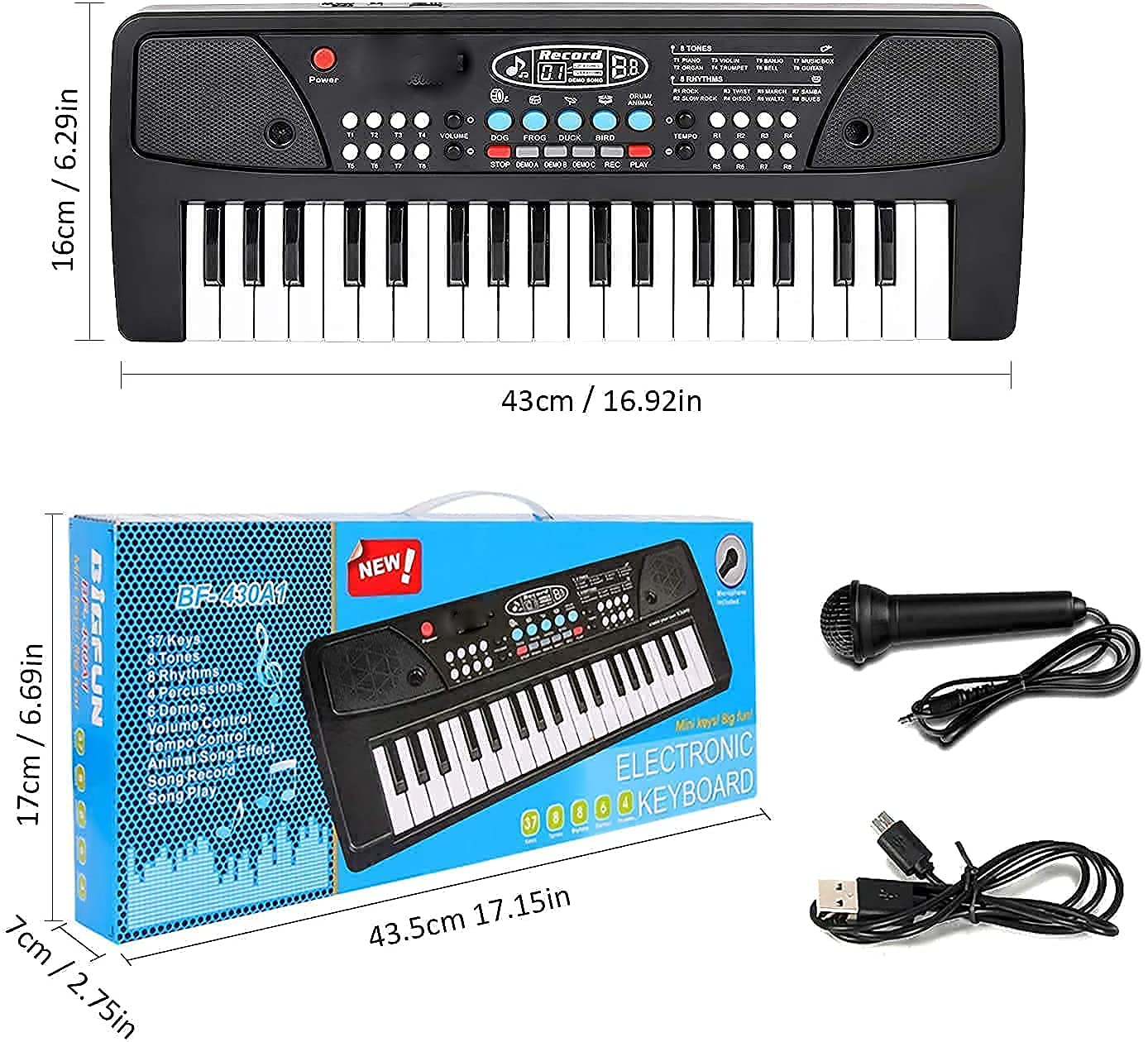
Figure 5: Control Panel Layout. This image displays the various buttons and controls for tones, rhythms, and other functions.
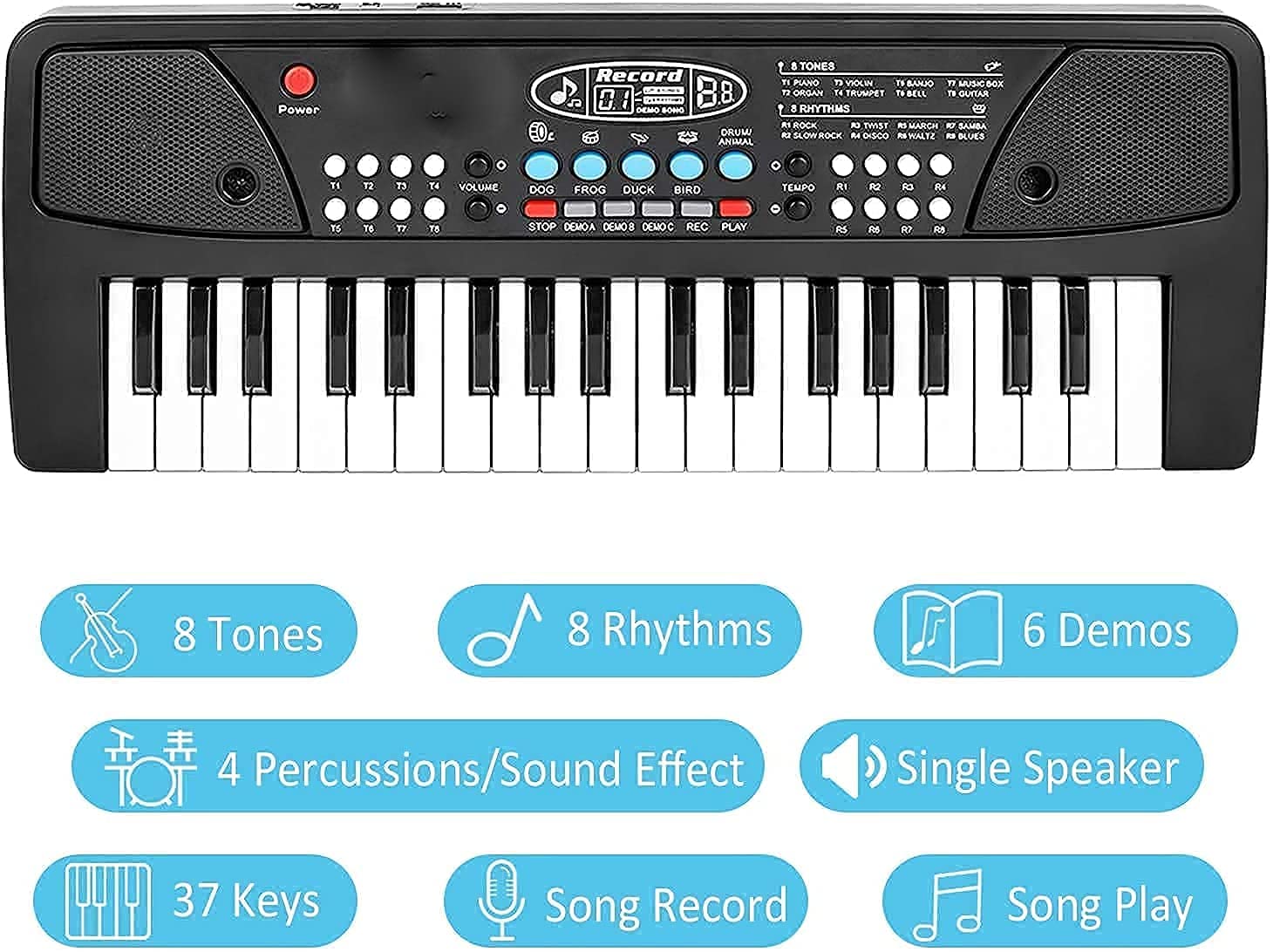
Figure 6: Keyboard Features Overview. This graphic summarizes the main functionalities of the BF 630A1 keyboard.
4. Volume and Tempo Control
Adjust the overall volume and tempo of the rhythms using the dedicated controls on the panel.
5. Demo Songs
The keyboard includes 6 demo songs for listening and learning. Use the demo buttons to play them.
6. Record and Playback
Utilize the record function to capture your performances and the playback function to listen to them. This feature is beneficial for practice and self-assessment.
7. Microphone Usage
When the microphone is connected, you can sing along while playing the keyboard. Adjust your singing volume as needed.
Maintenance
Proper care will ensure the longevity of your electric piano keyboard:
- Cleaning: Wipe the surface of the keyboard with a soft, dry cloth. Avoid using abrasive cleaners or solvents, as they may damage the plastic material.
- Storage: Store the keyboard in a dry place, away from direct sunlight and extreme temperatures.
- Battery Care: If the keyboard will not be used for an extended period, remove the batteries to prevent leakage.
- Durability: The keyboard is constructed from high-quality, non-toxic ABS environmentally friendly materials designed for durability. The color is integrated into the plastic, preventing paint from chipping or rubbing off.
Troubleshooting
If you encounter any issues with your keyboard, refer to the following common solutions:
- No Power:
- Ensure batteries are inserted correctly with the right polarity and are not depleted.
- If using DC power, verify the USB cable is securely connected and the power adapter is functioning and provides DC 5V-1A output.
- No Sound:
- Check the volume control and ensure it is not set to minimum.
- Ensure the power is on.
- Microphone Not Working:
- Verify the microphone is securely plugged into its jack.
If problems persist, please contact customer support.
Specifications
| Model Number | BF 630A1 61 KEYS |
| Material Type | Plastic (Non-toxic ABS) |
| Color | Black, White |
| Package Dimensions | 63.4 x 20.6 x 7.4 cm |
| Item Weight | 1.26 kg |
| Recommended Age | 5 - 12 years |
| Included Components | Microphone, USB Charging Cable |
| Power Supply | 3 x 1.5V "AA" batteries (not included) or DC 5V-1A USB power adapter (not included) |
Warranty and Support
No specific warranty information is provided with this product. For any support inquiries or issues not covered in this manual, please contact the retailer or manufacturer, V E-MART.


