
GGM Gastro GGM Gastro - BGKF150
GGM Gastro BGKF150 Bar & Beverage Cooling Workstation User Manual
Model: BGKF150
Product Overview
The GGM Gastro BGKF150 is a professional bar and beverage cooling workstation designed for efficient cocktail production and beverage storage in commercial environments. This compact and durable unit features a stainless steel construction, integrated handwash basin, cutting board, and a power outlet for a bar mixer. It offers precise temperature control and automatic defrost functionality.

Figure 1: Front view of the GGM Gastro BGKF150 Bar & Beverage Cooling Workstation, showcasing its design with bottles, ice, and a blender on the integrated mixer area.
Setup and Installation
Proper setup is crucial for the optimal performance and longevity of your cooling workstation.
1. Unpacking and Inspection
- Carefully remove all packaging materials.
- Inspect the unit for any signs of shipping damage. Report any damage to the carrier immediately.
- Ensure all components listed in the packing list are present.
2. Placement
Choose a location that is level, stable, and can support the weight of the unit when fully loaded. Ensure adequate ventilation around the unit.
- Maintain a minimum clearance of 10 cm (4 inches) from walls or other equipment to allow for proper airflow.
- Avoid placing the unit near heat sources (e.g., ovens, direct sunlight) or in areas with high humidity.

Figure 2: Dimensions of the GGM Gastro BGKF150, showing external measurements for placement planning.
3. Electrical Connection
Connect the unit to a dedicated electrical outlet that matches the specifications provided. The unit requires a 220 V / 1 N/PE / 50 Hz electrical connection.
- Ensure the power outlet is easily accessible.
- Do not use extension cords or adapters.

Figure 3: Close-up view of the integrated 2300 mm volt power outlet, designed for connecting a bar mixer.
4. Initial Cleaning
Before first use, clean all interior and exterior surfaces with a mild detergent and warm water. Rinse thoroughly and dry completely.
Operating Instructions
This section details the operation of your GGM Gastro BGKF150 workstation.
1. Powering On and Temperature Control
Once connected to power, the digital thermostat will display the current internal temperature. The operating temperature range is -2 °C to 8 °C.

Figure 4: Digital thermostat display, showing temperature readings and control options.
- Use the controls on the digital thermostat to set your desired temperature within the specified range. Refer to the thermostat's specific manual for detailed programming instructions.
- Allow the unit to reach the set temperature before loading with products.
2. Automatic Defrost Function
The unit is equipped with an automatic defrost function to prevent ice buildup on the evaporator coils. This process occurs periodically and is managed by the digital thermostat.
- During defrost cycles, the internal temperature may temporarily rise. This is normal.
- Ensure the drain is clear to allow defrost water to escape.
3. Using the Cocktail Station Features
The workstation is designed for efficient cocktail preparation.

Figure 5: Top view of the workstation, highlighting the integrated blender area, ice well, and ingredient compartments.
- Handwash Basin: Utilize the integrated handwash basin for hygiene during preparation.
- Small Cutting Board: The small cutting board provides a convenient surface for preparing garnishes.
- Bar Mixer Area: The dedicated area for a bar mixer includes a 2300 mm volt power socket. Ensure the mixer's dimensions are compatible with the 300 mm x 218 mm setup surface.
- Storage: The front storage area is suitable for keeping spirits and other ingredients readily accessible.

Figure 6: Detailed view of the handwash basin and adjacent small cutting board, essential for hygiene and preparation.
Maintenance and Cleaning
Regular maintenance ensures the efficiency and longevity of your GGM Gastro BGKF150.
1. Daily Cleaning
- Clean all interior and exterior stainless steel surfaces with a soft cloth and a mild, non-abrasive detergent.
- Wipe down the handwash basin and cutting board after each use.
- Ensure all surfaces are thoroughly dried to prevent water spots and corrosion.
2. Removable Magnetic Seals
The magnetic door seals are removable for easy cleaning.
- Periodically remove the seals and clean them with warm, soapy water.
- Ensure they are completely dry before reattaching to maintain a tight seal.
3. Condenser Coil Cleaning
The condenser coil should be cleaned regularly (e.g., monthly) to ensure efficient cooling. A dirty coil can lead to increased energy consumption and reduced cooling performance.
- Always disconnect the unit from power before cleaning the condenser coil.
- Use a brush or vacuum cleaner to remove dust and debris from the coil fins.
Troubleshooting
This section provides solutions to common issues you might encounter. For problems not listed here, contact qualified service personnel.
| Problem | Possible Cause | Solution |
|---|---|---|
| Unit not cooling |
|
|
| Excessive ice buildup |
|
|
| Unusual noises |
|
|
Specifications
Detailed technical specifications for the GGM Gastro BGKF150.
| Feature | Detail |
|---|---|
| Model Number | BGKF150 |
| Brand | GGM Gastro |
| External Dimensions (W x D x H) | 1200 mm x 765 mm x 955 mm |
| Internal Dimensions (W x D x H) | 830 mm x 562 mm x 390 mm |
| Capacity | 150 Liters |
| Temperature Range | -2 °C to 8 °C |
| Refrigerant | R290 |
| Power Consumption | 290 Watt |
| Electrical Connection | 220 V / 1 N/PE / 50 Hz |
| Material | High-quality stainless steel AISI 304 |
| Insulation | 50 mm high-quality insulation |
| Defrost System | Automatic |
| Compliance | CE-marked, Material complies with European food standards |

Figure 7: Technical drawing illustrating the detailed dimensions of the workstation.
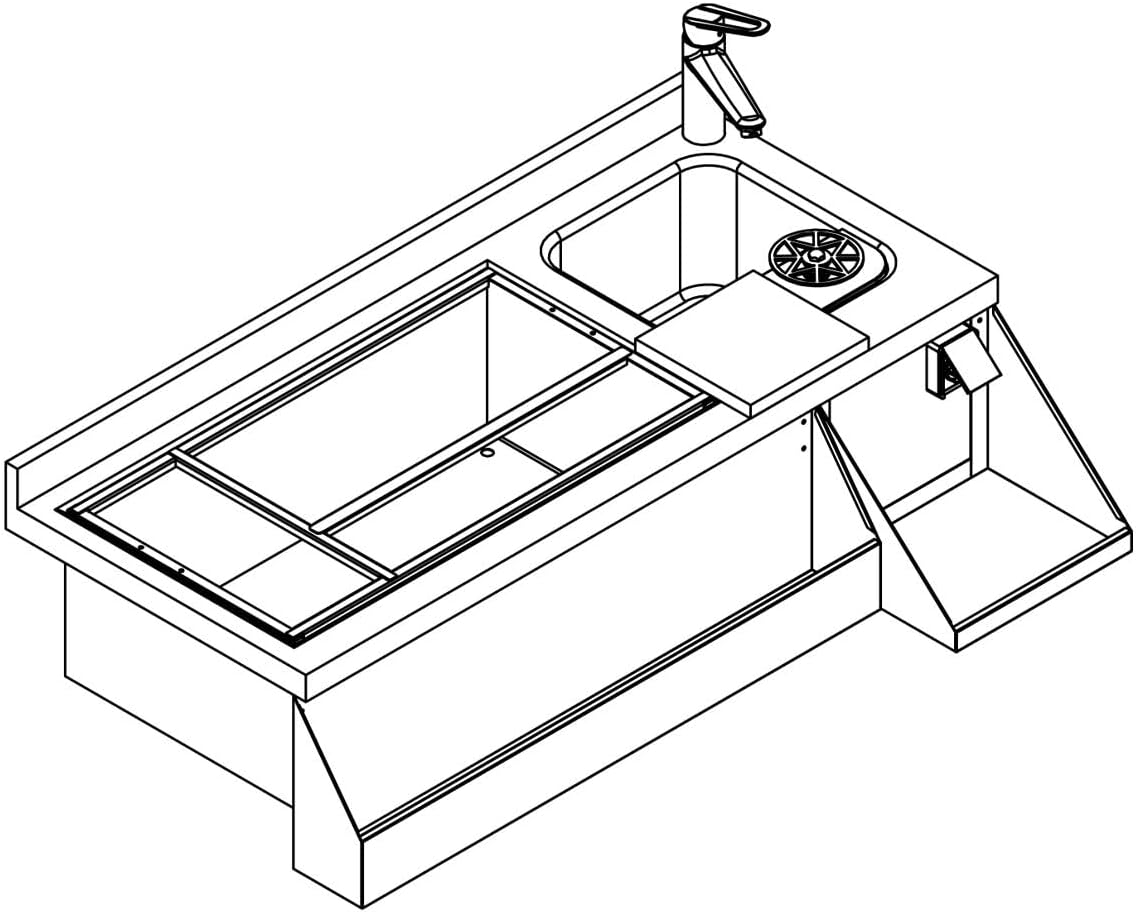
Figure 8: Top-down technical drawing showing the layout of the workstation's upper surface.
Warranty and Support
For information regarding warranty coverage, technical support, or spare parts, please refer to the official GGM Gastro website or contact your authorized dealer. Keep your purchase receipt as proof of purchase for warranty claims.
Important: Any repairs or modifications to the appliance should only be carried out by qualified service personnel to ensure safety and maintain warranty validity.
Ask a question about this manual
Ask about setup, troubleshooting, compatibility, parts, safety, or missing instructions. Manuals+ will review the question and use this page’s manual context to help answer it.