
1. Introduction
Thank you for choosing the IZYREC MR-001 Voice Recorder. This compact and lightweight digital voice recorder is designed for discreet and high-quality audio capture. Please read this manual carefully to ensure proper setup, operation, and maintenance of your device.
The IZYREC MR-001 features a robust design with a built-in microphone, 32 GB of internal storage, and Bluetooth 5 connectivity. It supports continuous recording for up to 30 hours and voice-activated recording for up to 40 hours, with a total recording memory capacity of approximately 480 hours.

Image 1.1: IZYREC MR-001 Voice Recorder with key features.
2. Package Contents
- IZYREC MR-001 Voice Recorder
- USB Type-C Charging Cable
- User Manual (this document)
3. Device Layout
The IZYREC MR-001 is designed with minimal controls for ease of use. Specific button functions and port locations will be detailed in the operating instructions.

Image 3.1: IZYREC MR-001 in use, demonstrating its compact and discreet design.
4. Setup
4.1 Charging the Device
- Connect the provided USB Type-C cable to the charging port on the recorder.
- Plug the other end of the cable into a standard USB power adapter (not included) or a computer's USB port.
- The device's indicator light will show charging status. A full charge typically takes approximately 1-2 hours.
- Ensure the device is fully charged before first use for optimal battery performance.
4.2 Downloading the iZYREC App
For enhanced control and features, download the official iZYREC application on your smartphone. The app is compatible with iOS devices (e.g., iPhone).
- Search for "iZYREC" in your device's app store.
- Download and install the application.
- Follow the on-screen instructions within the app for initial setup and pairing.
4.3 Pairing with Your Smartphone (Bluetooth)
The IZYREC MR-001 uses Bluetooth 5 for wireless connectivity with the iZYREC app.
- Ensure your recorder is powered on and sufficiently charged.
- Enable Bluetooth on your smartphone.
- Open the iZYREC app and follow the pairing instructions. The app will guide you through connecting to your MR-001 device.
- Once paired, you can control recording, playback, and settings via the app.
5. Operating Instructions
5.1 Basic Recording
The IZYREC MR-001 supports both manual and app-controlled recording.
- Manual Recording: Refer to the quick start guide included with your device for specific button presses to start and stop recording without the app.
- App-Controlled Recording: Open the iZYREC app, ensure your device is connected, and use the recording interface within the app. The app offers additional options like pausing and flagging.
The device is capable of capturing clear audio from distances of 12-15 feet, and up to 40 feet in quiet environments with normal conversational tones.
5.2 Voice-Activated Recording (VAR)
Voice-Activated Recording (VAR) conserves memory and battery by only recording when sound is detected. This feature is primarily managed through the iZYREC app.
- Connect your MR-001 to the iZYREC app.
- Navigate to the recording settings within the app.
- Enable Voice-Activated Recording and adjust sensitivity settings as needed.
Image 5.1: Voice-Activated Recording in action, ideal for discreet use.
5.3 Playback and File Management
Recordings can be played back directly through the iZYREC app or by transferring files to a computer.
- App Playback: The iZYREC app provides a visual interface for instant playback, allowing you to easily locate and mark important sections of your recordings.
- File Transfer: Connect the recorder to a computer using the USB Type-C cable. The device will appear as a removable storage drive. You can then copy the audio files (typically WAV format) to your computer for playback and archiving. Bluetooth transfer via the app is also available for convenience.
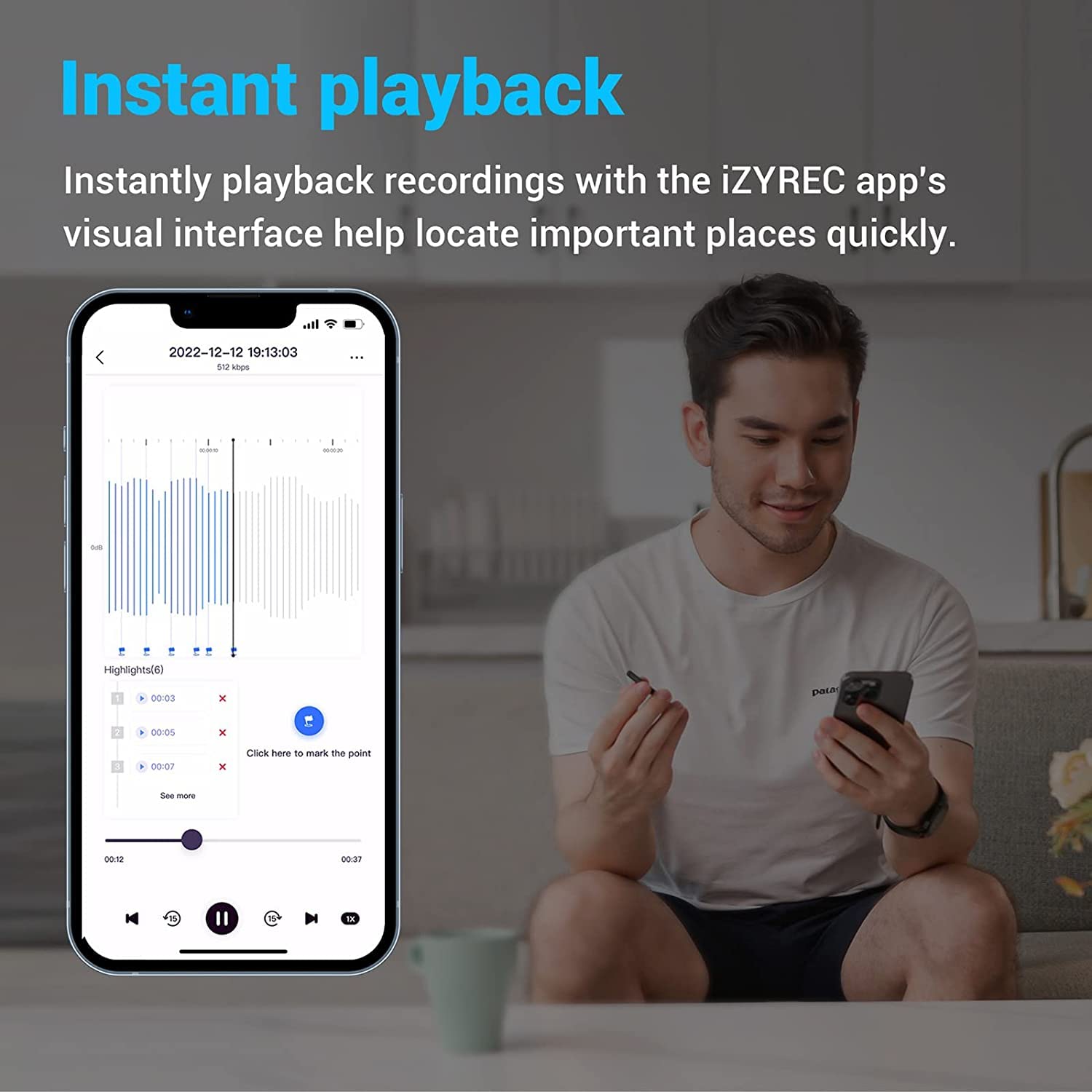
Image 5.2: Instant playback and visual interface within the iZYREC app.
5.4 Using the Magnetic Clip
The IZYREC MR-001 features a rotatable magnetic clip, allowing for versatile placement. It can be attached to metal surfaces or clipped onto clothing for discreet recording.
6. Maintenance
6.1 Cleaning
- Wipe the device with a soft, dry cloth.
- Do not use liquid cleaners or solvents, as they may damage the device.
- Keep the microphone area clear of dust and debris.
6.2 Storage
- Store the device in a cool, dry place away from direct sunlight and extreme temperatures.
- Avoid storing in areas with high humidity.
- For long-term storage, ensure the battery is partially charged (around 50%) to prolong its lifespan.
7. Troubleshooting
- Device not turning on or charging:
- Ensure the USB Type-C cable is securely connected to both the recorder and the power source.
- Try a different USB port or power adapter.
- If the device has been completely drained, it may take a few minutes for the charging indicator to appear.
- If the issue persists, contact IZYREC customer support.
- Unable to pair with smartphone/app:
- Ensure Bluetooth is enabled on your smartphone.
- Make sure the recorder is powered on and within range of your phone.
- Restart both the recorder and your smartphone.
- Try unpairing and re-pairing the device through your phone's Bluetooth settings and the iZYREC app.
- Ensure the iZYREC app is updated to the latest version.
- Poor recording quality:
- Ensure the microphone is not obstructed.
- Record in a quiet environment.
- Place the recorder closer to the sound source.
- Check app settings for microphone sensitivity if using app control.
- Incorrect timestamp on recordings:
- The device's internal clock is typically synchronized via the iZYREC app. Ensure the device is regularly connected to the app for accurate timekeeping.
- Verify your smartphone's time and date settings are correct.
8. Specifications
| Brand | IZYREC |
| Model Number | MR-001 |
| Hardware Interface | Bluetooth 5, USB Type-C |
| Microphone Form Factor | Built-In |
| Microphone Operation Mode | Mono |
| Memory Storage Capacity | 32 GB |
| Continuous Recording Time | Up to 30 hours |
| Voice-Activated Recording Time | Up to 40 hours |
| Total Recording Memory | Approx. 480 hours (based on 32GB capacity) |
| Battery Type | 1 Lithium Ion battery (included) |
| Item Weight | 18 Grams |
| Dimensions (Approx.) | 0.25 inches (Ultra-Slim) |
9. Warranty and Support
For warranty information, technical support, or service inquiries, please refer to the official IZYREC website or contact their customer service directly. Keep your purchase receipt as proof of purchase for warranty claims.
Official IZYREC Website: www.izyrec.com (Note: This is a placeholder URL. Please refer to your product packaging or official documentation for the correct website.)