1. Introduction
Thank you for choosing Holyhigh Family Wireless Bluetooth Earbuds. These earbuds are designed to provide an exceptional audio experience with advanced features such as Qualcomm Bluetooth 5.0, aptX high-standard decoding for Hi-Fi stereo sound, and IPX8 waterproofing. With a comfortable and secure fit, intuitive touch controls, and extended playtime, these earbuds are perfect for daily use, sports, and travel.
Please read this manual carefully before using the product to ensure proper operation and to maximize its lifespan.
2. Package Contents
Ensure all items listed below are present in your package:
- Holyhigh Family Wireless Bluetooth Earbuds (Left & Right)
- Portable Charging Case
- USB Type-C Charging Cable
- 3 Pairs of Ear Tips (Sizes: S, M, L)
- 3 Pairs of Freebit Patented Ear Fins (Sizes: S, M, L)
- User Manual (This document)

Image: Holyhigh Family Wireless Bluetooth Earbuds with their charging case, showcasing the sleek black design and compact form factor.
3. Product Overview
Familiarize yourself with the components of your new earbuds and charging case.

Image: An exploded view illustrating the internal components of the earbud, highlighting the Qualcomm chip and speaker for Hi-Fi sound.
Earbud Components:
- Touch Control Panel: For managing playback, calls, and voice assistant.
- LED Indicator: Shows pairing status and battery level.
- Microphone: For calls and voice commands.
- Charging Contacts: For charging within the case.
- Ear Tip: Provides in-ear comfort and sound isolation.
- Ear Fin: Ensures a secure fit, especially during physical activity.
Charging Case Components:
- Earbud Charging Slots: Securely holds and charges earbuds.
- Battery Indicator Lights: Shows the charging case's battery level.
- USB Type-C Charging Port: For recharging the case.
4. Setup
4.1 Charging the Earbuds and Case
Before first use, fully charge both the earbuds and the charging case.
- Connect the USB Type-C charging cable to the charging port on the case and a power source (e.g., USB wall adapter, computer USB port).
- The indicator lights on the charging case will illuminate to show charging status.
- Place the earbuds into their respective slots in the charging case. Ensure the charging contacts align. The earbuds' LED indicators will show charging status.
- A full charge provides approximately 8 hours of continuous playtime for the earbuds, with the charging case offering an additional 22 hours, totaling 30 hours of playtime. A quick 15-minute charge can provide up to 60 minutes of talk time.

Image: The charging case connected via a Type-C cable, illustrating the quick charge and extended playtime capabilities.

Image: Close-up of the charging case highlighting the Type-C charging port.
4.2 Pairing with Your Device
The earbuds are designed for instant connection and easy pairing.
- Open the charging case. The earbuds will automatically power on and enter pairing mode.
- On your device (smartphone, tablet, etc.), enable Bluetooth.
- Search for "Holyhigh EA4" or a similar name in the list of available Bluetooth devices and select it to connect.
- Once connected, you will hear a confirmation tone, and the earbuds' LED indicators will change.
- The earbuds support main-secondary switching, allowing you to use either earbud independently or both together.

Image: A smartphone screen showing a successful Bluetooth connection to the Holyhigh EA4 earbuds, with the charging case and earbuds nearby.
4.3 Wearing the Earbuds
For optimal sound quality and a secure fit, choose the correct ear tips and ear fins, and position the earbuds properly.
- Select the ear tips (S/M/L) and ear fins (S/M/L) that provide the most comfortable and secure seal for your ears. A good seal is crucial for bass response and noise isolation.
- Gently insert the earbud into your ear canal.
- Rotate the earbud slightly until the ear fin sits snugly in your concha (the outer part of your ear), ensuring a stable fit.
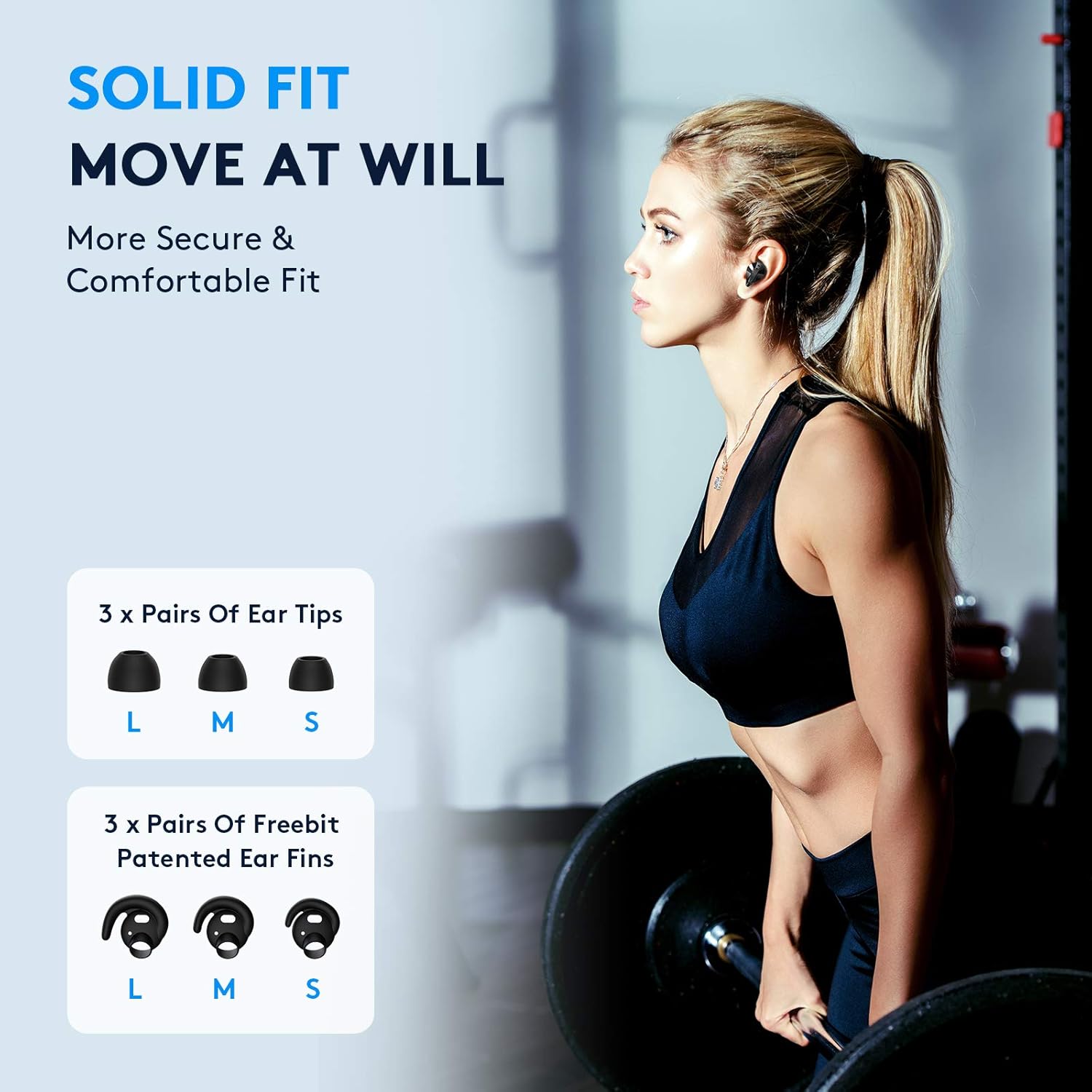
Image: A display of three different sizes (S, M, L) of ear tips and Freebit patented ear fins, emphasizing the customizable fit.

Image: A diagram illustrating the correct way to wear the earbud by wrapping the protrusion, and an incorrect way showing a leaking protrusion.
5. Operating Instructions
5.1 Touch Controls
The Holyhigh Family Earbuds feature intuitive touch controls on each earbud for easy management of your audio and calls.

Image: A detailed diagram showing the touch control functions for both left and right earbuds, including single taps, double taps, and long presses.
| Action | Left Earbud (L) | Right Earbud (R) |
|---|---|---|
| Play/Pause | Single Tap | Single Tap |
| Volume Down | Single Tap (L x1) | N/A |
| Volume Up | N/A | Single Tap (R x1) |
| Previous Track | Double Tap (L x2) | N/A |
| Next Track | N/A | Double Tap (R x2) |
| Answer/End Call | 1.5s Press | 1.5s Press |
| Reject Call | Long Press | Long Press |
| Activate Voice Assistant (Siri, Google Assistant) | Triple Tap (L x3) | Triple Tap (R x3) |
6. Maintenance
6.1 Cleaning and Care
To ensure longevity and optimal performance, regularly clean your earbuds and charging case.
- Use a soft, dry, lint-free cloth to wipe the earbuds and charging case.
- For ear tips, remove them from the earbuds and clean with a mild soap solution if necessary, then rinse thoroughly and dry completely before reattaching.
- Do not use abrasive cleaners, alcohol, or chemical solvents.
- Keep the charging contacts on both the earbuds and the case clean and dry to ensure proper charging.
6.2 Waterproofing (IPX8)
Your Holyhigh Family Earbuds are IPX8 rated, providing excellent protection against water and sweat.
- The earbuds can withstand immersion in clean water up to 1.5 meters for up to 30 minutes.
- They are ideal for workouts, running in the rain, or other activities where exposure to sweat or splashes is common.
- Note: The charging case is not waterproof. Do not expose the charging case to water.
- After exposure to water, ensure the earbuds are completely dry before placing them back into the charging case to prevent damage to the charging contacts.

Image: The Holyhigh Family Earbuds partially submerged in water, demonstrating their IPX8 waterproof capability.
7. Troubleshooting
If you encounter any issues with your earbuds, refer to the following common solutions:
| Problem | Possible Cause | Solution |
|---|---|---|
| Earbuds not pairing with device | Bluetooth is off; earbuds not in pairing mode; previously paired device interfering. | Ensure Bluetooth is on. Place earbuds in case, close, then open to re-enter pairing mode. Forget device on your phone and re-pair. |
| Only one earbud working | Earbuds not properly synced; one earbud out of battery. | Place both earbuds back in the charging case, close the lid for 5 seconds, then open. Ensure both are charged. |
| No sound or low volume | Volume too low; ear tips not sealed; earbud dirty. | Increase volume on both earbuds and device. Adjust ear tips for a better seal. Clean ear tips and earbud mesh. |
| Earbuds not charging | Charging contacts dirty; cable faulty; case out of battery. | Clean charging contacts on earbuds and case. Try a different USB-C cable. Charge the case. |
| Intermittent connection | Distance from device; interference. | Keep earbuds within 10 meters (33 feet) of your device. Avoid strong electromagnetic interference. |
7.1 Factory Reset
If issues persist, a factory reset may resolve them. (Specific reset instructions are not provided in the product details, so this is a general placeholder. Users should refer to the manufacturer's official support if this general advice doesn't work.)
- Place both earbuds back into the charging case.
- Close the lid and wait for 10 seconds.
- Open the lid and try pairing again.
8. Specifications
| Feature | Detail |
|---|---|
| Model Name | GY+HF-1-A4+CA |
| Brand | Holyhigh Family |
| Connectivity Technology | Wireless (Bluetooth 5.0) |
| Water Resistance Level | IPX8 Waterproof |
| Continuous Playtime | Up to 8 Hours |
| Total Playtime (with Charging Case) | Up to 30 Hours |
| Quick Charge | 15 min charge for 60 min talk time |
| Charging Port | USB Type-C |
| Control Method | Touch Control |
| Microphone Format | Built-In |
| Material | Plastic |
| Item Weight | 0.17 Kilograms |
| Compatible Devices | Cellphones |
9. Warranty and Support
Holyhigh Family products are manufactured with high-quality standards. For warranty information or technical support, please refer to the official Holyhigh Family website or contact their customer service directly.
For further assistance, you may visit the Holyhigh Family Store on Amazon: