
1. Introduction
The Cosjoype D07 Kids Smart Watch is designed to provide children aged 4-12 with a fun and interactive experience, combining entertainment with practical features. This manual provides essential information for setting up, operating, and maintaining your new smartwatch.

Image: The Cosjoype D07 Kids Smart Watch, featuring a blue strap and a digital display showing the time and a sunny beach theme.
2. What's in the Box
Please check the package contents to ensure all items are present:
- Kids Smart Watch * 1
- TYPE-C Cable * 1
- Toughened protective film * 2
- SD Card (Installed) * 1
- Reset Tool * 1
- Instructions * 1

Image: A visual representation of the items included in the Cosjoype Kids Smart Watch package.
3. Setup
3.1 Charging the Watch
Before first use, fully charge the smartwatch. Connect the provided USB-TYPE-C cable to the watch and a compatible power adapter (5-12W recommended). A full charge typically takes approximately 2 hours. Avoid using high-power chargers to prevent battery damage.
3.2 Power On/Off
To power on the watch, press and hold the power button located on the side until the screen illuminates. To power off, press and hold the same button until the 'Bye' message appears on the screen.
3.3 Screen Protector Installation
The watch comes with two toughened protective films. Carefully clean the watch screen before applying a film to ensure a bubble-free installation and protect against scratches.
Video: A demonstration of the Kids Smart Watch, including initial setup and basic functions.
4. Operating Instructions
4.1 Navigating the Interface
The watch features a 1.54-inch IPS HD touch screen. Swipe left or right to switch between menus. Tap on icons to select applications. The home button (usually a circle at the bottom of the screen or a dedicated side button) will return you to the main watch face.
4.2 Camera and Video Recording
The smartwatch includes an HD selfie-camera. Children can take photos and record videos directly from the watch. Explore the 'Pop Big Head Sticker' feature for fun photo effects. Saved photos and videos can be viewed in the 'Photos' or 'Video' applications.

Image: A child using the HD camera feature of the smartwatch to take a selfie.
4.3 MP3 Player
The watch has an MP3 player. To add music, turn off the watch, connect it to a PC using the USB cable, and transfer MP3 format songs to the 'My Music' folder on the watch's SD card. Ensure the downloaded music is in MP3 format for compatibility.
4.4 Games
Enjoy 39 built-in puzzle games designed to enhance logical thinking, reaction ability, and hand-eye coordination. Parental controls are available to manage children's playtime.

Image: The smartwatch screen showing a selection of 39 puzzle games and the parental control feature.
4.5 Habit Tracking
Utilize the habit tracking feature with 13 alarm modes to help children develop good daily habits, such as waking up, brushing teeth, eating meals, and doing homework.

Image: A visual guide to the habit tracking feature with various daily routine alarms.
4.6 Pedometer
The built-in pedometer tracks steps, encouraging physical activity. Access the pedometer application from the main menu to view daily step counts.
4.7 Flashlight
The watch includes a flashlight function. Activate it from the main menu or a dedicated button on the side of the watch for convenient illumination.
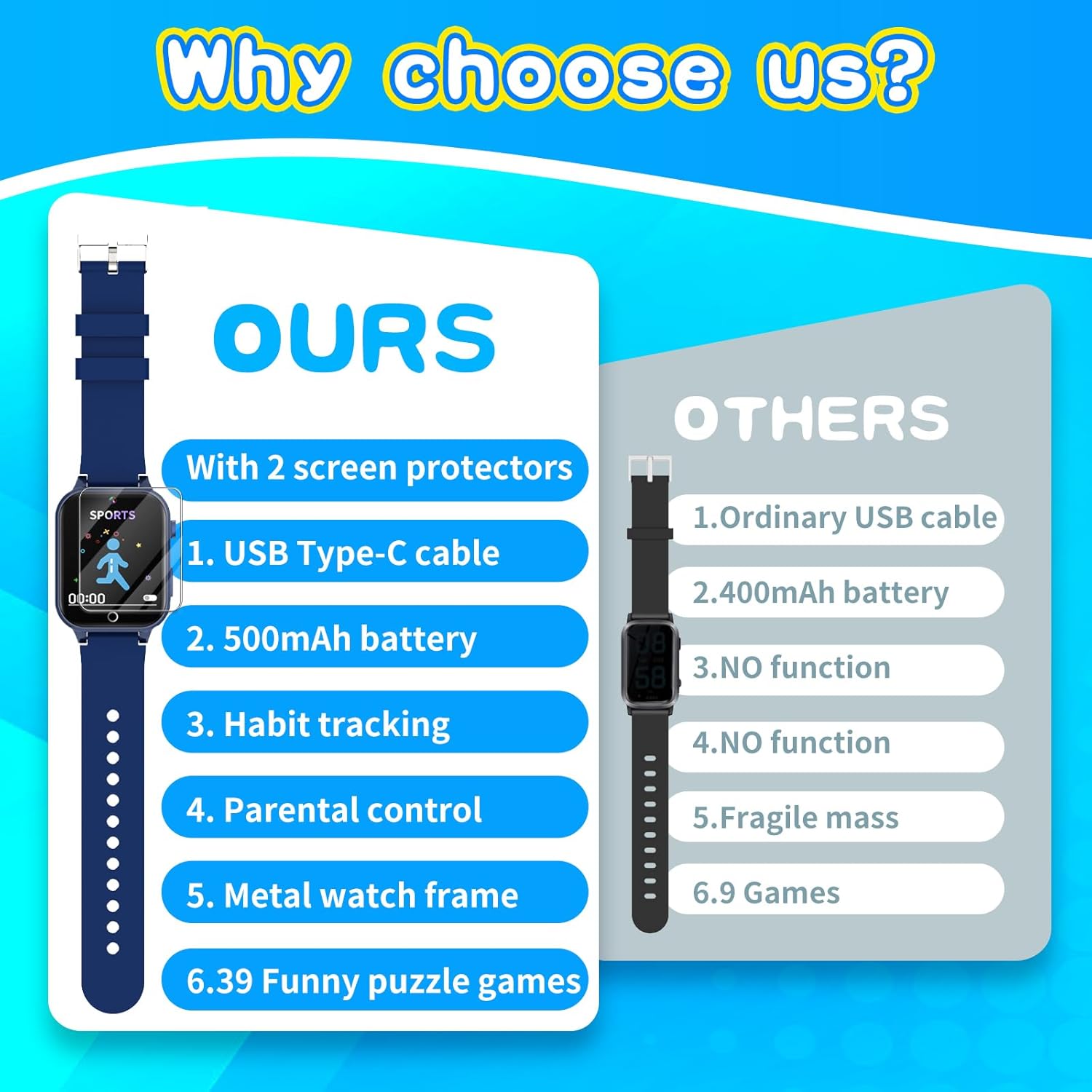
Image: The smartwatch with its flashlight illuminated.
4.8 Other Features
The Cosjoype D07 offers a variety of other useful features:
- Voice Recorder: Record audio notes.
- Alarm: Set multiple alarms for reminders.
- Stopwatch: For timing activities.
- Calculator: Basic arithmetic functions.
- Theme & Screensaver Select: Customize the watch's appearance.
- Learn Card: Educational cards for learning.
- Audiobooks: Pre-loaded audio stories for entertainment and learning.

Image: An overview of the multifunctional features available on the smartwatch.
Video: A user review demonstrating the features and functionality of the Kids Smart Watch.
5. Maintenance
5.1 Cleaning
To clean the watch, gently wipe the screen and strap with a soft, dry cloth. Avoid using harsh chemicals or abrasive materials that could damage the device.
5.2 Screen Care
The watch screen is protected by toughened film. If the film becomes damaged, replace it with one of the spare films provided to maintain screen clarity and protection.
6. Troubleshooting
6.1 Watch Fails to Power On
If the watch fails to power on, it might be due to a low battery. Use the provided reset tool to insert into the reset hole (hold for more than 5 seconds), then charge the watch for 15 minutes before attempting to power on again.
6.2 Memory Card Data
The factory data in the memory card is crucial for the watch's functionality. Do not delete it, as this may prevent the watch from working properly.
7. Specifications
| Feature | Detail |
|---|---|
| Product Dimensions | 9.25 x 1.5 x 0.39 inches |
| Item Weight | 0.317 ounces |
| Item Model Number | D07 |
| Batteries | 1 Lithium Ion battery required (included) |
| Memory Storage Capacity | 512 MB |
| Special Features | Camera, Games, Video, Music, Pedometer, Audiobooks, Flashlight, Learn Card, Alarm Clock, Audio Recording, Calendaring, Calculator, Stopwatch |
| Battery Capacity | 500 Milliamp Hours |
| Connectivity Technology | USB |
| Wireless Communication Standard | 900 MHz Radio Frequency |
| Battery Cell Composition | Lithium Polymer |
| GPS | No GPS |
| Shape | Rectangular |
| Screen Size | 1.54 Inches |
| Manufacturer | Cosjoype |
8. Warranty and Support
The Cosjoype D07 Kids Smart Watch comes with a 3-year warranty. For any support inquiries or issues not covered in this manual, please refer to the contact information provided in the product packaging or on the official Cosjoype website.