
1. Introduction
Thank you for purchasing the Generic Portable Wooden Printer Stand with Wheels. This manual provides detailed instructions for assembly, operation, maintenance, and troubleshooting to ensure you get the most out of your new product. Please read this manual thoroughly before use and retain it for future reference.
This versatile stand is designed to enhance organization and efficiency in your home or office, offering ample storage and easy mobility.
2. Product Features
- Multi-functional Design: Accommodates various office devices such as fax machines, printers, and scanners. Also suitable for storing paper, supplies, books, files, and other items.
- Adjustable Shelves: Features removable shelves that can be adjusted to 5 different height positions, allowing for customized storage configurations and creating up to 3 large storage spaces.
- Multiple Storage Spaces: Includes 3 open storage compartments and one enclosed storage space with a door, providing diverse options for organization.
- Portable Cart: Equipped with four smooth-rolling wheels, two of which are lockable, ensuring easy movement and stable positioning when needed.
- Easy Assembly: Designed for straightforward assembly with detailed instructions provided.
- Enhanced Stability: Includes small parts to insert at the back to prevent wobbling, ensuring a stable structure.
3. Assembly Instructions
Please follow the step-by-step instructions provided in the packaging for easy assembly. Ensure all parts are present before beginning. A Phillips head screwdriver may be required (not included).
- Unpack all components and verify against the parts list.
- Attach the casters to the base of the stand, ensuring the two lockable casters are positioned as indicated in the assembly diagram.
- Assemble the main frame of the stand according to the diagrams, securing all panels with the provided hardware.
- Install the door and its hinges.
- Insert the adjustable shelves into your desired positions.
- For enhanced stability, insert the small anti-wobble parts into the designated slots at the back of the unit.
If you encounter any difficulties during assembly, refer to the detailed assembly guide included with your product or contact customer support.
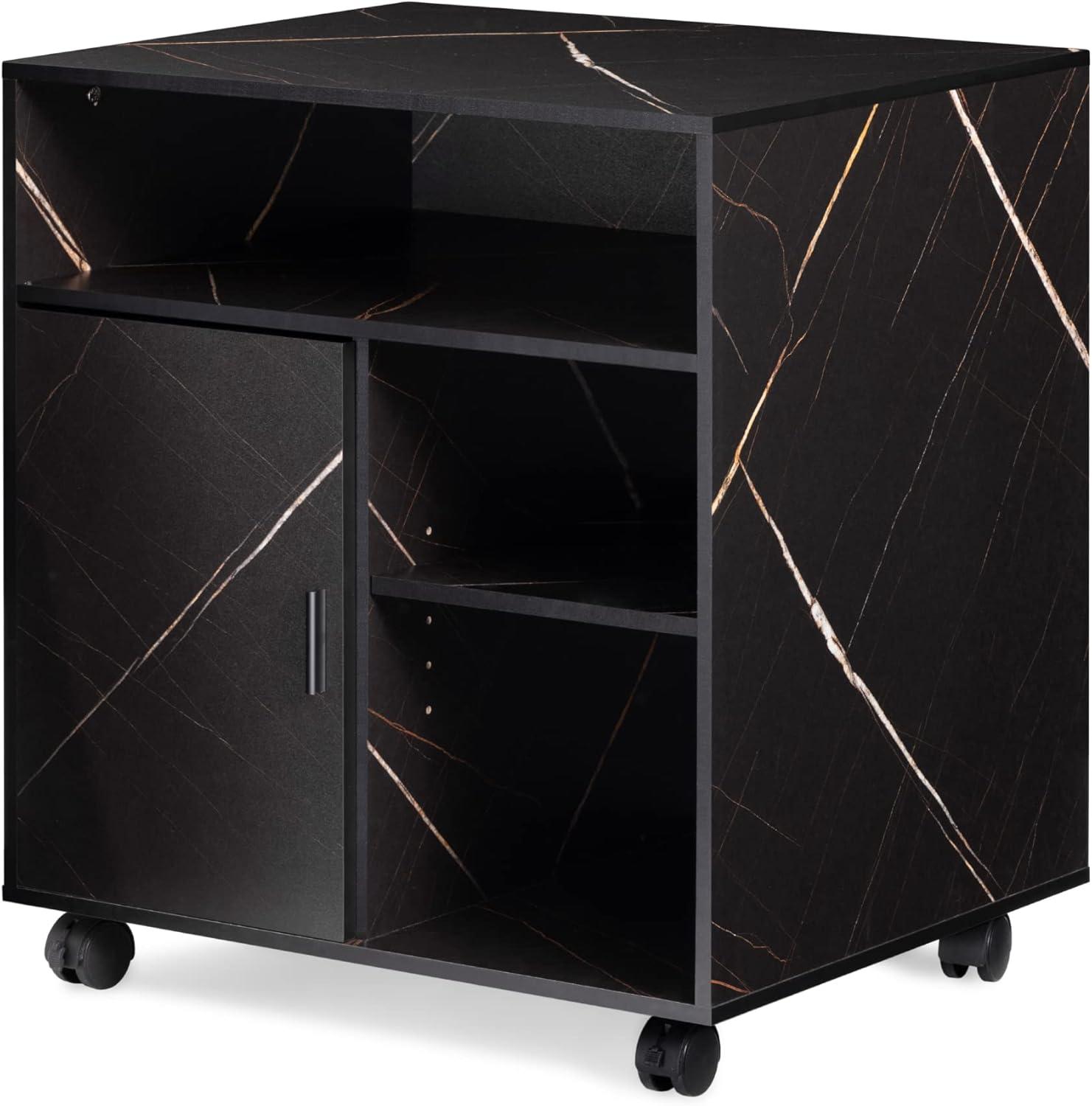
Image: Angled view of the printer stand, highlighting its open shelves and the door.

Image: Illustration of the adjustable shelves, demonstrating their flexibility.
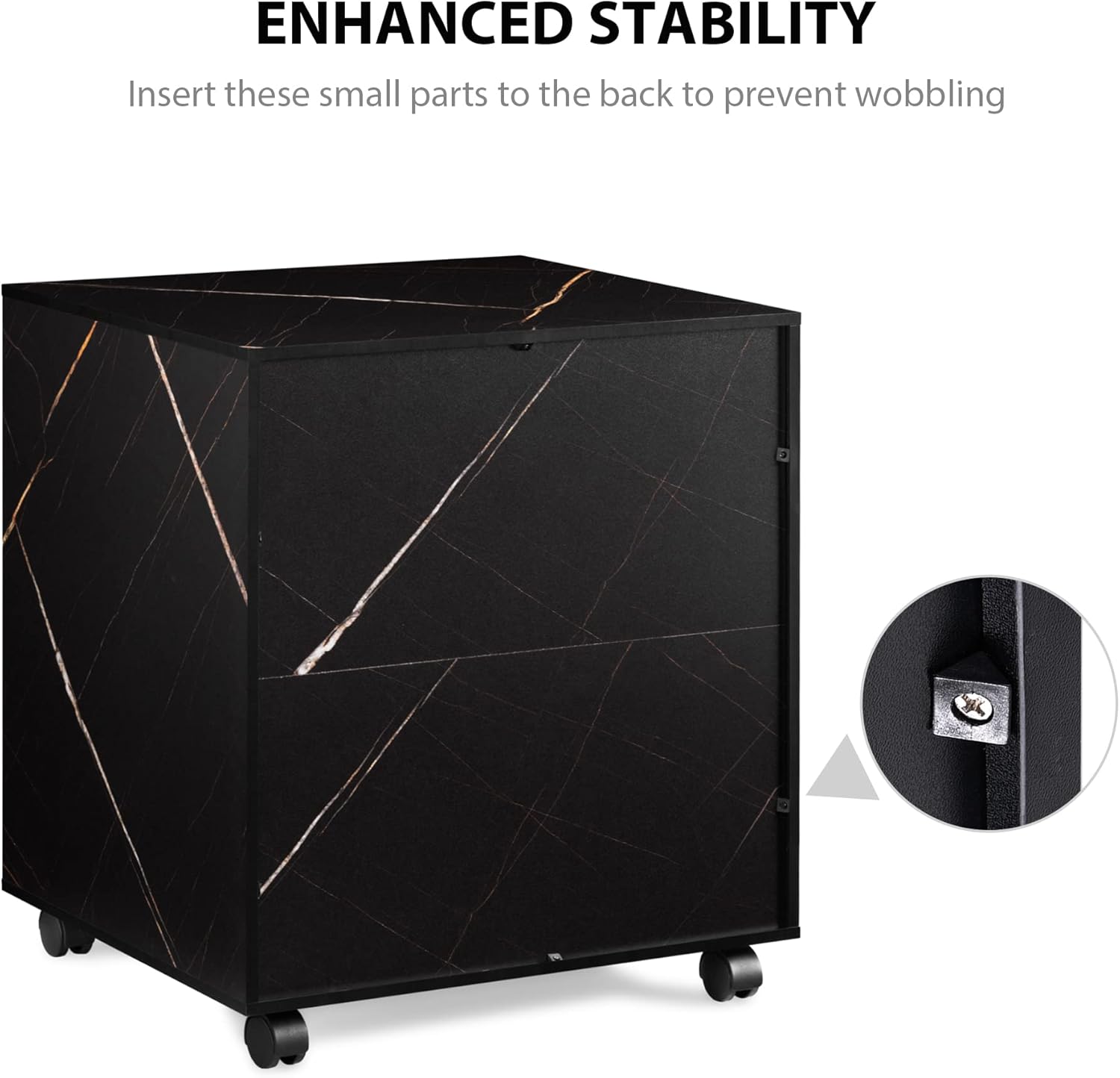
Image: Detail of the enhanced stability mechanism at the back of the stand.
4. Operation
This printer stand is designed for ease of use and versatility.
- Placement: Position the stand on a flat, stable surface. Ensure the maximum tabletop load capacity of 44 lbs (20 kg) is not exceeded.
- Mobility: To move the stand, unlock the two braking casters. Gently push or pull the stand to its desired location.
- Stability: Once in position, lock the two braking casters to prevent unintended movement and ensure stability.
- Storage: Utilize the open shelves for frequently accessed items and the enclosed compartment for items requiring more protection or a tidier appearance. Adjust shelves as needed for different item sizes.

Image: The printer stand in use with a printer on its top surface.

Image: The printer stand integrated into a home office environment.
5. Maintenance
Proper care and maintenance will extend the life of your printer stand.
- Cleaning: Wipe surfaces with a soft, damp cloth. Avoid using harsh chemicals or abrasive cleaners, as they may damage the finish.
- Spills: Clean up spills immediately to prevent staining or damage to the wood.
- Casters: Periodically check the casters for any debris (e.g., hair, dust) that might impede smooth rolling. Clean as necessary.
- Hardware: Occasionally check all screws and fasteners to ensure they are tight. Retighten if loose to maintain structural integrity.
- Avoid Overloading: Do not exceed the maximum weight capacity of 44 lbs (20 kg) on the tabletop or shelves to prevent damage.
6. Troubleshooting
If you encounter any issues with your printer stand, refer to the following common problems and solutions:
| Problem | Possible Cause | Solution |
|---|---|---|
| Stand wobbles or is unstable. | Loose hardware; uneven floor; anti-wobble parts not installed. | Ensure all screws are tightened. Move to a level surface. Verify anti-wobble parts are correctly inserted at the back. |
| Casters do not roll smoothly. | Debris in casters; casters locked. | Clean any hair or debris from the caster wheels. Unlock the braking casters. |
| Door does not close properly. | Hinges misaligned; obstruction. | Check hinge alignment and adjust if necessary. Remove any obstructions. |
If the problem persists, please contact customer support.

Image: Detailed view of key components: handle, hinge, and lockable casters.
7. Specifications
| Feature | Detail |
|---|---|
| Brand | Generic |
| Model Number | PS406007GB |
| Color | Stone Black |
| Material | Wood (specific type not provided) |
| Overall Dimensions (W x D x H) | 23.6" x 19.6" x 26.5" (60 cm x 50 cm x 67.3 cm) |
| Top Open Shelf Height | 5.9" (15 cm) |
| Adjustable Shelf Height Range | 6.0" ~ 11.5" (15.2 cm ~ 29.2 cm) |
| Adjustable Shelf Width | 11.0" (27.9 cm) |
| Maximum Tabletop Load Capacity | 44 lbs (20 kg) |
| Casters | 4 (2 with brakes) |
| ASIN | B0BP7J2RC3 |
| First Available Date | November 27, 2023 |

Image: Product dimensions diagram.
8. Warranty and Support
Specific warranty information for this product is not provided in the available data. For any questions regarding warranty, product support, or replacement parts, please contact the seller or manufacturer directly through your purchase platform.
Please have your model number (PS406007GB) and purchase details ready when contacting support.