
novopal MS2000
Novopal 2000W Pure Sine Wave Inverter MS2000 User Manual
Model: MS2000
1. Introduction
This manual provides essential information for the safe and efficient operation of your Novopal 2000W Pure Sine Wave Inverter. Please read it thoroughly before installation and use, and retain it for future reference. This inverter converts 24V DC battery power to 120V AC household power, suitable for various applications including trucks, RVs, homes, and off-grid systems.
2. Safety Information
- Ventilation: Ensure adequate ventilation around the inverter. Do not install in enclosed compartments.
- Dry Environment: Keep the inverter away from water, rain, and moisture.
- Proper Connections: Always connect the inverter to a 24V DC power source. Ensure correct polarity (positive to positive, negative to negative) to prevent damage.
- Load Capacity: Do not exceed the inverter's continuous power rating of 2000W. The surge capability is 4000W.
- Grounding: Properly ground the inverter according to local electrical codes.
- Children and Pets: Keep the inverter out of reach of children and pets.
- Internal Components: Do not attempt to open or service the inverter yourself. Refer all servicing to qualified personnel.
3. Package Contents
Verify that all items are present in your package:
- Novopal 2000W Pure Sine Wave Inverter (MS2000)
- User Manual
- Battery Cables (1 set)
- Wired Remote Control (16.4 feet in length)
- Fuses (built-in, do not install)
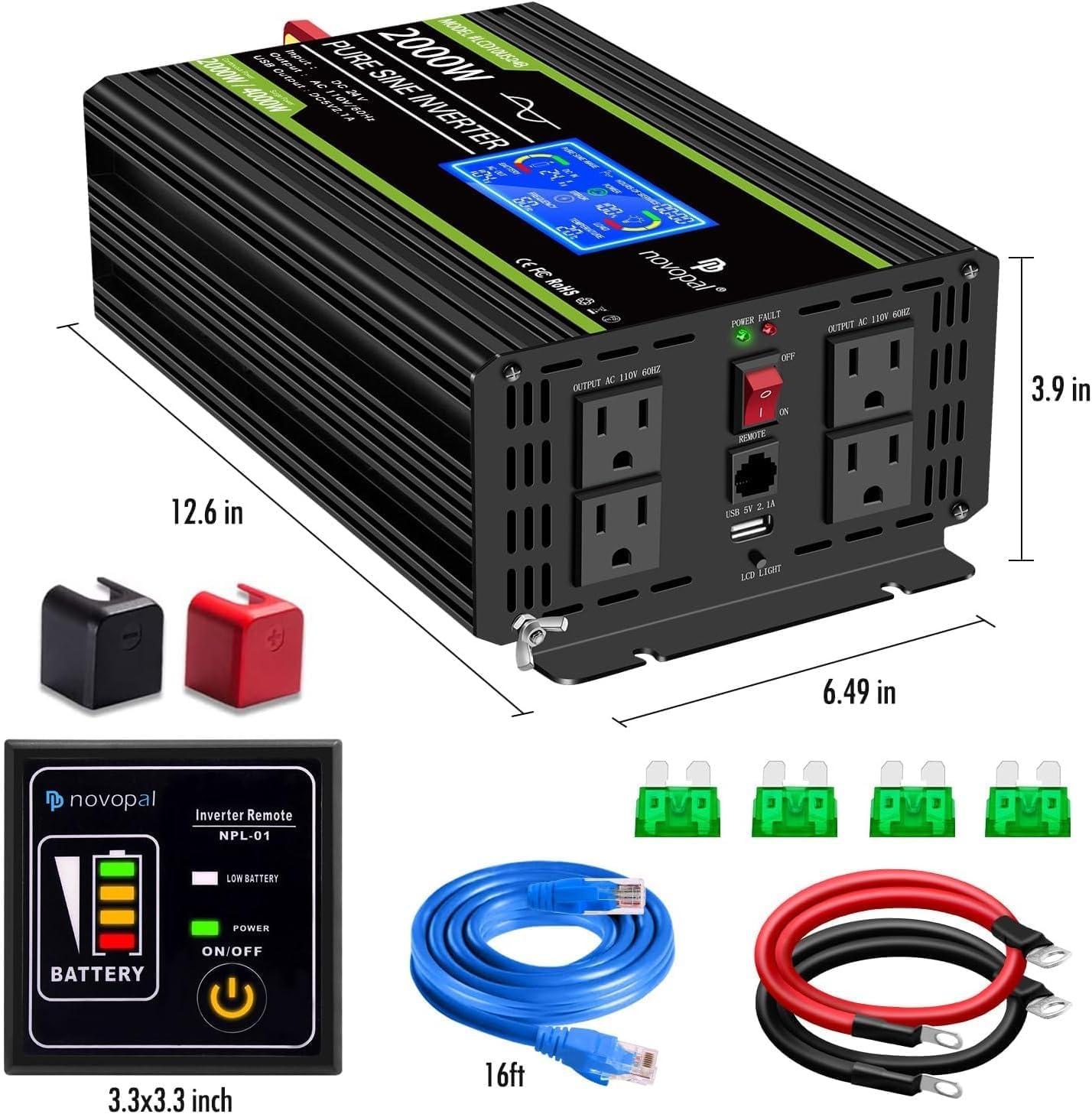
Image: The Novopal 2000W Pure Sine Wave Inverter shown with its included accessories, including battery cables, remote control, and user manual.
4. Product Features
- Pure Sine Wave Output: Delivers clean and stable AC power, suitable for sensitive electronics.
- High Power Output: 2000W continuous power, 4000W surge capability.
- Multiple Outlets: Features 4 AC receptacles and one 2.1A USB port.
- Digital LCD Display: Provides real-time monitoring of battery power, input voltage, output voltage, load, frequency, and temperature.
- Wired Remote Control: Allows convenient operation from a distance (16.4 ft cable included).
- Advanced Protection: Includes low voltage, overvoltage, overload, short circuit, and over-temperature protection.
- Efficient Cooling: Equipped with silent cooling fans for optimal performance and longevity.
5. Setup Instructions
5.1 Connecting the Inverter to a Battery
- Ensure the inverter's power switch is in the 'OFF' position.
- Connect the red battery cable to the positive (+) terminal of the 24V DC battery and the positive (+) DC input terminal on the inverter.
- Connect the black battery cable to the negative (-) terminal of the 24V DC battery and the negative (-) DC input terminal on the inverter.
- Ensure all connections are tight and secure. Incorrect polarity can damage the inverter.
5.2 Connecting the Remote Control
The wired remote control allows for convenient operation. Plug the remote control cable into the 'REMOTE' port on the inverter. The remote control can then be used to power the inverter on or off and monitor basic status.
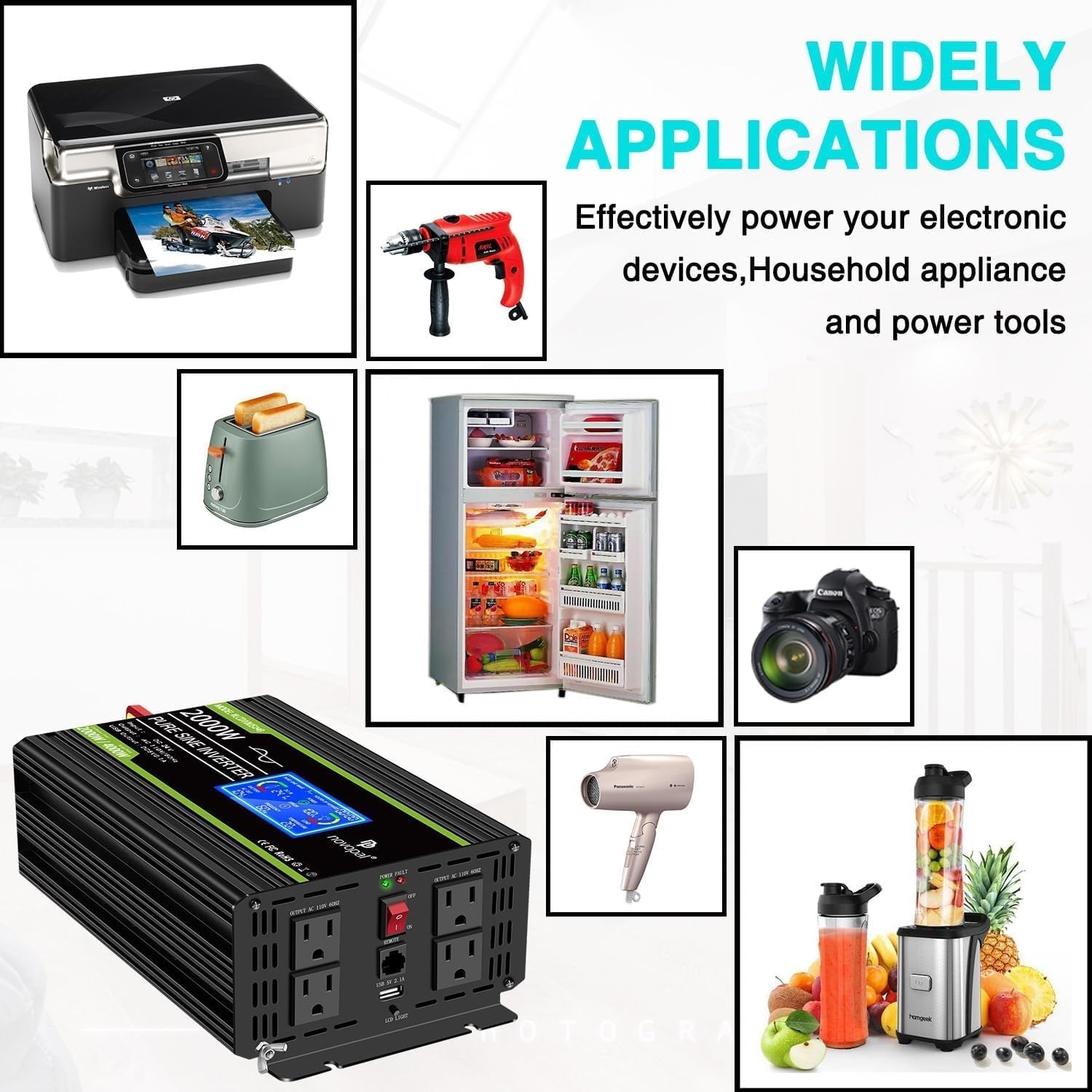
Image: A detailed view of the inverter's rear panel, highlighting the positive and negative DC input terminals and the cooling fans.

Image: The Novopal inverter with its wired remote control and the connecting cable, demonstrating how the remote is used.
Video: This video demonstrates the setup and basic operation of the Novopal Pure Sine Wave Inverter, including connecting the remote control and powering various devices.
6. Operating Instructions
6.1 Powering On/Off
After connecting the inverter to the battery, switch the main power button on the inverter to the 'ON' position. Alternatively, use the 'ON/OFF' button on the wired remote control.
6.2 Using AC Outlets and USB Port
Plug your 120V AC appliances into the AC receptacles. For charging USB devices, use the 2.1A USB port. Ensure the total power consumption of connected devices does not exceed 2000W.
6.3 Understanding the LCD Display
The digital LCD display provides critical operational information:
- Input Voltage: Shows the DC voltage from your battery.
- Battery Capacity: Indicates the remaining battery charge.
- Output Voltage: Displays the AC output voltage (110V/120V).
- Output Load: Shows the percentage of the inverter's capacity currently being used.
- Frequency: Displays the AC output frequency (60Hz).
- Temperature: Shows the internal operating temperature of the inverter.
- Error/Fault Indicators: Alerts you to potential issues such as overvoltage, undervoltage, overload, or short circuit.

Image: The front panel of the Novopal inverter, showing the LCD display with various readings, AC outlets, USB port, and power switch.
7. Applications
The Novopal 2000W Pure Sine Wave Inverter is designed for a wide range of applications, providing reliable AC power wherever you need it. Its pure sine wave output makes it suitable for sensitive electronics.
- Home Use: Powering household appliances during outages or in off-grid setups.
- RV and Camping: Running electronics, small appliances, and charging devices while on the go.
- Trucks: Providing power for tools, laptops, and other equipment in commercial vehicles.
- Emergency Backup: A reliable power source during power cuts.
- Outdoor Work: Operating power tools and equipment in remote locations.

Image: The Novopal inverter shown in a scenario powering a chainsaw, microwave, drone, and tablet, illustrating its versatility.
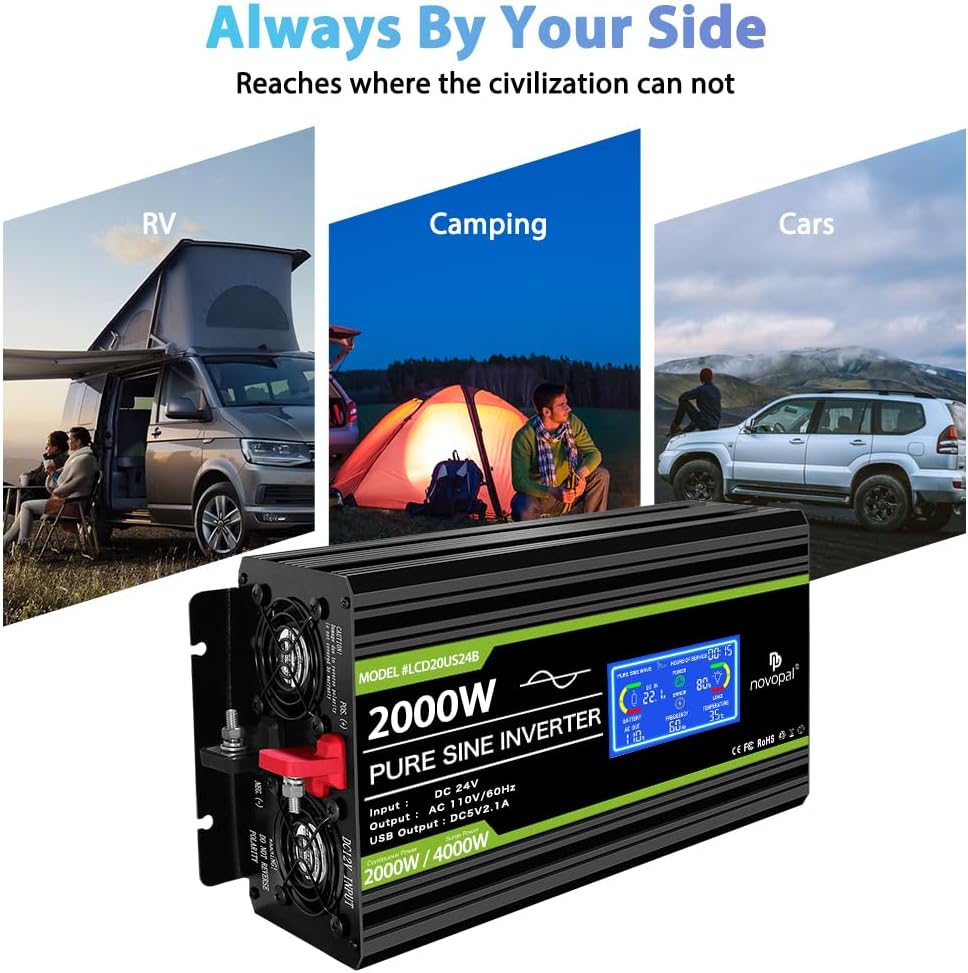
Image: The Novopal inverter connected to and powering a range of common household appliances, including a printer, drill, toaster, refrigerator, hairdryer, and blender.
8. Maintenance
To ensure the longevity and optimal performance of your Novopal inverter, follow these maintenance guidelines:
- Keep Clean: Regularly clean the exterior of the inverter with a dry cloth. Ensure ventilation openings are free from dust and debris.
- Check Connections: Periodically inspect battery cable connections for tightness and corrosion. Clean any corrosion with a wire brush and baking soda solution.
- Ventilation: Ensure the cooling fans are not obstructed. The inverter features two silent cooling fans that activate as needed to maintain optimal operating temperature.
- Storage: If storing the inverter for an extended period, disconnect it from the battery and store it in a cool, dry place.

Image: A close-up view of the inverter's cooling system, highlighting the two efficient and quiet fans designed to dissipate heat.
9. Troubleshooting
If you encounter issues with your Novopal inverter, refer to the following common problems and solutions:
| Problem | Possible Cause | Solution |
|---|---|---|
| No AC Output / Inverter Not Turning On | Loose battery connections, low battery voltage, inverter switch off, internal fuse blown. | Check battery connections. Recharge or replace battery. Ensure inverter switch is ON. Contact support if internal fuse is suspected. |
| LCD Display Shows Error/Fault | Overload, short circuit, over-temperature, input overvoltage/undervoltage. | Reduce connected load. Check for short circuits in appliances/cables. Allow inverter to cool down. Check battery voltage. |
| Low Output Power | Battery voltage too low, excessive cable length/gauge, high ambient temperature. | Recharge battery. Use shorter, thicker battery cables. Ensure proper ventilation. |
| Inverter Shuts Down Frequently | Overload, low battery voltage, overheating. | Refer to solutions for 'LCD Display Shows Error/Fault'. |
10. Specifications
| Feature | Specification |
|---|---|
| Model Number | MS2000 |
| Continuous Power | 2000 Watts |
| Surge Power | 4000 Watts |
| DC Input Voltage | 24V DC |
| AC Output Voltage | 110V / 120V AC |
| AC Output Frequency | 60Hz |
| USB Output | DC 5V, 2.1A |
| Output Waveform | Pure Sine Wave |
| Product Dimensions | 14.56 x 6.49 x 3.35 inches |
| Item Weight | 11.27 pounds |
11. Warranty and Support
Novopal provides a 12-month warranty for this product. If you encounter any problems during use or have questions, please contact Novopal customer support via email. We are committed to assisting you.