
Introduction
Thank you for choosing the KingSom CT602F Floating Pool Speaker. This speaker is designed to provide high-quality audio and ambient lighting for your pool, hot tub, and outdoor activities. Featuring IP68 waterproofing, Bluetooth 5.0 connectivity, and multiple light modes, this manual will guide you through its setup, operation, and maintenance to ensure optimal performance and longevity.
What's in the Box
Please check the contents of your package. If any items are missing or damaged, please contact customer support.
- 1 x KingSom CT602F Floating Bluetooth Speaker
- 1 x Micro USB Charging Cable
- 1 x Quick Start Guide (this manual)
Setup
1. Charging the Speaker
Before first use, fully charge the speaker. A full charge takes approximately 7 hours.
- Locate the charging port on the speaker.
- Connect the Micro USB charging cable to the speaker's charging port.
- Connect the other end of the USB cable to a standard USB power adapter (not included) or a computer's USB port.
- The charging indicator light will illuminate. Once fully charged, the light may change color or turn off, depending on the model.

Image: Speaker with '24H Playtime' graphic, illustrating the charging process and battery duration.
2. Powering On/Off
- To power on: Press and hold the power button for a few seconds until you hear an audible prompt or see the indicator lights activate.
- To power off: Press and hold the power button again for a few seconds until the indicator lights turn off.
3. Bluetooth Pairing
The speaker uses Bluetooth 5.0 for a stable connection up to 85 feet (25.9 meters).
- Ensure the speaker is powered on and within range of your Bluetooth device (smartphone, tablet, laptop).
- The Bluetooth indicator light on the speaker will flash, indicating it is in pairing mode.
- On your device, go to Bluetooth settings and search for available devices.
- Select "KingSom CT602F" (or similar name) from the list.
- Once paired, the Bluetooth indicator light will turn solid blue, and you will hear a confirmation sound.
- The speaker will automatically enter sleep mode after 20 minutes without pairing and shut down if disconnected for 60 minutes.
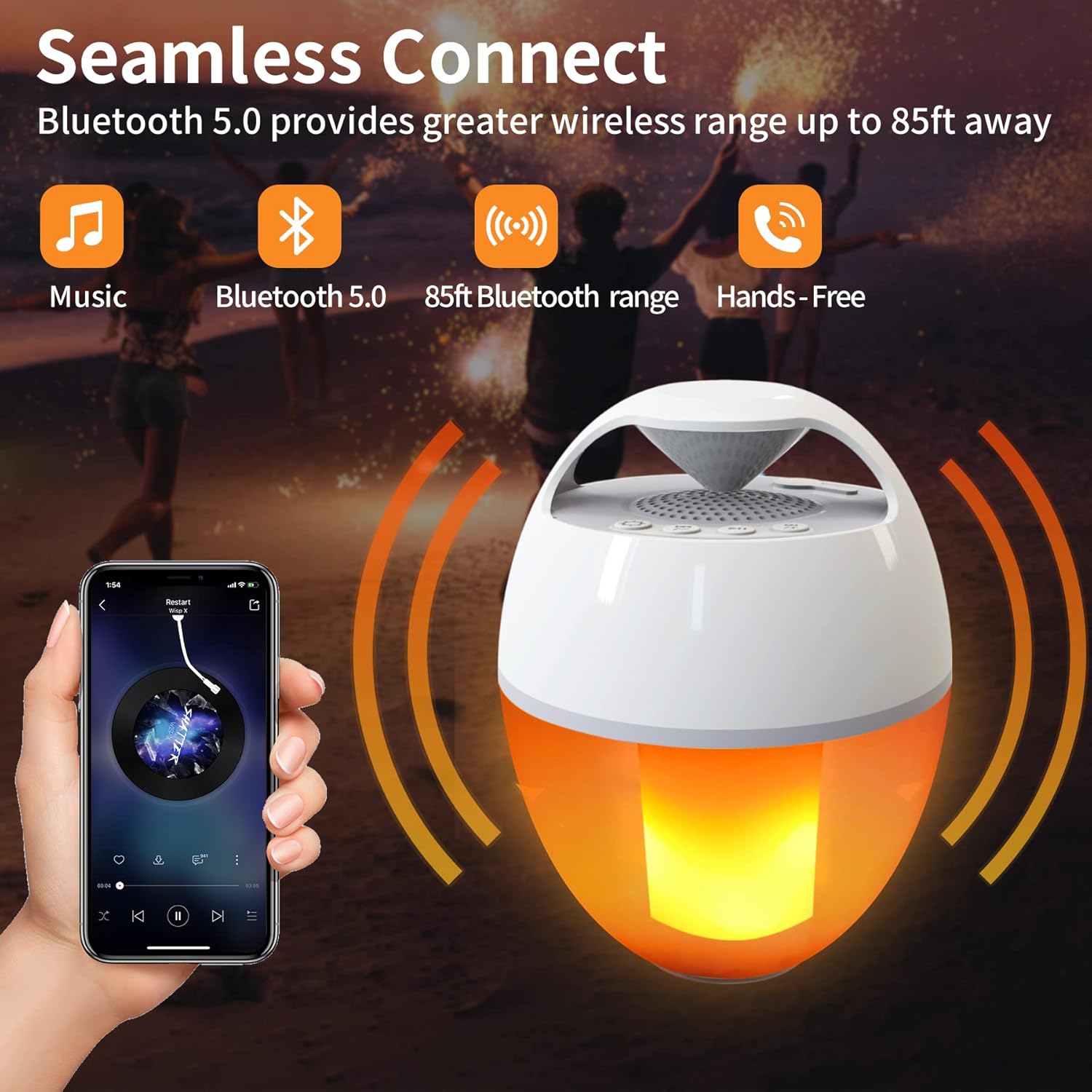
Image: Speaker demonstrating 'Seamless Connect' with Bluetooth 5.0, showing connection to a mobile device for music and hands-free calls.
Operating Instructions
1. Music Playback
After successful Bluetooth pairing, you can control music playback from your connected device or directly on the speaker (if buttons are available for play/pause, track skip, and volume).
- Play/Pause: Press the Play/Pause button once.
- Next Track: Press the Next Track button.
- Previous Track: Press the Previous Track button.
- Volume Up/Down: Press the Volume Up/Down buttons.
2. Light Modes
The speaker features 8 color-changing light modes, including simulated flame effects.
- To cycle through light modes: Press the Light Mode button.
- Available modes include single color, color gradient, fast flash, slow flash, and light off.
- In slow flash mode, the lights can synchronize with the music beat.

Image: The speaker showcasing its various flame light modes, including gradient, simulated flame, and steady light options.
3. Waterproof Usage (IP68)
The KingSom CT602F speaker is IP68 rated, meaning it can be fully immersed in water up to 3 feet (1 meter) for approximately 2 hours. It is resistant to splashes, rain, and gentle sprays, making it suitable for use in showers, by the pool, at the beach, or in the rain.

Image: The IP68 waterproof speaker floating in a pool, demonstrating its suitability for water environments.
4. Hands-Free Calling
When connected to your smartphone, the speaker can be used for hands-free calls.
- Answer Call: Press the Call button once.
- End Call: Press the Call button once during a call.
- Reject Call: Press and hold the Call button.
Maintenance
1. Cleaning
To clean the speaker, wipe it with a soft, damp cloth. Do not use harsh chemicals or abrasive cleaners. Ensure the charging port cover is securely closed before cleaning or exposing to water.
2. Water Drainage
After immersion, water may automatically pop out from the speaker. This is normal and helps maintain sound quality. Allow the speaker to air dry completely before charging or storing.
3. Storage
When not in use for extended periods, store the speaker in a cool, dry place away from direct sunlight and extreme temperatures. Ensure the battery is partially charged (around 50%) before long-term storage to preserve battery health.
Troubleshooting
| Problem | Possible Cause | Solution |
|---|---|---|
| Speaker does not power on. | Low battery. | Charge the speaker fully. |
| Cannot pair via Bluetooth. | Speaker not in pairing mode; device Bluetooth off; too far from speaker. | Ensure speaker is on and in pairing mode. Turn Bluetooth on/off on your device. Move device closer to speaker. |
| No sound or poor sound quality. | Volume too low; speaker not connected; water in speaker. | Increase volume on speaker and device. Re-pair Bluetooth. Allow speaker to drain and dry. |
| Speaker not charging. | Faulty cable or adapter; charging port issue. | Try a different Micro USB cable and power adapter. Ensure charging port is clean and dry. If issue persists, contact support. |
Specifications
| Feature | Detail |
|---|---|
| Brand | KingSom |
| Model Number | CT602F |
| Speaker Maximum Output Power | 6 Watts |
| Connectivity Technology | Bluetooth |
| Bluetooth Version | 5.0 |
| Bluetooth Range | 85 Feet (25.9 Meters) |
| Audio Output Mode | Stereo |
| Water Resistance Level | IP68 Waterproof |
| Power Source | Battery Powered |
| Battery Charge Time | 7 Hours |
| Item Dimensions (D x W x H) | 4.9"D x 4.9"W x 6.5"H |
| Material | Plastic |
| Color | White |
| Control Method | App (implied by hands-free, but direct buttons also present) |
| Specific Uses | Outdoor activities, pool parties, marine environments |
Warranty
The KingSom CT602F Floating Pool Speaker comes with a one-year warranty from the date of purchase. This warranty covers manufacturing defects and workmanship under normal use. It does not cover damage caused by misuse, accidents, unauthorized modifications, or normal wear and tear. Please retain your proof of purchase for warranty claims.
Support
If you encounter any issues or have questions regarding your KingSom CT602F Floating Pool Speaker, please refer to the troubleshooting section first. If the problem persists or you require further assistance, please contact KingSom customer support through the retailer where you purchased the product or visit the official KingSom website for contact information.
We are committed to providing excellent customer service and will assist you as quickly as possible.