
Introduction
Congratulations on your purchase of the GE GFW550SPRRS Smart Front Load Washer. This appliance is designed to provide efficient and thorough cleaning for your laundry with advanced features like smart connectivity and a large 4.8 cu. ft. capacity. This manual provides essential information for safe operation, installation, maintenance, and troubleshooting to ensure optimal performance and longevity of your washer.
Safety Information
Please read all safety instructions before using your washer to reduce the risk of fire, electric shock, or injury to persons.
- Always disconnect the power supply before servicing or cleaning the appliance.
- Do not wash articles that have been previously cleaned in, washed in, soaked in, or spotted with gasoline, dry-cleaning solvents, or other flammable or explosive substances, as they give off vapors that could ignite or explode.
- Do not allow children to play on or in the appliance. Close supervision of children is necessary when the appliance is used near children.
- This appliance is not intended for use by persons (including children) with reduced physical, sensory or mental capabilities, or lack of experience and knowledge, unless they have been given supervision or instruction concerning use of the appliance by a person responsible for their safety.
- Keep the area around your appliance free from combustible materials, gasoline, and other flammable vapors and liquids.
- Do not install or store this appliance where it will be exposed to the weather or to freezing temperatures.
- Properly ground the appliance. See installation instructions for grounding details.
Setup and Installation
Proper installation is crucial for the performance and safety of your GE washer. Refer to the detailed installation guide provided with your appliance for complete instructions.
Unpacking
- Remove all packaging materials, including the shipping bolts and foam blocks, from the washer.
- Inspect the washer for any shipping damage.
Location Requirements
- Install the washer on a solid, level floor capable of supporting the weight of the washer and its contents.
- Ensure adequate clearance for water connections, drain hose, and electrical outlet.
- Avoid installing in areas where temperatures may drop below freezing.
Connecting Water and Drain
- Connect the hot and cold water supply hoses to the corresponding inlets on the back of the washer.
- Ensure rubber washers are properly seated in the hose couplings.
- Securely attach the drain hose to a standpipe or laundry tub, ensuring it is properly secured to prevent dislodging.
Electrical Connection
- The washer requires a 120V, 60Hz, 15 or 20-amp fused electrical supply.
- Ensure the electrical outlet is properly grounded. Do not use an extension cord.
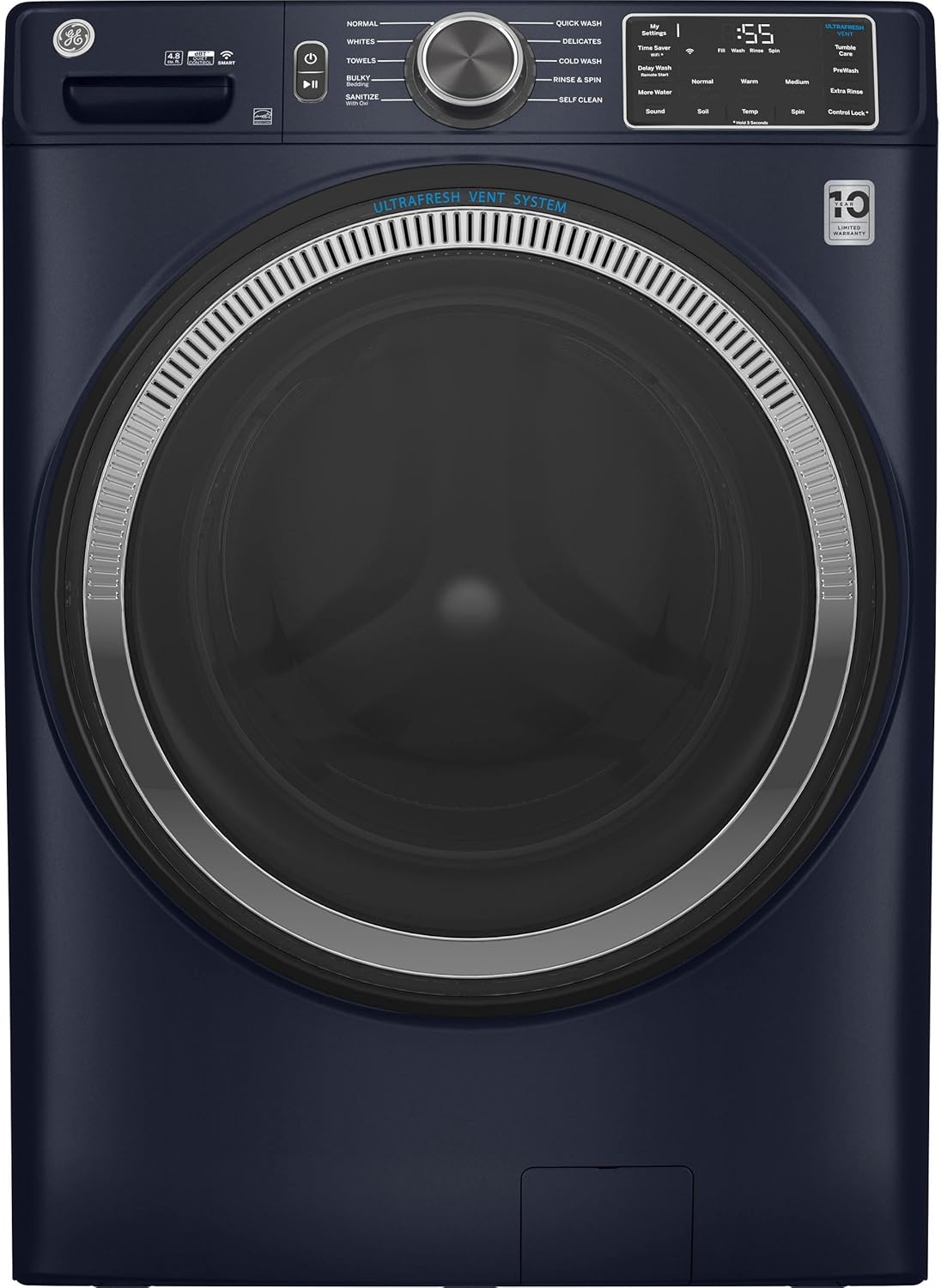
Image: The GE GFW550SPRRS Smart Front Load Washer, showcasing its sleek Sapphire Blue finish and front-loading design. This image provides a visual reference for the appliance during setup.
Operating Instructions
Control Panel Overview

Image: A detailed view of the washer's control panel, featuring the cycle selection knob, digital display, and various option buttons. This panel allows users to select wash cycles and customize settings.
The control panel features a central rotary-electronic knob for cycle selection, capacitive touch buttons for various options, and an LED display for cycle status and time remaining. Familiarize yourself with the layout for easy operation.
Loading the Washer

Image: The GE GFW550SPRRS washer with its front door open, showing the spacious stainless steel drum. This view highlights the large capacity and the design for easy loading and unloading of laundry.
Sort laundry by fabric type, color, and soil level. Load items loosely into the drum, avoiding overfilling to ensure proper washing and rinsing. For best results, mix large and small items.
Adding Detergent and Additives
Use the dispenser drawer for detergent, fabric softener, and bleach. Refer to your detergent's instructions for recommended amounts. The washer features an Auto-Dispense system for convenience.
Selecting a Wash Cycle
Turn the cycle selection knob to choose the appropriate wash cycle for your load. Available cycles include:
- Normal: For everyday cottons and mixed loads.
- Whites: For white fabrics, often with higher temperatures.
- Towels: Optimized for heavy towel loads.
- Bulky/Bedding: For large items like comforters and blankets.
- Sanitize + Allergen: Provides enhanced cleaning and allergen removal.
- Power Clean: For heavily soiled items.
- Quick Wash: For small, lightly soiled loads that need a fast wash.
- Delicates: Gentle cycle for delicate fabrics.
- Cold Wash: Uses cold water for energy savings.
- Rinse & Spin: For rinsing and spinning items without a full wash.
- Self Clean: A cycle to clean the washer drum.
Cycle Options
Customize your wash cycle using the following options:
- Time Saver: Reduces overall wash time.
- Delay Wash: Delays the start of the wash cycle.
- More Water: Adds extra water to the wash and rinse cycles.
- Sound: Adjusts or mutes audible alerts.
- Temp: Selects wash water temperature (e.g., Hot, Warm, Cold).
- Spin: Adjusts spin speed.
- Control Lock: Locks the control panel to prevent accidental changes.
- Tumble Care: Tumbles clothes periodically after the wash to prevent wrinkles.
- ProWash: Advanced wash technology for optimal cleaning.
- Extra Rinse: Adds an additional rinse cycle.
Smart Features (Wi-Fi Connectivity)
The GE GFW550SPRRS washer features built-in Wi-Fi connectivity, allowing you to control and monitor your laundry from your smartphone. Download the GE SmartHQ app to:
- Start, stop, or pause cycles remotely.
- Receive notifications when a cycle is complete.
- Download specialized cycles.
- Monitor energy usage.
- Connect with Amazon Alexa for voice control.
Care and Maintenance
Regular care and maintenance will help extend the life of your washer and ensure optimal performance.
Cleaning the Dispenser Drawer
Periodically remove and clean the dispenser drawer to prevent detergent buildup. Rinse with warm water and a soft brush, then dry thoroughly before reinserting.
Cleaning the Washer Interior
Run the "Self Clean" cycle monthly to remove detergent residue and odors from the drum. Use a washer cleaner or a mixture of bleach and hot water as directed.
Cleaning the Exterior
Wipe down the exterior surfaces with a soft, damp cloth. Avoid abrasive cleaners that could damage the finish.
Door Gasket Care
After each use, wipe the door gasket (seal) dry to prevent mold and mildew growth. Periodically inspect for debris and remove if necessary.
Troubleshooting Guide
Before calling for service, review this section for common issues and their solutions.
| Problem | Possible Cause | Solution |
|---|---|---|
| Washer does not start | Power cord unplugged; Door not closed properly; Control Lock activated. | Check power connection; Ensure door is latched; Deactivate Control Lock. |
| Excessive vibration | Washer not level; Shipping bolts not removed; Overloaded or unbalanced load. | Level the washer; Remove shipping bolts; Redistribute load or reduce size. |
| Water leaking | Loose hose connections; Clogged drain hose; Too much detergent causing oversudsing. | Tighten hose connections; Clear drain hose; Use less detergent. |
| Clothes not clean | Overloading; Incorrect cycle selection; Insufficient detergent. | Reduce load size; Select appropriate cycle; Use recommended detergent amount. |
Product Specifications
| Feature | Specification |
|---|---|
| Model Number | GFW550SPRRS |
| Capacity | 4.8 cu. ft. |
| Dimensions (W x D x H) | 28 x 32 x 39.75 inches |
| Weight | 264 pounds |
| Maximum Spin Speed | 1300 RPM |
| Drum Material | Stainless Steel |
| Control Type | Capacitive Touch, Rotary-Electronic w/LEDs |
| Special Features | Smart Connectivity (Built-in WiFi), Ultrafresh Vent System, Reversible Door |
| Color | Sapphire Blue |
| UPC | 084691881186 |
Warranty and Customer Support
Your GE GFW550SPRRS Smart Front Load Washer is covered by a limited warranty. Please refer to the warranty card included with your appliance for specific terms and conditions. Keep your proof of purchase for warranty claims.
For technical assistance, service scheduling, or to order parts, please contact GE Appliances Customer Service. You can find contact information on the GE Appliances website or in your warranty documentation.
Online resources and FAQs are also available on the official GE Appliances support page: www.geappliances.com/ge/service-and-support/