
Introduction
Thank you for choosing the MAHANCRIS 160 cm Narrow Console Table with Charging Station. This manual provides detailed instructions for the assembly, operation, and maintenance of your new console table. Please read this manual thoroughly before assembly and use to ensure safe and correct operation.

Image: The MAHANCRIS 160 cm Narrow Console Table positioned behind a sofa, showcasing its slim design and integration into a living space. A small stool is placed next to it.
Safety Information
Please observe the following safety guidelines to prevent injury or damage to the product:
- Always follow assembly instructions carefully.
- Do not exceed the maximum weight recommendation of 110 lb (50 kg) to maintain stability.
- Use the anti-tipping device and adjustable feet to prevent tipping or collapse.
- Keep fingers away from pinch points during assembly.
- Ensure the power cord is not pinched or damaged during setup and use.
Package Contents
Before beginning assembly, please verify that all parts listed below are present and undamaged. If any parts are missing or damaged, please contact customer support.
- 1 x Console Table with Charging Station (Tabletop, Frame Components)
- Assembly Hardware (Screws, bolts, etc.)
- Necessary Assembly Tools (e.g., Allen wrench)
- Detailed Instruction Manual
- Anti-Tipping Device
- Adjustable Feet
Setup and Assembly
Assembly is required for this console table. It is recommended that one person performs the assembly. Please follow the numbered steps in the provided detailed instructions.
Pre-Assembly Checklist:
- Clear a spacious area for assembly.
- Lay out all components and hardware, matching them with the parts list in the separate instruction booklet.
- Ensure you have the included assembly tools and a screwdriver (not included).
Assembly Steps (General Guidance):
- Attach the frame components together using the provided hardware. Do not fully tighten screws until all parts are aligned.
- Secure the tabletop to the assembled frame.
- Install the adjustable feet onto the bottom of the table legs. Adjust them to ensure the table is level on uneven floors.
- Install the anti-tipping device to secure the table to a wall, especially if placing it in an area where it could be unstable or if children are present.
- Position the charging station panel. The tabletop panel can be rotated to place the power strip on the side or in the middle of the table as needed.

Image: Illustration of the two assembly options for the charging station: on the side or in the middle of the table, allowing for flexible placement.
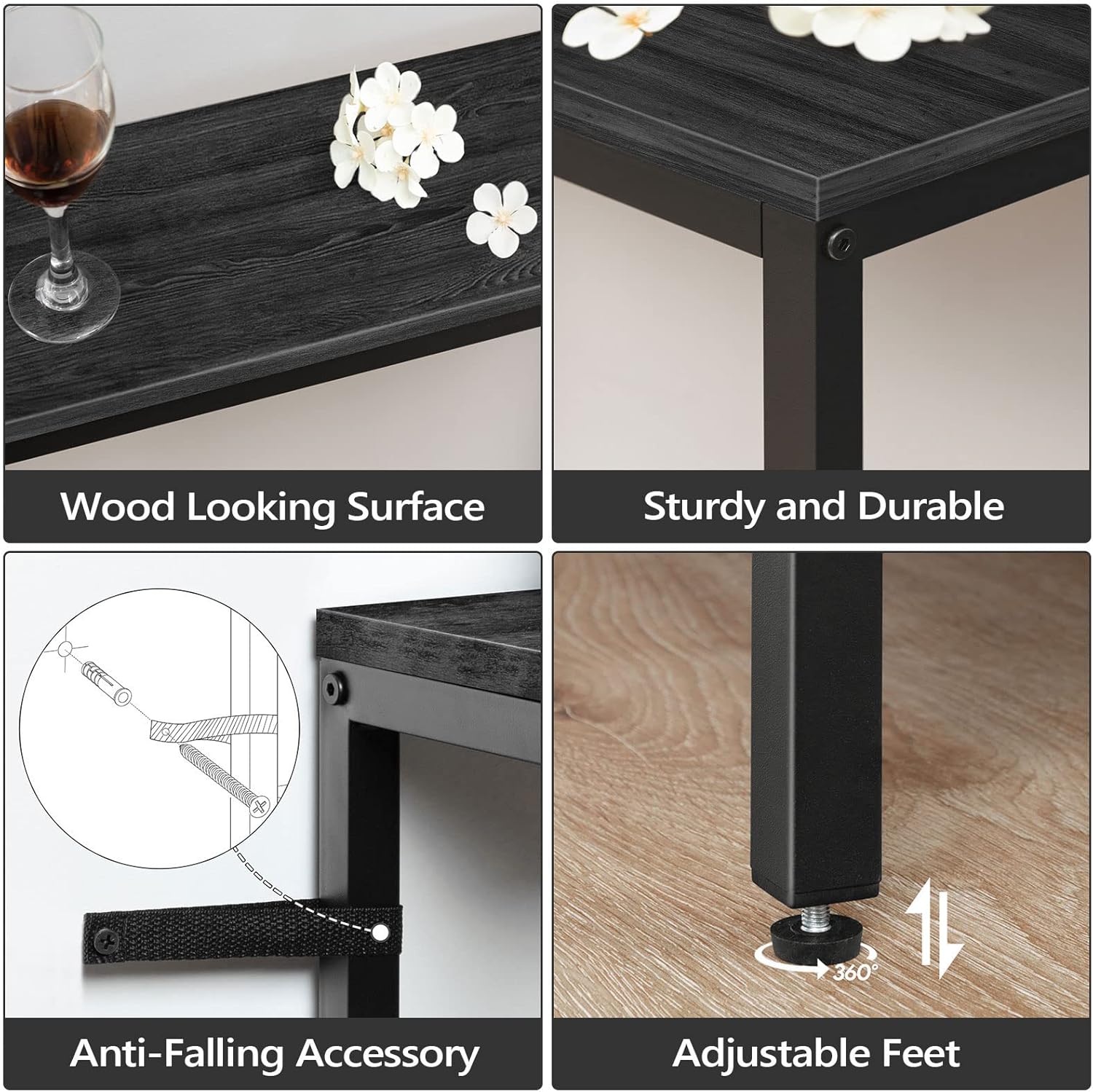
Image: Detailed views of the table's features, including the wood-grain surface, robust construction, the anti-tipping device for wall attachment, and the adjustable feet for stability.
Operating Instructions
The MAHANCRIS Console Table features an integrated charging station for your convenience.
Using the Charging Station:
- Ensure the table's power cord (150 cm / 4.9-foot) is securely plugged into a functional wall outlet.
- The charging station includes 2 AC outlets (120V/12A), 1 USB port (5V/2A), and 1 Type-C port.
- Plug your electronic devices (mobile phones, laptops, lamps, etc.) into the appropriate ports.
- The table top panel can be rotated to position the charging station either on the side or in the middle, depending on your preference and accessibility needs.
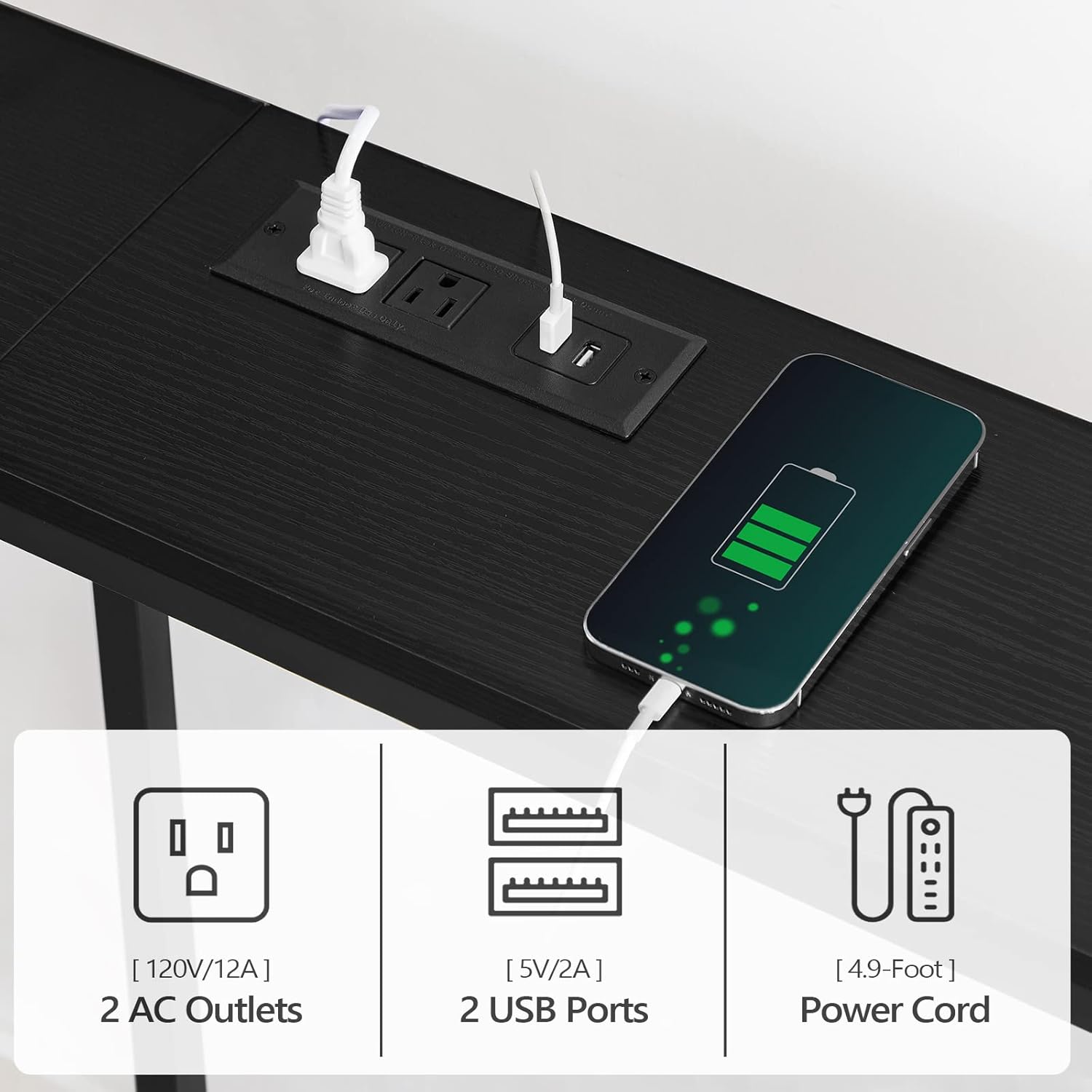
Image: A close-up view of the integrated charging station, highlighting the AC outlets, USB ports, and a device actively charging.
Maintenance
Proper care will extend the life and appearance of your console table.
Cleaning Instructions:
- Wipe the tabletop and frame with a damp cloth.
- Avoid using harsh chemicals or abrasive cleaners, as these can damage the finish.
- Immediately wipe up any spills to prevent staining or damage to the engineered wood surface.
Troubleshooting
If you encounter issues with your console table, refer to the following common problems and solutions:
| Problem | Possible Cause | Solution |
|---|---|---|
| Table is wobbly or unstable. | Uneven floor; loose assembly screws. | Adjust the leveling feet at the bottom of the legs. Ensure all assembly screws are tightened. Install the anti-tipping device. |
| Charging station not working. | Power cord not plugged in; wall outlet issue; internal wiring issue. | Check if the power cord is securely plugged into a live wall outlet. Test the wall outlet with another device. If only USB ports are not working, contact customer support. |
| Missing parts during assembly. | Packaging error. | Contact MAHANCRIS customer support with your purchase details and the specific missing parts. |
Specifications

Image: A technical drawing illustrating the precise dimensions of the console table, including length, width, height, and power cord length.
| Feature | Detail |
|---|---|
| Brand | MAHANCRIS |
| Model Number | CTHB16E01 |
| Product Dimensions (L x W x H) | 160 x 20 x 80.5 cm (63"L x 7.9"W x 31.7"H) |
| Item Weight | 7.6 Kilograms |
| Maximum Weight Recommendation | 50 Kilograms (110 lb) |
| Frame Material | Metal |
| Top Material Type | Engineered Wood |
| Color | Black |
| Charging Station | 2 AC Outlets (120V/12A), 1 USB Port (5V/2A), 1 Type-C Port |
| Power Cord Length | 150 cm (4.9 feet) |
| Special Features | Charging Station, Adjustable Feet, Anti-Tipping Device |
| Assembly Required | Yes |
| Recommended Number of People for Assembly | 1 |
Warranty and Support
MAHANCRIS products are designed for quality and durability. For warranty information, please refer to the specific warranty details provided at the time of purchase or contact your retailer.
If you have any questions, require assistance with assembly, or need to report missing/damaged parts, please contact MAHANCRIS customer support through your purchase platform or the official MAHANCRIS website. Please have your model number (CTHB16E01) and purchase date ready when contacting support.


