
Introduction
This manual provides comprehensive instructions for the tsticks GRS Steering Wheel, designed to enhance your arcade racing experience. It covers product compatibility, installation procedures, operational guidelines, maintenance tips, and technical specifications to ensure optimal performance and longevity of your device.

Image: The GRS Steering Wheel, showcasing its overall design and central hub.
Compatibility
The GRS Steering Wheel is engineered for maximum compatibility with the following GRS Spinner series:
- GRS Spinner V2: Models TS-USP-01 and TS-USP-02
- GRS Button Hole Spinner: Models TS-BSP-01 and TS-BSP-02
- GRS Push & Pull Spinner: Models TS-DOT-01 and TS-DOT-02
This steering wheel is designed to securely attach over these spinner units, transforming your arcade setup for racing games.
Features
Key features of the GRS Steering Wheel include:
- Wide Compatibility: Designed for use with all GRS Spinner series mentioned above.
- Enhanced Gaming Experience: Transforms an arcade setup into a realistic racing environment.
- Flawless Performance: Provides smooth gameplay for various retro racing games and driving simulators.
- Precision Engineering: Features a perfect fit design for GRS Spinners and attaches securely with mounting screws.
- High-Quality Construction: Crafted from durable, 3D-printed plastic and an aluminum faceplate for sweat-resistant, non-slip control and comfort during extended gaming sessions.

Image: Front view of the GRS Steering Wheel, highlighting its ergonomic design.
Setup and Installation
Follow these steps to install your GRS Steering Wheel onto a compatible GRS Spinner:
- Prepare the Spinner: Ensure your GRS Spinner (e.g., GRS Spinner V2, GRS Button Hole Spinner) is correctly installed and functioning on your arcade cabinet.
- Align the Steering Wheel: Carefully place the GRS Steering Wheel over the central shaft of your GRS Spinner, aligning the mounting holes on the steering wheel with those on the spinner unit.
- Secure with Screws: Use the provided mounting screws to firmly attach the steering wheel to the spinner. Tighten the screws evenly to ensure a stable and secure connection. Do not overtighten.
- Test Connection: Gently rotate the steering wheel to confirm it is securely attached and rotates smoothly without obstruction.

Image: The GRS Steering Wheel alongside its mounting components, including screws and an Allen key, illustrating the parts required for installation.
Operating Instructions
Once installed, the GRS Steering Wheel functions as a direct input device for your arcade system, translating rotational movements into game commands. Its design ensures smooth and responsive control for racing and driving simulator games.
- Game Selection: Launch your preferred racing or driving simulator game on your arcade system.
- Calibration (if applicable): Some games or systems may require initial calibration of the steering input. Refer to your arcade system's or game's specific instructions for calibration procedures.
- Gameplay: Use the steering wheel for directional control within the game. The wheel's robust construction and non-slip surface provide a comfortable and precise gaming experience.
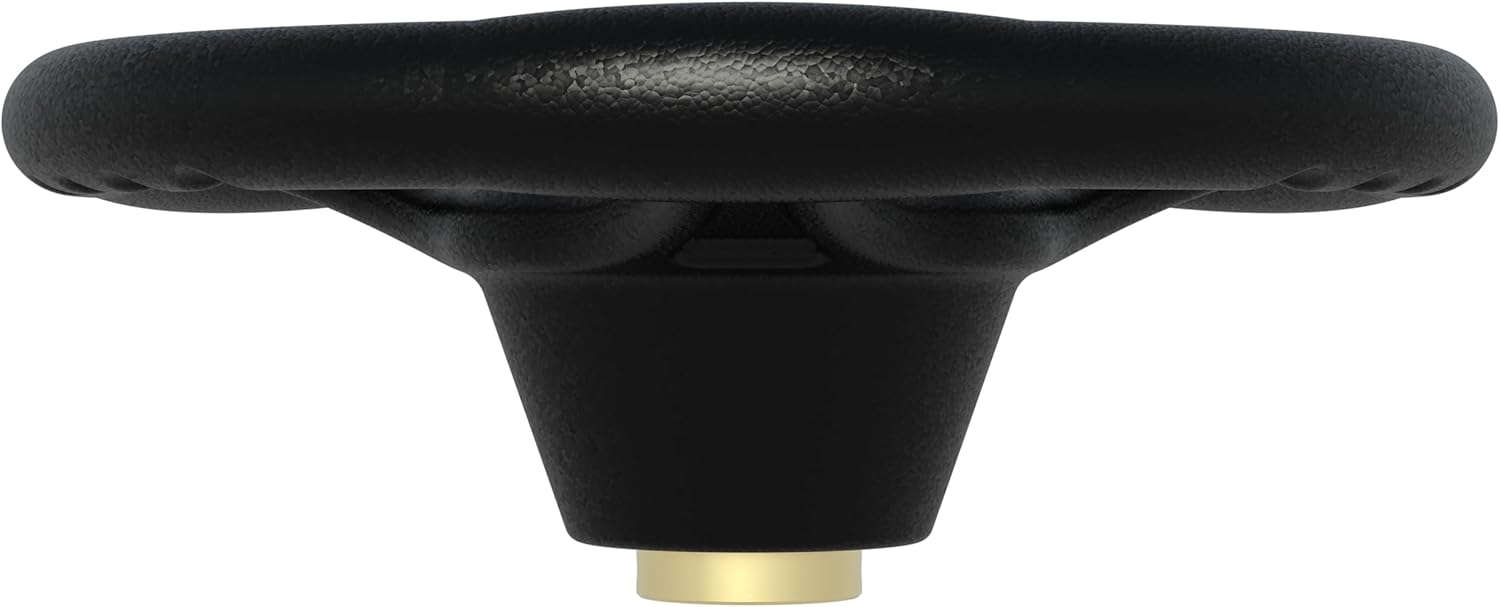
Image: Side profile of the GRS Steering Wheel, showing its depth and how it integrates with the spinner base.
Maintenance
To ensure the longevity and optimal performance of your GRS Steering Wheel, follow these maintenance guidelines:
- Cleaning: Wipe the steering wheel surface with a soft, damp cloth. Avoid abrasive cleaners or solvents, as these can damage the plastic and aluminum finish.
- Inspection: Periodically check the mounting screws for tightness. If any screws feel loose, gently tighten them to maintain a secure connection.
- Storage: If the steering wheel is to be stored for an extended period, keep it in a cool, dry place away from direct sunlight and extreme temperatures.
Troubleshooting
If you encounter issues with your GRS Steering Wheel, consider the following:
- Steering Wheel Feels Loose:
Ensure all mounting screws are securely tightened. Refer to the "Setup and Installation" section.
- Input Not Registering in Game:
Verify that the underlying GRS Spinner is correctly connected and recognized by your arcade system. Check game settings for controller input options and calibration.
- Unusual Noise During Rotation:
Inspect for any foreign objects lodged between the steering wheel and the spinner unit. Ensure the wheel is not rubbing against any part of the arcade cabinet.
If problems persist, contact customer support for further assistance.
Specifications
| Attribute | Detail |
|---|---|
| Brand | tsticks |
| Model Number | A1 |
| Color | Black |
| Material | Durable 3D-printed plastic, Aluminum faceplate |
| Fit Type | Universal Fit (for compatible GRS Spinners) |
| Grip Size | 14 inches |
| Number of Spokes | 3 |
| Item Weight | 2.25 pounds |
| Package Dimensions | 10.83 x 10.75 x 5.16 inches |
| Special Features | Ergonomic, Sweat-resistant, Non-slip control |
Warranty and Support
For warranty information or technical support, please refer to the documentation provided with your original GRS Spinner unit or contact tsticks customer service directly. Keep your purchase receipt for warranty claims.