
1. Product Overview
The YIHUA 948DQ-I is a solder fume extractor designed to absorb harmful fumes generated during soldering, thereby purifying the air in the workspace. This device enhances safety and work efficiency by filtering airborne particles and reducing odors.
Key Features:
- Dual Filter Function: High-quality filtration adsorbers located at the front and rear effectively filter harmful particles and reduce fume odors.
- Tiltable Support: Features a 30° tiltable support, allowing adjustment of the effective filtering area.
- Fenders: Side fenders help reduce disruptive airflows, ensuring effective fume extraction within a 10 cm straight-line distance.
- Detachable Helping Hands: Includes a pair of detachable helping hands (approximately 30 cm long) for securing objects like PCBs or wires during soldering, offering increased flexibility.

Image 1.1: YIHUA 948DQ-I Solder Fume Extractor with its components.
2. Setup Instructions
2.1 Unpacking and Component Check
Carefully unpack all components from the box. Verify that all items listed below are present and undamaged:
- 1 x 948DQ-I Fume Extractor Unit
- 8 x Active Carbon Filters (for front and rear)
- 2 x Detachable Helping Hands
- 2 x Fenders
- 1 x Tiltable Support

Image 2.1: All components included with the YIHUA 948DQ-I.
2.2 Filter Installation
The fume extractor uses dual filters. Install one active carbon filter at the front and another at the rear of the unit. Ensure they are securely placed to maximize filtration efficiency.

Image 2.2: Illustration of dual filter placement and airflow.
2.3 Attaching Helping Hands and Fenders
Attach the detachable helping hands to the designated ports on the unit. These flexible arms can hold PCBs or wires. Install the fenders on both sides of the unit to direct airflow effectively.

Image 2.3: Fume extractor with helping hands and fenders installed.
2.4 Power Connection
Connect the power cable to the unit and then to a standard 230V AC EU power outlet.

Image 2.4: Proper power connection for the unit.
3. Operating Instructions
3.1 Powering On/Off
Locate the power switch on the unit. Flip the switch to the 'ON' position to power on the fume extractor. The LCD display will illuminate. To power off, flip the switch to the 'OFF' position.
3.2 Adjusting the Tilt Angle
The unit features a tiltable support that can be adjusted up to 30 degrees. Loosen the adjustment knob on the side, set the desired angle, and then tighten the knob to secure the position. This allows you to optimize the fume extraction area relative to your soldering work.

Image 3.1: Adjusting the tilt angle for optimal fume capture.
3.3 Effective Fume Absorption
For optimal performance, position the fume extractor so that the soldering area is within a 10 cm straight-line distance from the unit's intake. The fenders help to concentrate the airflow and prevent fumes from escaping the capture zone.

Image 3.2: Demonstrating effective fume absorption during soldering.
3.4 Using Detachable Helping Hands
The flexible helping hands can be positioned to securely hold circuit boards, wires, or other small components, freeing your hands for soldering tasks. Adjust their position as needed for convenience and stability.

Image 3.3: Helping hands securing a component for soldering.
3.5 Video Demonstrations
Video 3.1: Demonstration of the fume extractor's operation and effectiveness in capturing soldering fumes.
Video 3.2: Another demonstration showcasing the fume absorption capabilities during soldering tasks.
4. Maintenance
4.1 Filter Replacement
The active carbon filters should be replaced regularly to maintain optimal fume absorption. The frequency of replacement depends on usage intensity and the type of fumes generated. To replace, carefully remove the old filters and insert new ones, ensuring a snug fit.

Image 4.1: View of the fume extractor showing the filter compartments.
4.2 Cleaning the Unit
Periodically wipe the exterior of the unit with a soft, dry cloth. Do not use abrasive cleaners or solvents. Ensure the unit is powered off and unplugged before cleaning.
5. Troubleshooting
5.1 Unit Does Not Power On
- Check if the power cable is securely connected to both the unit and the power outlet.
- Verify that the power outlet is functional by plugging in another device.
- Ensure the power switch on the unit is in the 'ON' position.
5.2 Weak Fume Absorption
- Check if the active carbon filters are clogged or dirty. Replace them if necessary.
- Ensure the unit is positioned within 10 cm of the soldering area.
- Verify that the fenders are correctly installed to direct airflow.
- Ensure there are no obstructions blocking the air intake or exhaust vents.
6. Specifications
| Feature | Specification |
|---|---|
| Model Number | YIHUA 948DQ-I |
| Manufacturer | Guangzhou Yihua Electronic Equipment Co., Ltd. |
| Dimensions (L x W x H) | 9 x 14.5 x 16.4 cm |
| Weight | 1.1 kg |
| Power Type | AC |
| Voltage | 230 Volt |
| Wattage | 5 watts |
| Display Style | LCD |
| Included Components | 1 fume extractor, 8 active carbon filters, 2 helping hands, 2 fenders, 1 tiltable support |
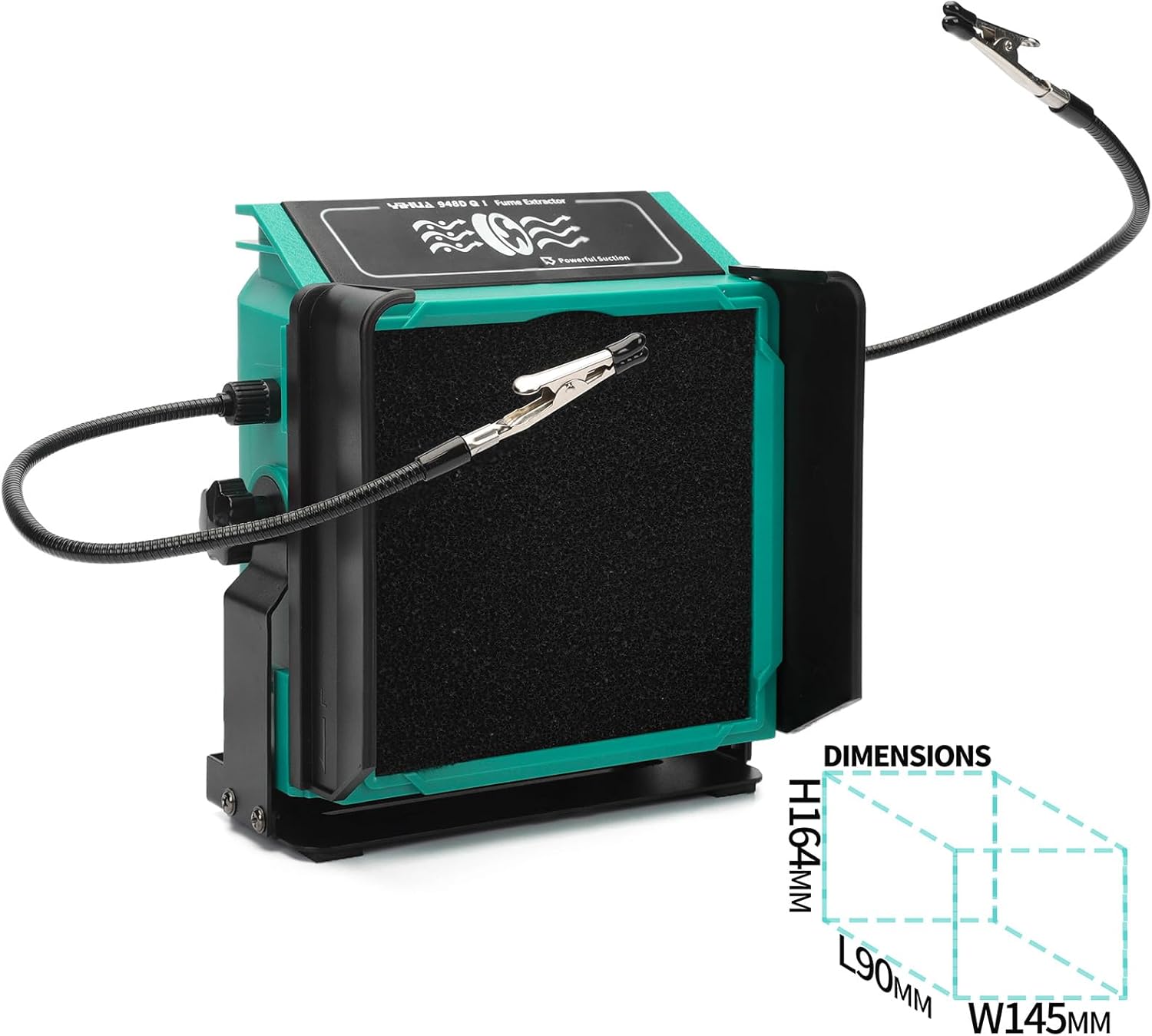
Image 6.1: Product dimensions.
7. Warranty and Support
7.1 Warranty Information
This YIHUA product is covered by an exclusive 12-month EU technical warranty from the date of purchase. Please retain your proof of purchase for warranty claims.
7.2 Technical Support
Our technical team provides professional support 24/7. For any questions, suggestions, or technical assistance, please contact us through the Amazon platform or refer to the contact information provided with your product packaging.