
Introduction
Thank you for choosing the Aisizon A3d Wireless Lavalier Microphone. This device is designed to provide high-quality audio recording for various applications, including video recording, live streaming, online meetings, and more. Its plug-and-play functionality and versatile compatibility make it an ideal tool for content creators and professionals alike. This manual will guide you through the setup, operation, and maintenance of your new microphone system.
What's in the Box
- 2 x Wireless Lavalier Microphones (Transmitters)
- 1 x Receiver (with integrated Lightning and USB-C connectors)
- 1 x USB-A to USB-C Charging Cable
- 1 x USB-A to Lightning Adapter
- 1 x USB-A to USB-C Adapter
- 1 x Extra Microphone Clip
- 1 x User Manual (this document)
Setup Guide
- Charge the Microphones: Before first use, ensure both wireless microphones are fully charged using the provided USB-C charging cable. Connect the cable to the microphone's USB-C port and a power source. A red indicator light will show charging, turning off when fully charged.
- Connect the Receiver:
- For iPhone/iPad (Lightning port): Plug the receiver directly into your device's Lightning port.
- For Android/Computer (USB-C port): Plug the receiver directly into your device's USB-C port.
- For Computer (USB-A port): Attach the appropriate USB-A adapter (Lightning or USB-C, depending on your receiver's primary connector) to the receiver, then plug the adapter into your computer's USB-A port.

Image: Receiver connected to an iPhone, demonstrating compatibility with various devices.
Image: Using the USB adapter to connect the receiver to a laptop or PC. - Power On Microphones: Press and hold the power button on each microphone. A green indicator light will blink, then turn solid green when successfully paired with the receiver. The receiver will also show a solid indicator light.
- Clip the Microphones: Attach the microphones to your clothing using the integrated clip. Position them close to the speaker's mouth for optimal sound capture.
Operating Instructions
1. Basic Recording
- Once the microphones and receiver are paired (solid green light), open your device's camera app, voice recorder, or any application that supports external audio input.
- Start recording. The microphone system will automatically capture audio.
- The system supports simultaneous audio capture from both microphones, ideal for interviews or dual-speaker content.

Image: Simple plug-and-play operation for recording with two microphones.
2. Noise Reduction
- The A3d features a built-in noise reduction chip with 3 levels of noise reduction.
- To cycle through noise reduction levels, briefly press the power button on the microphone while it is on. Each press will change the level, indicated by a subtle change in the indicator light's behavior (e.g., different blink patterns or color changes, refer to specific product documentation for exact indicators).
- This feature helps to filter out ambient noise, ensuring clear voice capture even in noisy environments.

Image: Wireless recording with 360° omnidirectional sound and ultra-low latency.
3. Wireless Range
- The microphone system offers a long-range wireless transmission of up to 65 feet (20 meters).
- Maintain a clear line of sight between the microphone and receiver for optimal performance. Obstacles may reduce the effective range.
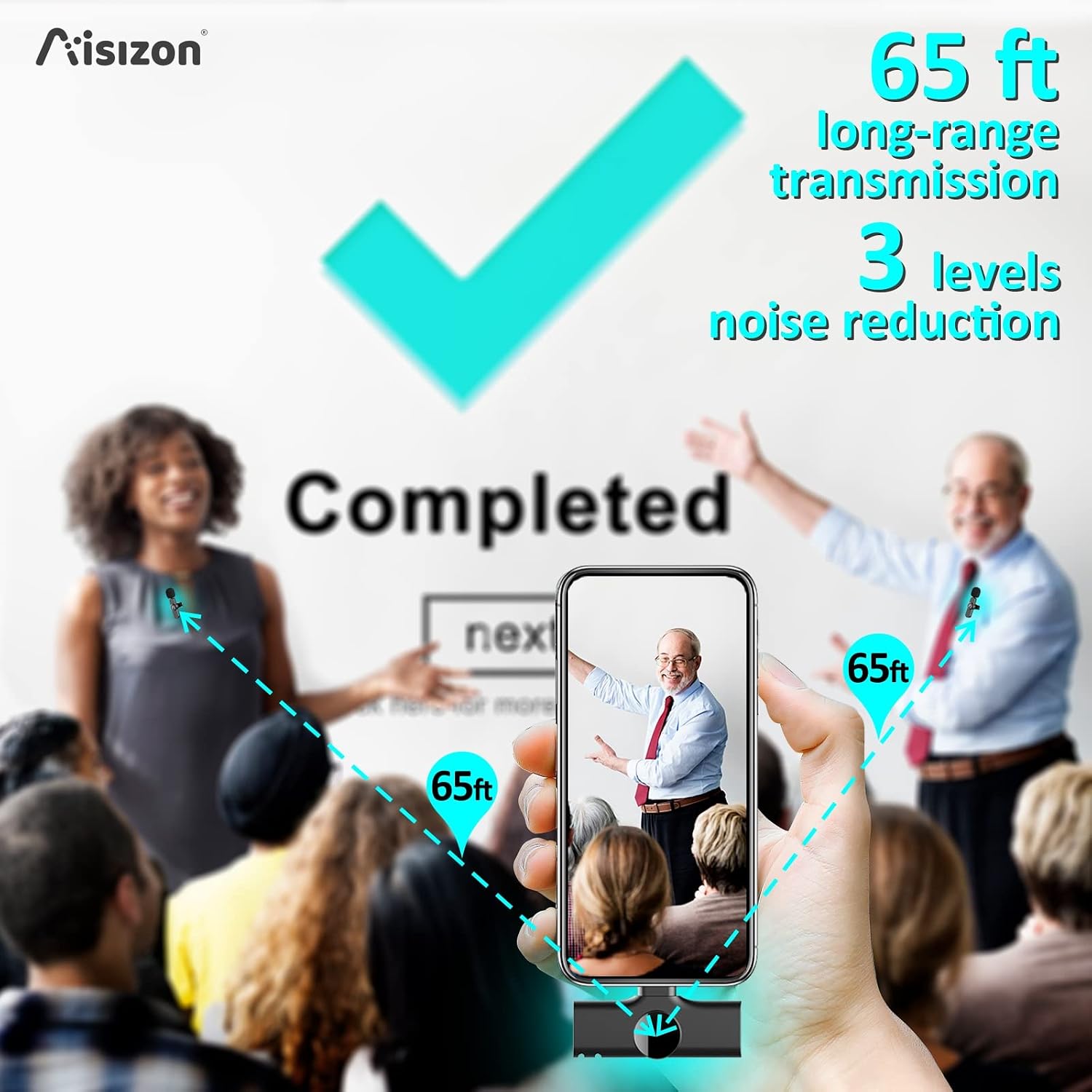
Image: Effective long-range transmission up to 65 feet.
Maintenance
- Charging: Recharge microphones when the indicator light turns red or blinks. Use the provided USB-C cable.
- Cleaning: Wipe the microphone and receiver with a soft, dry cloth. Do not use liquid cleaners or immerse in water.
- Storage: Store the device in a cool, dry place away from direct sunlight and extreme temperatures.
Troubleshooting
| Problem | Solution |
|---|---|
| No sound or low volume. |
|
| Microphone not pairing. |
|
| Poor audio quality (static, distortion). |
|
| Short transmission range. |
|
Specifications
| Feature | Detail |
|---|---|
| Brand | Aisizon |
| Model Name | A3d Wireless Microphone 002 |
| Connectivity Technology | Bluetooth |
| Connector Type | Lightning, USB-C (via adapter) |
| Special Feature | Clip-on design, Noise Reduction |
| Compatible Devices | Laptop, Personal Computer, Smartphone (iPhone, iPad, Android) |
| Color | Black |
| Polar Pattern | Omnidirectional |
| Impedance | 32 Ohms |
| Microphone Form Factor | Lavalier |
| Power Source | Battery Powered |
| Signal-to-Noise Ratio | 60 dB |
| Frequency Response | 20 KHz |
| Maximum Frequency | 20000 KHz |
| Minimum Frequency | 20 KHz |
| Audible Noise | 60 Decibels |
| Item Weight | 25 Grams |
| Item Dimensions | 0.73 x 1.02 x 2.56 inches |
Warranty Information
The Aisizon A3d Wireless Lavalier Microphone comes with a 1-Year Manufacturer Warranty. Please retain your proof of purchase for warranty claims. For detailed warranty terms and conditions, refer to the official Aisizon website or contact customer support.
Customer Support
For further assistance, technical support, or inquiries, please visit the official Aisizon Store on Amazon: Aisizon Store.