
1. Introduction
This manual provides essential instructions for the safe and effective use of your EXTENSILO replacement batteries. These batteries are designed for compatibility with Silvercrest DV-1000HD and DV-5300HD digital cameras. Please read this manual thoroughly before use and retain it for future reference.
2. Safety Information
Observe the following safety precautions to prevent damage to the battery, device, or personal injury:
- Do not attempt to disassemble, open, or service the battery pack.
- Do not crush, puncture, short external contacts, or dispose of in fire or water.
- Replace only with the battery pack designated for this product.
- Do not store above 60°C (140°F).
- Ensure proper polarity when inserting the battery.
- Keep batteries out of reach of children.
- Dispose of used batteries according to local regulations.
- The batteries are designed with protection against short circuits, overheating, and overvoltage.

Image 2.1: Rear view of an EXTENSILO battery, displaying safety warnings and regulatory compliance marks such as CE and UKCA. The text warns against disassembly, crushing, puncturing, shorting, disposal in fire/water, and storage above 60°C (140°F).
3. Product Overview
The EXTENSILO replacement battery is a high-quality Li-Ion battery designed to power your compatible Silvercrest digital cameras. This package includes three individual battery units.
- Battery Type: Lithium-Ion (Li-Ion)
- Capacity: 1250 mAh
- Voltage: 3.7 V
- Nominal Power: 4.63 Wh
- Compatible with: Silvercrest DV-1000HD, Silvercrest DV-5300HD
- Replaces: NP-40, LB-060 battery models

Image 3.1: A stack of three EXTENSILO replacement batteries, showcasing their compact design and branding. Each battery is labeled with "FOR NP-40", "3.7V 1250mAh 4.63Wh Li-ion", and "Model No.: BW888401367".
4. Setup
4.1 Initial Charging
Before first use, it is recommended to fully charge the battery. Use the original charger provided with your Silvercrest camera or a compatible charger designed for NP-40/LB-060 type batteries.
- Insert the EXTENSILO battery into your camera's battery charger.
- Connect the charger to a power source.
- Monitor the charging indicator on your charger or camera. Charging is complete when the indicator shows a full charge.
4.2 Battery Installation
To install the battery into your Silvercrest DV-1000HD or DV-5300HD camera:
- Ensure the camera is turned off.
- Locate the battery compartment on your camera, typically on the bottom or side.
- Open the battery compartment cover.
- Insert the EXTENSILO battery, aligning the contacts correctly. The battery should slide in smoothly and lock into place. Refer to your camera's manual for specific orientation.
- Close the battery compartment cover securely.

Image 4.1: A close-up view of the front of an EXTENSILO battery, clearly showing the brand logo, "EXTEND YOUR BATTERY POWER" slogan, "FOR NP-40", and detailed specifications including voltage, capacity, and model number.
5. Operating Instructions
Once the battery is installed and charged, your camera is ready for use. The EXTENSILO battery functions identically to the original battery it replaces.
- Turn on your camera as usual.
- Monitor the battery level indicator on your camera's display to track remaining power.
- When the battery level is low, replace it with a charged battery or recharge the current one.
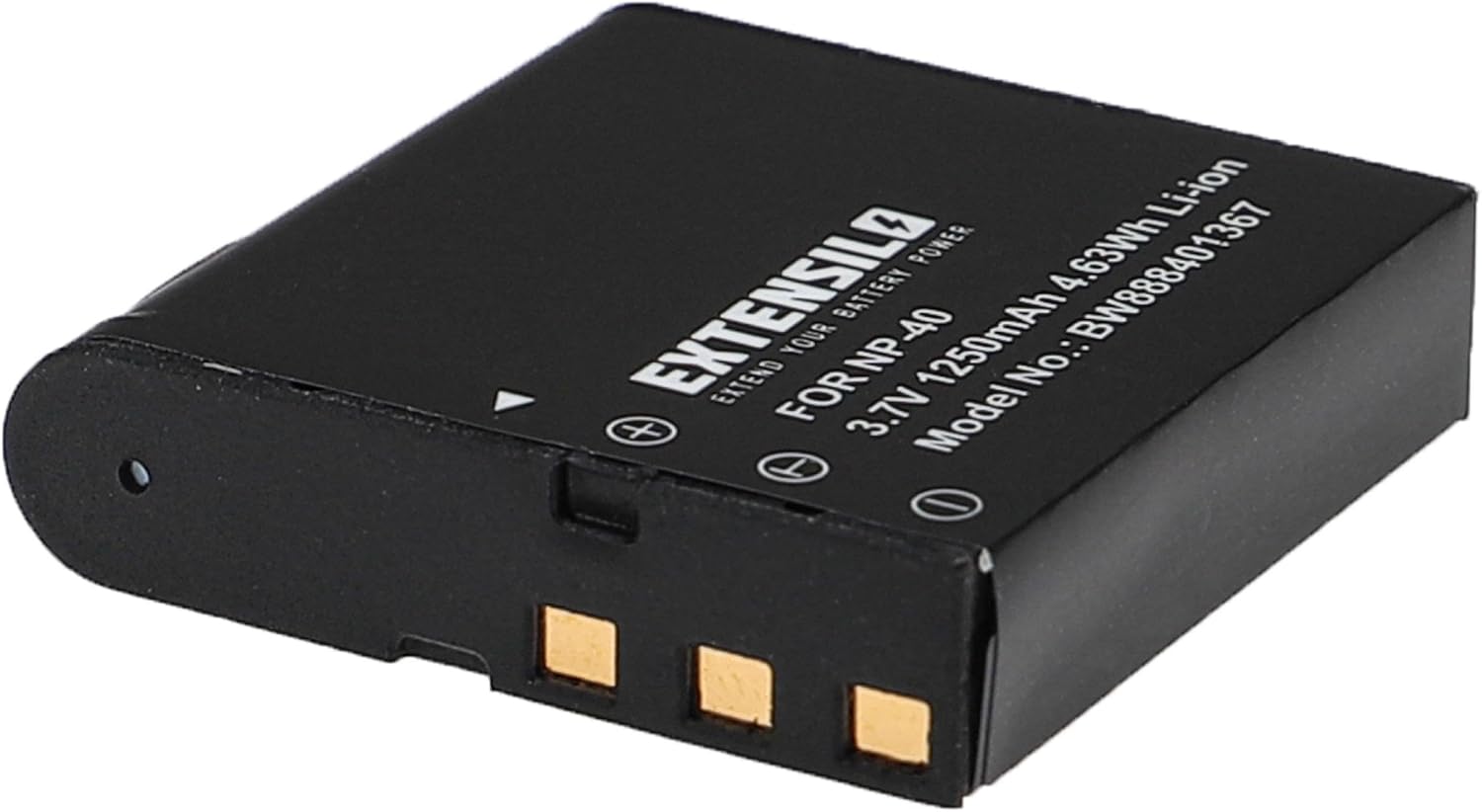
Image 5.1: An angled view of an EXTENSILO battery, highlighting the gold-plated contact pins on one end, which are essential for connecting to the camera or charger.
6. Maintenance
6.1 Charging
- Always use a compatible charger.
- Avoid overcharging; disconnect the battery once fully charged.
- Charge batteries in a well-ventilated area.
6.2 Storage
- Store batteries in a cool, dry place, away from direct sunlight and extreme temperatures.
- For long-term storage, charge batteries to approximately 50% capacity.
- Do not store above 60°C (140°F).
6.3 Cleaning
- Keep battery contacts clean using a dry, soft cloth.
- Do not use liquids or abrasive cleaners.
7. Troubleshooting
| Problem | Possible Cause | Solution |
|---|---|---|
| Battery not charging | Incorrectly inserted battery, faulty charger, dirty contacts. | Reinsert battery correctly. Try a different charger. Clean battery and charger contacts. |
| Camera not turning on | Battery not charged, battery not inserted correctly, battery faulty. | Ensure battery is fully charged. Reinsert battery. Try a different battery. |
| Short operating time | Battery not fully charged, battery degradation (after many cycles). | Ensure full charge. Consider replacing the battery if it's old. |
8. Specifications
| Feature | Detail |
|---|---|
| Brand | EXTENSILO |
| Battery Type | Lithium-Ion (Li-Ion) |
| Capacity | 1250 mAh |
| Voltage | 3.7 V |
| Nominal Power | 4.63 Wh |
| Number of Cells | 1 |
| Compatibility | Silvercrest DV-1000HD, Silvercrest DV-5300HD |
| Replaces | NP-40, LB-060 |
| Reusability | Rechargeable |
| Weight per item | Approximately 27 grams (81 grams for 3 batteries) |
| Manufacturer Part Number | VHBW4064115118964 |
| Certifications | CE & RoHs compliant |
9. Warranty and Support
EXTENSILO batteries are manufactured to high standards and comply with legal safety requirements, including CE and RoHS certifications. For support or warranty inquiries, please contact your retailer or the EXTENSILO customer service through their official channels. Please retain your proof of purchase for any warranty claims.
For further assistance, please visit the EXTENSILO brand page or contact your point of purchase.