
Introduction
This manual provides detailed instructions for the setup, operation, and maintenance of your Sangyn S-PK3000 Big Button Corded Phone. Designed with ease of use in mind, this phone features large buttons, amplified sound, and one-touch dialing, making it ideal for seniors and individuals with visual or hearing impairments. Please read this manual thoroughly before using your new phone.

Image: The Sangyn S-PK3000 phone featuring large, easy-to-read buttons, designed for clear dialing and visibility.
Package Contents
Please check the package for the following items:
- Sangyn S-PK3000 Big Button Corded Phone Base Unit
- Handset
- Coiled Handset Cord
- Telephone Line Cord
- Instruction Manual (this document)
Product Overview
Familiarize yourself with the key components and features of your Sangyn S-PK3000 phone.

Image: Key features of the Sangyn S-PK3000 phone, including volume control, clear call quality, a flashing indicator light for incoming calls, and large, easy-to-press buttons.
- Large Buttons: Clearly labeled, oversized buttons (0-9, M1, M2, M3, *, #, MEM, REDIAL/FLASH) for easy dialing.
- Adjustable Volume: Handset volume control (L/H switch) for comfortable listening.
- Loud Ringer: Adjustable ringer volume to ensure incoming calls are not missed.
- Incoming Call Indicator: A flashing light signals incoming calls.
- One-Touch Speed Dial: M1, M2, M3 buttons for quick access to frequently called numbers.
- Speakerphone: Amplified speakerphone function for hands-free conversations.
Setup
Follow these steps to set up your Sangyn S-PK3000 phone:
- Connect the Handset: Connect one end of the coiled handset cord to the handset and the other end to the phone jack located on the left side of the phone base.
- Connect the Telephone Line: Connect one end of the telephone line cord to the LINE jack on the back of the phone base.
- Connect to Wall Socket: Connect the other end of the telephone line cord to your wall telephone socket.
- Placement: Place the phone on a stable, flat surface or mount it on a wall.
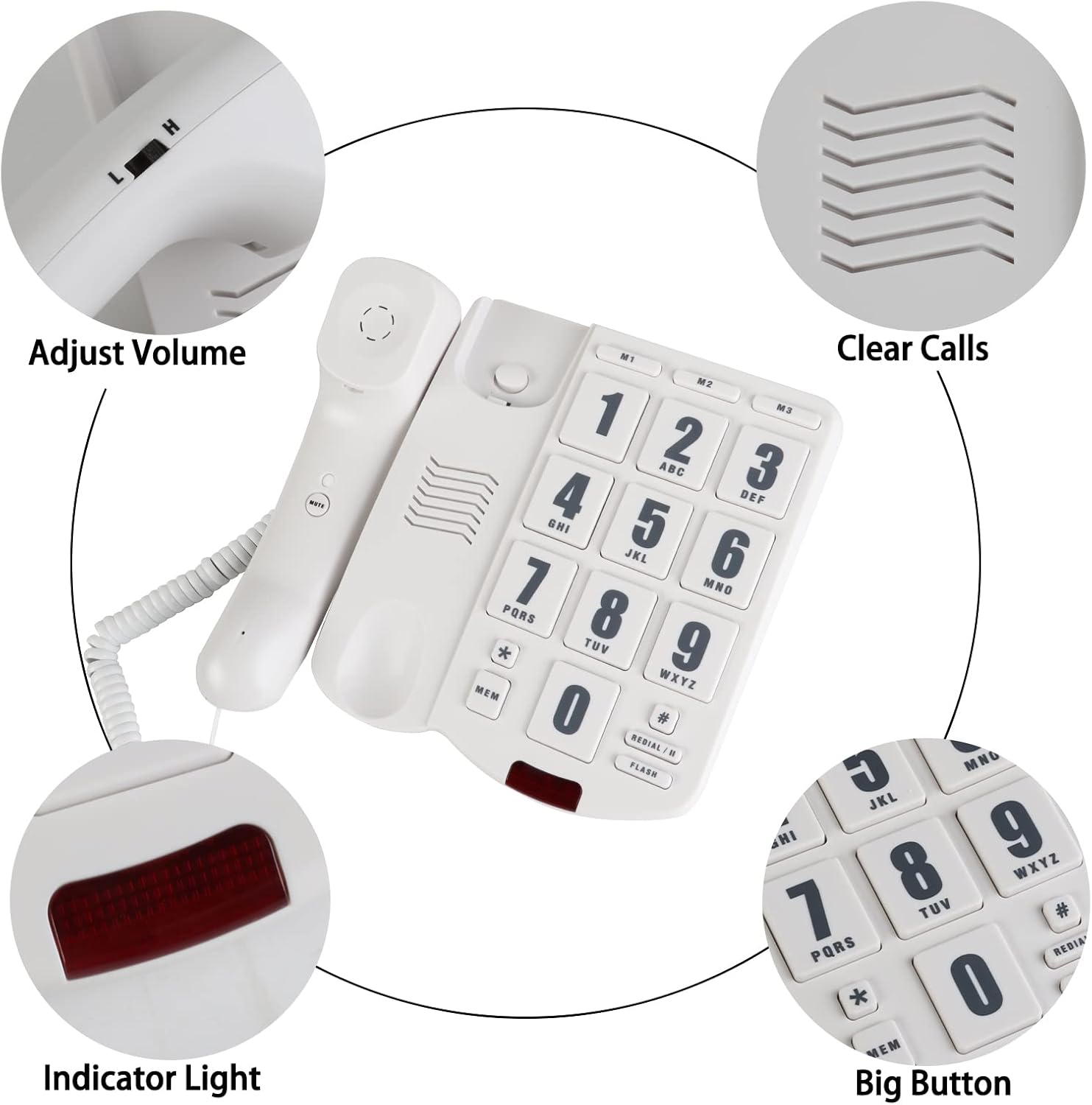
Image: Rear view of the phone illustrating the connection points for the telephone line, and controls for P/T mode and ringer volume adjustment.

Image: The Sangyn S-PK3000 phone shown wall-mounted, highlighting its versatility for various installation scenarios.
Operating Instructions
Making a Call
- Lift the handset.
- Dial the desired phone number using the large numeric buttons.
- Wait for the other party to answer.
- To end the call, place the handset back on the cradle.
Answering a Call
- When the phone rings and the indicator light flashes, lift the handset.
- Begin your conversation.
- To end the call, place the handset back on the cradle.
Using One-Touch Speed Dial (M1, M2, M3)
The M1, M2, and M3 buttons allow you to store and dial frequently used numbers with a single touch.
To Store a Number:
- Lift the handset.
- Press the STORE button (located on the back of the phone base, or sometimes labeled MEM on the keypad).
- Dial the phone number you wish to store.
- Press the STORE button again.
- Press the desired memory button (M1, M2, or M3) to save the number.
- Place the handset back on the cradle.
To Dial a Stored Number:
- Lift the handset.
- Press the desired memory button (M1, M2, or M3). The phone will automatically dial the stored number.
Adjusting Volume
- Handset Volume: Use the L/H switch on the side of the handset to adjust the listening volume during a call. 'L' for Low, 'H' for High.
- Ringer Volume: Use the Ringer Volume Adjust switch on the back of the phone base to set the desired ringing loudness.

Image: An elderly user making a call with the Sangyn S-PK3000 phone, highlighting its user-friendly design.
Maintenance
To ensure the longevity and proper functioning of your phone, follow these simple maintenance guidelines:
- Cleaning: Wipe the phone's surface with a soft, damp cloth. Do not use harsh chemicals or abrasive cleaners.
- Avoid Liquids: Keep the phone away from water and other liquids.
- Temperature: Do not expose the phone to extreme temperatures or direct sunlight.
- Storage: If storing the phone for an extended period, disconnect it from the wall socket and store it in a cool, dry place.
Troubleshooting
If you encounter any issues with your phone, please refer to the following common problems and solutions:
| Problem | Possible Cause / Solution |
|---|---|
| No dial tone |
|
| Cannot hear caller / Caller cannot hear me |
|
| Phone does not ring |
|
| Speed dial not working |
|
Specifications
- Brand: Sangyn
- Model: S-PK3000
- Telephone Type: Corded
- Power Source: Corded Electric (No batteries required)
- Dialler Type: Single Keypad with One-Touch Memory Buttons (M1, M2, M3)
- Dimensions (L x W x H): Approximately 20.7 x 17.1 x 8.9 cm
- Item Weight: Approximately 572 g
- Caller Identification: No
- Answering System: No (Microcassette mentioned in product data refers to a general category, not an integrated feature)
Warranty and Support
For warranty information or technical support, please refer to the contact details provided with your purchase documentation or visit the official Sangyn website. Keep your purchase receipt as proof of purchase.