
AOVOJRM dd6004e9-6306-4772-9b37-7ec452f67bc9
AOVOJRM Full Body Zero Gravity Massage Recliner Instruction Manual
Model: dd6004e9-6306-4772-9b37-7ec452f67bc9
Introduction
This manual provides essential instructions for the safe and efficient operation, assembly, and maintenance of your AOVOJRM Full Body Zero Gravity Massage Recliner. Please read this manual thoroughly before using the product and retain it for future reference.
Important Safety Information
To ensure safe operation, please observe the following:
- Maximum weight capacity is 330 pounds. Do not exceed this limit.
- Ensure proper assembly before initial use.
- This product is designed for indoor use only.
- Use adjustable features with caution to prevent injury.
- Keep children and pets away from the chair during operation.
- Do not insert any objects into the chair's openings.
- Unplug the chair from the power outlet when not in use or before cleaning.
Setup and Assembly
Your massage chair arrives in two separate boxes. Follow these steps to assemble your chair. It is recommended to have two people for assembly.
1. Unpacking and Component Identification
Carefully remove all components from the packaging. Verify that all parts are present according to the packing list.
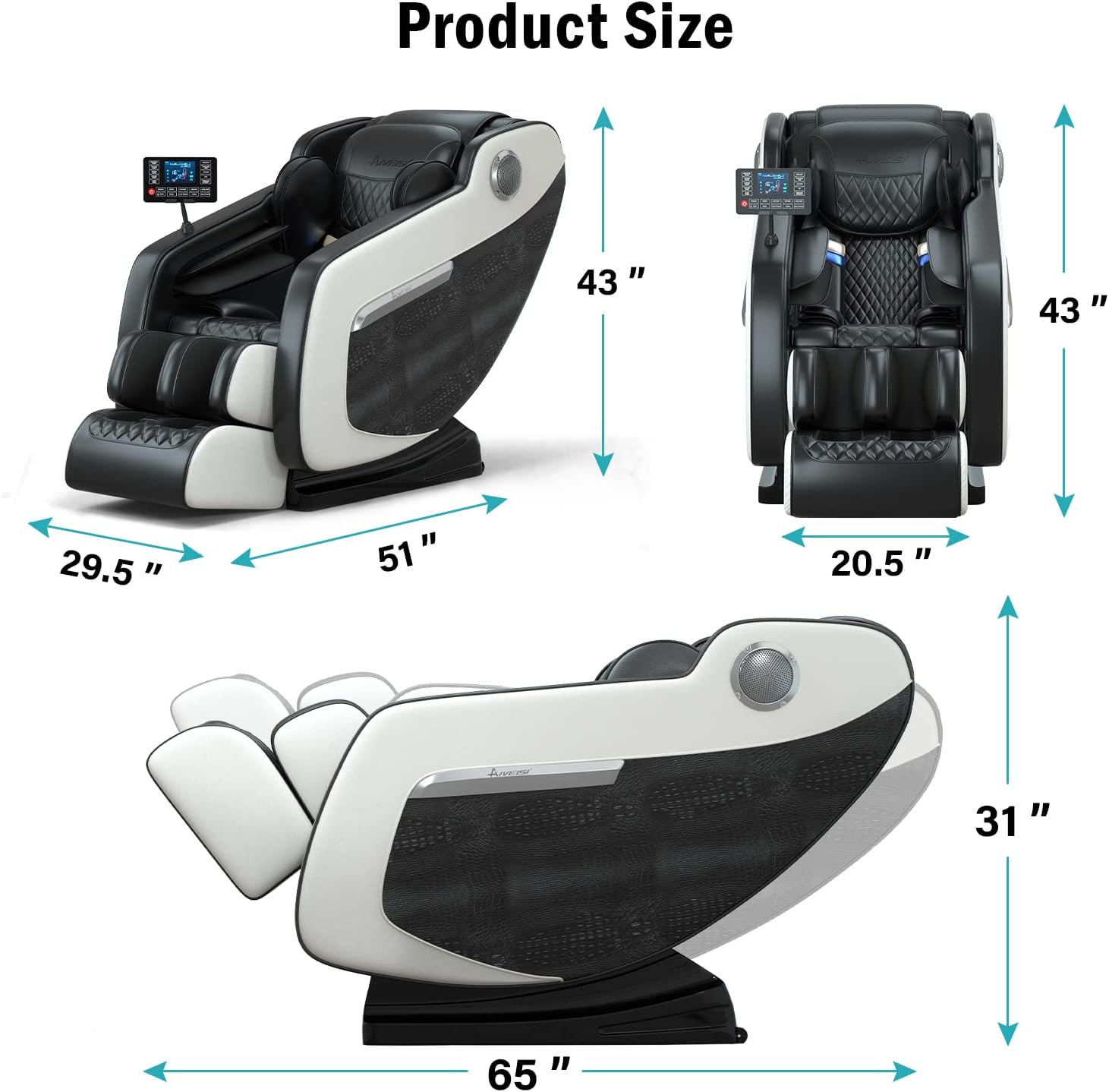
Image: Product dimensions. The chair measures 29.5 inches wide, 51 inches deep, and 43 inches high in the upright position. When fully reclined, the depth extends to 65 inches and the height reduces to 31 inches.
Video: This official seller video demonstrates the complete assembly process for the AOVOJRM Massage Chair, including unpacking, connecting components, and securing parts.
2. Attaching the Backrest
- Carefully align the backrest with the main body of the chair.
- Connect the air tubes and electrical wires located at the base of the backrest to their corresponding ports on the main chair body. Ensure connections are secure.
- Secure the backrest to the main body using the provided screws and Allen wrench. Tighten firmly.
3. Installing Armrests and Cushions
- Attach the armrests to the sides of the chair, ensuring they click into place or are secured with fasteners if applicable.
- Place the seat and back cushions onto the chair. Ensure they are properly aligned and secured, often with Velcro or zippers.
- Zip up any covers or panels to conceal wires and secure the cushions.
4. Attaching the Remote Control Holder
- Insert the remote control holder into the designated slot on the side of the chair.
- Place the remote control into its holder.
Operating Instructions
Familiarize yourself with the remote control and its functions before starting a massage program.
1. Power On/Off
- Ensure the chair is plugged into a grounded electrical outlet.
- Press the Power button on the remote control to turn the chair on or off.

Image: Remote control panel. The remote features buttons for different massage modes, intensity adjustments, and specific body area controls.
2. Massage Programs and Adjustments
- Automatic Programs: Select from pre-set programs like Kneading Mode, Tapping Mode, Strong Mode, Leisure Mode, or Sleep Mode for a full-body massage experience.
- Zero Gravity Function: Press the ZERO button to recline the chair into the zero-gravity position, which elevates your legs above your heart to reduce spinal pressure.
- Heating Function: Activate the HEATING function for hip heating. Carbon fiber heating pads in the backrest provide warmth to relieve coldness and pain.
- Foot Massage: The chair features roller massage for the feet and foot & leg airbag compression. The footrest is extendable to accommodate different user heights.
- Air Massage System: Airbags are strategically placed over the shoulders, arms, buttocks, legs, and feet. Adjust PRESSURE INTENSITY to relieve muscle tension and fatigue through inflating and deflating actions.
- Bluetooth Speaker: Connect your device via Bluetooth to enjoy music during your massage. The Bluetooth player is located at the bottom of the massage chair.
- Manual Adjustments: Use the remote to manually adjust massage speed (SPEED+ / SPEED-), target specific areas like HIP/FOOT, control heating, adjust back position (BACK RISE / BACK DOWN), and set massage duration (TIMING).
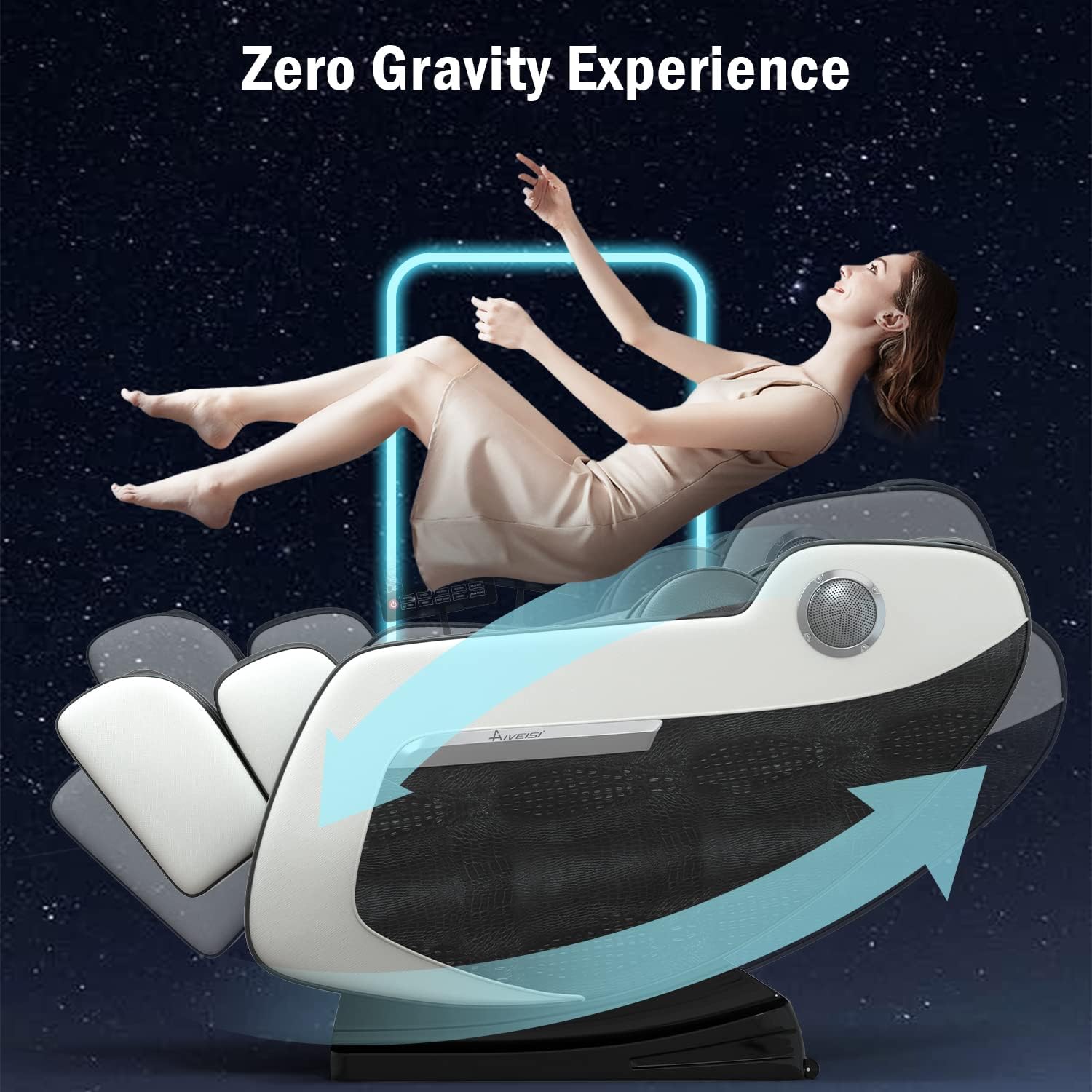
Image: Zero Gravity Experience. The chair reclines to a position that minimizes the effects of gravity on the body, promoting relaxation and reducing pressure.
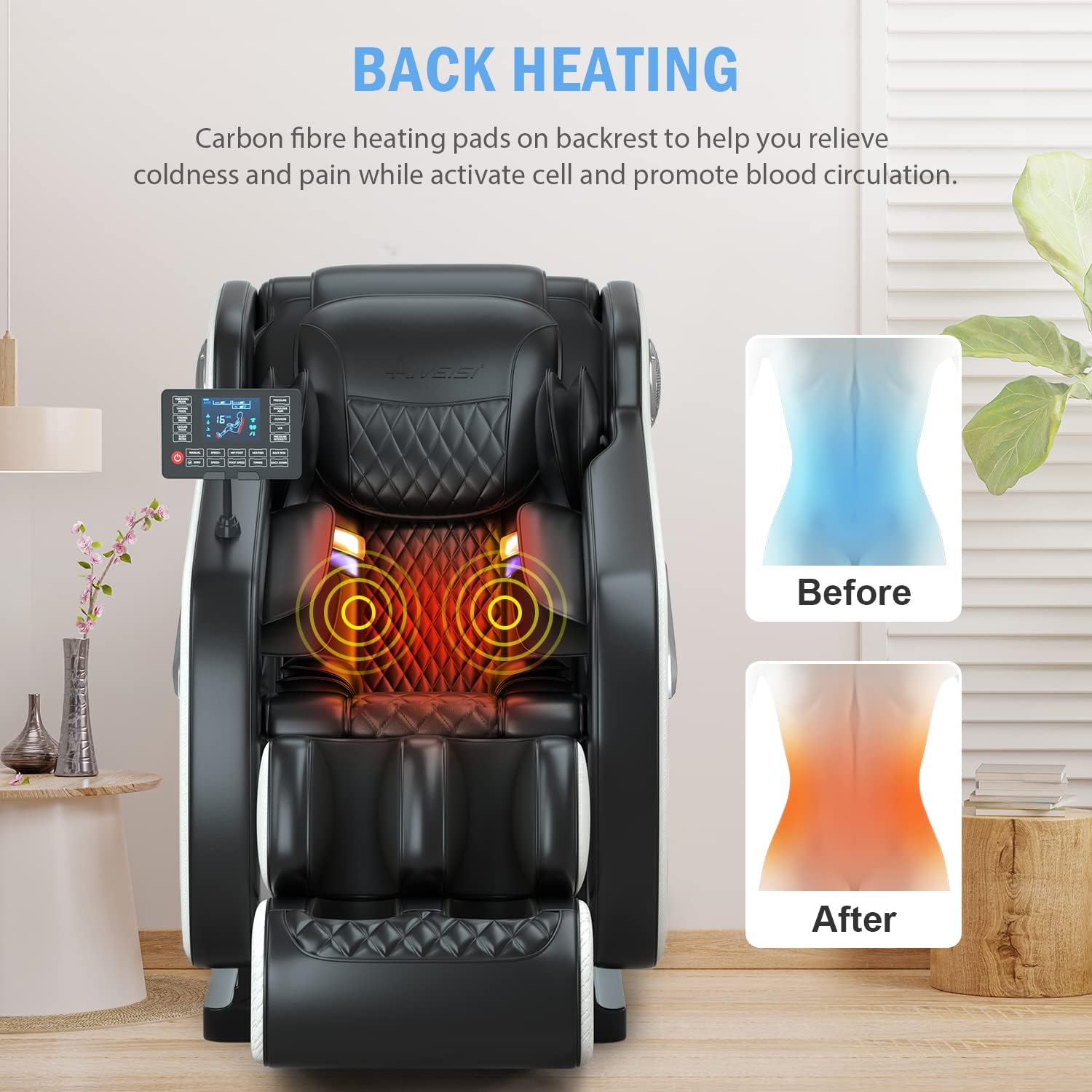
Image: Back Heating. Carbon fiber heating pads are integrated into the backrest to provide therapeutic warmth, aiding in muscle relaxation and improved circulation.
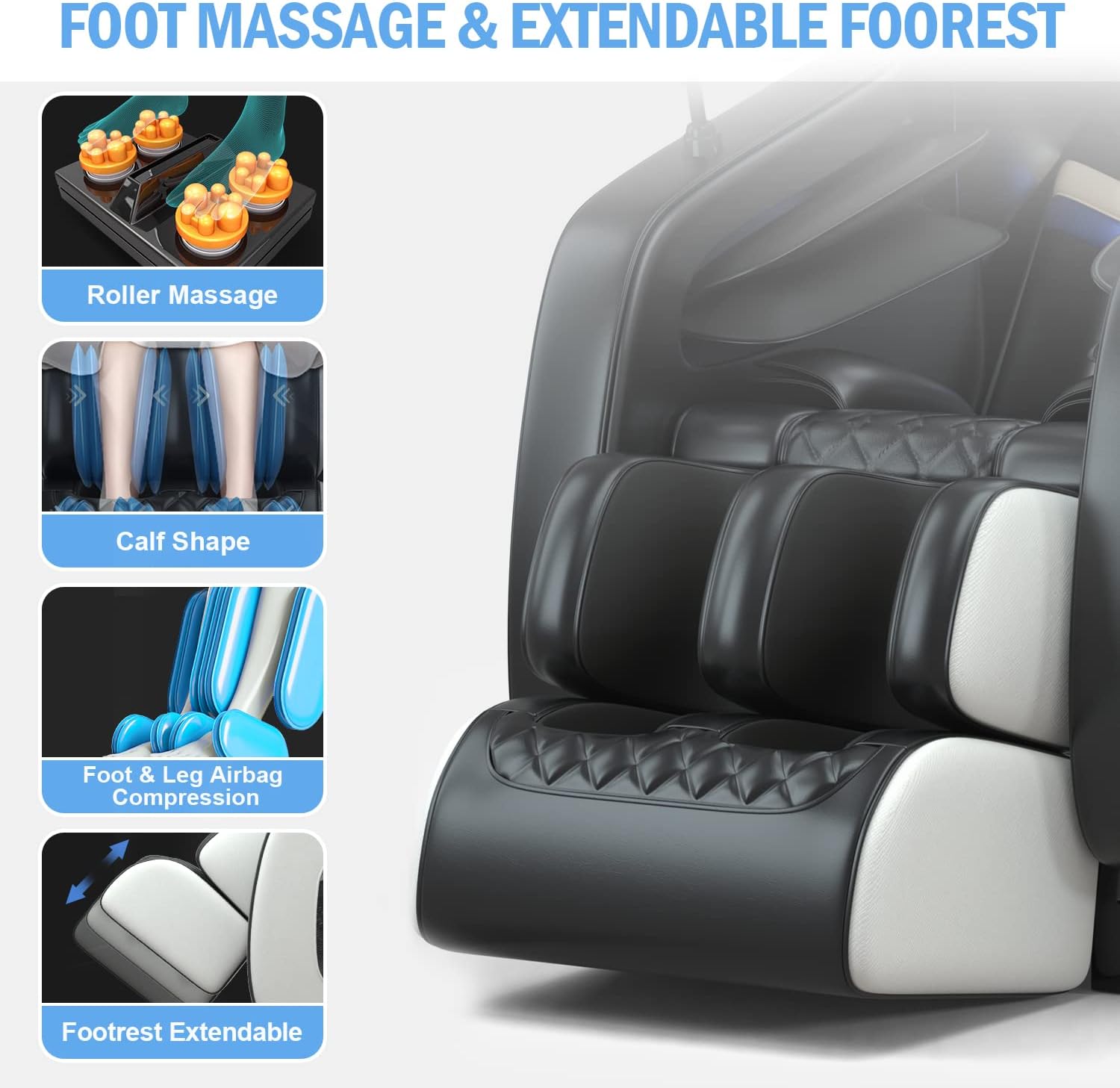
Image: Foot Massage & Extendable Footrest. This feature provides comprehensive foot and calf massage through rollers and airbags, with an adjustable footrest for comfort.

Image: Full Body Airbag Massage. Airbags provide compression massage to various body parts, promoting circulation and muscle relaxation.
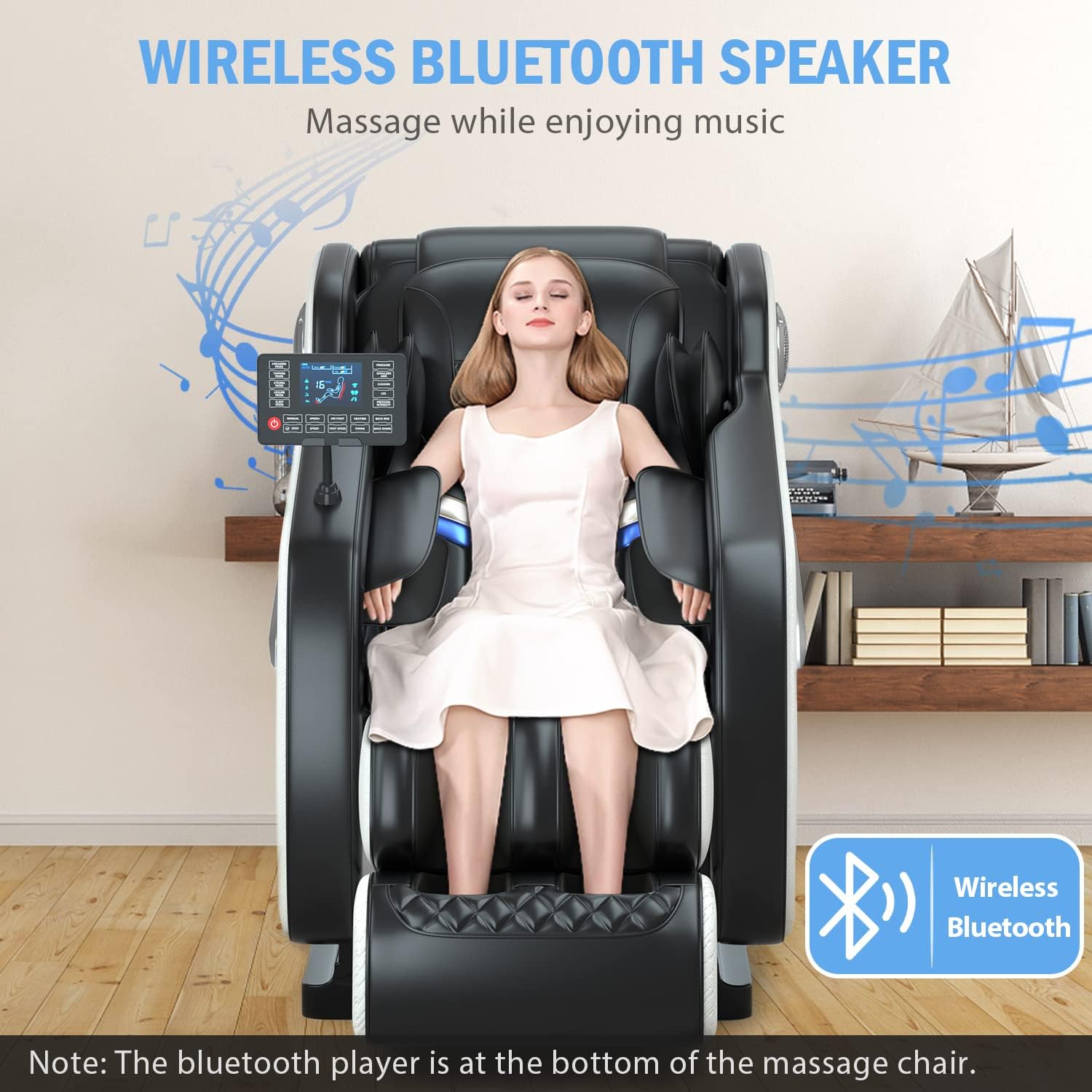
Image: Wireless Bluetooth Speaker. Enjoy your favorite audio by connecting your device to the chair's integrated Bluetooth speakers.
Maintenance
Proper maintenance ensures the longevity and optimal performance of your massage chair.
- Cleaning: Wipe clean the chair's surfaces with a soft, damp cloth. Do not use abrasive cleaners or harsh chemicals.
- Storage: When not in use for extended periods, unplug the chair and store it in a cool, dry place away from direct sunlight.
- Inspection: Regularly check for any loose connections, frayed wires, or damaged parts. If any issues are found, discontinue use and contact customer support.
Troubleshooting
If you encounter any issues with your massage chair, refer to the following common problems and solutions:
| Problem | Possible Cause | Solution |
|---|---|---|
| Chair does not power on. | Power cord not securely plugged in; power outlet issue. | Ensure the power cord is fully inserted into both the chair and the wall outlet. Test the outlet with another device. |
| Massage functions are not working. | Chair is not powered on; program not selected; internal connection issue. | Verify the chair is powered on. Select an automatic program or manual massage mode. Check internal connections if recently assembled. |
| Bluetooth speaker not connecting. | Bluetooth on device is off; chair's Bluetooth is off; device too far. | Ensure Bluetooth is enabled on your device. Check the chair's remote for a Bluetooth activation option. Move your device closer to the chair. |
| Unusual noises during operation. | Loose components; foreign object; normal operating sound. | Check for any loose parts or objects. Some operational sounds are normal. If the noise is loud or unusual, discontinue use and contact support. |
If the problem persists after attempting these solutions, please contact customer support for further assistance.
Specifications
| Feature | Detail |
|---|---|
| Brand | AOVOJRM |
| Model Number | dd6004e9-6306-4772-9b37-7ec452f67bc9 |
| Material | Carbon Fiber (Frame, Seat), Foam (Fill) |
| Maximum Weight Recommendation | 330 Pounds |
| Room Type | Office (Recommended Use) |
| Indoor/Outdoor Usage | Indoor |
| Special Features | Arm Rest, Cushion Availability, Foot Massage, Hip Heating, Bluetooth, Zero Gravity, Air Massage System |
| Reclining Position Count | 1 (Zero Gravity) |
| Product Care Instructions | Wipe Clean |
Warranty and Support
For warranty information, technical support, or any inquiries regarding your AOVOJRM massage chair, please refer to the warranty card included with your product or contact the manufacturer directly. Additional protection plans may be available for purchase.
Ask a question about this manual
Ask about setup, troubleshooting, compatibility, parts, safety, or missing instructions. Manuals+ will review the question and use this page’s manual context to help answer it.