
1. Introduction
Thank you for choosing BERIBES WH202A Bluetooth Headphones. These headphones are designed to provide a high-quality audio experience with comfort and convenience. Please read this manual carefully before use to ensure proper operation and to maximize your listening pleasure.

Image: BERIBES WH202A Bluetooth Headphones highlighting key features.
2. What's in the Box
Please check the package contents upon opening:
- 1 x BERIBES WH202A Bluetooth Headset
- 1 x 3.5mm AUX Audio Cable
- 1 x USB Type-C Charging Cable
- 1 x User Manual
3. Product Diagram & Controls
Familiarize yourself with the headphone's buttons and ports:

Image: Detailed diagram of headphone controls and interfaces.
- Multi-Function Button (MFB): Power On/Off, Play/Pause, Answer/End Call, Activate Voice Assistant.
- LED Indicator: Shows power status, pairing mode, and charging status.
- Volume Up / Next Track: Short press for Volume Up, long press for Next Track.
- Volume Down / Previous Track: Short press for Volume Down, long press for Previous Track.
- 3.5mm Audio Interface: For wired connection.
- Type-C Charging Interface: For charging the headphones.
- Microphone: For hands-free calls.
- EQ Button: Short press to cycle through 6 EQ modes.
4. Setup
4.1 Charging the Headphones
Before first use, fully charge the headphones. Connect the supplied USB Type-C charging cable to the headphone's charging port and the other end to a USB power adapter (not included) or a computer's USB port.
- The LED indicator will show red during charging.
- The LED indicator will turn blue or off when fully charged.
- A 5-minute charge provides approximately 3 hours of playtime.
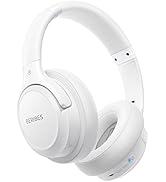
Image: Battery life and quick charging features of the headphones.
4.2 Power On/Off
- Power On: Press and hold the Multi-Function Button (MFB) for 3 seconds until the LED indicator flashes blue.
- Power Off: Press and hold the Multi-Function Button (MFB) for 3 seconds until the LED indicator turns red and then off.
5. Operating Instructions
5.1 Bluetooth Pairing
To connect your headphones to a Bluetooth-enabled device:
- Ensure the headphones are powered off.
- Press and hold the MFB for 5-7 seconds until the LED indicator flashes blue and red alternately. This indicates pairing mode.
- On your device (smartphone, tablet, laptop), enable Bluetooth and search for available devices.
- Select "BERIBES WH202A" from the list of found devices.
- Once connected, the LED indicator will flash blue slowly.
The headphones will automatically attempt to reconnect to the last paired device when powered on.

Image: Headphones connected to multiple devices.
5.2 Wired Mode (3.5mm AUX)
You can use the headphones in wired mode even if the battery is depleted:
- Connect one end of the 3.5mm AUX cable to the headphone's 3.5mm audio interface.
- Connect the other end to your audio device's 3.5mm jack.
- The Bluetooth function will automatically turn off when the AUX cable is plugged in.
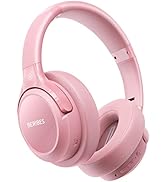
Image: Headphones connected via 3.5mm AUX cable.
5.3 Music Playback
- Play/Pause: Short press the MFB.
- Volume Up: Short press the "Volume Up" button.
- Volume Down: Short press the "Volume Down" button.
- Next Track: Long press the "Volume Up" button.
- Previous Track: Long press the "Volume Down" button.
5.4 EQ Modes
The headphones feature 6 equalization modes to enhance your listening experience:
- Pop
- Rock
- Vocal
- Jazz
- BassUp™
- Classic
To switch between EQ modes, short press the EQ Button located on the headphone.

Image: Available sound equalization modes.
5.5 Call Functions
When connected via Bluetooth, you can manage calls:
- Answer/End Call: Short press the MFB.
- Reject Call: Long press the MFB for 2 seconds.
- Activate Voice Assistant (Siri/Google Assistant): Double-press the MFB.

Image: Voice assistant compatibility.
6. Maintenance
To ensure the longevity and optimal performance of your BERIBES WH202A headphones:
- Clean the ear cushions and headband regularly with a soft, dry cloth.
- Avoid exposing the headphones to extreme temperatures, humidity, or direct sunlight.
- Do not use abrasive cleaners or solvents.
- Store the headphones in a cool, dry place, preferably in a protective case when not in use. The foldable design allows for easy storage.
- Avoid dropping or subjecting the headphones to strong impacts.
Image: Foldable design and adjustable features for portability and comfort.
7. Troubleshooting
If you encounter issues with your headphones, refer to the following common problems and solutions:
| Problem | Possible Cause | Solution |
|---|---|---|
| Headphones do not power on. | Low battery. | Charge the headphones fully. |
| Cannot pair with device. | Headphones not in pairing mode; Bluetooth off on device; device too far. | Ensure headphones are in pairing mode (flashing blue/red). Turn on Bluetooth on your device. Move device closer to headphones (within 10 meters). |
| No sound or low volume. | Volume too low; incorrect audio source; wired mode active. | Increase volume on headphones and device. Check if the correct audio output is selected on your device. Disconnect 3.5mm AUX cable if using Bluetooth. |
| Sound distortion. | Weak Bluetooth signal; high volume. | Move closer to the paired device. Reduce volume. |
| Microphone not working. | Incorrect input device selected on computer/phone. | Check your device's audio settings and ensure BERIBES WH202A is selected as the microphone input. |
8. Specifications
| Brand | BERIBES |
| Model Name | WH202A |
| Color | Rose (Pink) |
| Ear Placement | Over-Ear (Supra-auriculaire) |
| Form Factor | Circum-Aural |
| Connectivity Technology | Wireless (Bluetooth) |
| Wireless Communication Technology | Bluetooth |
| Bluetooth Version | 5.2 |
| Impedance | 2.5 Ohms |
| Noise Control | Sound Isolation |
| Headphone Jack | 3.5 mm Jack |
| Item Weight | 180 Grams |
| Average Battery Life | 65 Hours |
| Frequency Range | 20 Hz - 20,000 Hz |
| Control Method | Tactile |
| Special Product Uses | Sport, Travel, Music, Gaming |
| Compatible Devices | Phones, Tablets, Laptops, PCs |
| Features | Foldable |
9. Warranty and Support
BERIBES WH202A headphones come with a 12-month warranty from the date of purchase. This warranty covers manufacturing defects and ensures the product is free from defects in material and workmanship under normal use.
For warranty claims, technical support, or any questions regarding the use of your headphones, please contact BERIBES customer service. Refer to the contact information provided with your purchase or visit the official BERIBES website.
We offer a 30-day free return policy for your peace of mind.