
1. Introduction
Thank you for choosing the HEIBTENY Smart Wireless Video Doorbell. This device provides enhanced home security and convenience, allowing you to see, hear, and speak to visitors from anywhere using your smartphone. This manual will guide you through the installation, operation, and maintenance of your new doorbell system.
Key features include:
- Instant notifications to your phone when the doorbell is pressed.
- Two-way audio communication for real-time interaction.
- Wireless installation for flexible placement.
- Support for 2.4G WiFi connectivity.
- Indoor chime included for audible alerts within your home.
- Ability to share access with multiple family members.
2. Package Contents
Please check the package carefully to ensure all items are present and in good condition:
- 1 x Doorbell Device (Outdoor Unit)
- 1 x Doorbell Unit (Indoor Chime)
- 1 x User Manual
- 1 x Additional Installation Sticker
- Small Screws and Wall Anchors

Image: All components included in the product package.
3. Product Overview
3.1 Doorbell Device (Outdoor Unit)
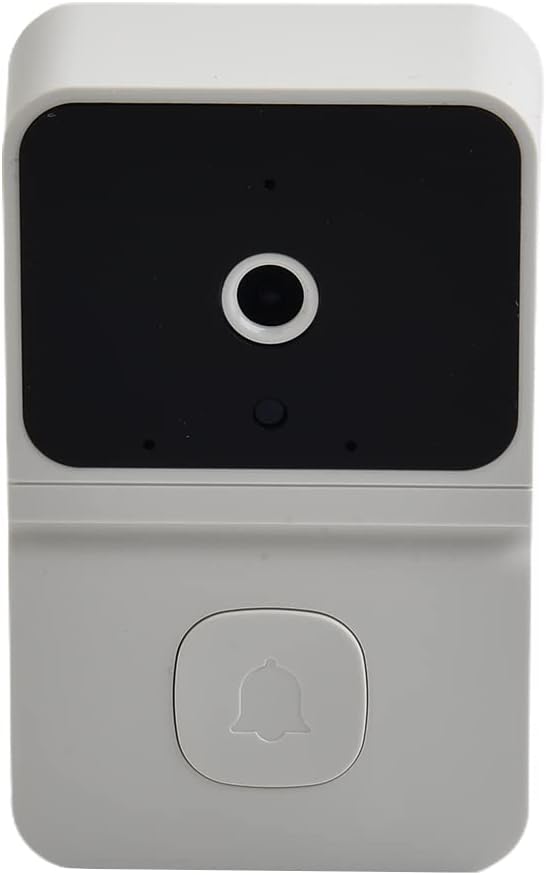
Image: Front view of the doorbell device.
The outdoor doorbell unit features a camera lens, a microphone, a speaker, and a doorbell button. It is designed to be mounted near your entrance.
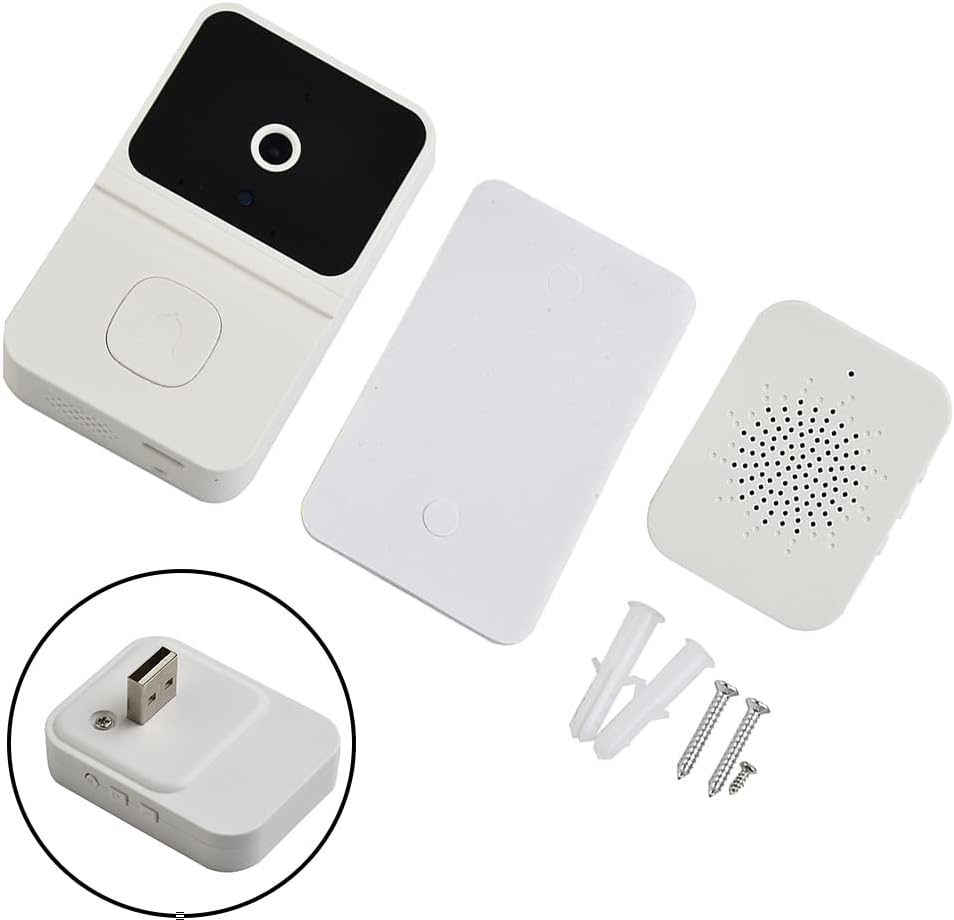
Image: Side view of the doorbell device, showing the charging port.
3.2 Indoor Chime

Image: Front view of the indoor chime.
The indoor chime plugs into a standard USB power source (e.g., a USB wall adapter or power bank) and provides an audible alert when the doorbell is pressed. It typically has buttons to adjust volume or change chime melodies.

Image: Angled view of the indoor chime, showing the USB plug.
4. Setup
4.1 Charging the Doorbell Device
Before first use, fully charge the doorbell device. Connect a DC 5V/1A power adapter to the doorbell's charging port. The built-in 800 mAh battery will take several hours to fully charge. A charging indicator light will typically change color or turn off when charging is complete.
4.2 App Installation
Download the "Aiwit" app from your smartphone's app store (compatible with iOS). Search for "Aiwit" and follow the on-screen instructions to install it.
4.3 Wi-Fi Connection
- Ensure your smartphone is connected to a 2.4G WiFi network. This doorbell does not support 5GHz WiFi.
- Open the Aiwit app and create an account or log in.
- Follow the in-app instructions to add your new doorbell device. This usually involves scanning a QR code on the doorbell or following a pairing process.
- Once connected, the doorbell will be linked to your app, and you will receive notifications.
4.4 Mounting the Doorbell
The doorbell can be mounted using the provided adhesive sticker or screws. Choose a location near your door that provides a clear view of visitors and is within range of your WiFi network.
- Adhesive Mounting: Clean the surface thoroughly. Peel off the backing from the installation sticker and firmly press the doorbell onto the desired location.
- Screw Mounting: Use the provided screws and wall anchors to securely attach the doorbell to the wall. Ensure the mounting surface is stable.
Warning: Please do not place the doorbell at a high place to avoid falling.
5. Operating Instructions
5.1 Receiving Notifications
When a visitor presses the doorbell button, the doorbell camera will immediately record and send a "Device Call" push notification to your smartphone. The indoor chime will also ring.
5.2 Two-Way Communication
Upon receiving a "Device Call" notification, you can answer it to enter a video call with the visitor. This allows for two-way audio communication, enabling you to speak with the person at your door even when you are not home.

Image: Example of two-way audio communication via the doorbell.
5.3 Account Sharing
The owner account can be shared with up to 8 other accounts. Up to 3 users can watch the live video feed simultaneously, but only 1 user can use the intercom function at a time.
5.4 Indoor Chime Operation
Plug the indoor chime into a USB power source. It will automatically pair with the doorbell device once the doorbell is connected to your WiFi. You can typically adjust the volume and select different melodies using buttons on the chime unit.
6. Maintenance
- Cleaning: Use a soft, dry cloth to clean the doorbell camera lens and body. Do not use harsh chemicals or abrasive cleaners.
- Battery Care: For optimal battery life, avoid exposing the doorbell to extreme temperatures. Recharge the battery when the app indicates low power.
- Firmware Updates: Periodically check the Aiwit app for any available firmware updates for your doorbell to ensure optimal performance and security.
7. Troubleshooting
- No Notifications: Ensure your phone has a stable internet connection and that app notifications are enabled for Aiwit in your phone's settings. Check if the doorbell is connected to WiFi in the app.
- Doorbell Offline: Verify your 2.4G WiFi network is active and strong at the doorbell's location. Try restarting your router and the doorbell device.
- Poor Video/Audio Quality: Check your WiFi signal strength. Ensure the camera lens is clean and free from obstructions.
- Indoor Chime Not Ringing: Ensure the indoor chime is properly plugged into a working USB power source. Re-pair the chime with the doorbell if necessary (refer to app instructions).
For further assistance, you can access online customer service directly via the Aiwit app.
8. Specifications
| Color | White |
| Material | ABS |
| Connection Mode | 2.4G WiFi (5GHz not supported) |
| Charging Voltage | DC 5V/1A |
| Doorbell Battery Capacity | 800 mAh |
| Doorbell Camera Size | 8 x 4.5 x 2.49 cm (3.15 x 1.77 x 0.98 inches) |
| Weight | 120 g (0.26 lb) |
| Special Features | Wireless |
9. Important Information & Support
9.1 Manufacturer Information
Product Name: HEIBTENY
Manufacturer: Changshashi Fangkenuokeji Youxiangongsi
Address: CN, 410000, Hunan, Changsha, No.18 Jiefang Middle Road, Wenyi Road Street, Room 1801-F6, 18th Floor, Overseas Chinese Building
Manufacturer E-mail/URL: hoychllsjdmicapod@163.com
9.2 EU Representative
Company: SUCCESS COURIER SL
Address: CALLE RIO TORMES NUM. 1, PLANTA 1, DERECHA, OFICINA 3, Fuenlabrada, Madrid, 28947 Spain
Email: successservice2@hotmail.com

Image: Manufacturer and EU Representative details, along with disposal information.
9.3 Disposal Information
This symbol on the product or its packaging indicates that this product shall not be treated as household waste. Instead, it shall be handed over to the applicable collection point for the recycling of electrical and electronic equipment. By ensuring this product is disposed of correctly, you will help prevent potential negative consequences for the environment and human health, which could otherwise be caused by inappropriate waste handling of this product.
For more detailed information about recycling of this product, please contact your local city office, your household waste disposal service or the shop where you purchased the product.