
1. Introduction
This manual provides detailed instructions for the safe and proper installation, operation, and maintenance of your ErgoAV Universal Motion TV Mount, Model ERMMM2-01B. This mount is designed to securely hold most flat-panel televisions ranging from 40 to 55 inches, with VESA patterns from 100x100mm to 400x400mm, and a maximum weight capacity of 99 lbs.
The ErgoAV motion mount offers flexibility to extend, swivel, and tilt your TV for optimal viewing from various positions. It features a dual stud design for robust wall attachment and includes a cable management system to maintain a tidy appearance.
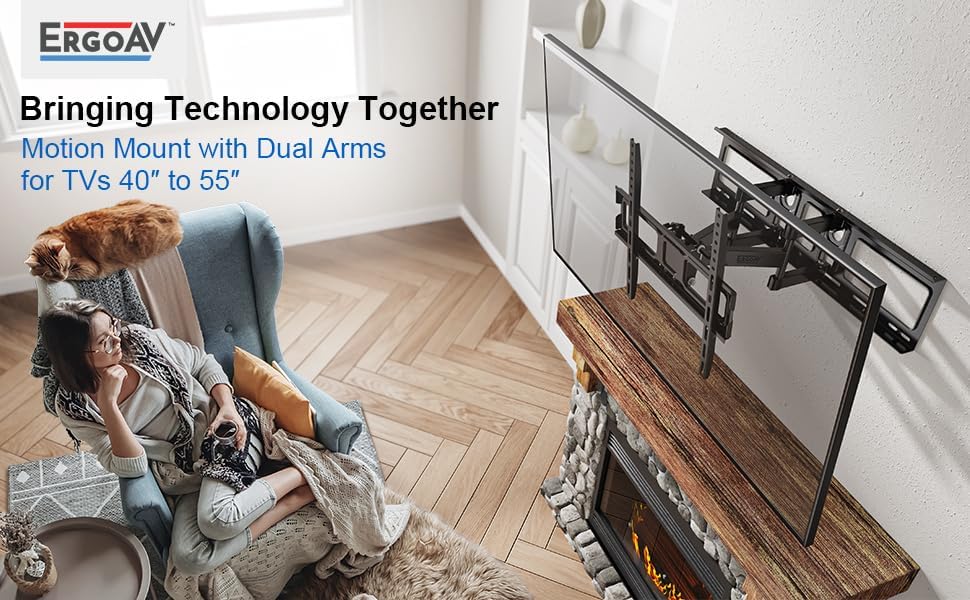
Figure 1: ErgoAV Motion Mount installed in a living room, demonstrating its dual arm design and compatibility with TVs 40" to 55".
Key Features:
- Universal Compatibility: Fits most TVs 40" to 55" with VESA patterns from 100x100mm to 400x400mm.
- Full Motion Capability: Allows the TV to extend away from the wall, swivel left or right, and tilt for optimal viewing angles.
- Post-Installation Level Adjustment: Ensures the TV can be perfectly leveled after installation.
- Integrated Cable Management: System designed to keep cables organized and out of sight, even when the mount is extended.
- Robust Construction: Made with high-quality materials for exceptional stability and safety, UL Tested.
- Easy Installation: Designed for a straightforward three-step installation process with included hardware and template.
2. Safety Information
WARNING: Read all instructions carefully before installation. If you do not understand these instructions or have doubts about the safety of the installation, assembly, or use of this product, contact ErgoAV customer service or a qualified installer.
- This product is intended for installation on wood stud walls or solid concrete/brick walls. Do not install on drywall alone.
- Ensure the wall structure can safely support the combined weight of the mount and your television. The maximum weight capacity for this mount is 99 lbs (45 kg).
- Do not exceed the maximum weight capacity.
- Use only the provided mounting hardware. If you are unsure about the hardware required for your specific installation, consult a professional.
- Always have at least two people for installation to prevent injury or damage.
- Keep children and pets away during installation.
- Periodically check that the mount is secure and all fasteners are tight.
3. Package Contents
Before installation, verify that all components are present and undamaged. Refer to the parts list in your packaging for a complete inventory. The package typically includes:
- Wall Plate Assembly
- TV Bracket Arms (2)
- Mounting Hardware Kit (various screws, washers, spacers for TV and wall attachment)
- Wall Plate Template
- Cable Ties (6 included for cable management)
- Instruction Manual
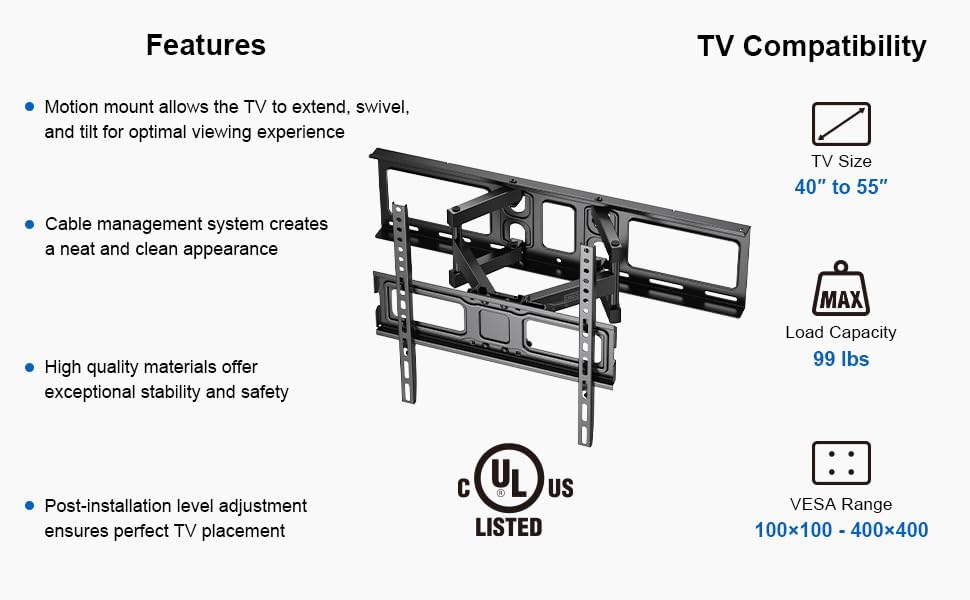
Figure 2: Overview of mount features and TV compatibility specifications.
4. Setup and Installation
The ErgoAV ERMMM2-01B mount is designed for a simple three-step installation process. Ensure you have the necessary tools (e.g., drill, stud finder, level, screwdriver) before beginning.
Step 1: Attach TV Brackets to TV
- Carefully place your TV face-down on a soft, clean surface.
- Identify the VESA mounting holes on the back of your TV.
- Select the appropriate screws, washers, and spacers from the hardware kit that fit your TV's mounting holes.
- Attach the two TV bracket arms to the back of your TV, ensuring they are centered and securely fastened. Do not overtighten.
Step 2: Install Wall Plate to Wall
- Determine the desired height and location for your TV mount on the wall. Use a stud finder to locate two adjacent wood studs (for wood stud installation) or mark drilling points for concrete/brick. This mount requires a dual stud installation.
- Use the provided wall plate template to mark the pilot hole locations. Ensure the template is level.
- Drill pilot holes at the marked locations. For wood studs, use a 7/32" (5.5mm) drill bit. For concrete/brick, use a 3/8" (10mm) drill bit and insert concrete anchors.
- Attach the wall plate assembly to the wall using the lag bolts and washers. Tighten all bolts firmly, but do not overtighten.
Step 3: Hang TV on Wall Plate
- With assistance, carefully lift the TV with the attached brackets.
- Hook the TV brackets onto the wall plate. Ensure the TV is securely seated on the mount.
- Engage any safety locking mechanisms on the TV brackets to prevent accidental dislodgement.

Figure 3: Universal compatibility details for the ErgoAV mount.

Figure 4: Mount extension and low profile dimensions.
5. Operating Instructions
Once installed, your ErgoAV motion mount allows for flexible TV positioning to achieve the best viewing experience.
Adjusting TV Position:
- Extension: Gently pull or push the TV to extend it away from or retract it towards the wall. The mount extends up to 19.65 inches.
- Swivel: Carefully pivot the TV left or right to adjust the horizontal viewing angle. The mount allows for a swivel range of up to ±37 degrees.
- Tilt: Adjust the vertical viewing angle by tilting the TV screen up or down. The mount supports a tilt range of -15 degrees (downward) to +5 degrees (upward) to reduce glare.
- Level Adjustment: After installation, if the TV is not perfectly level, use the post-installation level adjustment feature. This typically involves loosening specific bolts on the TV brackets, adjusting the TV to be level (up to ±3 degrees), and then re-tightening the bolts.

Figure 5: Swivel adjustment for optimal viewing angles.

Figure 6: Tilt adjustment to reduce glare.

Figure 7: Post-installation level adjustment.
Cable Management:
Utilize the included cable ties to route and secure your TV and device cables along the mount arms. This helps maintain a clean and organized appearance, preventing cables from dangling or getting tangled, even when the mount is extended.

Figure 8: Cable management system in use.
6. Maintenance
Regular maintenance ensures the longevity and safe operation of your TV mount.
- Cleaning: Wipe the mount with a soft, dry cloth. Avoid abrasive cleaners or solvents that could damage the finish.
- Inspection: Periodically (e.g., every 6 months) check all screws and bolts to ensure they are securely tightened. If any looseness is detected, re-tighten them immediately.
- Movement Check: Test the mount's extension, swivel, and tilt functions to ensure smooth operation. If movement becomes stiff, check for obstructions or contact customer support.
7. Troubleshooting
If you encounter issues with your ErgoAV TV mount, refer to the following common problems and solutions:
- TV is not level after installation: Use the post-installation level adjustment feature (refer to Section 5). Loosen the leveling bolts, adjust the TV, and re-tighten.
- Mount feels loose on the wall: Immediately remove the TV from the mount. Check that all lag bolts securing the wall plate to the wall studs/concrete are fully tightened. Ensure proper anchors were used for concrete installation. If the issue persists, consult a professional installer.
- TV does not move smoothly: Check for any cables or obstructions hindering movement. Ensure no bolts are overtightened to the point of restricting motion.
- Missing parts: Refer to the package contents list (Section 3). If parts are missing, contact ErgoAV customer support for assistance.
8. Specifications
| Feature | Specification |
|---|---|
| Model Number | ERMMM2-01B |
| Mounting Type | Wall Mount (Dual Stud) |
| Compatible TV Size | 40" - 55" |
| Weight Capacity | 99 lbs (45 kg) |
| VESA Compatibility | 100x100mm to 400x400mm |
| Extension from Wall | Up to 19.65" |
| Tilt Angle | -15° to +5° |
| Swivel Angle | ±37° |
| Level Adjustment | ±3° |
| UL Listed | Yes |
9. Warranty and Support
Warranty Information: The ErgoAV Universal Motion TV Mount (Model ERMMM2-01B) is covered by a 5-Year Manufacturer Warranty. This warranty covers defects in materials and workmanship under normal use.
Customer Support: For technical assistance, missing parts, or warranty claims, please contact ErgoAV customer service. You can find contact information and additional resources on the official ErgoAV website: Visit the ErgoAV Store on Amazon.


