
1. Introduction
This manual provides essential information for the safe and effective installation and operation of your PAUTIX RGB Smart IC COB LED Strip Light. Please read these instructions thoroughly before use and retain for future reference. This product is designed for indoor use (IP30 rating) and offers advanced color control and dynamic lighting effects.
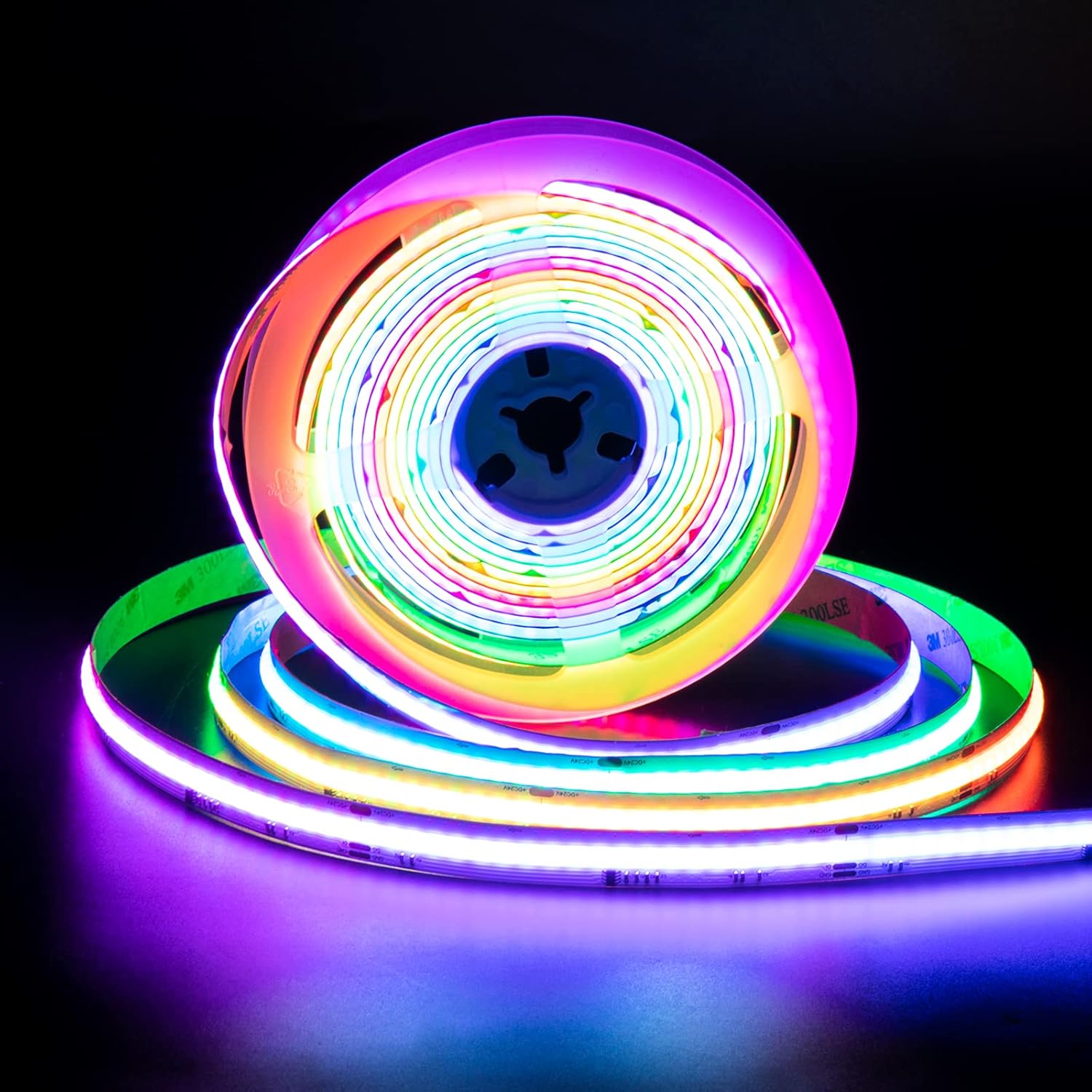
Figure 1: PAUTIX RGB Smart IC COB LED Strip Light on its reel.
2. Product Overview
The PAUTIX RGB Smart IC COB LED Strip Light features addressable RGBIC technology, allowing for individual control of LED segments to create flowing color effects. It operates at 24V, providing bright and uniform illumination with 3150 LEDs over 16.4 feet (5 meters). The strip is UL-Listed, ensuring high product quality and safety. Its flexible design, 12mm width, and double-layer pure copper PCB contribute to durability and efficient heat dissipation, offering a lifespan of over 65,000 hours.
Key Features:
- Addressable RGBIC COB Technology: Enables individual control of LED segments for dynamic color flow.
- High Brightness & Uniformity: 3150 LEDs over 16.4ft/5m with minimal dark spots.
- UL-Listed: Certified for safety and quality standards.
- Durable Construction: Double-layer pure copper PCB for better conductivity and heat dissipation, 3M adhesive backing for secure mounting.
- Flexible & Cuttable: Can be cut at designated points and reconnected for custom installations.
- Long Lifespan: Rated for over 65,000 hours of operation.
What's Included:
- PAUTIX RGB Smart IC COB LED Strip Light (16.4ft/5m)
Important Note: Controller and Power Supply NOT Included
This LED strip requires a compatible 24V DC power supply and an addressable LED controller for full functionality. These components are sold separately. Please ensure you acquire appropriate accessories before installation.
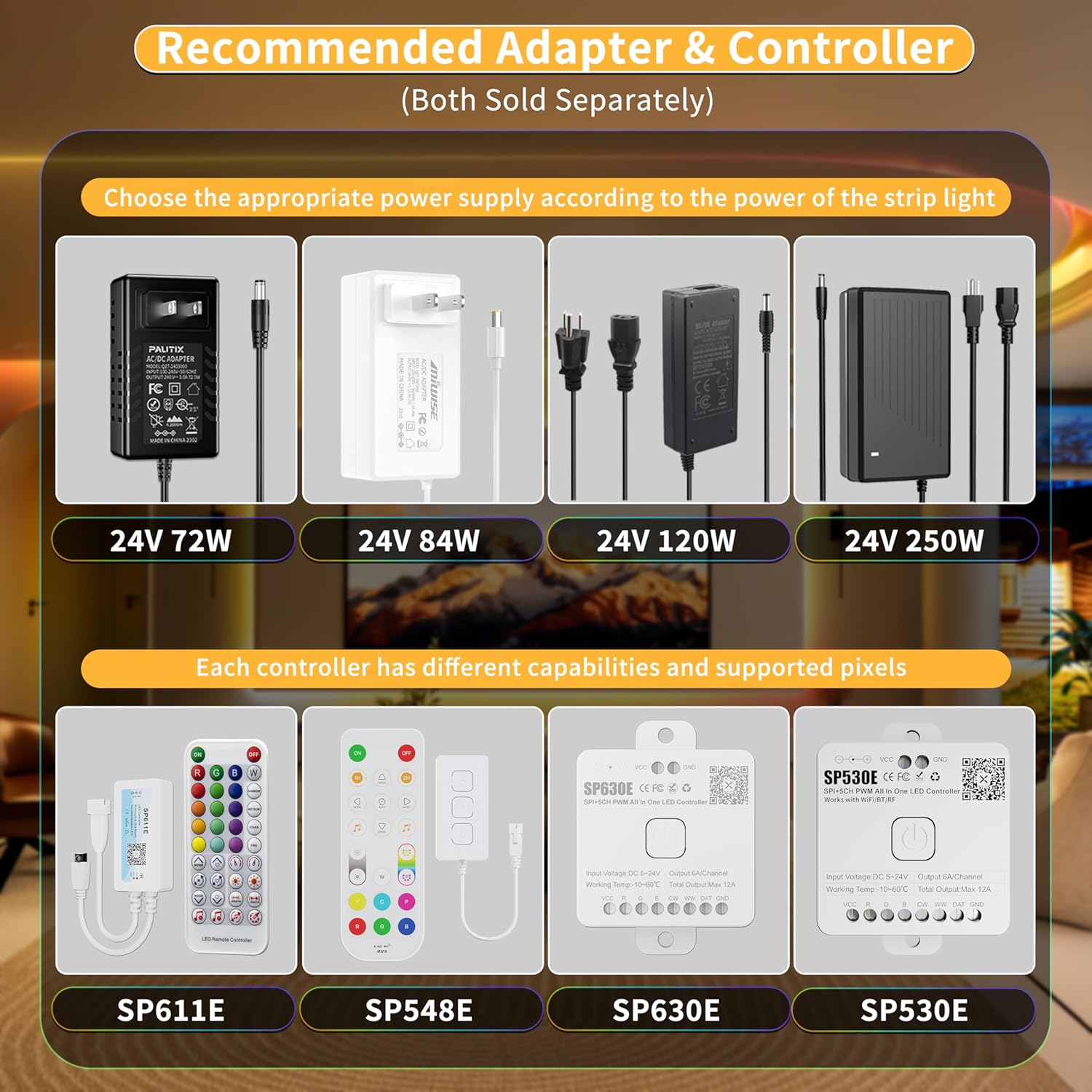
Figure 2: Recommended compatible power adapters and controllers (sold separately).
3. Safety Instructions
- Ensure the power supply is disconnected before installation or maintenance.
- Use only a compatible 24V DC power supply. Using an incorrect voltage may damage the product and void the warranty.
- This product is rated IP30 for indoor use only. Do not expose to water or high humidity.
- Avoid bending the LED strip sharply to prevent damage to the circuit board.
- Do not operate the LED strip while it is coiled on the reel to prevent overheating.
- Keep out of reach of children.
- Do not attempt to repair or modify the LED strip. Contact customer service for assistance.

Figure 3: UL Listed certification for product safety.
4. Setup & Installation
4.1. Preparation
- Unroll the LED strip completely before connecting to power.
- Choose a clean, dry, and smooth surface for installation. Clean the surface thoroughly to ensure optimal adhesion of the 3M adhesive backing.
- Measure the desired length for your installation.
4.2. Connecting Components
Connect the LED strip to a compatible 24V DC power supply and an addressable LED controller (both sold separately). The typical connection order is: Power Supply → Controller → LED Strip.
- Connect the 24V DC power supply to the controller's input.
- Connect the controller's output to the 3-pin connector on the LED strip.
4.3. Mounting the Strip
Peel off the protective film from the 3M adhesive backing on the LED strip. Carefully press the strip onto the prepared surface, ensuring firm and even contact along its entire length.

Figure 4: Applying the LED strip with 3M adhesive backing.
4.4. Cutting and Connecting
The LED strip can be cut every 3.94 inches (10 cm) at designated cutting marks. For custom lengths or configurations, you can cut the strip and reconnect segments using soldering or compatible 12mm connectors (e.g., search for B0C5RHNRLV for compatible connector kits).
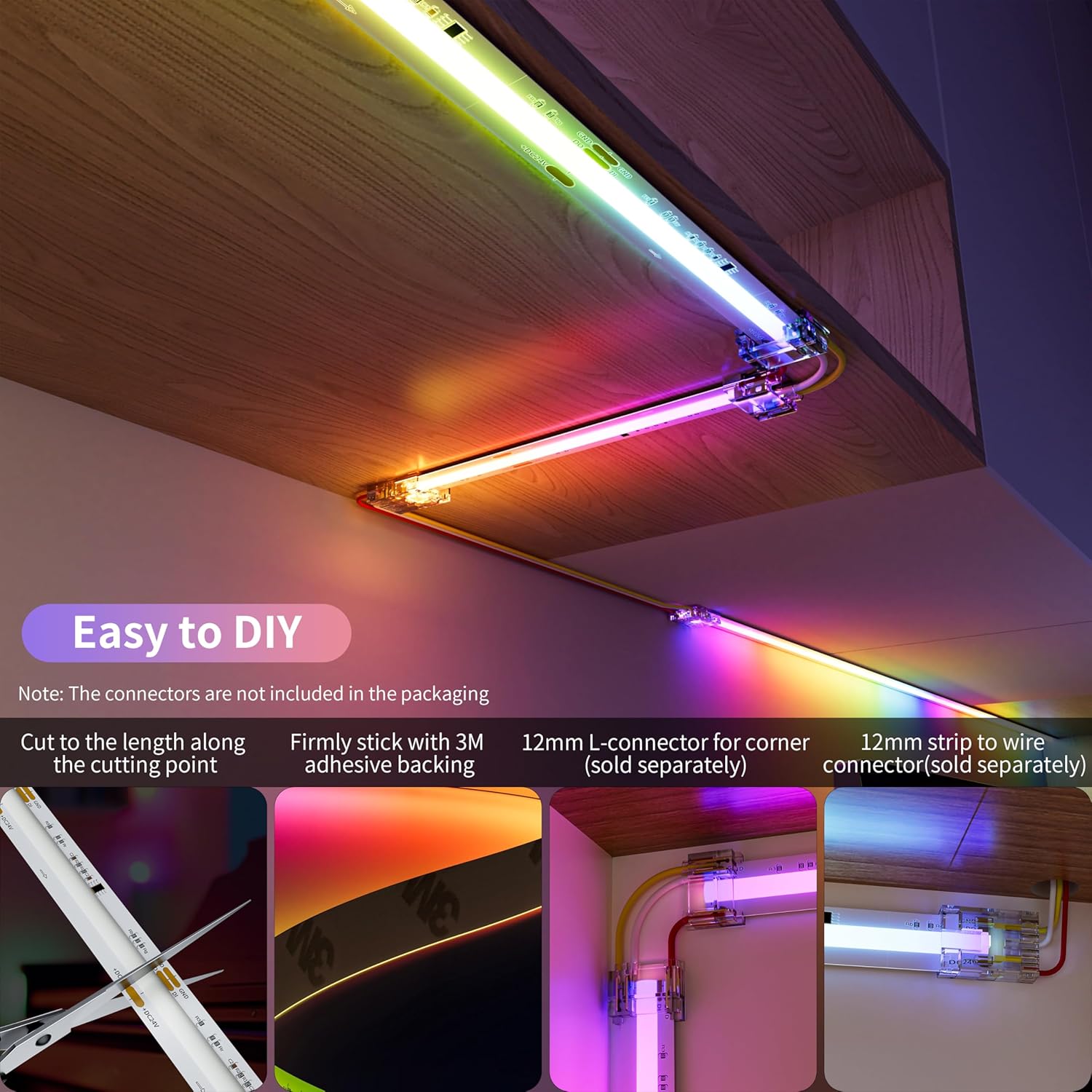
Figure 5: Cutting and connecting the LED strip.
4.5. Wiring Diagrams
For longer installations or complex setups, consider series or parallel connections with appropriate voltage injection or signal amplifiers to prevent voltage drop and ensure consistent brightness.
Series Connection:
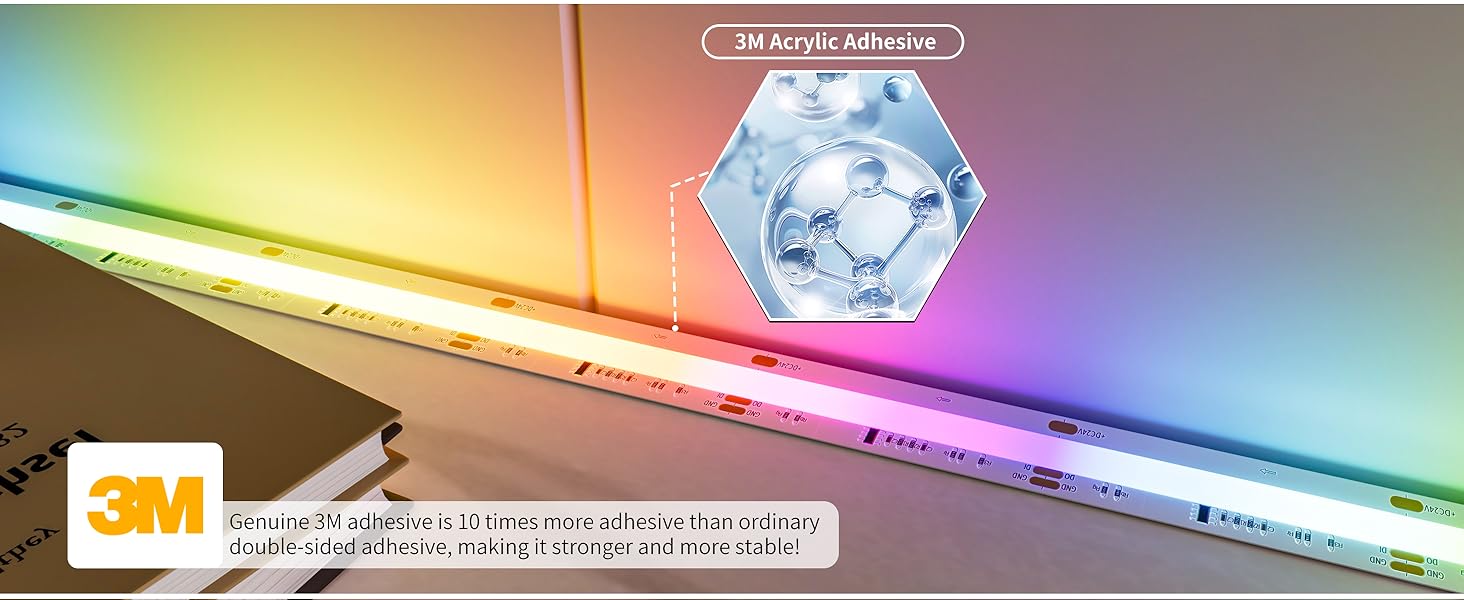
Figure 6: Series connection diagram. Note: Voltage injection may be required every 10 meters for multiple strips.
Parallel Connection:
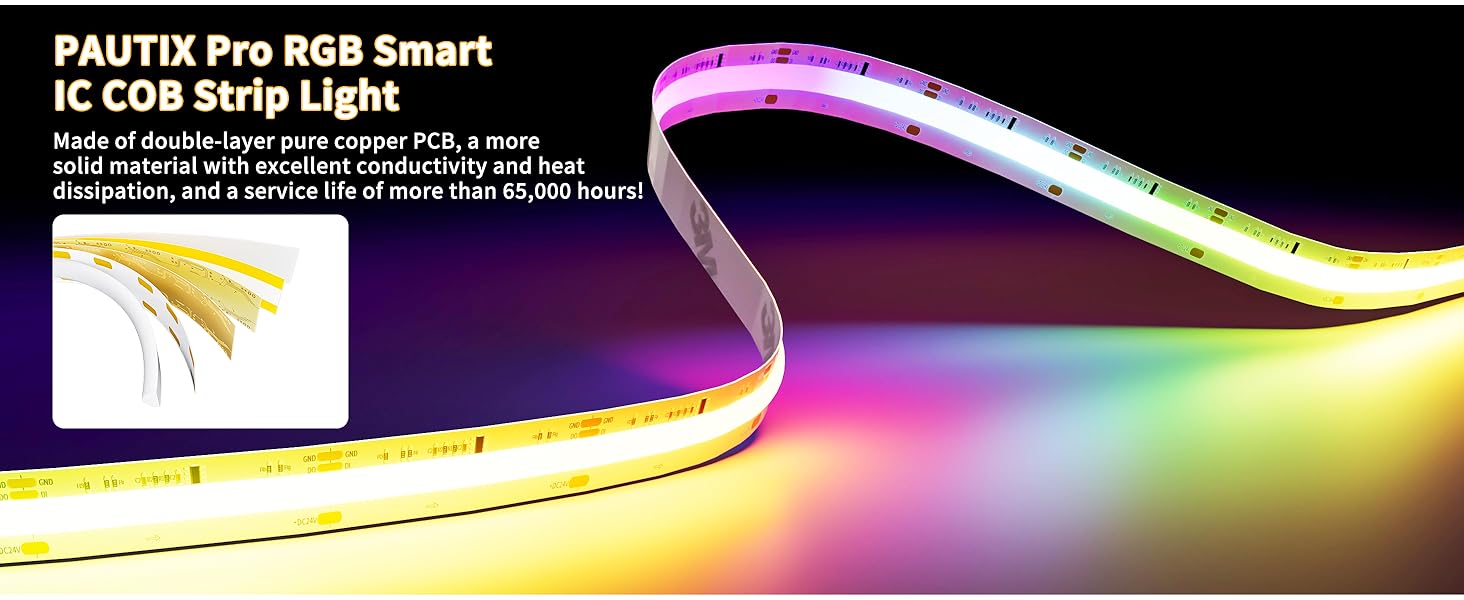
Figure 7: Parallel connection diagram. A signal amplifier boosts the signal to avoid flickering when multiple strips are connected.
5. Operation
The PAUTIX RGB Smart IC COB LED Strip Light can be controlled via a dedicated remote control or a compatible mobile application.
5.1. Remote Control
Use the provided remote control (if included with your controller) to power the lights on/off, select static colors, choose dynamic modes (e.g., rainbow, meteor, fire, stars), and adjust brightness and speed. The remote offers a wide range of color and pattern options.
5.2. Mobile App Control
For enhanced control and customization, download the compatible mobile application (e.g., FairyNest, BanlanX, or similar, depending on your controller model). Connect your controller via Bluetooth or Wi-Fi to your mobile device. The app allows you to:
- Select from a vast palette of colors and dynamic effects.
- Adjust brightness and speed of effects.
- Create custom lighting scenes.
- Utilize voice control through third-party assistants (if supported by the controller).
5.3. Music Sync Function
Many compatible controllers and mobile apps offer a music sync feature. This allows the LED strip lights to react to the rhythm and beat of music, creating an immersive audio-visual experience. Ensure your controller has a built-in microphone or can connect to your device's microphone for this function.
Video 1: Official PAUTIX video demonstrating the Addressable RGBIC COB LED Strip Light's dynamic effects and music synchronization.
6. Maintenance
- To clean the LED strip, gently wipe it with a soft, dry cloth.
- Do not use abrasive cleaners or solvents, as these may damage the strip.
- Ensure the strip is completely dry before reconnecting power.
7. Troubleshooting
- Lights not turning on: Check all connections (power supply, controller, strip). Ensure the power supply is plugged in and functioning. Verify the controller is powered on.
- Incorrect colors or flickering: Ensure all connections are secure. Check if the correct controller type is being used for addressable RGBIC strips. If using multiple strips, consider adding a signal amplifier or injecting voltage at intervals (refer to wiring diagrams).
- Remote control not working: Check the battery in the remote. Ensure there are no obstructions between the remote and the controller's IR receiver.
- App connectivity issues: Ensure Bluetooth/Wi-Fi is enabled on your device and the controller is in pairing mode. Follow the app's instructions for device pairing.
If issues persist, please contact PAUTIX customer service for further assistance.
8. Specifications
| Model Number | SRGB630F012W24-COB-5M-S |
| Length | 16.4 ft (5 meters) |
| LED Type | RGB Smart IC COB LED |
| Voltage | 24 Volts (DC) |
| Wattage | 60 watts (for 16.4ft) |
| Luminous Flux | 6000 Lumens |
| Color Rendering Index (CRI) | 90.00 |
| Ingress Protection (IP) Rating | IP30 (Indoor Use) |
| Average Lifespan | 65,000 Hours |
| Control Method | App, Remote, Voice (with compatible controller) |
9. Warranty and Support
PAUTIX is committed to customer satisfaction. If you require any assistance with installation, troubleshooting, or have questions about your product, please do not hesitate to contact our customer service team. We aim to respond to all inquiries within 24 hours.
Please note that the packaging does not include the power supply and controller, which are necessary for operation.