
Introduction
This manual provides essential information regarding the BOXI Front Center Drag Link, designed for specific Ford F-250 and F-350 Super Duty 4WD models. The drag link is a critical component of your vehicle's steering system, connecting the steering gearbox to the steering knuckle, allowing for precise control and stability. Proper installation and maintenance are crucial for safe vehicle operation.
Product Compatibility
This BOXI Front Center Drag Link (OEM Part Number: DS80749) is specifically designed for the following 4WD vehicle models:
- Replacement for Ford F-250 Super Duty: 2005, 2006, 2007, 2008, 2009, 2010, 2011, 2012, 2013, 2014, 2015, 2016 (4WD MODELS ONLY)
- Replacement for Ford F-350 Super Duty: 2005, 2006, 2007, 2008, 2009, 2010, 2011, 2012, 2013, 2014, 2015, 2016 (4WD MODELS ONLY)
Please verify your vehicle's year, make, model, and drivetrain (4WD) to ensure compatibility before installation. Refer to your vehicle's service manual for specific requirements.
Package Contents
Upon opening the package, please ensure all components are present and undamaged. The package should contain:
- 1x BOXI Front Center Drag Link (DS80749)

Image: The complete BOXI Front Center Drag Link, showing its full length and both ends. This is the primary component included in the package.
Setup and Installation
Installation of automotive steering components requires specialized tools and knowledge. It is highly recommended that this part be installed by a certified professional mechanic to ensure proper function and vehicle safety.
Safety Precautions
- Always wear appropriate personal protective equipment (PPE), including safety glasses and gloves.
- Ensure the vehicle is securely supported on jack stands or a lift before beginning any work. Never rely solely on a jack.
- Disconnect the vehicle's battery to prevent accidental electrical shorts.
- Allow the vehicle to cool down before working on hot engine or exhaust components.
- Refer to your vehicle's specific service manual for detailed torque specifications and procedures.
General Installation Overview (Professional Installation Recommended)
- Safely lift and support the front of the vehicle.
- Remove the wheels for better access to the steering components.
- Locate the existing drag link and its connection points to the steering gearbox pitman arm and the steering knuckle.
- Carefully disconnect the old drag link, using appropriate tools to separate tapered joints if necessary.
- Install the new BOXI Front Center Drag Link, ensuring proper alignment and seating of all joints.
- Tighten all fasteners to the vehicle manufacturer's specified torque values.
- Reinstall wheels and lower the vehicle.
- Perform a professional wheel alignment immediately after installation to ensure correct steering geometry and tire wear.

Image: An angled view of the BOXI Front Center Drag Link, highlighting the ball joints at each end and the central rod. This view helps in understanding the component's structure for installation.
Function of the Drag Link
The front center drag link is a crucial part of your vehicle's steering linkage. It acts as a connecting rod that transmits the steering input from the steering gearbox (via the pitman arm) to the steering knuckle, which then turns the wheels. A properly functioning drag link ensures responsive and accurate steering, contributing to overall vehicle control and safety. Any wear or damage to this component can lead to loose steering, vibrations, or difficulty maintaining a straight path.

Image: The BOXI Front Center Drag Link, showing the adjustment sleeve and clamp mechanism. This part allows for length adjustment, which is critical for proper wheel alignment after installation.
Maintenance
While the BOXI Front Center Drag Link is designed for durability, regular inspection is recommended to ensure optimal performance and safety. As part of your routine vehicle maintenance, consider the following:
- Visual Inspection: Periodically inspect the drag link for signs of damage, corrosion, bent components, or torn dust boots on the ball joints.
- Joint Play: Check for excessive play in the ball joints. Any noticeable looseness indicates wear and requires replacement.
- Lubrication: If the drag link features grease fittings (zerk fittings), ensure they are regularly lubricated with appropriate chassis grease as per your vehicle's maintenance schedule.
- Alignment: Ensure your vehicle's wheel alignment is checked periodically, especially after replacing steering or suspension components, to prevent premature wear on the drag link and tires.
Troubleshooting
If you experience issues with your vehicle's steering after replacing the drag link, or if you suspect a problem with the component, refer to the table below. Always consult a qualified mechanic for diagnosis and repair.
| Symptom | Possible Cause | Solution |
|---|---|---|
| Loose or Vague Steering | Worn ball joints in the drag link, improper installation, or other worn steering components. | Inspect drag link for play. Check other steering components (tie rods, pitman arm). Ensure proper torque on all fasteners. Professional inspection recommended. |
| Steering Wheel Off-Center | Improper wheel alignment after installation. | Perform a professional wheel alignment. |
| Clunking or Popping Noises from Front End | Severely worn or damaged ball joints, loose fasteners. | Inspect drag link and surrounding components for excessive play or damage. Tighten loose fasteners. Replace worn parts. |
| Uneven Tire Wear | Incorrect wheel alignment, worn steering components. | Have a professional alignment performed. Inspect all steering and suspension components for wear. |

Image: A different perspective of the BOXI Front Center Drag Link, showing the overall robust construction and the connection points. This view can assist in identifying the component during troubleshooting.
Specifications
| Attribute | Detail |
|---|---|
| Brand | BOXI |
| Model | Front Center Drag Link |
| Item Model Number | BXM600110045-1 |
| OEM Part Number | DS80749 |
| Placement on Vehicle | Front |
| Exterior Finish | Polished |
| Item Weight | 5.58 kg |
| Parcel Dimensions | 91.95 x 15.24 x 10.16 cm |

Image: A side profile view of the BOXI Front Center Drag Link, emphasizing its length and slender design. This view helps in visualizing the component's dimensions.
Warranty Information
The BOXI Front Center Drag Link (DS80749) comes with a 3-year warranty. This warranty covers defects in materials and workmanship under normal use and service. Please retain your proof of purchase for warranty claims.
For specific details regarding warranty coverage, limitations, and the claims process, please refer to the documentation provided with your purchase or contact BOXI customer support.
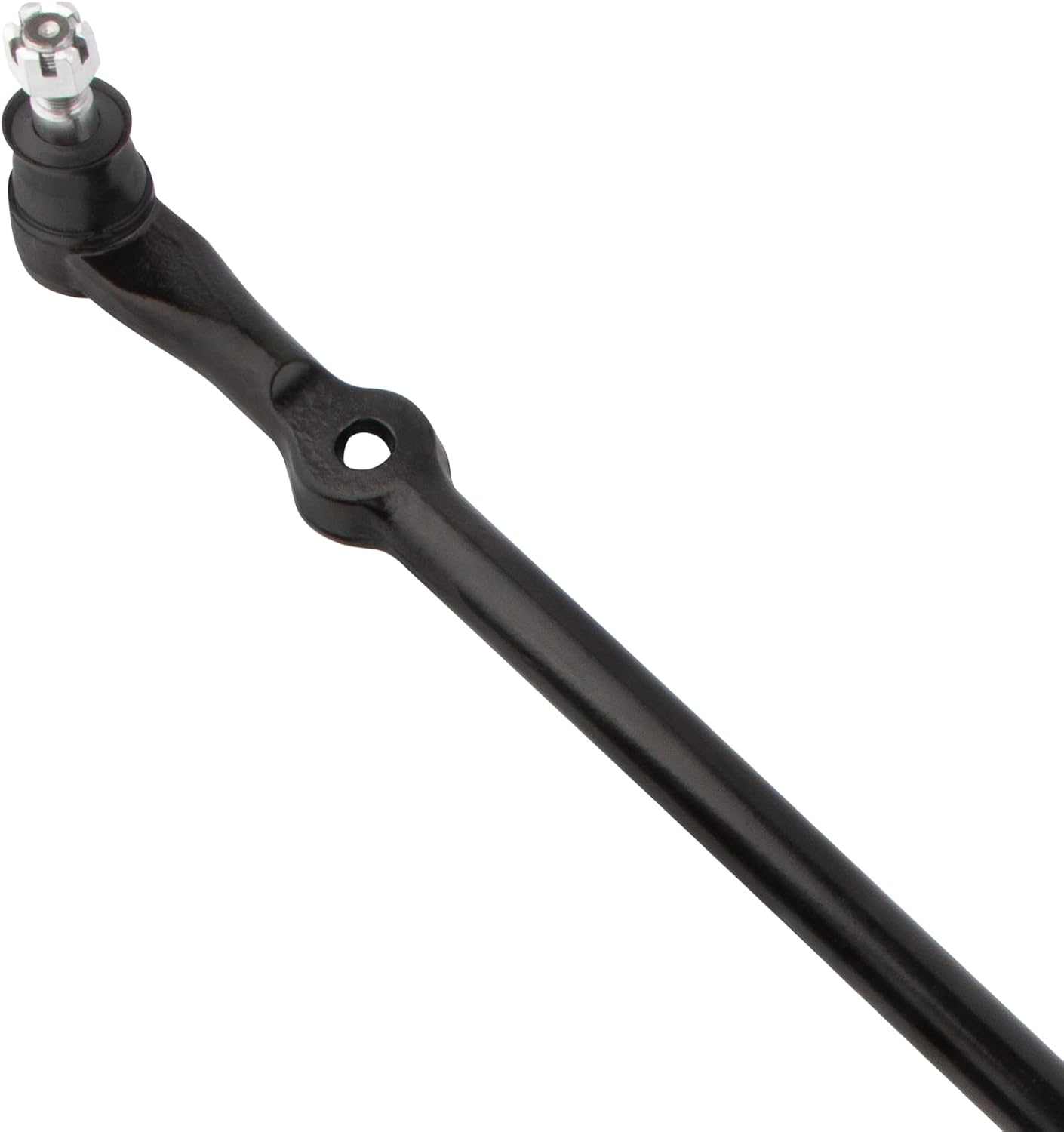
Image: A close-up view of one end of the BOXI Front Center Drag Link, showing the ball joint and its protective boot. This detail highlights the quality of the component's critical moving parts.
Support
If you have any questions regarding the installation, function, or compatibility of your BOXI Front Center Drag Link, or if you require technical assistance, please contact BOXI customer support. When contacting support, please have your product model number (BXM600110045-1) and OEM part number (DS80749) readily available.
For the most up-to-date contact information, please refer to the BOXI official website or the retailer from whom you purchased the product.

Image: A close-up view of the other end of the BOXI Front Center Drag Link, featuring the adjustment sleeve and clamp. This part is crucial for fine-tuning the steering alignment.