
Wireless Mini Waterproof Bluetooth Speaker
ATSOUND Wireless Mini Waterproof Rechargeable Portable Bluetooth Speaker User Manual
Model: Wireless Mini Waterproof Bluetooth Speaker
Introduction
Thank you for purchasing the ATSOUND Wireless Mini Waterproof Rechargeable Portable Bluetooth Speaker. This manual provides essential information for setting up, operating, and maintaining your speaker to ensure optimal performance and longevity. Please read this manual thoroughly before using the product.
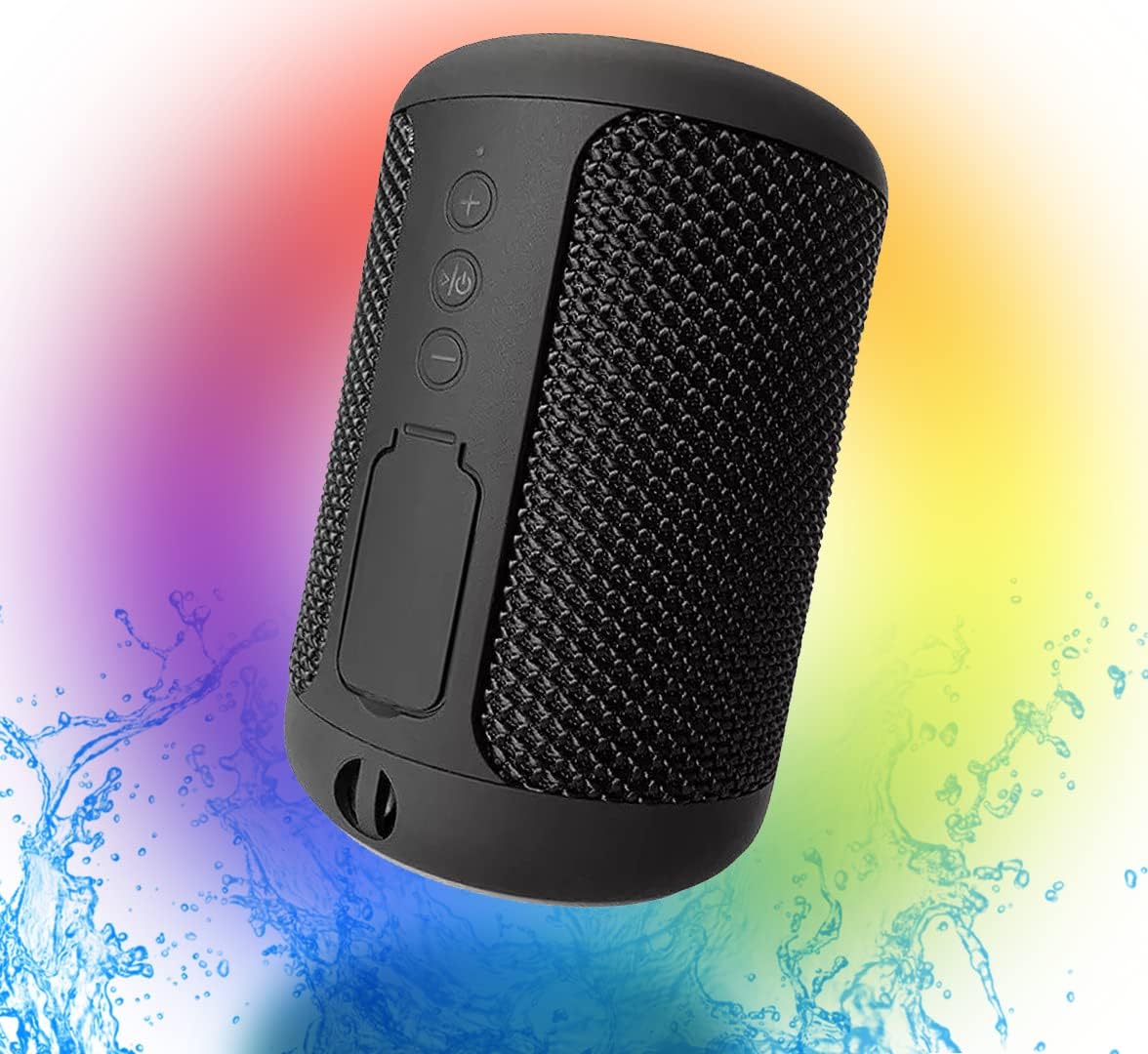
Figure 1: ATSOUND Wireless Mini Waterproof Bluetooth Speaker. This image shows the speaker from an angled perspective, highlighting its compact size and mesh-like exterior, with a colorful background and water splashes indicating its waterproof nature.
What's in the Box
Upon unboxing, please verify that all the following components are included:
- ATSOUND Wireless Mini Waterproof Bluetooth Speaker
- Charging Cable
- User Manual (this document)
Product Overview
Familiarize yourself with the speaker's controls and ports:

Figure 2: Front view of the speaker showing the control buttons and the sealed port cover. The buttons include Volume Up (+), Play/Pause/Power, and Volume Down (-). Below these, a rubber flap covers the charging and auxiliary ports.
Control Buttons:
- + Button: Press to increase volume. Press and hold to skip to the next track.
- Play/Pause/Power Button: Press to play or pause audio. Press and hold to power on or off the speaker.
- - Button: Press to decrease volume. Press and hold to skip to the previous track.
Ports:
Under the sealed rubber flap, you will find the USB charging port and the auxiliary (AUX) input port.
Setup
Initial Charging:
- Open the rubber flap on the speaker to expose the charging port.
- Connect the provided charging cable to the speaker's USB port.
- Connect the other end of the charging cable to a USB power adapter (not included) or a computer's USB port.
- Allow the speaker to fully charge before first use. The charging indicator light will change color or turn off when charging is complete.
Powering On/Off:
- To power on, press and hold the Play/Pause/Power button until you hear an audible prompt or see the indicator light illuminate.
- To power off, press and hold the Play/Pause/Power button again until you hear an audible prompt or the indicator light turns off.
Operating
Bluetooth Pairing:
- Ensure the speaker is powered on and in Bluetooth pairing mode (indicated by a flashing LED light).
- On your device (smartphone, tablet, computer), enable Bluetooth.
- Search for available Bluetooth devices. The speaker will appear as "ATSOUND Speaker" or similar.
- Select the speaker from the list to connect. Once connected, you will hear a confirmation sound, and the LED light will become solid.
Audio Playback:
- Once paired, you can play audio from your connected device.
- Use the speaker's + and - buttons to adjust volume.
- Press the Play/Pause button to pause or resume playback.
- Press and hold + or - to skip tracks.
True Wireless Stereo (TWS) Pairing:
If you have two ATSOUND Wireless Mini Waterproof Bluetooth Speakers, you can pair them together for a stereo sound experience.

Figure 3: Two ATSOUND speakers positioned to demonstrate True Wireless Stereo (TWS) functionality, with a smartphone displaying music playback, indicating left and right channel separation.
- Ensure both speakers are powered on and not connected to any other Bluetooth device.
- On one speaker (this will be the primary speaker), double-press the Play/Pause/Power button. It will enter TWS pairing mode.
- The two speakers will automatically search for and connect to each other. You will hear a confirmation sound once connected.
- Once TWS paired, connect your device to the primary speaker via Bluetooth as described in the "Bluetooth Pairing" section.
Auxiliary (AUX) Input:
For devices without Bluetooth, you can use the AUX input.
- Open the rubber flap and connect a 3.5mm audio cable (not included) from your device's audio output to the speaker's AUX input.
- The speaker will automatically switch to AUX mode.
Maintenance
Cleaning:
- Wipe the speaker with a soft, damp cloth. Do not use abrasive cleaners or solvents.
- Ensure the rubber flap covering the ports is securely closed after charging or using the AUX input to maintain its waterproof rating.
Water Resistance:
The speaker features an IPX6 waterproof rating, meaning it can withstand powerful water jets. It is suitable for use in wet environments like showers or by the pool. However, it is not designed for submersion in water. Always ensure the port cover is tightly sealed when exposed to water.
Storage:
Store the speaker in a cool, dry place away from direct sunlight and extreme temperatures when not in use for extended periods. Charge the battery periodically if storing for a long time to maintain battery health.
Troubleshooting
| Problem | Possible Cause | Solution |
|---|---|---|
| Speaker does not power on. | Low battery. | Charge the speaker fully. |
| Cannot pair via Bluetooth. | Speaker is not in pairing mode; device's Bluetooth is off; speaker is already connected to another device. | Ensure speaker is in pairing mode (flashing LED). Turn device's Bluetooth off and on. Disconnect speaker from other devices. |
| No sound after connecting. | Volume too low on speaker or device; incorrect audio output selected on device. | Increase volume on both speaker and connected device. Check device's audio output settings. |
| TWS pairing fails. | Speakers are too far apart; one speaker is already connected to a device. | Ensure speakers are close to each other. Disconnect both speakers from any Bluetooth devices before initiating TWS pairing. |
Specifications
| Feature | Detail |
|---|---|
| Model Name | Wireless Mini Waterproof Bluetooth Speaker |
| Connectivity Technology | Bluetooth, Auxiliary, USB |
| Wireless Communication | Bluetooth |
| Bluetooth Range | Up to 25 Feet (7.6 meters) |
| Water Resistance Level | IPX6 (Water Resistant) |
| Battery Capacity | 1200 Milliamp Hours |
| Speaker Output Power | 5 Watts |
| Audio Output Mode | Mono, Stereo (with TWS pairing) |
| Product Dimensions | 4"D x 4"W x 6"H (approx. 10cm x 10cm x 15cm) |
| Item Weight | 9.1 ounces (approx. 258 grams) |
| Material | Plastic |
Warranty and Support
This product is sold without an explicit manufacturer's warranty. For any issues or inquiries, please contact the seller or retailer from whom you purchased the product. They will be able to provide assistance regarding returns, exchanges, or troubleshooting within their respective policies.
Ask a question about this manual
Ask about setup, troubleshooting, compatibility, parts, safety, or missing instructions. Manuals+ will review the question and use this page’s manual context to help answer it.