
Mattel HNT64
Jurassic World Indominus Rex Dinosaur Toy Instruction Manual
Model: HNT64 | Brand: Mattel
Product Overview
The Mattel Jurassic World Indominus Rex Dinosaur Toy is a highly detailed, interactive figure designed to bring the excitement of Jurassic World to life. This 21-inch long toy features button-activated camouflage-style lighting that moves along its body, a powerful chomping attack controlled by its tail, and integrated augmented reality (AR) capabilities through the free Jurassic World Facts App. It's crafted from durable plastic, ensuring long-lasting play.

The Indominus Rex toy, showcasing its detailed design and imposing presence.
Setup
Battery Installation
Your Indominus Rex toy requires 3 LR44 button cell batteries, which are included. To install or replace batteries:
- Locate the battery compartment on the underside of the dinosaur.
- Using a small Phillips head screwdriver (not included), unscrew the battery compartment cover.
- Insert the 3 LR44 batteries, ensuring correct polarity (+/-) as indicated inside the compartment.
- Replace the cover and secure it with the screw.
Note: Always use fresh batteries of the same type. Do not mix old and new batteries or different types of batteries.
Initial Assembly
The Indominus Rex toy comes pre-assembled. No additional assembly is required before play. Simply install the batteries and you are ready to begin.
Operating Instructions
Camouflage 'N Battle Feature
Activate the unique camouflage-style lighting and roaring sounds by pressing the button located on the dinosaur's tail. The lighting effect will move along the body, mimicking the Indominus Rex's ability to blend into its environment.
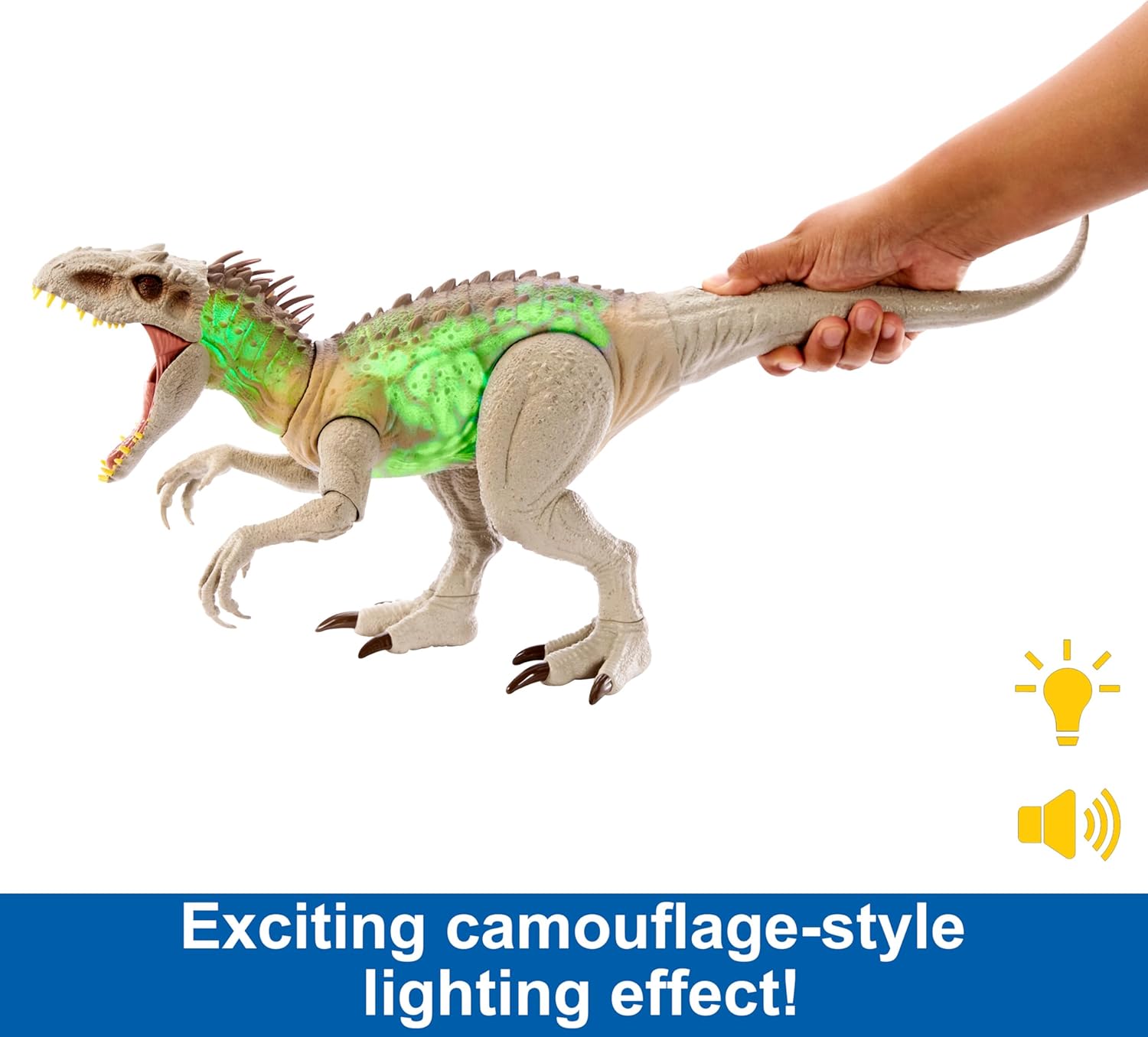
The Indominus Rex toy displaying its green camouflage lighting effect.
Chomping Attack
To unleash the Indominus Rex's powerful wide-mouthed chomping attack, simply press the button on its tail. This action will cause its jaw to open wide, ready for battle.

Activating the chomping attack by pressing the tail button.
Augmented Reality (AR) Play
Enhance your play experience by bringing the dinosaur 'TO LIFE' with augmented reality. Follow these steps:
- Download the free Jurassic World Facts App on a compatible smart device (Android or iOS, not included).
- Locate the hidden Tracking Code on your Indominus Rex figure.
- Scan the Tracking Code using the Jurassic World Facts App to unlock exciting AR experiences and games, including thermal and X-ray modes, Rescue 'N Release Mission, and Track 'N Catch Challenge.

Scan the hidden Tracking Code to unlock digital play experiences.
Maintenance
Cleaning
To clean your Indominus Rex toy, wipe it with a damp cloth. Do not submerge the toy in water or use harsh chemicals, as this may damage the electronic components and paint finish.
Storage
Store the toy in a cool, dry place away from direct sunlight and extreme temperatures. If storing for an extended period, it is recommended to remove the batteries to prevent leakage.
Troubleshooting
If your Indominus Rex toy is not functioning as expected, please try the following:
- No Lights/Sounds: Ensure the batteries are correctly installed and are not depleted. Replace with fresh LR44 batteries if necessary.
- Limited Movement: Check for any obstructions around the movable parts. Ensure the toy is on a flat, stable surface.
- AR App Issues: Verify your smart device is compatible with the Jurassic World Facts App and that the app is updated to the latest version. Ensure good lighting when scanning the tracking code.
If problems persist, please refer to the Warranty and Support section for further assistance.
Specifications
| Product Dimensions | 23.75 x 8 x 10.34 inches |
| Item Weight | 1.1 pounds |
| Model Number | HNT64 |
| Recommended Age | 4 years and up |
| Batteries Required | 3 LR44 (included) |
| Manufacturer | Mattel |
| Release Date | July 15, 2023 |
Warranty and Support
Mattel stands behind the quality of its products. For any questions, concerns, or to inquire about warranty information, please contact Mattel Customer Service. Keep your purchase receipt as proof of purchase may be required.
You can find contact information for Mattel Customer Service on their official website or through the retailer where the product was purchased.
Ask a question about this manual
Ask about setup, troubleshooting, compatibility, parts, safety, or missing instructions. Manuals+ will review the question and use this page’s manual context to help answer it.