
Introduction
This manual provides comprehensive instructions for the ILOUYU 20W USB-C Fast Charger and 6FT Type-C to Lightning Cable kit. It covers product features, setup, operation, maintenance, and troubleshooting to ensure optimal performance and safety. Please read this manual thoroughly before using the product.
Safety Information
To prevent injury or damage to your devices, please observe the following safety precautions:
- Do not expose the charger or cables to liquids, moisture, or extreme temperatures.
- Avoid dropping, disassembling, or attempting to repair the product yourself.
- Ensure the charger is plugged into a properly grounded wall outlet.
- Keep out of reach of children.
- Disconnect the charger from the power outlet when not in use or during electrical storms.
- If the product shows signs of damage, discontinue use immediately.
Package Contents
Verify that all items are present in your package:
- 3 x ILOUYU 20W USB-C Power Adapters
- 3 x ILOUYU 6FT USB-C to Lightning Charging Cables

Image: Contents of the ILOUYU 20W USB-C Fast Charger and Cable kit.
Setup
Follow these steps to set up your ILOUYU fast charger:
- Unpack the 20W USB-C Power Adapter and the 6FT USB-C to Lightning Cable from the packaging.
- Insert the USB-C end of the cable into the USB-C port on the power adapter. Ensure it is fully seated.
- Plug the power adapter into a standard wall outlet.
- Connect the Lightning end of the cable to your compatible iPhone or iPad device.

Image: Proper connection of the charger to a wall outlet and device.
Operating Instructions
Fast Charging
The ILOUYU 20W USB-C Power Adapter supports Power Delivery (PD) technology, enabling fast and efficient charging for compatible devices. When connected to a compatible device, the charger can deliver up to 20W of power, significantly reducing charging times compared to standard 5W chargers. Your device will automatically negotiate the optimal charging speed.

Image: Comparison of 20W PD fast charging versus 5W standard charging speed.
Data Transfer
The included 6FT USB-C to Lightning Cable also supports data transfer. You can connect your iPhone or iPad to a computer or other compatible device with a USB-C port to sync data, photos, and videos at speeds up to 480 Mbps.
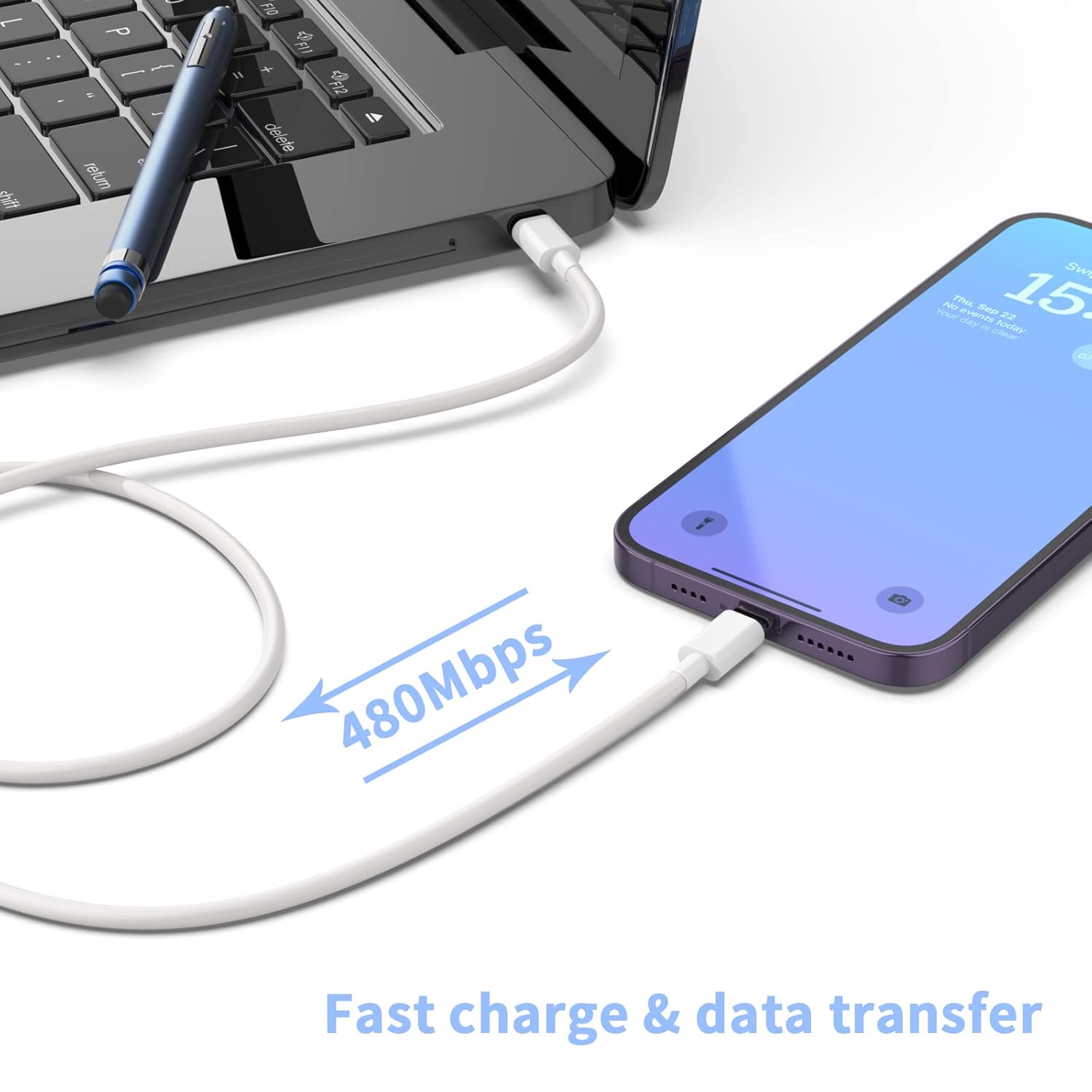
Image: Illustration of data transfer functionality between devices.
Compatibility
The ILOUYU 20W USB-C Fast Charger and 6FT Type-C to Lightning Cable are compatible with a wide range of Apple devices, including:
- iPhones: iPhone 14 series (14, 14 Pro, 14 Pro Max, 14 Plus), iPhone 13 series (13, 13 Mini, 13 Pro, 13 Pro Max), iPhone 12 series (12, 12 Mini, 12 Pro, 12 Pro Max), iPhone 11 series (11, 11 Pro, 11 Pro Max), iPhone XS, iPhone XS Max, iPhone X, iPhone XR, iPhone 8, iPhone 8 Plus, iPhone SE (2nd and 3rd generation).
- iPads: iPad Pro, iPad Air, iPad, iPad mini.
- Other: AirPods Pro.
For devices not listed, the charger will provide standard charging speeds.

Image: Visual representation of universal compatibility with Apple devices.
Maintenance
Proper care ensures the longevity and performance of your charger and cables:
- Cleaning: Disconnect from power before cleaning. Use a soft, dry cloth to wipe the charger and cables. Do not use liquid cleaners or aerosols.
- Storage: Store in a cool, dry place away from direct sunlight and extreme temperatures. Avoid tightly coiling the cables to prevent damage.
- Handling: Always grasp the plug when disconnecting from an outlet or device; do not pull on the cable.

Image: Illustration of cable durability and robust design.
Troubleshooting
If you encounter issues, refer to the following table:
| Problem | Possible Cause | Solution |
|---|---|---|
| Device not charging | Loose connection, faulty outlet, damaged cable/charger, incompatible device. | Ensure all connections are secure. Try a different wall outlet. Inspect cable and charger for visible damage. Verify device compatibility. |
| Slow charging speed | Device not supporting fast charging, background apps, high device usage during charging. | Confirm device supports PD fast charging. Close unnecessary background applications. Avoid heavy device usage while charging for optimal speed. |
| Charger or device overheating | Poor ventilation, excessive load, environmental factors. | Ensure adequate ventilation around the charger and device. Avoid charging in direct sunlight or confined spaces. If overheating persists, discontinue use and contact support. |
| Cable not recognized by device | Damaged cable, dirty port, software issue. | Inspect cable for damage. Clean device's Lightning port gently. Restart your device. Try a different cable if available. |
Specifications
| Feature | Detail |
|---|---|
| Brand | ILOUYU |
| Model Number | G06-PD1328A |
| Wattage | 20 watts |
| Input Voltage | 5 Volts |
| Total USB Ports | 1 (USB-C) |
| Connector Type | USB-C to Lightning |
| Cable Length | 6 feet (1.8 meters) |
| Special Feature | Fast Charging (Power Delivery 3.0) |
| Package Dimensions | 5.28 x 5.28 x 1.34 inches |
| Item Weight | 0.18 ounces |
Warranty and Support
ILOUYU provides a 365-day worry-free refund and replacement guarantee for this product. If you encounter any issues or have questions, please do not hesitate to contact our customer support team. We are committed to resolving your concerns within 24 hours.
For support, please visit the ILOUYU store on Amazon or refer to the contact information provided with your purchase.

Image: ILOUYU customer support for assistance.


