
Introduction
The Phanteks M25-120 fan is engineered for high-airflow cooling performance, specifically optimized for use with fine mesh/dust filters, heatsinks, and radiators. Its design minimizes bearing noise while providing ample cooling capacity. This manual provides detailed instructions for installation, operation, and maintenance to ensure optimal performance and longevity of your fan.

Figure 1: Phanteks M25-120 Fan, showcasing its nine-blade design and robust frame.
Setup
1. Physical Installation
Mount the M25-120 fan to your desired location (e.g., PC case, radiator) using the provided screws. Ensure the fan is oriented correctly for optimal airflow (intake or exhaust) as per your system's cooling design. The fan features integrated rubber pads on the corners to reduce vibration and noise.

Figure 2: Close-up of the fan's corner, highlighting the screw hole and anti-vibration rubber pad.
2. Cable Management and Connection
The Phanteks M25-120 fan features a 4-pin PWM daisy-chain cable for simplified cable management. Multiple fans can be connected together using a single PWM extension cable, reducing cable clutter. For RGB lighting, connect the D-RGB cable to a compatible Phanteks D-RGB header on your motherboard or a Phanteks D-RGB controller.
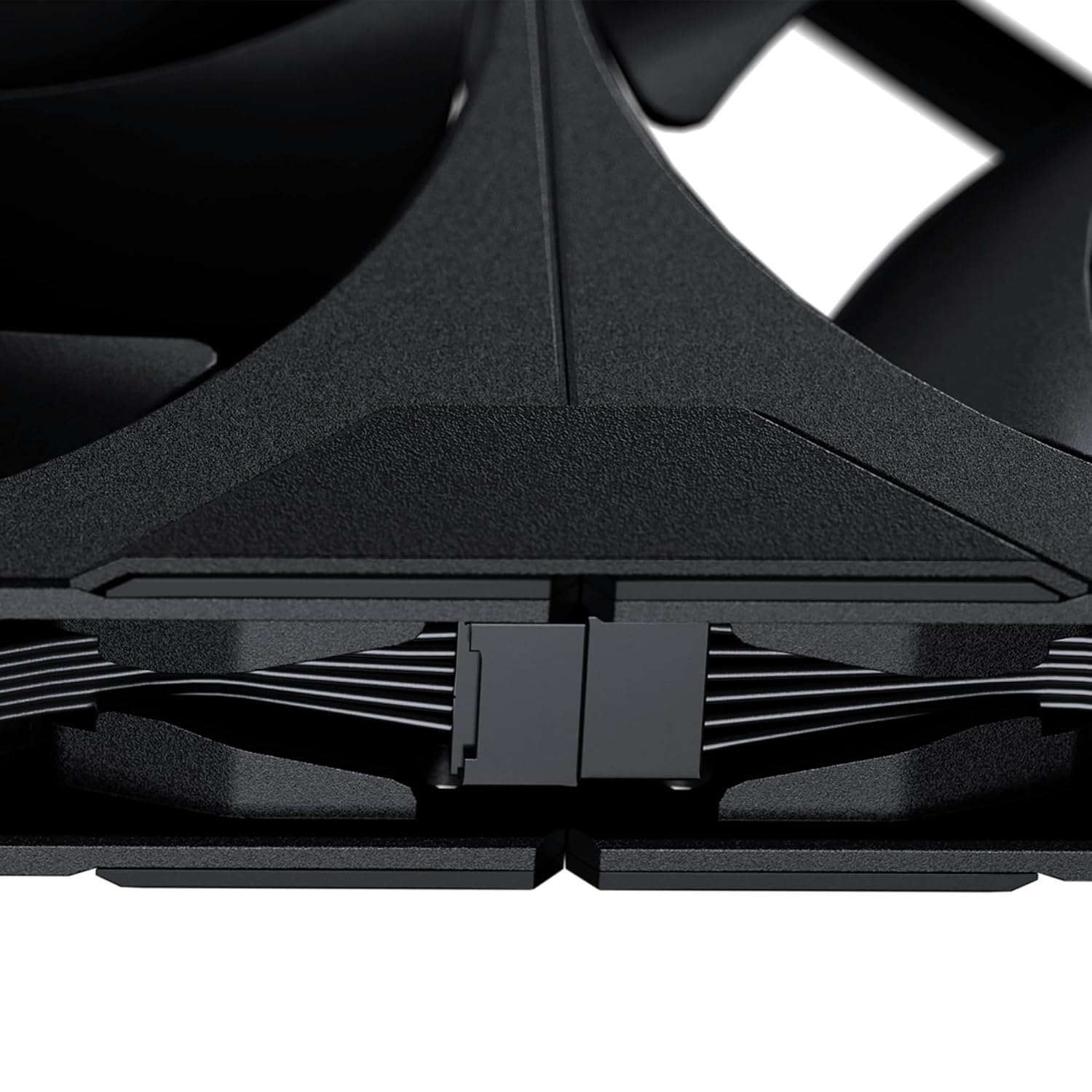
Figure 3: Detail of the daisy-chain connector, allowing multiple fans to be linked.

Figure 4: Example of three M25-120 fans connected via daisy-chain for streamlined wiring.
Operating the Fan
PWM Control
The fan's speed can be precisely controlled via Pulse Width Modulation (PWM) through your motherboard's fan headers or a dedicated fan controller. The wide RPM range from 500 RPM to 2000 RPM allows for flexible adjustment between quiet operation and maximum cooling performance.
RGB Lighting Control
The M25-120 features 12 LEDs hidden within the central part of the fan, providing smooth and vibrant D-RGB lighting. Control the lighting effects and colors through compatible motherboard software (if connected to a D-RGB header) or a Phanteks D-RGB controller.
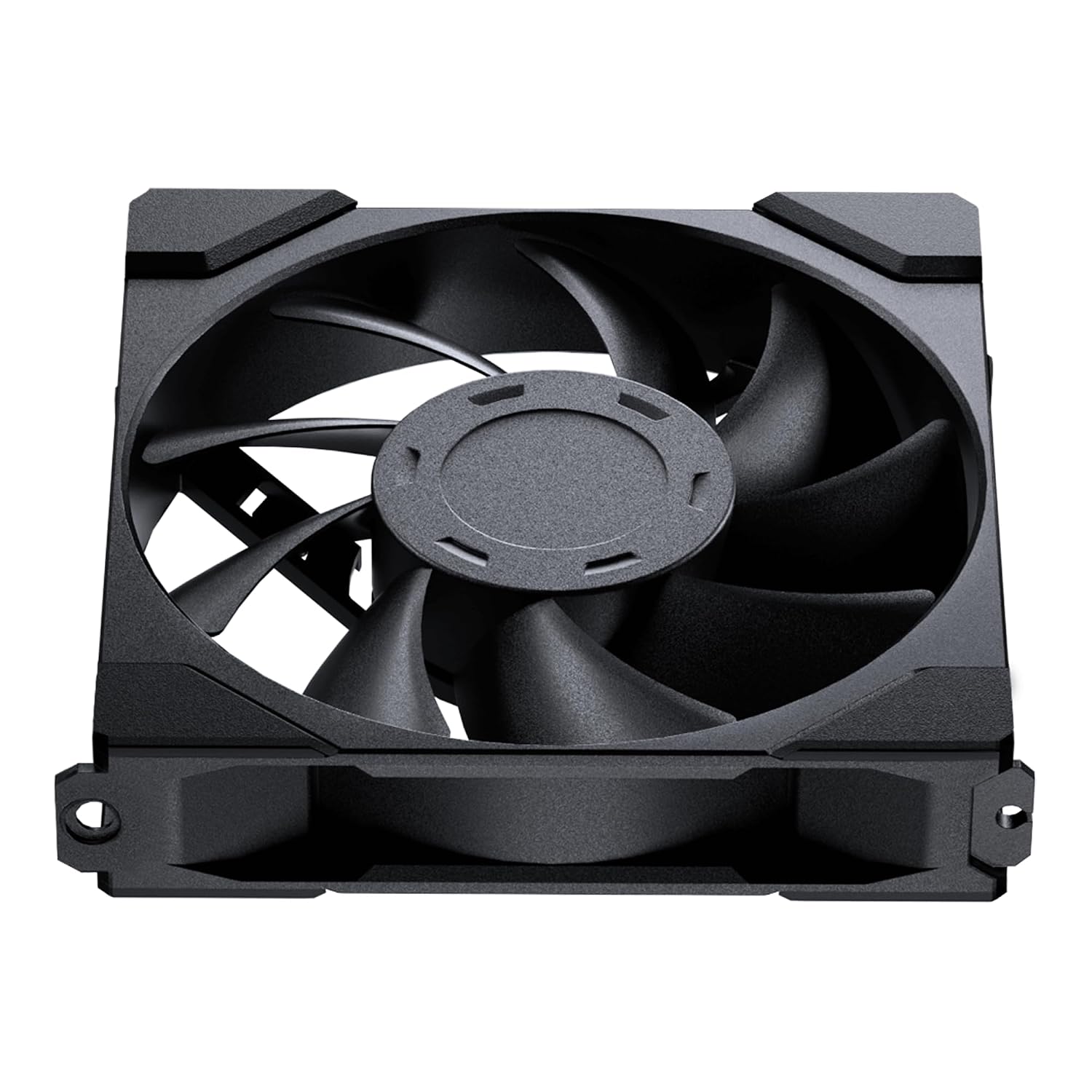
Figure 5: The M25-120 fan illuminated with dynamic RGB lighting.
Performance Overview
The Phanteks M25-120 fan is designed for high performance in various cooling scenarios. Below is an overview of its performance characteristics based on testing data.
Case Fan Scenario
In a typical PC case setup, the M25-120 demonstrates strong cooling capabilities, positioning itself favorably among leading competitors. It provides excellent airflow for general system cooling.
Radiator Performance
The M25-120 truly excels when paired with radiators, offering superior performance for liquid cooling setups. Its optimized blade design allows for efficient heat dissipation through dense radiator fins, making it an ideal choice for demanding cooling requirements.
Maintenance
To ensure the longevity and optimal performance of your Phanteks M25-120 fan, regular maintenance is recommended.
- Cleaning: Periodically clean the fan blades and frame to remove dust buildup. Use a soft brush or compressed air. Ensure the fan is powered off before cleaning.
- Inspection: Check cables for any signs of wear or damage. Ensure all connections are secure.
- Bearing: The fan utilizes a Hydraulic Bearing with a Mean Time Between Failures (MTBF) of 30,000 hours at 50°C, indicating long-term reliability. No user lubrication is required.
Troubleshooting
If you encounter issues with your Phanteks M25-120 fan, refer to the following common troubleshooting steps:
- Fan Not Spinning:
- Ensure the 4-pin PWM connector is securely plugged into the motherboard or fan controller.
- Check BIOS/UEFI settings to ensure fan headers are enabled and configured correctly (e.g., not set to 0 RPM).
- Test the fan on a different fan header or with a different power source if possible.
- RGB Lighting Not Working:
- Verify the D-RGB cable is correctly connected to a compatible 3-pin D-RGB header (5V, Data, Ground).
- Ensure your motherboard's RGB software or Phanteks D-RGB controller is installed and updated.
- Check for any loose connections in the daisy-chain setup if multiple fans are used.
- Excessive Noise:
- Ensure the fan is securely mounted and screws are tightened.
- Check for any cables or obstructions touching the fan blades.
- Clean any dust buildup on the fan blades.
- Adjust fan speed via PWM control to a lower RPM if noise is a concern and cooling performance allows.
Specifications
| Feature | Detail |
|---|---|
| Type | Case Fan |
| Color | Black Fan Blade / Black Fan Frame |
| Materials | PBT (Polybutylene terephthalate) |
| Fan Size | 120 x 120 x 25 mm (4.72 x 0.98 x 4.72 inches) |
| Bearing Type | Hydraulic Bearing |
| Blade Geometry | Nine Blades Design |
| Rated Voltage | DC 12V |
| Operating Voltage Range | 7~13.2V |
| PWM Control | Yes |
| Rated Current (Ampere) | 0.19A [Max:0.20A] |
| Power Consumption | ≤ 2.4W |
| Speed | 500-2000 ± 10% RPM |
| Max. Airflow | 84.26 CFM |
| Max. Air Pressure | 2.67 mm H2O |
| Noise Level | 35.7 dB(A) |
| Fan Connector | 4 Pin Daisy-Chain |
| Cable Length | 120 mm / 4.72 in |
| MTBF (Life Expectancy) | 30,000 hrs at 50°C |
| Weight | 158 ± 5G |
What's in the Box
- Phanteks M25-120 Fan
Warranty and Support
Phanteks products are designed and manufactured to the highest quality standards. For warranty information and technical support, please visit the official Phanteks website or contact their customer service. Keep your purchase receipt as proof of purchase for warranty claims.
For the latest information and support, visit: www.phanteks.com
