Product Overview
The Aoyar Automatic Food Feeder is designed to provide convenient and precise feeding for your aquatic pets. Its intelligent design allows for scheduled feeding, ensuring your fish receive consistent nutrition even when you are away. This feeder is compatible with various types of fish food, including flakes, pellets, and powders.



Setup
Battery Installation
The Aoyar Automatic Food Feeder requires 2 AA batteries (not included) for operation. Ensure correct polarity when inserting the batteries.
- Locate the battery compartment on the feeder.
- Open the battery compartment cover.
- Insert two AA batteries, observing the positive (+) and negative (-) markings.
- Close the battery compartment cover securely.

Mounting the Feeder
The feeder offers two primary installation methods to suit different aquarium setups:
- Vertical Fixing (Rotating Base): Attach the feeder to the edge of your aquarium using the adjustable clamp. The 360-degree rotatable base allows for flexible positioning.
- Plane Fixing (Pasting Sticker): For aquariums with flat surfaces, use the provided adhesive sticker to secure the feeder.

Operating Instructions
Adding Food
The feeder features an upgraded top-opening design for easy and quick food replenishment.
- Slide open the top cover of the food container.
- Pour the desired amount of fish food into the container.
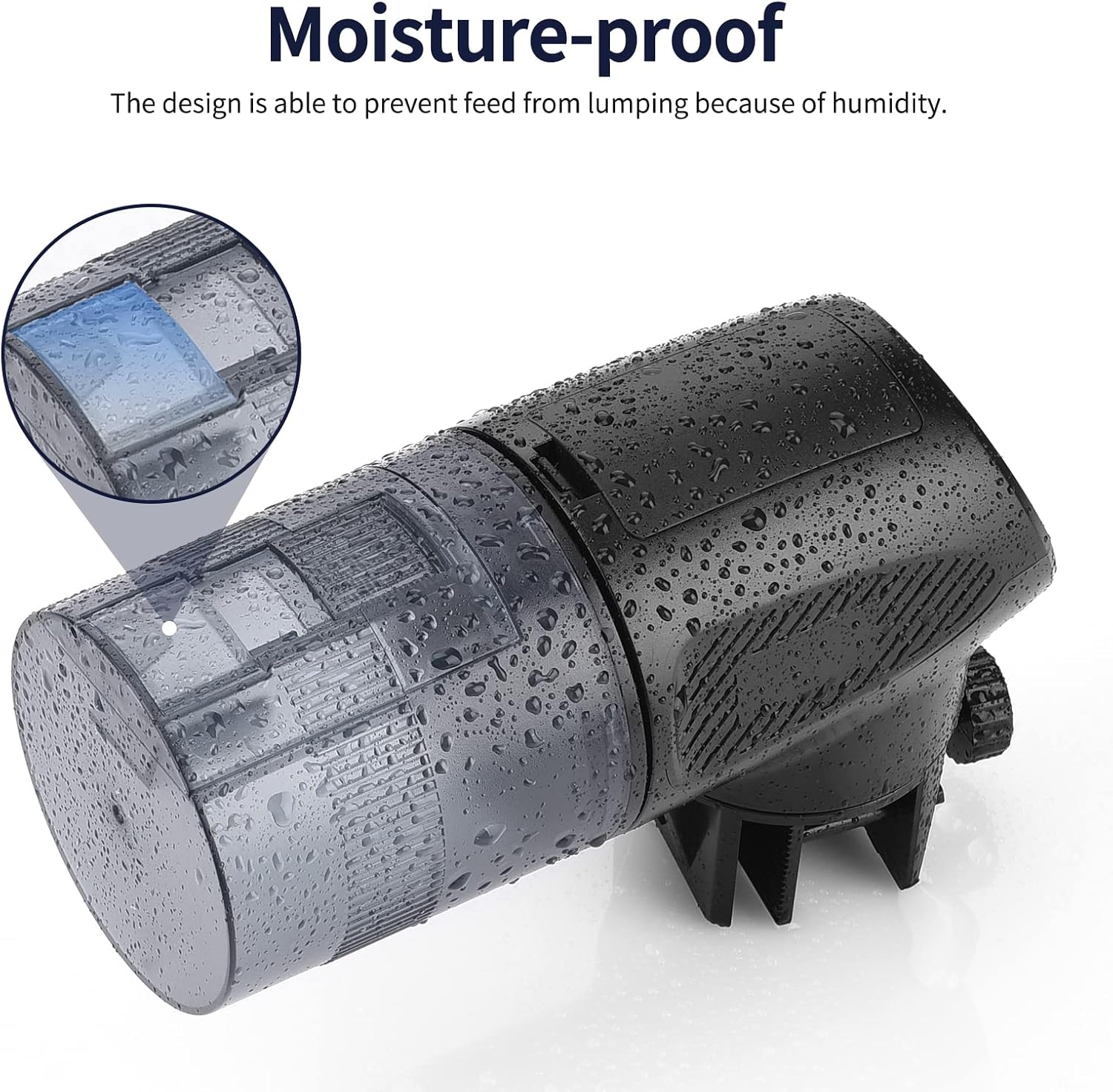
- Close the top cover securely to maintain food freshness and prevent moisture.

Setting Feeding Times and Cycles
The feeder allows you to program up to 4 precise feeding times per day, with 1 to 3 rotations (cycles) per feeding to control the dispensed amount.
- Press the 'Set' button (gear icon) to enter time setting mode.
- Use the '+' and '-' buttons to adjust the hour and minute for the first feeding time. Press 'Set' again to confirm and move to the next setting.
- Adjust the number of feeding cycles (1-3) for this time using the '+' and '-' buttons.
- Repeat for up to four feeding times as needed.
- The display will show the current time and scheduled feeding times.
Adjusting Feeding Amount
The quantity of dispensed food can be easily adjusted using the slider block on the feeder's outlet.
- Locate the slider block near the food outlet.
- Slide the block to increase or decrease the opening size, thereby controlling the amount of food dispensed per rotation.
- Test the dispensing amount over a tray before placing it over your aquarium to ensure optimal feeding.
Manual Feeding
For immediate feeding or to supplement scheduled feedings, use the manual feed button.
- Press the 'Manual' button (hand icon) once to initiate a single feeding rotation.
Maintenance
Cleaning
Regular cleaning ensures optimal performance and hygiene for your feeder.
- Before cleaning, ensure the feeder is turned off and remove the batteries.
- Wipe the exterior of the feeder with a damp cloth. Do not submerge the main unit in water.
- The food container can be detached and rinsed with water if necessary. Ensure it is completely dry before reattaching and adding food.
- Clean the food outlet regularly to prevent blockages from food residue.
Food Storage
The feeder is designed to be moisture-proof to prevent food from clumping. For best results, store the feeder in a dry environment and ensure the food container lid is always securely closed.
Troubleshooting
| Problem | Possible Cause | Solution |
|---|---|---|
| Feeder not dispensing food. | Low battery; Food container empty; Food outlet blocked; Food clumped. | Replace batteries; Refill food container; Clear blockage from outlet; Check food for moisture and replace if clumped. |
| Food getting wet or jamming. | Exposure to excessive humidity or rain; Improperly closed food container. | Ensure feeder is in a dry environment; Verify food container lid is securely closed. This feeder is not designed for outdoor use without additional weather protection. |
| Feeder not turning on. | Batteries incorrectly installed or dead. | Check battery polarity; Replace with fresh AA batteries. |
| Incorrect feeding times or cycles. | Settings not saved correctly. | Re-enter desired settings and ensure each step is confirmed as per 'Setting Feeding Times' instructions. |
Specifications
| Feature | Detail |
|---|---|
| Model Number | CY-099B |
| Product Dimensions | 15 x 7 x 12 cm |
| Item Weight | 270 g |
| Material | Acrylonitrile Butadiene Styrene |
| Color | Upgrade Black |
| Power Source | 2 x AA Batteries (not included) |
| Feeding Times | Up to 4 times per day |
| Feeding Cycles | 1-3 rotations per feeding |
| Installation Methods | Vertical (clamp) and Plane (sticker) |
| Special Features | Digital Timer, Adjustable Feeding Amount, Top Inlet Design, Moisture-proof |
| Target Species | Fish, Tropical Animals, Reptiles (e.g., tetra, turtle, koi, goldfish, terrapin, tortoise, axolotl) |
Warranty and Support
For any questions, technical assistance, or warranty claims regarding your Aoyar Automatic Food Feeder, please contact the seller or manufacturer directly through your purchase platform. Please retain your proof of purchase for any warranty-related inquiries.


