
1. Introduction
This manual provides essential information for the installation, operation, maintenance, and troubleshooting of your PowerSpec PSX850 GFM-NRGB 850 Watt Fully Modular Power Supply. Please read this manual thoroughly before installation and retain it for future reference.

Figure 1: PowerSpec PSX850 GFM-NRGB 850W Power Supply and its retail packaging.
2. Key Features
- Japanese Capacitors: Provides superb performance and ensures a stable 850W continuous power supply.
- 80 Plus Gold Certified: Achieves 90% efficiency or higher under typical loads, reducing energy waste and heat generation.
- Fully Modular Cables: Allows users to connect only the necessary cables, simplifying cable management and improving airflow within the PC case.
- Zero RPM Fan Mode: The 135mm cooling fan operates silently at low to medium loads, activating only when higher cooling is required.
- Comprehensive Protection: Includes UVP (Under Voltage Protection), OVP (Over Voltage Protection), OCP (Over Current Protection), OPP (Over Power Protection), SCP (Short Circuit Protection), and OTP (Over Temperature Protection) for system safety.
- Compact Size: With dimensions of 160mm (L) x 150mm (W) x 86mm (H), it fits easily into most computer cases.
- Intel ATX 12V 2.5 and EPS 12V 2.92 Standards: Compliance ensures broad compatibility with modern systems.

Figure 2: Internal components highlighting Japanese capacitors and 80 Plus Gold certification.
3. Package Contents
Verify that all items are present in the package:
- PowerSpec PSX850 GFM-NRGB Power Supply Unit
- Modular Cable Set (including 24-pin ATX, 8-pin CPU, 6+2-pin PCIe, SATA, HDD, FDD connectors)
- AC Power Cord
- Mounting Screws
- User Manual (this document)

Figure 3: The PowerSpec PSX850 GFM-NRGB power supply shown with its complete set of modular cables.
4. Installation Guide
4.1 Safety Precautions
- Ensure your computer is turned off and unplugged from the wall outlet before installation.
- Discharge any static electricity by touching a grounded metal object before handling components.
- Do not open the PSU casing; it contains high voltage components.
4.2 Physical Installation
- Open your computer case according to its manufacturer's instructions.
- If replacing an old PSU, remove it by unscrewing its mounting screws and disconnecting all cables from your components.
- Insert the PowerSpec PSX850 GFM-NRGB into the PSU mounting bay of your case. Ensure the fan faces the correct direction (typically downwards for bottom-mounted PSUs, or as per case design for optimal airflow).
- Secure the PSU to the case using the provided mounting screws.
4.3 Cable Connections
Connect only the cables required for your system components. This improves airflow and reduces clutter.
- Motherboard Power: Connect the 24-pin ATX cable to your motherboard.
- CPU Power: Connect the 8-pin (or 4+4-pin) CPU power cable(s) to your motherboard. The PSX850 GFM-NRGB includes two 4+4-pin CPU connectors.
- Graphics Card Power: Connect the 6+2-pin PCIe cables to your graphics card(s). The PSX850 GFM-NRGB provides six 6+2-pin PCIe connectors.
- Storage Devices: Connect SATA power cables to your SSDs, HDDs, and optical drives. The PSX850 GFM-NRGB offers twelve SATA connectors.
- Peripherals: Use HDD (Molex) or FDD connectors for other peripherals as needed. The PSX850 GFM-NRGB includes four HDD and one FDD connector.
- Ensure all connections are secure.
5. Operating Instructions
5.1 Powering On/Off
- After all connections are made, connect the AC power cord to the PSU and then to a wall outlet.
- Flip the main power switch on the back of the PSU to the 'ON' position.
- Power on your computer using the case's power button.
- To power off, shut down your computer normally, then flip the PSU's main power switch to 'OFF' if desired.
5.2 Zero RPM Fan Mode
The PowerSpec PSX850 GFM-NRGB features a Zero RPM fan mode for quiet operation. The fan will remain off at low to medium loads to minimize noise. It will automatically activate when the system load increases and requires additional cooling.
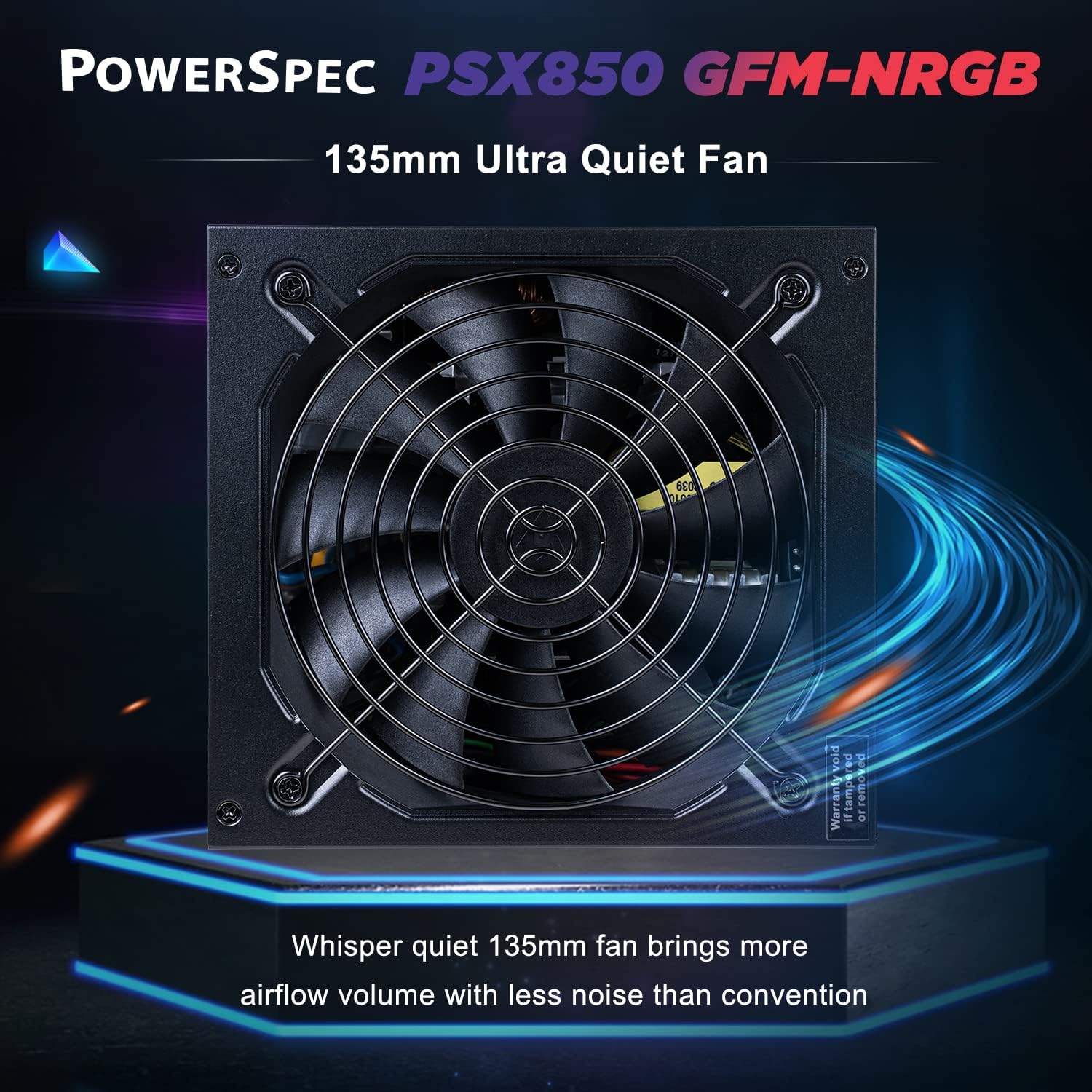
Figure 4: The 135mm ultra-quiet fan designed for efficient cooling.

Figure 5: Rear panel showing the main power switch and the Zero RPM fan mode switch.
6. Maintenance
- Keep the PSU and its fan free from dust. Regularly clean the fan grille and surrounding areas using compressed air.
- Ensure adequate airflow around the PSU within the computer case.
- Do not obstruct the fan intake or exhaust.
- Avoid exposing the PSU to extreme temperatures or humidity.

Figure 6: Honeycomb structure on the PSU for optimal heat dissipation.
7. Troubleshooting
- No Power: Ensure the AC power cord is securely connected to both the PSU and the wall outlet. Check that the PSU's main power switch is in the 'ON' position. Verify that the wall outlet is functional.
- System Instability/Crashes: This could indicate insufficient power or a faulty component. Double-check all power connections. Ensure your system's power requirements do not exceed the PSU's 850W capacity.
- Fan Not Spinning: If the system load is low, the Zero RPM fan mode may be active, and the fan will not spin. This is normal operation. If the system is under load and the fan is still not spinning, ensure no obstructions are present and contact support if the issue persists.
- Unusual Noises: If you hear grinding or clicking noises, power off your system immediately and inspect the PSU fan for obstructions. If no obstructions are found, contact support.
8. Specifications
| Feature | Description |
|---|---|
| Model Name | PSX850 GFM-NRGB |
| Output Wattage | 850 Watts |
| Efficiency Certification | 80 Plus Gold |
| Form Factor | ATX12V / EPS12V |
| Modular Type | Fully Modular |
| Cooling Method | Air (135mm fan with Zero RPM mode) |
| Product Dimensions (L x W x H) | 6.3 x 5.9 x 3.39 inches (160mm x 150mm x 86mm) |
| Item Weight | 5.2 pounds |
| Main Power Connector | 20+4 Pin x1 |
| CPU Power Connectors | 4+4 Pin x2 |
| PCI-E Power Connectors | 6+2 Pin x6 |
| SATA Power Connectors | x12 |
| HDD (Molex) Power Connectors | x4 |
| FDD Power Connectors | x1 |
| Protection Features | UVP, OVP, OCP, OPP, SCP, OTP |

Figure 7: Detailed product parameters including dimensions and connector types.
9. Warranty and Support
9.1 Warranty Information
The PowerSpec PSX850 GFM-NRGB Power Supply comes with a 5-year limited warranty covering defects in materials and workmanship. Please retain your proof of purchase for warranty claims.
9.2 Technical Support
For technical assistance, troubleshooting, or warranty inquiries, please visit the official PowerSpec website or contact their customer support. Contact information can typically be found on the product packaging or the brand's official website.