Introduction
Thank you for purchasing the LAOPAO LED Desk Lamp. This versatile desk lamp is designed to enhance your workspace or living area with adjustable lighting, integrated wireless charging, and a multi-function display. Please read this manual carefully before use to ensure proper operation and maintenance.

Image: The LAOPAO LED Desk Lamp, showcasing its sleek black design, integrated wireless charging pad, and digital display. A smartphone is shown charging wirelessly on the base, and another is connected via USB.
Safety Information
- Ensure the lamp is placed on a stable, flat surface to prevent tipping.
- Use only the provided power adapter. Using an incorrect adapter may damage the lamp or pose a safety risk.
- Do not expose the lamp to water or excessive humidity. This product is for indoor use only.
- Do not attempt to disassemble or repair the lamp yourself. Contact qualified service personnel for assistance.
- Keep the lamp away from heat sources and direct sunlight to prevent damage to electronic components.
- Avoid looking directly into the LED light source for extended periods, as it may cause eye strain.
Package Contents
Please check the package for the following items:
- LAOPAO LED Desk Lamp (Model: TX223C-B)
- Power Cable
- User Manual (this document)
Setup
- Unpack the Lamp: Carefully remove the lamp and all accessories from the packaging.
- Position the Lamp: Place the lamp on a stable, flat surface such as a desk or nightstand. Ensure there is enough space for the lamp's adjustable arm and base.

Image: The LAOPAO LED Desk Lamp positioned on a wooden nightstand next to a bed, demonstrating its compact footprint and suitability for various environments.
- Connect Power: Insert the provided power cable into the DC 12V input port on the back of the lamp's base. Plug the other end into a standard wall outlet.

Image: A detailed view of the back of the lamp's base, highlighting the DC 12V power input and the 5V/2.1A USB charging port. The setting buttons (M, S, Up, Down) for the display are also visible.
- Adjust Lamp Angle: The lamp features a 5-axis rotation design. You can adjust the lamp head up to 180 degrees and the arm up to 135 degrees. The base also rotates 90 degrees. Adjust to your desired lighting angle.

Image: Diagram illustrating the adjustable and foldable capabilities of the LAOPAO LED Desk Lamp, showing 135-degree arm rotation, 180-degree head rotation, and 90-degree base rotation for flexible positioning.
Operating Instructions
Lamp Controls
The lamp features touch-sensitive controls on its base for easy operation.

Image: Close-up view of the touch-sensitive controls on the lamp's base, indicating the on/off indicator, 10W wireless charging area, and touch buttons for color mode, timer, and night light.
- Power On/Off: Touch the circular power button on the base to turn the lamp on or off. The indicator light makes it easy to find in the dark.
- Brightness Adjustment: Slide your finger along the brightness control bar on the base to adjust the brightness level (5 levels available).
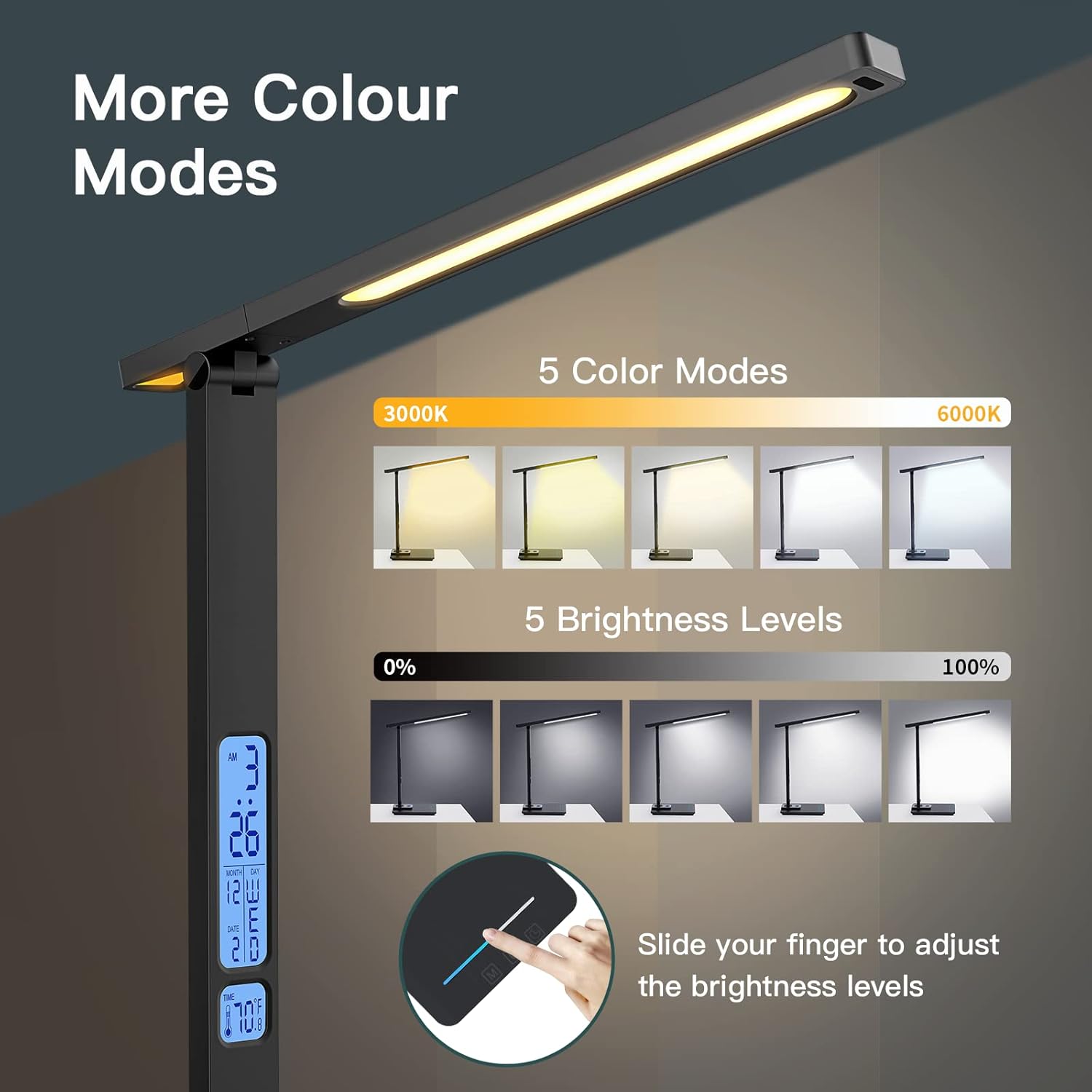
Image: Visual representation of the 5 color modes (from 3000K warm white to 6000K cool white) and 5 brightness levels (0% to 100%) of the LAOPAO LED Desk Lamp, demonstrating the sliding touch control for brightness.
- Color Mode Selection: Touch the 'M' (Mode) button to cycle through 5 different color temperature modes (e.g., warm white, natural white, cool white).
- 45-Minute Auto-Off Timer: Touch the clock icon button to activate the 45-minute automatic switch-off timer. The lamp will turn off automatically after 45 minutes.
- Night Light Function: Touch the moon icon button to activate one of the 2 soft night light options. This provides a low-level illumination suitable for sleeping environments.

Image: The LAOPAO LED Desk Lamp in a bedroom setting, demonstrating the soft, low color temperature night light function emanating from the base, designed to aid sleep.
Wireless and USB Charging
The lamp is equipped with a 10W wireless charging pad and a 5V/2.1A USB charging port.
- Wireless Charging: Place your Qi-compatible smartphone or device on the wireless charging pad located on the lamp's base. Ensure the device is centered on the pad for optimal charging.
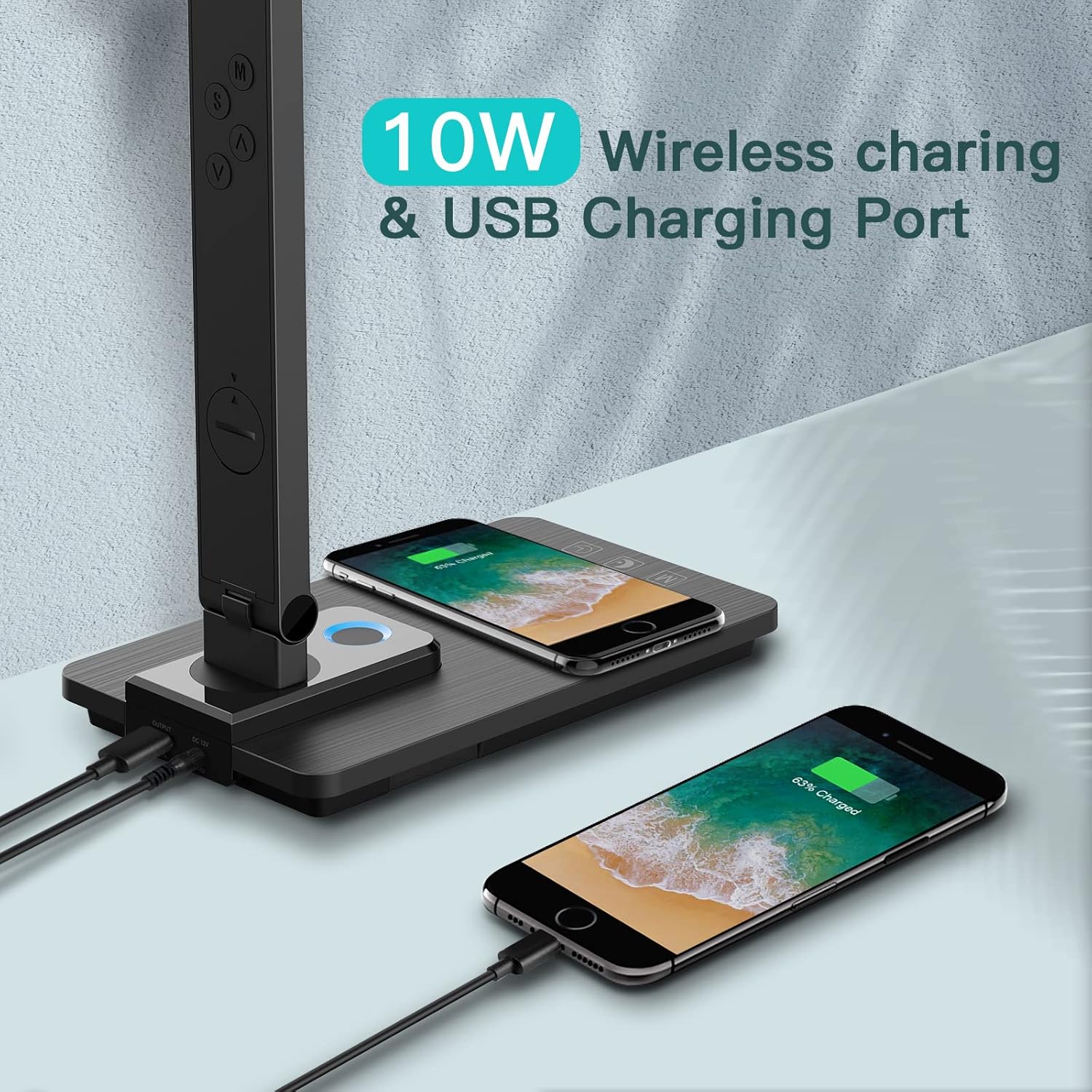
Image: The LAOPAO LED Desk Lamp demonstrating its 10W wireless charging capability with a smartphone placed on the base, and a second smartphone charging via the USB port on the back.
- USB Charging: Connect your device to the USB charging port (5V/2.1A) located on the back of the lamp's base using a compatible USB cable.
Multi-Function LCD Display
The lamp features an LCD display showing time, date, and temperature.
- Setting Time/Date/Alarm: Use the 'M' (Mode), 'S' (Set), 'Up' (▲), and 'Down' (▼) buttons on the back of the lamp to set the time, date, and alarm. Refer to the diagram in the Setup section for button locations.
- Turning Off LCD Blue Light: Long press the 'M' button for 3 seconds to turn off the blue backlight of the LCD display, which can be useful in dark environments or for sensitive sleepers.

Image: A close-up of the lamp's base and LCD display, illustrating how to long press the 'M' button for 3 seconds to turn off the blue backlight of the digital display, which shows time, month, day, and temperature.
Maintenance
- Cleaning: Disconnect the power before cleaning. Wipe the lamp with a soft, dry cloth. Do not use abrasive cleaners or solvents, as they may damage the finish.
- Storage: If storing the lamp for an extended period, ensure it is clean and dry. Store it in a cool, dry place away from direct sunlight.
- LED Light Source: The LED light source is integrated and not user-replaceable.
Troubleshooting
| Problem | Possible Cause | Solution |
|---|---|---|
| Lamp does not turn on. |
|
|
| Wireless charging not working. |
|
|
| LCD display is dim or off. |
|
|
Specifications
| Feature | Detail |
|---|---|
| Model Name | LED Desk Lamp |
| Model Number | TX223C-B |
| Brand | LAOPAO |
| Light Source Type | LED |
| Wattage | 10 Watts |
| Brightness | 680 Lumen |
| Color Modes | 5 (e.g., 3000K to 6000K) |
| Brightness Levels | 5 |
| Wireless Charging Output | 10W |
| USB Charging Output | 5V/2.1A |
| Power Source | Corded Electric (12V Adapter) |
| Material | Plastic, Acrylonitrile Butadiene Styrene |
| Product Dimensions | 7.48"D x 4.53"W x 14"H |
| Item Weight | 2.05 pounds |
| Special Features | Dimmable, Wireless Charging, Auto Timer, Night Light, Multi-function LCD Display (Time, Date, Temperature, Alarm) |
Warranty and Support
For warranty information and customer support, please refer to the product packaging or contact LAOPAO customer service directly. Keep your purchase receipt for warranty claims.
No relevant video content from the seller was found for this product.