
1. Introduction
This manual provides detailed instructions for the installation, operation, and maintenance of your NICOR DGC43120SRDWH 4-inch selectable canless adjustable gimbal LED recessed downlight. Please read these instructions carefully before beginning installation and retain them for future reference.
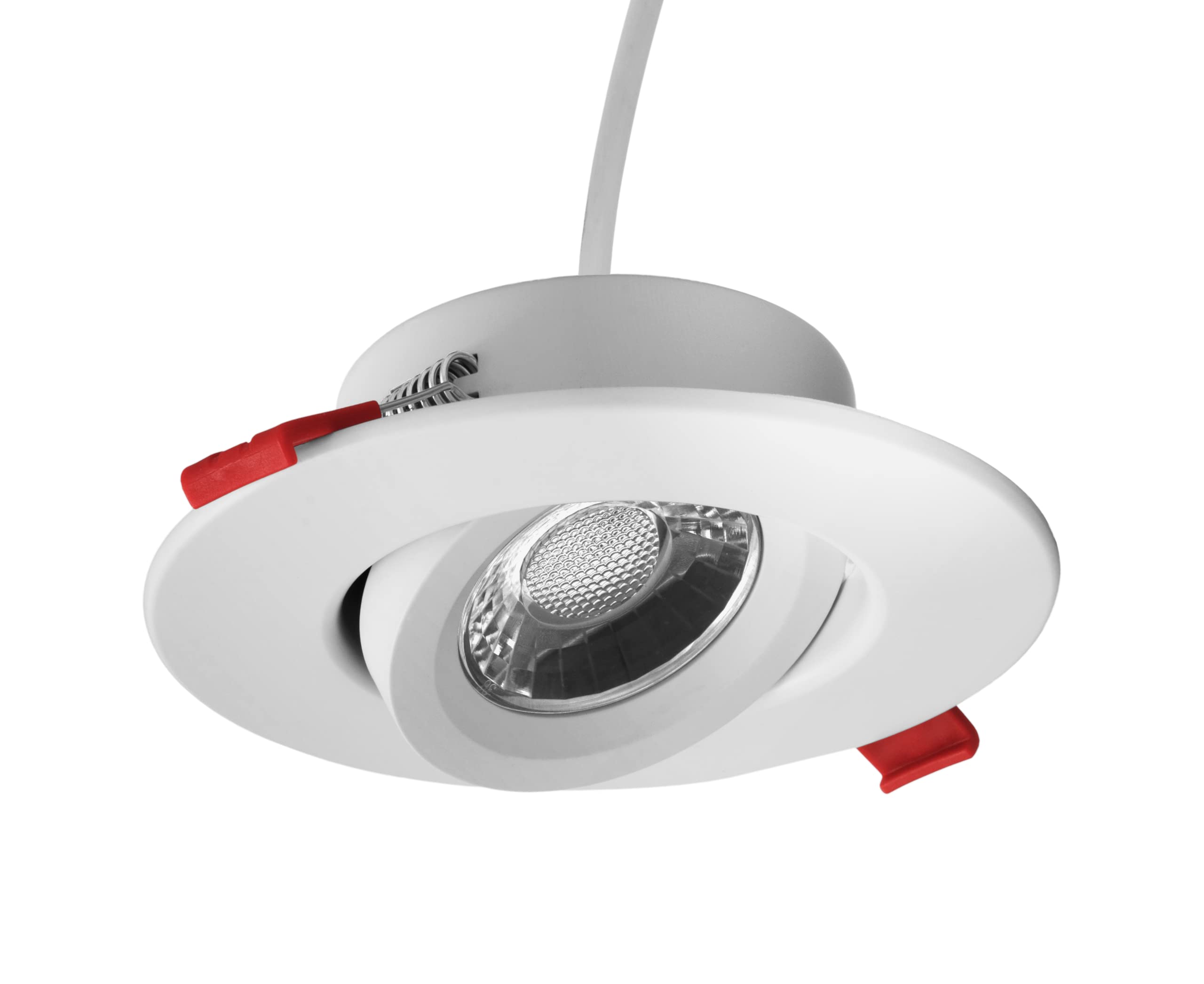
Image 1: NICOR DGC43120SRDWH 4-inch LED Recessed Downlight. This image shows the complete downlight unit with its white finish and adjustable gimbal.
2. Safety Information
WARNING: Risk of electric shock. Disconnect power at the fuse or circuit breaker before installation or servicing.
- All electrical connections must be in accordance with local and National Electrical Code (NEC) standards.
- Consult a qualified electrician if you are unsure about proper installation.
- Do not install in locations where the operating temperature exceeds the fixture's rated temperature.
- Ensure the fixture is properly grounded.
- This product is suitable for indoor use only. Not water resistant.
- For installations where power surge may be possible, NICOR recommends installing additional surge protection at the electrical distribution panel.
3. Package Contents
Verify that all components are present before beginning installation:
- Selectable LED Downlight (DGC43120SRDWH)
- Plenum-rated cable
- Off-board driver / Remote Junction Box
4. Features
The NICOR DGC43120SRDWH downlight offers advanced features for versatile lighting:
- Canless Design: Installs directly into the ceiling; no traditional recessed housing or junction box is required.
- Adjustable Directional Lighting: Features 25° tilt and 360° rotation for precise light direction.
- Selectable Color Temperature (CCT): Choose from 5 color temperatures (2700K, 3000K, 3500K, 4000K, 5000K) using a switch on the junction box.
- High Performance: Produces over 715 Lumens at 9-Watts (equivalent to a 65W incandescent bulb) with an impressive 97 CRI (Color Rendering Index) and R9 value over 70.
- Dimmable: Fully dimmable to less than 5% using standard TRIAC LED Dimmers.
- Low-Profile: Designed for installation into ceilings up to 1-inch thick.
- Durable Construction: Fully enclosed aluminum housing protects electrical components and provides a wet location rating.

Image 2: Key specifications and selectable color temperature feature of the downlight.
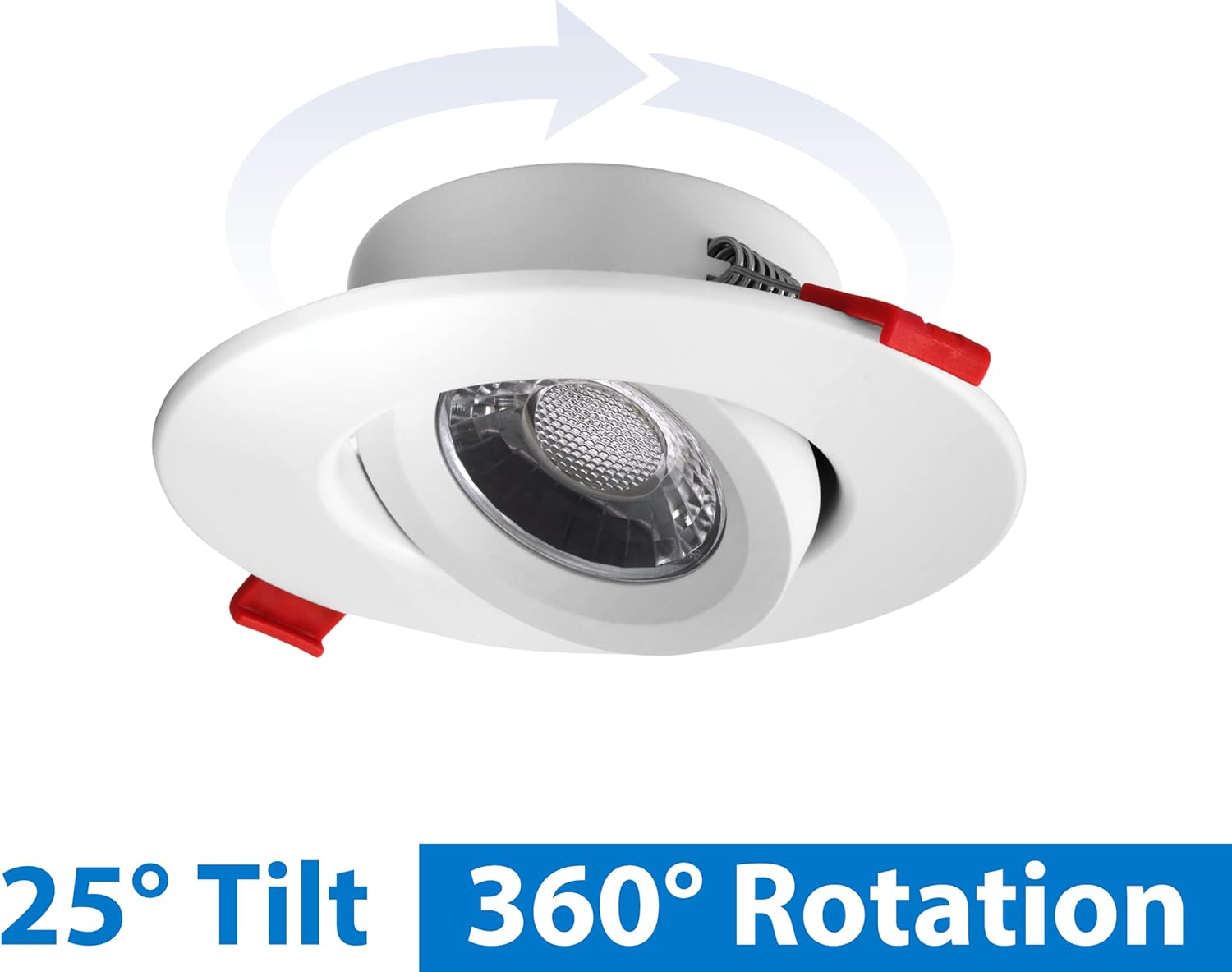
Image 3: Illustration of the 25° tilt and 360° rotation capabilities of the gimbal.
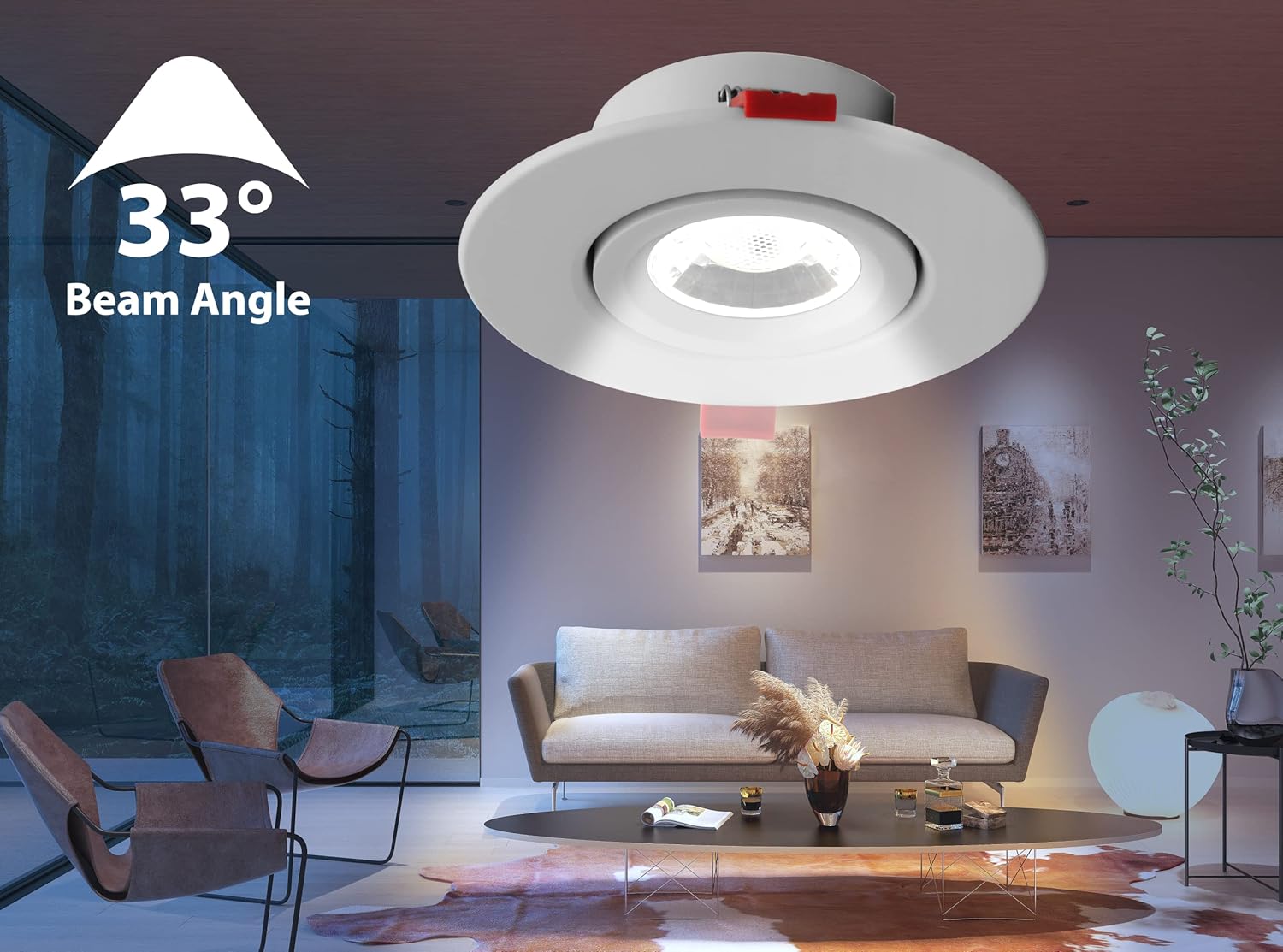
Image 4: Visual representation of the 33° beam angle, showing focused illumination.

Image 5: Side view illustrating the low-profile design, suitable for thin ceilings.

Image 6: Top-down view of the fully enclosed aluminum housing, highlighting its protective features.
5. Setup and Installation
Tools Required: Hole saw, measuring tape, pencil, wire strippers, screwdriver.
- Turn Off Power: Before starting any electrical work, ensure the power is turned off at the circuit breaker or fuse box to prevent electric shock.
- Mark and Cut Hole: Use the provided 3.75-inch template (or measure 3.75 inches) to mark the desired location on the ceiling. Use a hole saw to cut the opening.
- Connect Wiring: Open the remote junction box. Connect the building's electrical wires (hot, neutral, ground) to the corresponding wires inside the junction box using appropriate wire connectors. Ensure all connections are secure.
- Select Color Temperature: Before closing the junction box, use the switch located inside to select your desired color temperature (2700K, 3000K, 3500K, 4000K, or 5000K).
- Secure Junction Box: Close the junction box and place it above the ceiling, ensuring it is securely positioned and not resting on the downlight.
- Connect Downlight to Junction Box: Connect the plenum-rated cable from the downlight to the remote junction box. Ensure the connection is firm.
- Install Downlight: Push the spring-loaded retention clips on the downlight upwards and insert the downlight into the ceiling opening. Release the clips to secure the fixture against the ceiling.
- Restore Power: Once the downlight is securely installed, restore power at the circuit breaker.

Image 7: Diagram showing the remote junction box and spring-loaded retention clips for canless installation.

Image 8: Simplified installation diagram illustrating the connection between the downlight and the driver above the ceiling.
6. Operating Instructions
After successful installation, operate your downlight as follows:
- Power On/Off: Use your standard wall switch to turn the light fixture on or off.
- Dimming: If connected to a compatible TRIAC LED dimmer, adjust the dimmer switch to control the light intensity.
- Adjusting Gimbal: Gently tilt the inner light module up to 25° in any direction or rotate it 360° to direct the light beam as desired.
- Changing Color Temperature: To change the color temperature, you must first turn off power at the circuit breaker. Then, carefully remove the downlight from the ceiling to access the remote junction box. Open the junction box and adjust the CCT selection switch to your preferred setting. Reinstall the downlight and restore power.

Image 9: Close-up of the selectable color temperature switch located within the remote junction box.
7. Maintenance
The NICOR DGC43120SRDWH LED downlight requires minimal maintenance.
- Cleaning: Ensure power is off before cleaning. Wipe the fixture with a soft, dry, or slightly damp cloth. Do not use harsh chemicals or abrasive cleaners, as they may damage the finish or electrical components.
- Bulb Replacement: The LED light source is integrated and not user-replaceable. If the LED fails, the entire fixture should be replaced.
8. Troubleshooting
| Problem | Possible Cause | Solution |
|---|---|---|
| Light does not turn on. | No power to the fixture. Loose wiring connection. Faulty fixture. | Check circuit breaker and wall switch. Verify all wire connections are secure (with power off). Contact customer support if wiring is correct and power is present. |
| Light flickers or dims improperly. | Incompatible dimmer switch. Loose wiring. Power surge. | Ensure dimmer is a compatible TRIAC LED dimmer. Check wiring connections (with power off). Consider installing surge protection. |
| Incorrect color temperature. | CCT switch set incorrectly. | Turn off power, access junction box, and adjust CCT switch. |
9. Specifications
| Attribute | Value |
|---|---|
| Brand | Nicor |
| Model Number | DGC43120SRDWH |
| Fixture Type | Canless Downlight |
| Size | 4 Inches |
| Color | White |
| Material | Aluminum, Plastic |
| Light Source | LED |
| Wattage | 8.7 watts |
| Brightness | 805 Lumen (over 715 Lumens stated in features) |
| Voltage | 120 Volts |
| Light Color (CCT) | 2700K - 5000K (Selectable) |
| CRI | 97 (R9 value over 70) |
| Beam Angle | 33° |
| Tilt Adjustment | 25° |
| Rotation Adjustment | 360° |
| Dimming | Dimmable to less than 5% (TRIAC LED Dimmers) |
| Installation Type | Flush Mount, Canless |
| Indoor/Outdoor Usage | Indoor |
| Water Resistance Level | Not Water Resistant (Wet location rated for housing) |
| Item Weight | 1 Pounds |
| UPC | 767706195767 |

Image 10: Dimensional drawing showing the measurements of the downlight and its remote junction box.
10. Warranty Information
This NICOR DGC43120SRDWH downlight is protected by NICOR’s 5-Year Limited System Warranty.
Important Notes:
- For installations where power surge may be possible, NICOR recommends installing additional surge protection at the electrical distribution panel.
- The warranty does not cover product failure due to an overvoltage event (power surge).
11. Support and Contact
If you have any questions, require technical assistance, or need to report an issue with your NICOR DGC43120SRDWH downlight, please contact NICOR customer support. Refer to the product packaging or the official NICOR website for the most current contact information.


