
Aiwa AWS800BT-NEGR
Aiwa AWS800BT Wireless Waterproof Speaker
User Manual

The Aiwa AWS800BT is a powerful and versatile wireless speaker designed for exceptional sound quality and durability, featuring waterproof capabilities and dynamic illumination.
Introduction
The Aiwa AWS800BT Wireless Waterproof Speaker is engineered to deliver a robust audio experience with its 35W x 2 power output, ensuring immersive and vibrant sound. Its rugged design, featuring IPX5 water resistance, makes it an ideal companion for outdoor adventures, whether at the beach, by the pool, or during any activity where durability is key. Equipped with a 3600mAh rechargeable battery, it provides up to 3 hours of continuous playback at maximum volume, perfect for extended listening sessions. Connectivity options include Bluetooth for seamless device pairing, a USB input for playing music directly from a flash drive, and an auxiliary input for non-Bluetooth devices. This speaker combines high-quality audio with practical features for a comprehensive portable sound solution.

Key features of the Aiwa AWS800BT speaker, including its connectivity options and water resistance.
What's in the Box
Upon unboxing your Aiwa AWS800BT speaker, please ensure all the following items are present:
- 1 x Aiwa AWS800BT Wireless Waterproof Speaker
- 1 x User Manual
- Charging Cable (not explicitly listed but implied for rechargeable battery)
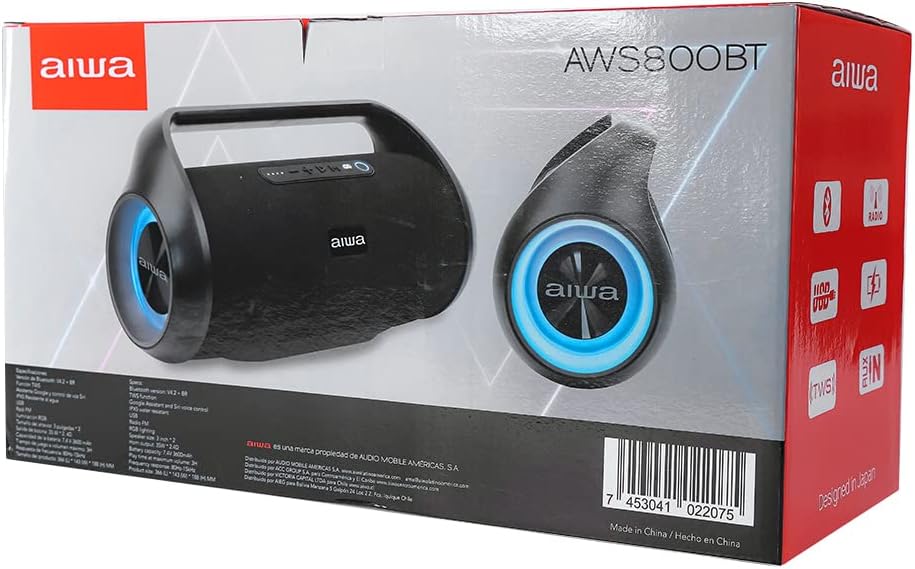
The Aiwa AWS800BT speaker in its retail packaging.
Setup
1. Charging the Speaker
Before first use, fully charge the speaker. Connect the provided charging cable to the speaker's charging port and a suitable power source. The battery indicator lights will show charging status. A full charge takes approximately 5.5 hours and provides up to 3 hours of playback at maximum volume.
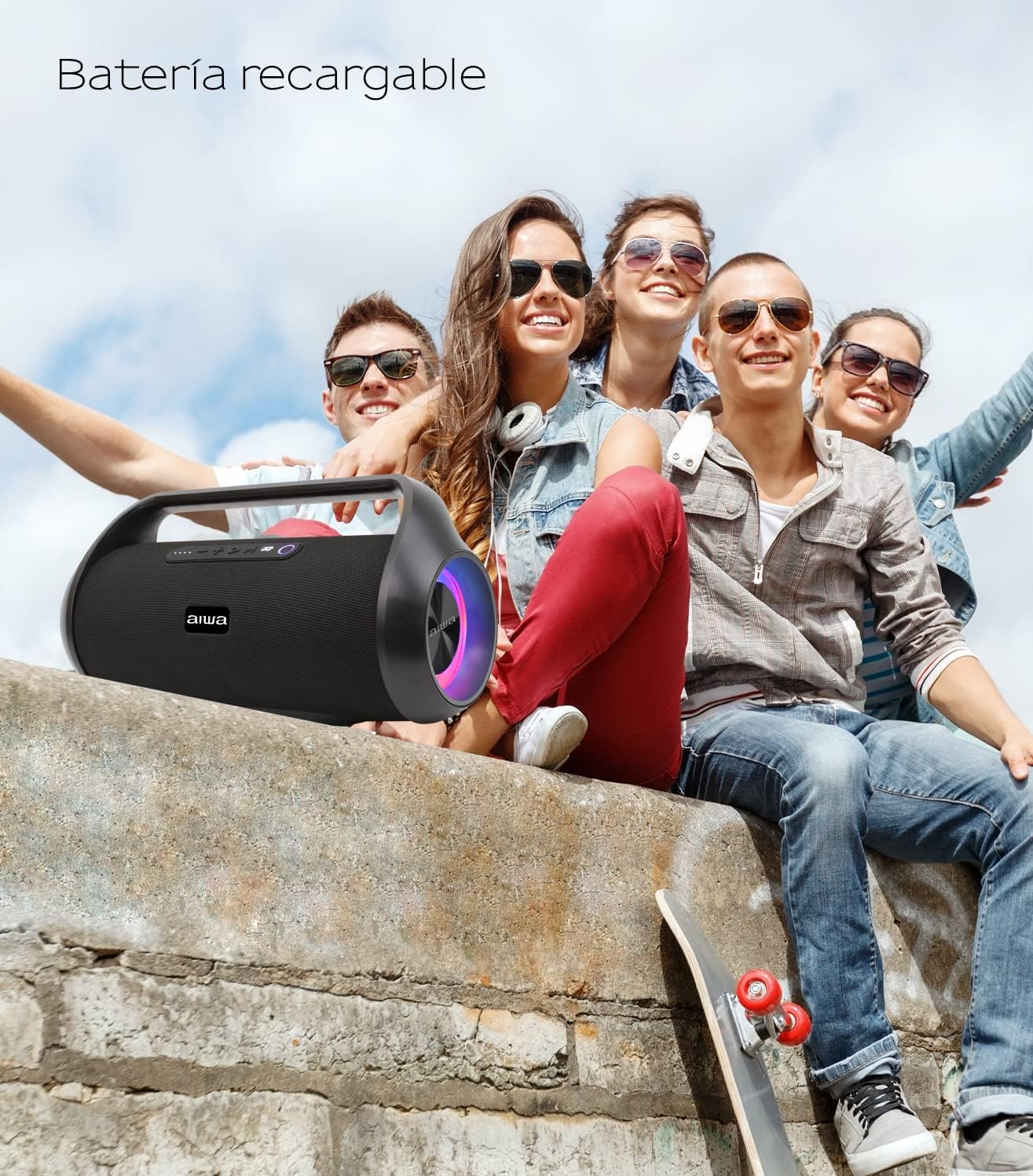
The Aiwa AWS800BT speaker is designed for portability with its rechargeable battery.
2. Powering On/Off
- To power on: Press and hold the Power button (usually marked with a power symbol) for a few seconds until you hear an audible prompt or see the indicator lights illuminate.
- To power off: Press and hold the Power button again until the speaker powers down.
3. Bluetooth Pairing
The Aiwa AWS800BT uses Bluetooth 4.2 for wireless connection.
- Ensure the speaker is powered on and in Bluetooth pairing mode (indicator light will typically flash blue).
- On your device (smartphone, tablet, etc.), enable Bluetooth and search for available devices.
- Select "Aiwa AWS800BT" from the list of found devices.
- Once paired, the speaker will indicate a successful connection (e.g., a solid blue light or an audible confirmation).
4. True Wireless Stereo (TWS) Pairing
For an enhanced stereo experience, you can pair two Aiwa AWS800BT speakers together using TWS technology.
- Ensure both speakers are powered on and not connected to any Bluetooth device.
- On one speaker, press and hold the TWS button (refer to speaker controls for exact button). The speaker will enter TWS pairing mode.
- The two speakers will automatically connect to each other. Once connected, one speaker will act as the master (left channel) and the other as the slave (right channel).
- Now, connect your device to the master speaker via Bluetooth as described in step 3.
Operating the Speaker
Controls Overview
The control panel is located on the top of the speaker. Familiarize yourself with the buttons for optimal use.
- Power Button: On/Off.
- Play/Pause Button: Play or pause audio.
- Volume Up (+): Increase volume. Press and hold for next track.
- Volume Down (-): Decrease volume. Press and hold for previous track.
- Mode Button (M): Switch between Bluetooth, USB, AUX, and FM Radio modes.
- Light Button: Cycle through different illumination modes or turn lights off.

The Aiwa AWS800BT features dynamic LED illumination on its sides.
Playing Audio
- Bluetooth Mode: After successful pairing, audio from your connected device will play through the speaker.
- USB Mode: Insert a USB flash drive containing audio files into the USB port. The speaker will automatically switch to USB mode and begin playback.
- AUX Mode: Connect an audio device using a 3.5mm AUX cable to the speaker's AUX input. Press the Mode button to select AUX mode.
- FM Radio Mode: Press the Mode button to switch to FM Radio. Use the Play/Pause button to auto-scan and save stations. Use volume buttons to navigate saved stations.
Waterproof Feature (IPX5)
The Aiwa AWS800BT is IPX5 water-resistant, meaning it can withstand splashes and light rain. It is not designed to be submerged in water. Ensure all port covers are securely closed before exposing the speaker to water.
Illumination Effects
The speaker features dynamic LED illumination on its sides. Press the Light button to cycle through various lighting modes, including different colors and patterns, or to turn the lights off.
Official Product Video
This video provides a visual overview of the Aiwa AWS800BT speaker, showcasing its design, portability, and dynamic lighting features. It demonstrates the speaker's appearance and some of its key functionalities in a real-world setting.
Maintenance
- Cleaning: Use a soft, dry cloth to clean the speaker's exterior. For stubborn dirt, a slightly damp cloth can be used, but ensure the speaker is powered off and all ports are sealed. Do not use harsh chemicals or abrasive cleaners.
- Storage: Store the speaker in a cool, dry place away from direct sunlight and extreme temperatures. If storing for an extended period, charge the battery to about 50% to prolong its lifespan.
- Battery Care: To maintain battery health, avoid fully discharging the speaker frequently. Recharge it when the battery level is low.
Troubleshooting
| Problem | Possible Cause | Solution |
|---|---|---|
| Speaker does not power on. | Low battery; Power button not pressed correctly. | Charge the speaker fully. Press and hold the Power button for 3-5 seconds. |
| No sound. | Volume too low; Incorrect mode selected; Device not connected. | Increase speaker and device volume. Press Mode button to select correct input. Re-pair Bluetooth device. |
| Bluetooth pairing fails. | Speaker not in pairing mode; Device Bluetooth off; Too far from speaker. | Ensure speaker is in pairing mode. Turn device Bluetooth off/on. Move device closer to speaker (within 10m). |
| Poor sound quality / Distortion. | Volume too high; Device too far; Interference. | Reduce volume. Move device closer. Avoid obstacles between speaker and device. |
Specifications
| Feature | Detail |
|---|---|
| Brand | Aiwa |
| Model | AWS800BT-NEGR |
| Output Power | 35W x 2 (Total 70W) |
| Water Resistance | IPX5 |
| Battery Capacity | 3600mAh (Lithium Ion) |
| Playback Time | Up to 3 hours (at max volume) |
| Charging Time | Approx. 5.5 hours |
| Connectivity | Bluetooth, USB, AUX |
| Special Features | USB Port, Google Assistant & Siri Voice Control, Waterproof, Illumination |
| Dimensions | 40 x 17 x 21 cm |
| Weight | 3 kg |
Warranty and Support
Aiwa products are manufactured to the highest quality standards. For information regarding warranty coverage, technical support, or service inquiries, please refer to the warranty card included with your product or visit the official Aiwa website. Keep your purchase receipt as proof of purchase for any warranty claims.
For further assistance, you may contact Aiwa customer support through their official channels. Please have your model number (AWS800BT-NEGR) and purchase details ready.
Ask a question about this manual
Ask about setup, troubleshooting, compatibility, parts, safety, or missing instructions. Manuals+ will review the question and use this page’s manual context to help answer it.