
1. Introduction
Thank you for purchasing the Silver Crest Digital Electric Air Fryer S-18. This appliance is designed to cook a variety of foods using rapid hot air circulation, offering a healthier alternative to traditional deep frying. Please read this manual thoroughly before use to ensure safe and efficient operation. Keep this manual for future reference.
2. Important Safety Instructions
- Read all instructions before using the appliance.
- Do not touch hot surfaces. Use handles or knobs.
- To protect against electric shock, do not immerse cord, plugs, or the appliance in water or other liquid.
- Close supervision is necessary when any appliance is used by or near children.
- Unplug from outlet when not in use and before cleaning. Allow to cool before putting on or taking off parts.
- Do not operate any appliance with a damaged cord or plug, or after the appliance malfunctions or has been damaged in any manner.
- The use of accessory attachments not recommended by the appliance manufacturer may cause injuries.
- Do not use outdoors.
- Do not let cord hang over edge of table or counter, or touch hot surfaces.
- Do not place on or near a hot gas or electric burner, or in a heated oven.
- Extreme caution must be used when moving an appliance containing hot oil or other hot liquids.
- Always attach plug to appliance first, then plug cord into the wall outlet. To disconnect, turn any control to “off”, then remove plug from wall outlet.
- Do not use appliance for other than intended use.
- Ensure the voltage indicated on the appliance corresponds to your local mains voltage before connecting the appliance.
3. Product Components
Familiarize yourself with the main parts of your Silver Crest Air Fryer:
- Main Unit Housing
- Digital Control Panel (with display)
- Removable Frying Basket
- Basket Handle
- Air Inlet
- Air Outlet Vents
- Power Cord
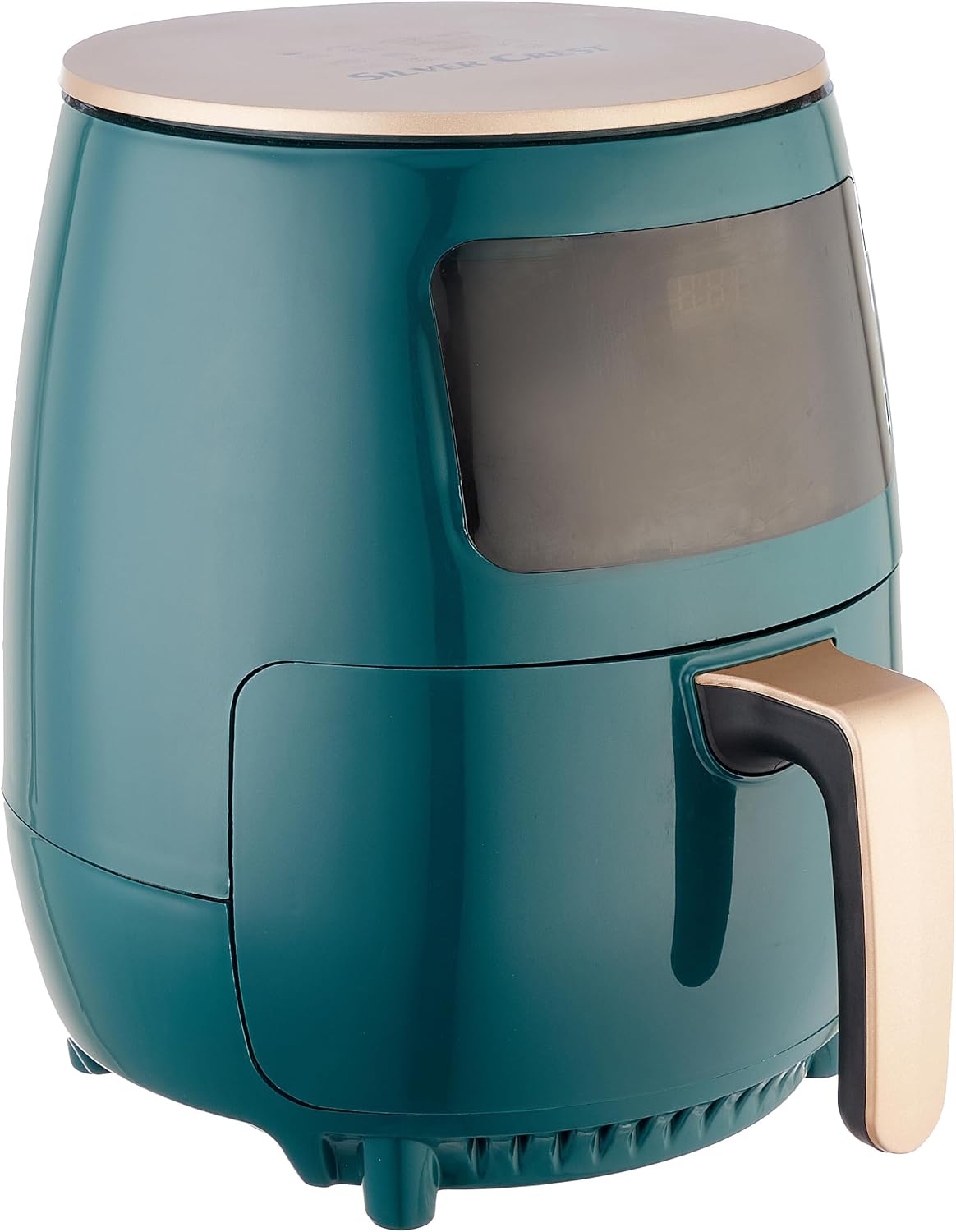
Image 3.1: Side view of the Silver Crest Digital Electric Air Fryer S-18. This image shows the main unit housing, the handle for the frying basket, and the overall design of the appliance.

Image 3.2: Front view of the Silver Crest Digital Electric Air Fryer S-18. This image highlights the digital control panel and display, which are used to set cooking time and temperature.
4. Setup
- Unpacking: Carefully remove the air fryer and all packaging materials. Keep packaging for storage or disposal.
- Initial Cleaning: Before first use, clean the frying basket and any removable parts with warm soapy water. Wipe the main unit with a damp cloth. Ensure all parts are completely dry before assembly.
- Placement: Place the air fryer on a stable, heat-resistant surface, away from walls or other appliances to allow for proper air circulation. Ensure there is at least 10 cm of free space on the back and sides, and 10 cm above the appliance.
- Power Connection: Plug the power cord into a grounded wall outlet.
5. Operating Instructions
5.1. Preheating the Air Fryer
- Plug in the air fryer. The digital display will illuminate.
- Press the power button to turn on the appliance.
- Set the desired temperature (e.g., 180°C) and time (e.g., 3-5 minutes) for preheating using the digital controls.
- Press the start button to begin preheating. The air fryer will automatically shut off once the set time is complete.
5.2. Cooking Food
- Carefully pull out the frying basket using the handle.
- Place your ingredients into the basket. Do not overfill the basket to ensure even cooking.
- Slide the frying basket back into the air fryer until it clicks into place.
- Set the desired cooking temperature and time using the digital control panel. Refer to cooking charts for guidance.
- Press the start button to begin cooking.
- During cooking, you may pull out the basket to shake or flip ingredients for even browning. The air fryer will pause and resume once the basket is reinserted.
- Once the cooking time is complete, the air fryer will beep and automatically shut off.
- Carefully pull out the basket and transfer the cooked food to a plate. Use tongs for safety.
Ask a question about this manual
Ask about setup, troubleshooting, compatibility, parts, safety, or missing instructions. Manuals+ will review the question and use this page’s manual context to help answer it.