1. Introduction
Welcome to Ultra Age, a high-speed sword-swinging action game set in a post-apocalyptic future. Earth's resources are depleted, and humanity is divided between the space colony Orbital Arc and the terrestrial facility The Shelter. You play as Age, a young warrior from Orbital Arc, who descends to Earth with his android companion, Helvis, to uncover a conspiracy and secure humanity's survival. This manual provides essential information to help you navigate the world of Ultra Age and master its combat system.
Prepare to engage robotic and mutant foes, explore futuristic environments, and utilize a dynamic combat system involving various blades and unique abilities.

Image 1.1: The official game cover for Ultra Age on Nintendo Switch, featuring the protagonist Age with his sword.
2. Setup
- Insert Game Card: Ensure your Nintendo Switch console is powered off or in sleep mode. Open the game card slot cover on the top right of the console. Insert the Ultra Age game card with the label facing the same direction as the console screen until it clicks into place.
- Power On Console: Press the Power Button on your Nintendo Switch to turn it on.
- Launch Game: Select the Ultra Age icon from the HOME Menu to start the game.
- Initial Updates: The game may require an initial software update. Ensure your Nintendo Switch is connected to the internet to download any necessary updates for optimal performance.
- Controller Pairing: Ensure your Joy-Con controllers or Nintendo Switch Pro Controller are properly paired and charged.
3. Operating the Game (Gameplay)
3.1 Core Gameplay
Ultra Age is a fast-paced action game focused on melee combat and exploration. Players will engage in intense battles using a variety of blades, each with unique properties. The game emphasizes skill-based combat, requiring precise timing for attacks, dodges, and parries.
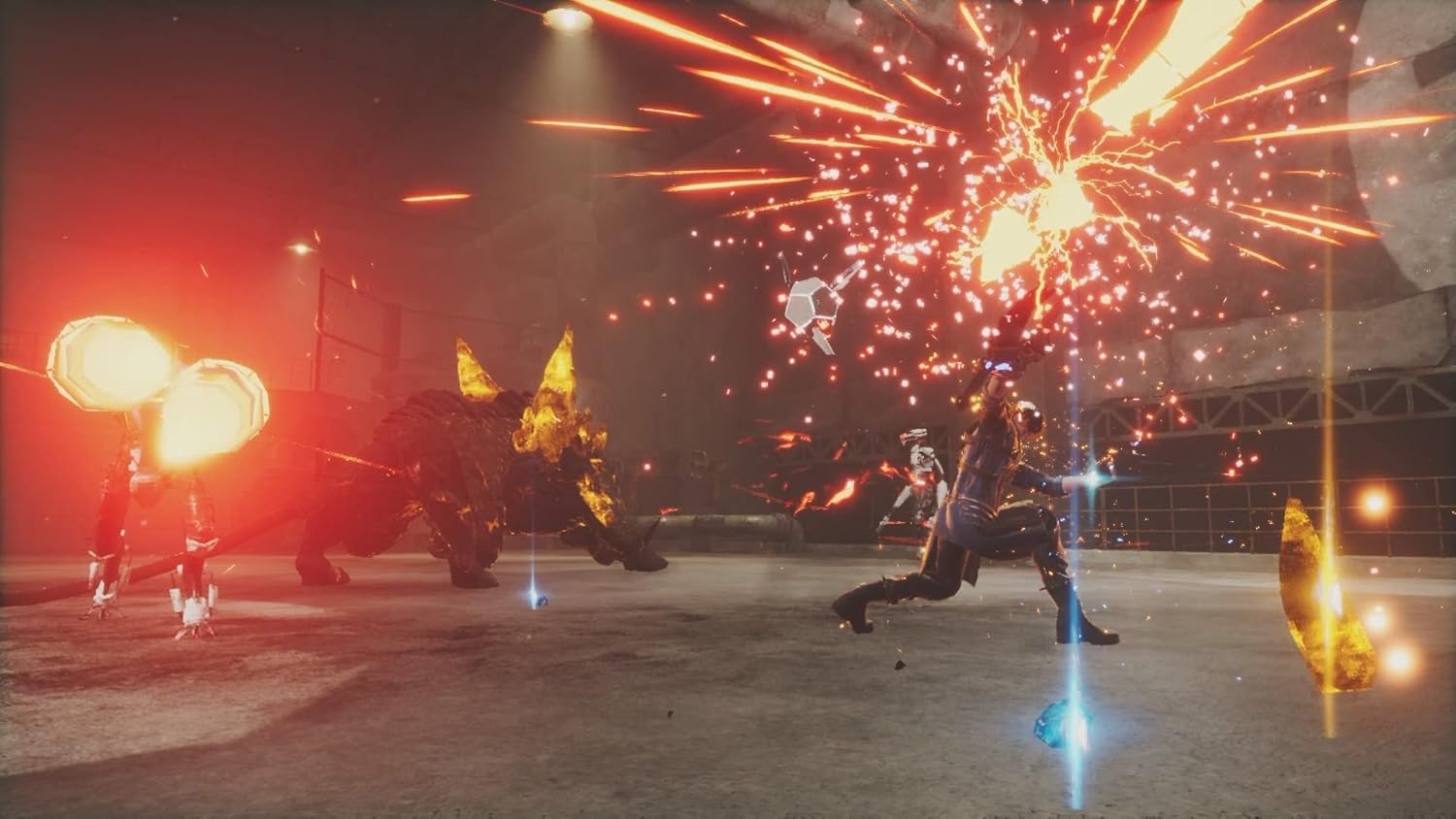
Image 3.1: Age engaging multiple robotic enemies in combat, demonstrating the game's action-oriented gameplay.
3.2 Key Features and Mechanics
- Dynamic Combat: Unleash deadly combos with various blades. Each blade type offers different attack patterns and elemental properties.
- Blade Enhancement: Gather elements found throughout the game world to enhance your blades and level up Age's skills. This allows for customization of your combat style.
- Wire Action: Utilize a specialized wire tool to traverse environments, clear chasms, grab distant items, and pull enemies closer for strategic attacks.
- Helvis Abilities: Your floating android companion, Helvis, provides crucial support. Helvis can initiate a "Critical Rage" state, heal Age, or perform a "Time Shift" to manipulate the flow of battle.
- Exploration: Discover futuristic locales and uncover the vast conspiracy surrounding Earth's fate.

Image 3.2: Age activating a powerful ability, surrounded by a blue energy field, indicating a special move or Helvis's Critical Rage.
3.3 Controls
The control scheme for Ultra Age is designed for fluid action. Specific button assignments can be found and customized within the game's options menu. Generally, you can expect the following:
- Movement: Left Analog Stick
- Camera Control: Right Analog Stick
- Attack: Face Buttons (e.g., Y or A)
- Special Attack/Blade Skill: Face Buttons (e.g., X or B)
- Dodge/Dash: Shoulder Buttons (e.g., L or R)
- Jump: Face Button (e.g., B or A)
- Interact/Confirm: Face Button (e.g., A)
- Menu/Pause: Plus (+) Button
- Helvis Abilities/Wire: Directional Pad or other designated buttons.
It is recommended to consult the in-game tutorial and control settings for a detailed and up-to-date control layout.

Image 3.3: The in-game menu displaying options for Blade and Module customization, allowing players to enhance their character's stats and abilities.
4. Maintenance
Maintaining your game experience primarily involves ensuring your Nintendo Switch console and game software are up to date.
- Software Updates: Periodically check for game software updates via the Nintendo Switch HOME Menu. Highlight the Ultra Age icon, press the Plus (+) button, and select "Software Update" > "Via the Internet." Updates often include bug fixes, performance improvements, and sometimes new content.
- System Updates: Ensure your Nintendo Switch console's operating system is updated to the latest version. Go to System Settings > System > System Update.
- Storage Management: Monitor your console's available storage space. If storage is low, consider archiving or deleting other software titles to ensure Ultra Age runs smoothly and has space for updates.
- Game Card Handling: Handle the Ultra Age game card with care. Avoid touching the gold connectors, keep it free from dust and moisture, and store it in its case when not in use.
5. Troubleshooting
If you encounter issues while playing Ultra Age, consider the following troubleshooting steps:
- Game Not Starting/Freezing:
- Ensure the game card is fully inserted.
- Close the game and restart it from the HOME Menu.
- Restart your Nintendo Switch console (hold the Power Button for three seconds, then select Power Options > Restart).
- Check for any pending game or system software updates.
- Performance Issues (Lag/Frame Rate Drops):
- Ensure your console is not overheating. Play in a well-ventilated area.
- Close any other applications running in the background.
- Check for game or system software updates.
- Controller Input Not Responding:
- Ensure your Joy-Con controllers or Pro Controller are charged and properly paired.
- Try detaching and reattaching Joy-Cons, or re-pairing your Pro Controller.
- Check for controller firmware updates via System Settings > Controllers and Sensors > Update Controllers.
- Error Codes:
- If an error code appears, note it down and visit the official Nintendo Support website or the game publisher's support page for specific solutions.
If problems persist, consider contacting Nintendo Support or Limited Run Games support for further assistance.
6. Specifications
| Attribute | Detail |
|---|---|
| Platform | Nintendo Switch |
| Game Title | Ultra Age |
| Brand | Limited Run |
| Language | English |
| ASIN | B0BMB9NJ2J |
| Manufacturer | Limited Run Games |
| Date First Available | November 29, 2022 |
| Recommended Age | 12 - 20 years (ESRB Teen rating) |
| Package Dimensions | 6.65 x 4.09 x 0.47 inches; 1.76 ounces |
7. Warranty and Support
Specific warranty information for the Ultra Age game cartridge is typically provided by the game publisher, Limited Run Games, or the retailer at the point of purchase. Please refer to any documentation included with your game or contact the publisher directly for details regarding warranty coverage.
For technical support related to gameplay, bugs, or other in-game issues, please visit the official support channels for Limited Run Games or the game developer. For hardware-related issues with your Nintendo Switch console, please contact Nintendo Support.
- Limited Run Games Support: Refer to their official website for support contact information.
- Nintendo Support: https://www.nintendo.com/us/support/