
Introduction
The Orange Box is a portable Bluetooth speaker designed to deliver high-quality audio. This manual provides essential information for setting up, operating, maintaining, and troubleshooting your device. Please read these instructions carefully before use to ensure optimal performance and longevity of your speaker.
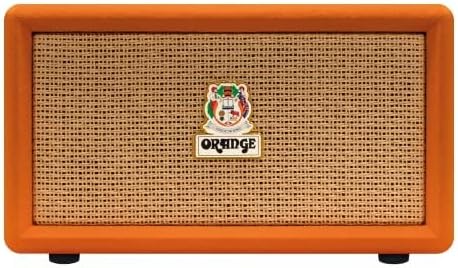
Image: Front view of the Orange Box Portable Bluetooth Speaker.
Important Safety Information
To reduce the risk of electric shock, fire, and injury, please observe the following safety precautions:
- Do not expose the speaker to rain or moisture.
- Do not disassemble the unit. Refer all servicing to qualified personnel.
- Avoid extreme temperatures. Do not place near heat sources or in direct sunlight.
- Use only the power cable supplied with the device.
- Keep out of reach of children.
- Ensure proper ventilation; do not block any ventilation openings.
Package Contents
Verify that all items are present in the box:
- Orange Box Portable Bluetooth Speaker
- Power Cable
- Detachable Handle

Image: The Orange Box speaker shown with its retail packaging, indicating included accessories.
Product Overview
Front Panel Controls
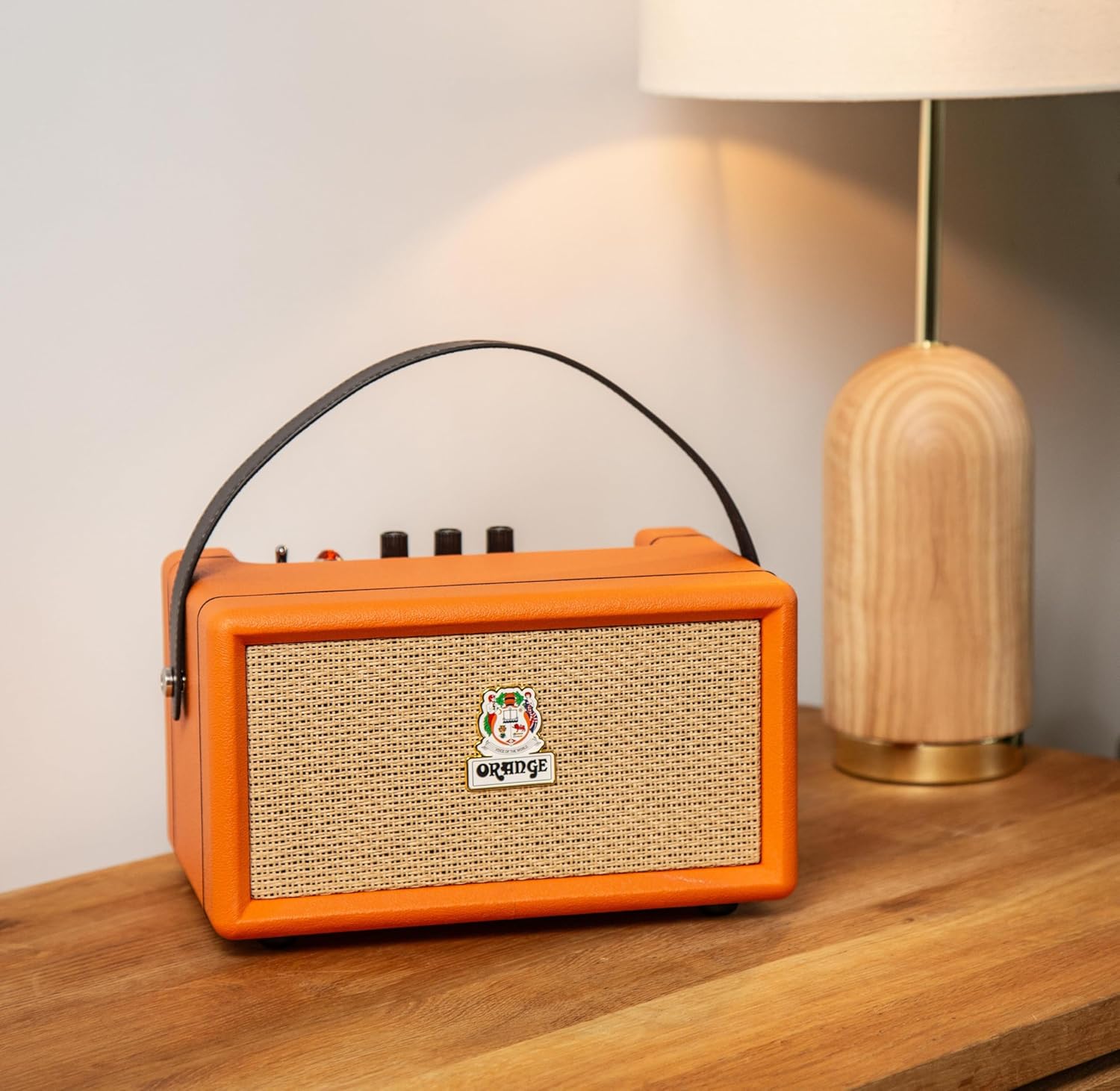
Image: Detailed view of the Orange Box control panel.
- On/Off Switch: Toggles the speaker power.
- Battery Indicator: Displays the current battery charge level.
- Treble Control: Adjusts the high-frequency audio output.
- Bass Control: Adjusts the low-frequency audio output.
- Volume Control: Adjusts the overall sound output level.
- AUX In: 3.5mm input for connecting external audio devices.
- Bluetooth Button: Initiates Bluetooth pairing mode.
- Overload Light: Illuminates when the audio signal is too high, indicating potential distortion.
Rear Panel Connections

Image: Rear view of the Orange Box speaker, highlighting the power input.
- DC IN: Power input port for connecting the supplied power cable to charge the battery or operate the speaker.
Setup
1. Charging the Speaker
- Connect the supplied power cable to the DC IN port on the rear of the speaker.
- Plug the other end of the power cable into a suitable power outlet.
- The battery indicator light will show charging status. A full charge provides up to 15 hours of playback.

Image: Visual representation of the speaker's long battery life.
2. Powering On/Off
- To power on, flip the On/Off switch to the 'On' position.
- To power off, flip the On/Off switch to the 'Off' position.
Operating Instructions
1. Bluetooth Pairing
- Ensure the speaker is powered on.
- Press the Bluetooth button on the control panel. The Bluetooth indicator light will flash, indicating pairing mode.
- On your audio device (smartphone, tablet, etc.), enable Bluetooth and search for available devices.
- Select "Orange Box" from the list of devices.
- Once connected, the Bluetooth indicator light will become solid. The speaker has a Bluetooth range of up to 15 meters.

Image: Bluetooth 5.0 connectivity icon.
2. Using the AUX Input
- Connect a 3.5mm audio cable (not supplied) from your audio device's headphone jack to the AUX In port on the speaker's control panel.
- The speaker will automatically switch to AUX input mode.
3. Adjusting Audio
- Volume: Rotate the Volume knob to increase or decrease the sound level.
- Bass/Treble: Use the Bass and Treble knobs to fine-tune the audio equalization to your preference.
4. Overload Indicator
The Overload light illuminates when the input signal is too strong, which can cause audio distortion. If this light frequently comes on, reduce the volume from your audio source or the speaker's volume knob to prevent clipping and ensure clear sound.

Image: Overload light indicator on the control panel.
Maintenance
- Cleaning: Use a soft, dry cloth to clean the speaker''s exterior. Do not use liquid cleaners or aerosols.
- Storage: When not in use for extended periods, store the speaker in a cool, dry place.
- Battery Care: To prolong battery life, avoid fully discharging the battery frequently. Charge the speaker regularly, even if not in use.
Troubleshooting
| Problem | Possible Cause | Solution |
|---|---|---|
| No power | Battery is depleted or power cable is not connected. | Charge the speaker using the supplied power cable. Ensure the power switch is in the 'On' position. |
| No sound | Volume is too low, incorrect input selected, or device not paired. | Increase speaker volume and source device volume. Ensure Bluetooth is paired or AUX cable is properly connected. |
| Bluetooth not connecting | Speaker is not in pairing mode or device is out of range. | Press the Bluetooth button to enter pairing mode. Move your device closer to the speaker (within 15 meters). Forget the device on your phone and re-pair. |
| Distorted sound | Volume too high (overload) or poor audio source quality. | Reduce the volume on the speaker or your audio source. Check the audio source for quality issues. |
| Short battery life | Battery not fully charged or aged battery. | Ensure the speaker is fully charged before use. Battery performance may decrease over time. |
Specifications
| Feature | Detail |
|---|---|
| Brand | Orange |
| Model Number | Orange Box |
| Model Name | ORA ORANGEBOX |
| Speaker Maximum Output Power | 50 Watts RMS |
| Connectivity Technology | Bluetooth, Aux |
| Bluetooth Range | 15 Meters |
| Audio Output Mode | Stereo |
| Speaker Type | Portable Speaker |
| Color | Orange |
| Enclosure Material | Plastic |
| Item Dimensions (D x W x H) | 13"D x 11"W x 10"H |
| Item Weight | 2.97 Kilograms |
| Power Source | Battery Powered |
| Battery Life | Up to 15 hours |
| Control Method | Touch (for Bluetooth button), Rotary Knobs |

Image: Dimensions of the Orange Box speaker.
Warranty and Support
The Orange Box Portable Bluetooth Speaker comes with a One Year Limited Warranty from the manufacturer, Orange. This warranty covers defects in materials and workmanship under normal use.
For warranty claims, technical support, or service inquiries, please contact Orange customer support through their official website or the retailer where the product was purchased. Please have your proof of purchase and the product's model number (Orange Box) available when contacting support.