
Introduction
Thank you for choosing the Mexin 47 Inch Console Table. This two-tier entryway table is designed to enhance your living space with its rustic brown finish and practical features, including two integrated AC outlets and two USB ports. This manual provides detailed instructions for assembly, operation, maintenance, and troubleshooting to ensure safe and optimal use of your new console table.
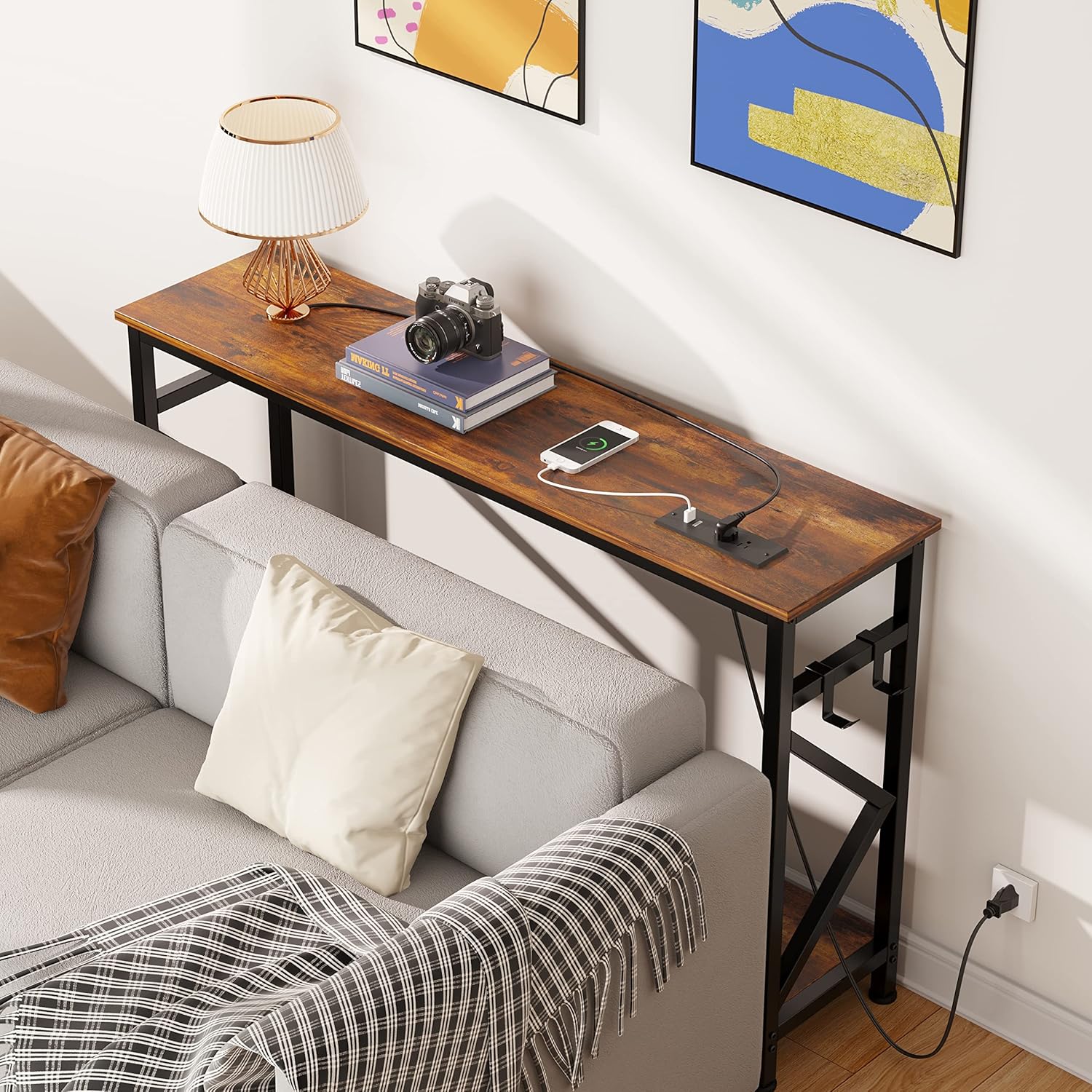
Image: The Mexin 47 Inch Console Table positioned behind a sofa, showcasing its rustic brown top, black metal frame, and integrated power strip with a phone charging.
Safety Information
Please read and understand all safety instructions before assembling and using this product. Failure to follow these instructions may result in electric shock, fire, or serious injury.
- Ensure all parts are present and undamaged before assembly. Do not use if any parts are missing or broken.
- Assemble the table on a soft, clean surface to prevent scratches.
- Do not overtighten screws during assembly to avoid damaging the material.
- Keep children and pets away during assembly.
- Do not exceed the maximum weight recommendation of 100 pounds for the tabletop.
- For electrical safety, ensure the power cord is not pinched or damaged. Do not overload the outlets.
- Only use the integrated power outlets and USB ports for their intended purpose.
- Keep liquids away from the power outlets and USB ports.
- This product is for indoor use only.
Package Contents
Before beginning assembly, verify that all components listed below are included in your package. If any parts are missing or damaged, please contact Mexin customer support.
| Part | Description | Quantity |
|---|---|---|
| Tabletop with Integrated Power Strip | Main rustic brown tabletop with 2 AC outlets and 2 USB ports. | 1 |
| Bottom Shelf | Rustic brown shelf for the lower tier. | 1 |
| Metal Frame Components | Various black metal bars and cross-braces for the table structure. | Set |
| Adjustable Foot Pads | For leveling the table on uneven surfaces. | 4 |
| Assembly Guide | Instruction manual for assembly. | 1 |
| Installation Tool Kit | Includes necessary Allen key and screwdriver. | 1 |
| Hooks | Optional hooks for hanging items. | 2 |
Setup and Assembly Instructions
Assembly is straightforward and typically takes about 20 minutes with the provided tools. It is recommended to assemble the table with two people for ease, though one person can manage with care.
- Unpack and Identify Parts: Carefully remove all components from the packaging. Lay them out on a soft, clean surface (e.g., a blanket or cardboard) to prevent scratches. Refer to the "Package Contents" section and the included assembly guide to identify each part.
- Assemble the Frame: Begin by connecting the main metal frame components according to the numbered diagrams in the assembly guide. Ensure all screws are finger-tightened initially.
- Attach the Bottom Shelf: Secure the bottom shelf to the assembled metal frame using the designated screws. Do not fully tighten yet.
- Attach the Tabletop: Carefully place the tabletop (with the integrated power strip) onto the top of the frame. Align the screw holes and secure it with the provided screws.
- Install Adjustable Foot Pads: Screw the adjustable foot pads into the bottom of the table legs.
- Tighten All Screws: Once all parts are in place, systematically tighten all screws using the provided Allen key and screwdriver. Ensure the table is stable and level. Do not overtighten.
- Attach Hooks (Optional): If desired, attach the two hooks to the side of the table frame as shown in the assembly guide.
- Position the Table: Move the assembled table to its desired location. Adjust the foot pads to ensure the table is stable and does not wobble.

Image: Diagram showing the dimensions of the console table: 47.25 inches (L) x 11 inches (W) x 31.6 inches (H).
Operating Instructions (Integrated Power Strip)
Your Mexin Console Table features a built-in power strip with 2 standard AC outlets and 2 USB charging ports for convenient access to power.
- Connect to Power: Plug the table's power cord into a standard 120V/12A wall outlet. Ensure the wall outlet is properly grounded.
- Using AC Outlets: Insert the power plugs of your electronic devices (e.g., lamps, laptops, small appliances) into the two AC outlets.
- Using USB Ports: Connect your USB-powered devices (e.g., smartphones, tablets, smartwatches) to the two 5V/2A USB ports using appropriate USB cables.
- Power Indicator: The integrated power strip may have a small indicator light to show when it is receiving power.
Important: Do not exceed the maximum electrical load capacity of the power strip. Avoid plugging in high-power appliances that may draw more current than the unit is rated for. Always unplug the table from the wall outlet before moving or cleaning it.
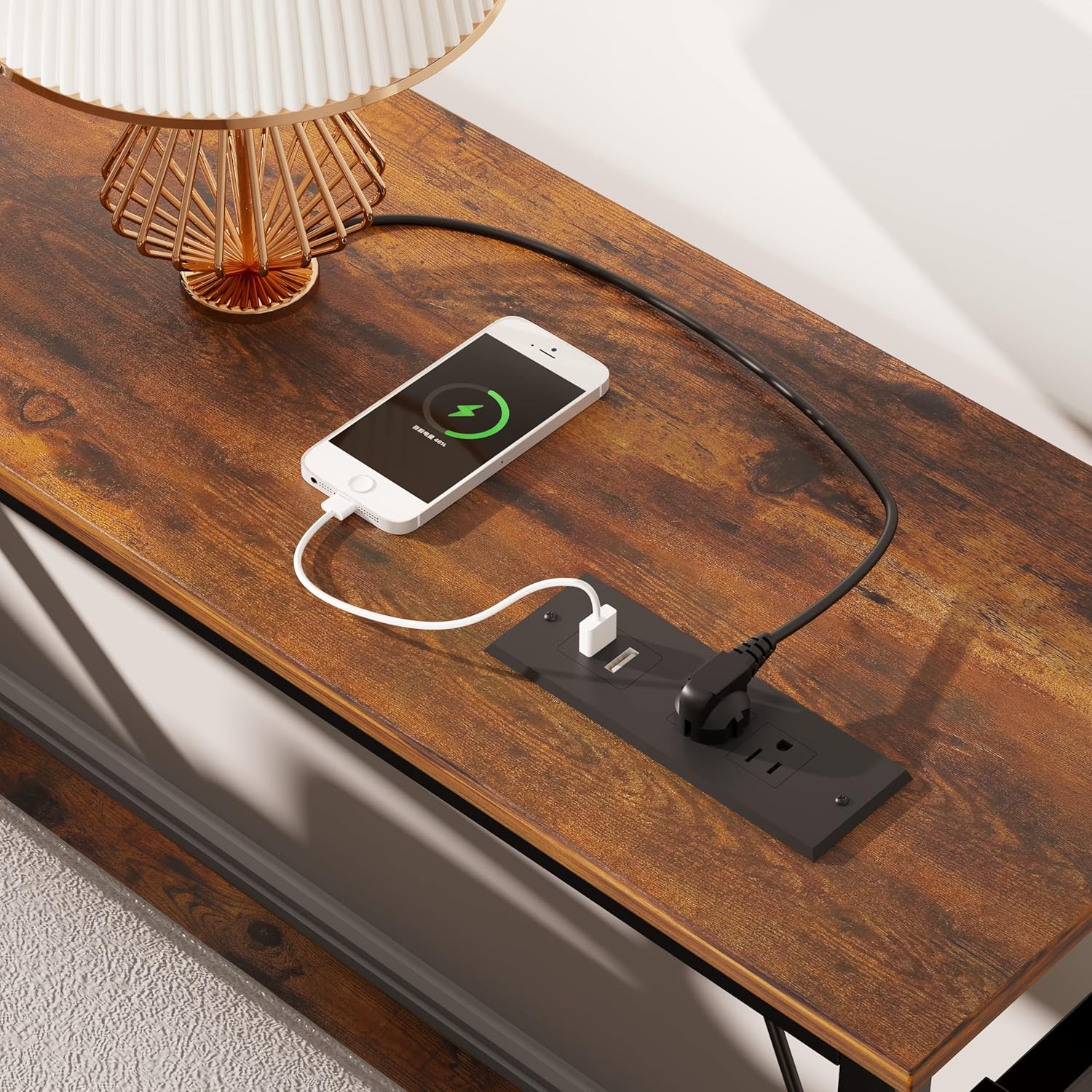
Image: A close-up view of the integrated power strip on the tabletop, showing two AC outlets and two USB ports, with a smartphone charging via USB.
Maintenance
Proper care and maintenance will extend the life and appearance of your console table.
- Cleaning: Wipe the surfaces with a soft, damp cloth. Avoid harsh chemicals or abrasive cleaners, which can damage the finish. For the power strip, ensure it is unplugged and dry before wiping with a dry cloth.
- Spills: Immediately wipe up any spills to prevent water damage or staining to the engineered wood surfaces.
- Dusting: Regularly dust the table with a dry, soft cloth.
- Tightening: Periodically check all screws and connections to ensure they remain tight. Retighten if necessary to maintain stability.
- Placement: Avoid placing the table in direct sunlight or near heat sources, as this can cause fading or warping.
Troubleshooting
If you encounter any issues with your Mexin Console Table, refer to the following common problems and solutions:
| Problem | Possible Cause | Solution |
|---|---|---|
| Table is wobbly or unstable. | Screws are loose; uneven floor; foot pads not adjusted. | Check and tighten all assembly screws. Adjust the adjustable foot pads until the table is stable. Ensure the table is on a flat surface. |
| Power outlets/USB ports are not working. | Table not plugged into wall outlet; wall outlet not functioning; power strip overloaded; internal wiring issue. | Ensure the table's power cord is securely plugged into a live wall outlet. Test the wall outlet with another device. Reduce the number of devices plugged into the power strip. If the issue persists, contact customer support. |
| Parts missing or damaged upon arrival. | Shipping damage or packaging error. | Do not proceed with assembly. Contact Mexin customer support immediately with your purchase details and a description of the missing/damaged parts. |
Specifications
| Feature | Detail |
|---|---|
| Model Number | MX-2SFZ47-USB |
| Dimensions (L x W x H) | 47.24" x 11.02" x 31.57" (120cm x 28cm x 80.2cm) |
| Item Weight | 21.63 Pounds (9.81 kg) |
| Maximum Weight Recommendation | 100 Pounds (45.36 kg) |
| Frame Material | Metal (Alloy Steel) |
| Top Material | Engineered Wood (P2 MDF board) |
| Color | Rustic Brown |
| AC Outlets | 2 (120V/12A) |
| USB Ports | 2 (5V/2A) |
| Assembly Required | Yes |
| Indoor/Outdoor Usage | Indoor Only |

Image: Close-up of the power strip indicating 120V/12A for AC outlets, 5V/2A for USB ports, and the power cord.
Warranty and Support
Mexin is committed to providing high-quality products. While specific warranty details are not provided in this manual, most Mexin products come with a limited manufacturer's warranty against defects in materials and workmanship. Please retain your proof of purchase.
For any questions, concerns, missing parts, or warranty claims, please contact Mexin customer support through the retailer where you purchased the product or visit the official Mexin website for contact information.
Customer Support: Refer to your purchase documentation or the Mexin brand store on Amazon for the most current contact information.