
Product Overview
The Paladone Star Wars Lightsaber Wall Light is an officially licensed uplighter designed to bring the iconic Star Wars universe into your home decor. This meticulously crafted lightsaber replica functions as a light source, projecting a red light, and features official lightsaber sounds when activated. It also includes a night light mode for ambient illumination. This collectible lamp is ideal for Star Wars enthusiasts and fans looking to add a unique touch to their living space.

Image: The Star Wars Lightsaber Uplighter resting on its included display base, showcasing its detailed design.
What's in the Box
Your Star Wars Lightsaber Wall Light package includes:
- 1 x Star Wars Lightsaber Uplighter unit
- 1 x Wall mount/display base
- Instruction Manual (this document)
Note: 3x AAA batteries are required for operation and are not included.
Setup
- Battery Installation: Locate the battery compartment on the lightsaber unit. Insert 3x AAA batteries, ensuring correct polarity (+/-). Securely close the battery compartment.
- Mounting Options:
- Wall Mounting: Choose a suitable location on a wall. Use appropriate hardware (not included) to securely attach the display base to the wall. Ensure the base is level. Once the base is mounted, carefully slide the lightsaber uplighter onto the base until it clicks into place.
- Tabletop Display: The lightsaber uplighter can also be placed on a flat surface using its display base without wall mounting.
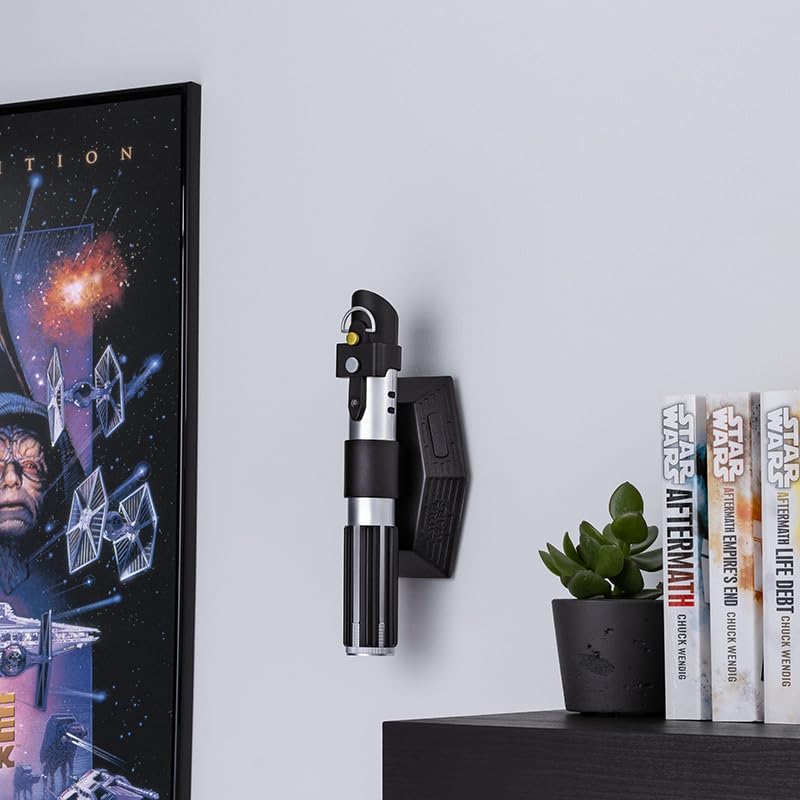
Image: The Lightsaber Uplighter securely mounted on a wall, ready for use.
Operating Instructions
The Lightsaber Uplighter features a simple operation with a single button on its base.
- Power On/Off: Press the button located on the display base to turn the lightsaber uplighter on or off.
- Lightsaber Sounds: When activated, the uplighter will play official lightsaber sound effects, enhancing the immersive experience.
- Night Light Sensor Mode: The unit is equipped with a night light sensor mode. In this mode, the light will automatically activate in low-light conditions and turn off when the ambient light is sufficient. Refer to the specific instructions on the product packaging for details on activating or deactivating this mode, if applicable.

Image: The Lightsaber Uplighter activated, projecting a distinct red light onto the wall above it.
Maintenance
- Cleaning: Wipe the surface of the lightsaber uplighter with a soft, dry cloth. Do not use abrasive cleaners or solvents, as these may damage the finish.
- Battery Replacement: If the light dims or the sounds become distorted, it is time to replace the batteries. Follow the battery installation steps in the Setup section.
- Storage: When not in use for extended periods, remove the batteries to prevent leakage and store the unit in a cool, dry place.
Troubleshooting
| Problem | Possible Cause | Solution |
|---|---|---|
| Light does not turn on. | Batteries are dead or incorrectly installed. | Replace batteries with new 3x AAA batteries, ensuring correct polarity. |
| No sound effects. | Batteries are low or unit malfunction. | Replace batteries. If problem persists, contact customer support. |
| Light is dim. | Batteries are low. | Replace batteries with new 3x AAA batteries. |
| Night light mode not working as expected. | Sensor obstructed or ambient light conditions are not suitable. | Ensure the light sensor is not covered. Test in varying light conditions. |
Specifications
- Brand: Paladone
- Model Number: 11320 (Lightsaber Uplighter)
- Dimensions: Approximately 19.69 x 19.69 x 11.02 inches (Product dimensions as packaged)
- Item Weight: 8.8 ounces
- Material: Plastic
- Color: Multicolor
- Power Source: 3x AAA Batteries (not included)
- Features: Official lightsaber sounds, red light projection, night light sensor mode.
Warranty and Support
For warranty information and customer support, please refer to the contact details provided on the product packaging or visit the official Paladone website. Keep your purchase receipt as proof of purchase.
Manufacturer: Paladone


