1. Introduction
The HIDGEEM BE16A01 Li-Ion Battery Pack is specifically designed to provide extended power for compatible portable oxygen concentrators, ensuring longer operating times and greater mobility for users. This manual outlines the proper procedures for installation, operation, maintenance, and troubleshooting to ensure safe and efficient use of your battery pack.
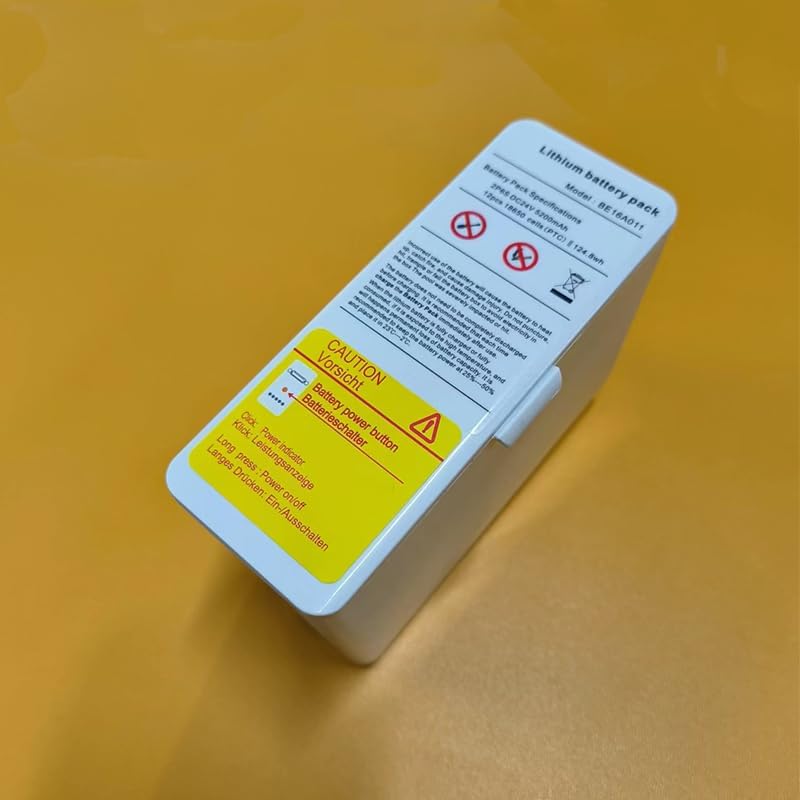
Figure 1.1: The HIDGEEM BE16A01 Li-Ion Battery Pack, showing its compact design and integrated labels for specifications and warnings. The battery features a power button and five LED indicators for battery level.
Key features of the BE16A01 battery pack include:
- Battery Level Indicator: Equipped with 5 LED indicator lights to easily monitor the remaining battery charge.
- Secure Mounting: Features a lock buckle and guide column design for secure and reliable connection to the oxygen concentrator.
- High Capacity: Provides extended operating time for your portable oxygen concentrator.
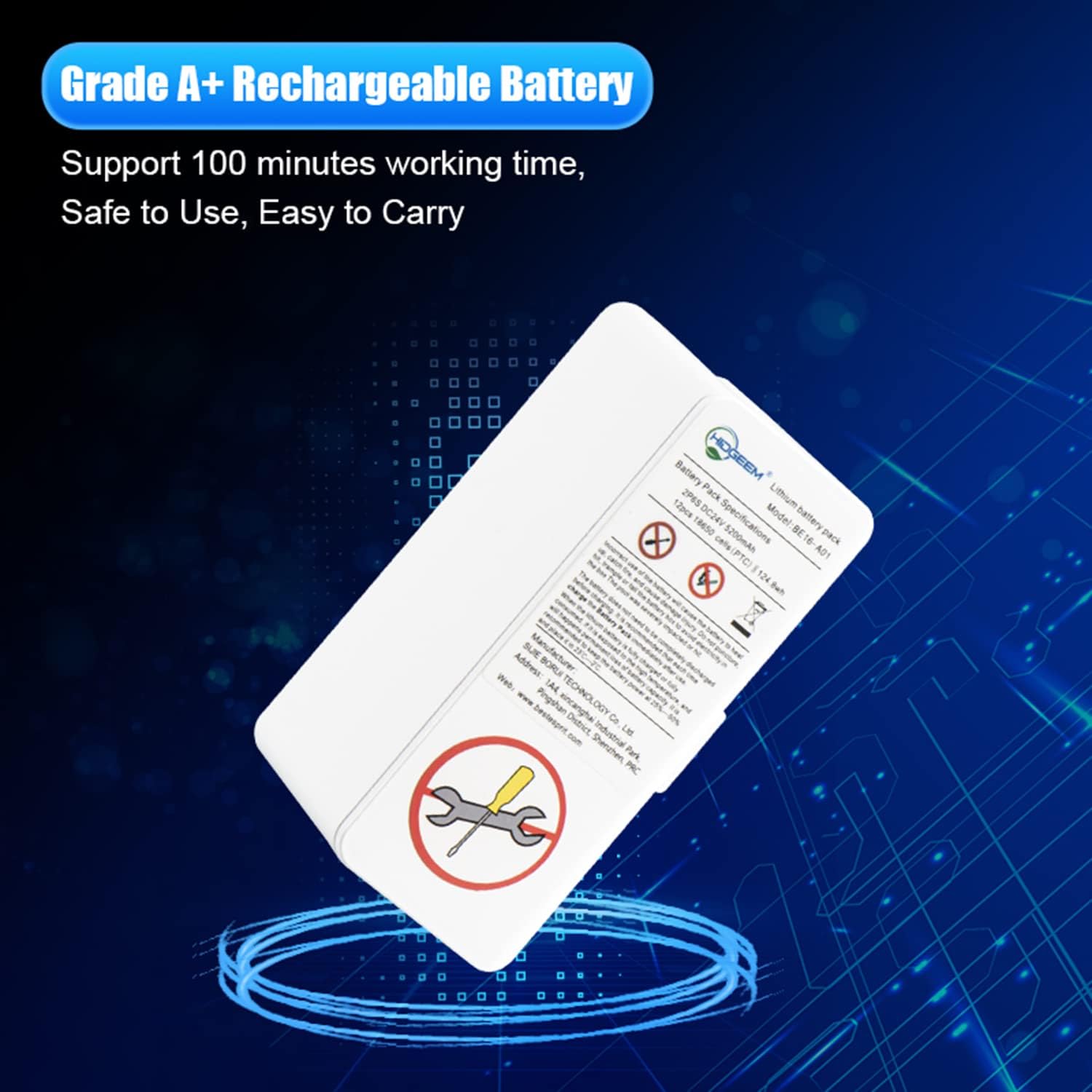
Figure 1.2: The HIDGEEM BE16A01 battery pack, highlighting its Grade A+ rechargeable battery quality, designed for reliable performance and extended working time.
2. Safety Information
Please read all safety warnings and instructions carefully before using the HIDGEEM BE16A01 Li-Ion Battery Pack. Failure to follow these instructions may result in electric shock, fire, serious injury, or property damage.
General Safety Precautions:
- Do not disassemble, crush, puncture, or short-circuit the battery pack.
- Do not expose the battery pack to high temperatures (above 60°C / 140°F) or fire.
- Do not use the battery pack if it is damaged, swollen, leaking, or shows any signs of abnormality.
- Charge the battery pack immediately after use to maintain optimal performance and lifespan.
- Store the battery pack in a cool, dry place, ideally at 25°C ± 5°C (77°F ± 9°F).
- Only use the original charger and accessories provided or authorized by HIDGEEM. Using non-brand authorized battery packs or accessories may void your warranty and pose safety risks.
- Keep flammable and explosive materials strictly prohibited around the oxygen concentrator and battery pack.
- This battery pack is intended for use with portable oxygen concentrators and is not designed to be used as a life support device.

Figure 2.1: Rear view of the oxygen concentrator with the battery pack installed, showing important safety warnings regarding oxygen use, fire hazards, and the use of authorized accessories.
3. Setup and Installation
3.1 Installing the Battery Pack
To install the HIDGEEM BE16A01 battery pack into your portable oxygen concentrator:
- Ensure the oxygen concentrator is turned off and disconnected from any power source.
- Locate the battery compartment on your oxygen concentrator. This is typically on the rear or side of the device.
- Align the battery pack with the compartment, ensuring the guide column and lock buckle align correctly with the concentrator's slots.
- Gently slide the battery pack into the compartment until it clicks securely into place. Do not force the battery.

Figure 3.1: Proper method for inserting the HIDGEEM BE16A01 battery pack into the designated compartment of the portable oxygen concentrator.
3.2 Charging the Battery Pack
Before first use, or when the battery level is low, charge the battery pack fully. The battery does not need to be completely discharged before recharging.
- Connect the charging cable to the charging port on the battery pack. The charging port is typically located on the bottom or side of the battery.
- Connect the other end of the charging cable to the appropriate power adapter.
- Plug the power adapter into a wall outlet.
- The battery indicator lights will illuminate to show the charging progress. All 5 lights will be solid when fully charged.
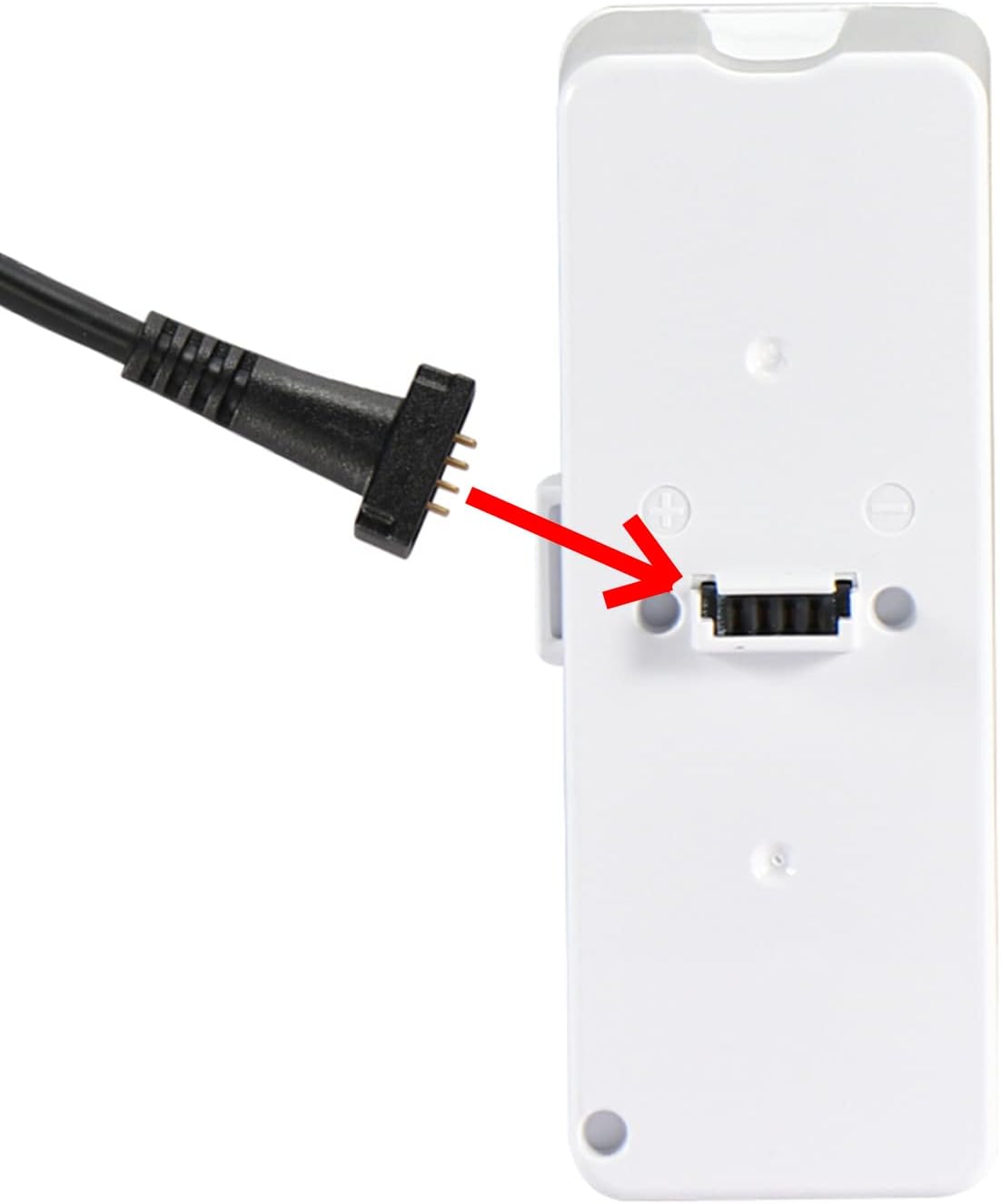
Figure 3.2: Connecting the charging cable to the HIDGEEM BE16A01 battery pack's charging port.
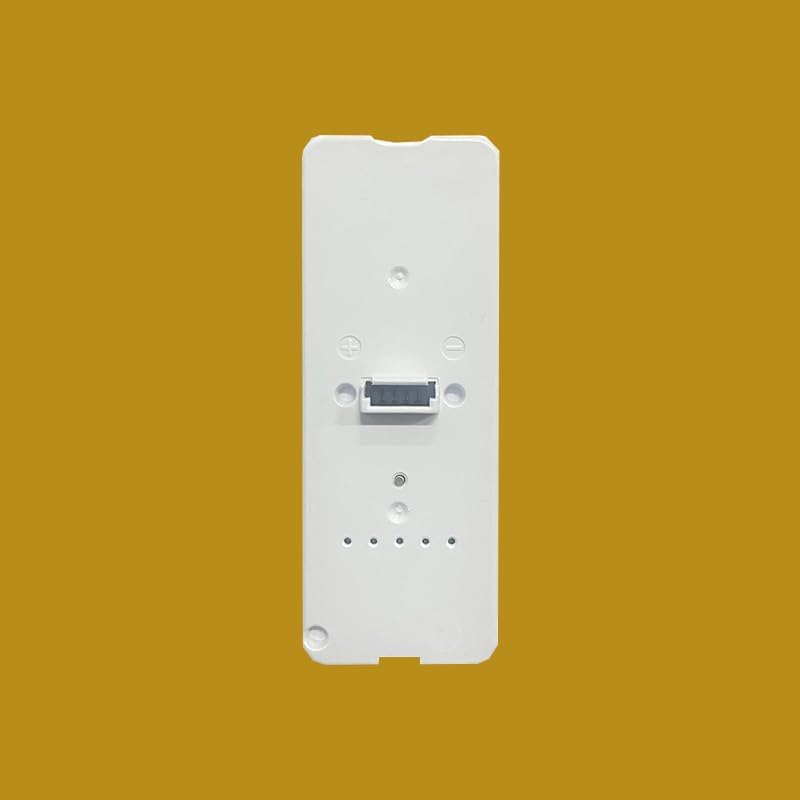
Figure 3.3: A close-up view of the bottom of the HIDGEEM BE16A01 battery pack, clearly showing the charging port.
4. Operation
4.1 Checking Battery Level
The HIDGEEM BE16A01 battery pack features 5 LED indicator lights to display the current charge level. To check the battery level:
- Click the Power Button: A short press on the battery's power button will illuminate the LED indicators.
- Interpret the Lights: Each illuminated light represents approximately 20% of the battery's charge. For example, 5 lights indicate a full charge, while 1 light indicates a low charge.

Figure 4.1: The HIDGEEM BE16A01 battery pack, highlighting the power button and the five LED battery level indicators.
4.2 Powering On/Off
To power on or off the oxygen concentrator using the battery pack:
- Power On: With the battery pack securely installed, perform a long press on the battery's power button. The concentrator should power on.
- Power Off: To turn off the concentrator, perform another long press on the battery's power button.
5. Maintenance
Proper maintenance ensures the longevity and optimal performance of your HIDGEEM BE16A01 battery pack.
5.1 Cleaning
- Wipe the exterior of the battery pack with a soft, dry, or slightly damp cloth.
- Do not use abrasive cleaners, solvents, or harsh chemicals.
- Ensure no liquid enters the charging port or other openings.
5.2 Storage
- If storing the battery for an extended period, ensure it is charged to approximately 50-60% before storage.
- Store the battery pack in a cool, dry place, away from direct sunlight and extreme temperatures. The ideal storage temperature is 25°C ± 5°C (77°F ± 9°F).
- Recharge the battery every 3-6 months during long-term storage to prevent deep discharge, which can damage the battery.
5.3 Battery Care
- Avoid completely draining the battery whenever possible.
- Always use the specified charger for the battery pack.
- Do not expose the battery to physical shock or vibration.
6. Troubleshooting
If you encounter issues with your HIDGEEM BE16A01 battery pack, please refer to the following common troubleshooting steps:
| Problem | Possible Cause | Solution |
|---|---|---|
| Battery not charging | Loose connection, faulty charger, damaged battery, power outlet issue. | Check all cable connections. Try a different power outlet. Ensure the charger is working correctly. If the battery is visibly damaged, discontinue use and contact support. |
| Battery not powering concentrator | Battery not fully charged, battery not securely installed, concentrator issue. | Ensure battery is fully charged. Re-install the battery pack, ensuring it clicks into place. Refer to your oxygen concentrator's manual for concentrator-specific troubleshooting. |
| Battery drains quickly | Aging battery, extreme operating temperatures, high power consumption by concentrator. | Ensure operating environment is within recommended temperature range. If battery life has significantly decreased, it may be nearing the end of its lifespan. |
| Battery indicator lights not working | Battery completely discharged, internal fault. | Attempt to charge the battery. If lights still do not respond, contact customer support. |
If the problem persists after attempting these solutions, please contact HIDGEEM customer support for further assistance.
7. Specifications
Detailed technical specifications for the HIDGEEM BE16A01 Li-Ion Battery Pack:
| Attribute | Value |
|---|---|
| Model Number | BE16A01 |
| Battery Type | Lithium-Ion (Li-Akku Pack) |
| Voltage | DC24V |
| Capacity | 5200mAh |
| Energy | 124.8Wh |
| Cell Configuration | 2P6S (12pcs 18650 cells) |
| Brand | HIDGEEM |
| First Available Date | November 10, 2022 |
8. Warranty and Support
For warranty information, please refer to the documentation provided at the time of purchase or contact your retailer. HIDGEEM stands behind the quality of its products.
Customer Support:
If you have any questions, require technical assistance, or need to report an issue with your HIDGEEM BE16A01 Li-Ion Battery Pack, please contact HIDGEEM customer support.
- Manufacturer: AA TECHNOLOGY Co. Ltd.
- Website: www.hidgeem.com
Please have your product model number (BE16A01) and purchase details ready when contacting support.

