
1. Introduction
The AGL Mini Biometric Access Control System is designed to provide advanced security and convenient access for your home or property. This system integrates modern design with cutting-edge technology, offering multiple methods for entry and maintaining a history of access events. It connects via Bluetooth to the AGL Home app, allowing for flexible management.
Key features include:
- Biometric (fingerprint) opening
- Tag/card opening
- Smartphone application opening
- Instant push notifications via smartphone
- Ability to add or delete users via the AGL HOME app
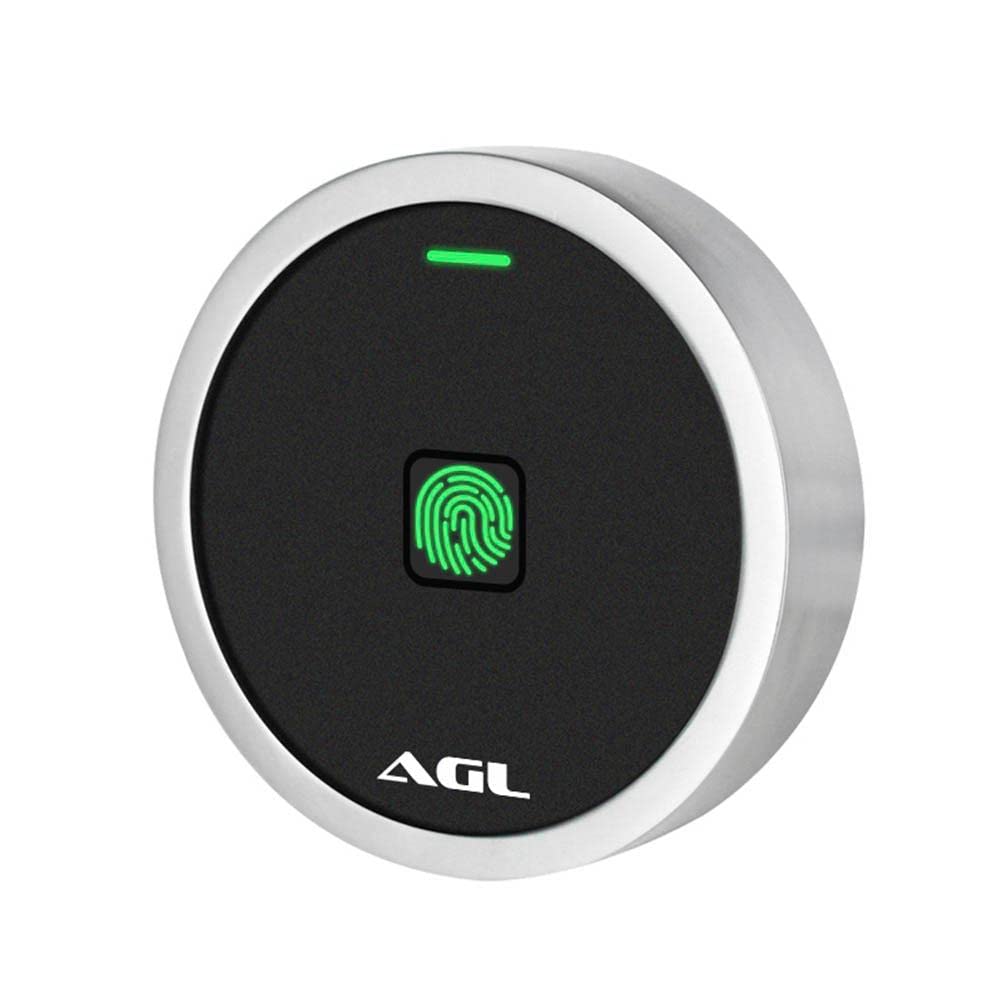
Image of the AGL Mini Biometric Access Control System, showcasing its compact, circular design in black and chrome.
2. Setup and Installation
2.1 Package Contents
Before beginning installation, ensure all components are present:
- 1x Biometric Access Control Unit
- 1x Master Card
- 1x IR Remote Control
- 1x Diode 1N4004
- 2x Fixing Bushings
- 2x Screws (4*25mm)
- 1x Star Key
2.2 Installation Steps
- Mounting: Choose a suitable location for the biometric access control unit. Ensure it is protected from direct weather exposure if installed outdoors. Use the provided screws and bushings to securely mount the unit.
- Wiring: Connect the unit to a 110 Volt electric power source. Follow the wiring diagram provided in the separate detailed installation guide (not included in this manual) for proper connection to your lock mechanism and power supply. Ensure the 1N4004 diode is correctly installed if required by your lock type to prevent back-EMF damage.
- Initial Power-Up: Once wired, apply power to the unit. The unit should power on, indicated by an LED or audible signal.
- App Pairing (AGL Home):
- Download the AGL Home app from your smartphone's app store.
- Open the app and follow the on-screen instructions to create an account or log in.
- Select 'Add Device' and choose the Biometric Access Control System.
- Follow the app's prompts to pair the device via Bluetooth. This typically involves putting the unit into pairing mode (refer to the unit's specific LED indicators or button presses).
- Registering the Master Card: The Master Card is crucial for initial setup and managing users. Follow the unit's specific instructions (usually involving a button press or IR remote command) to register the provided Master Card. This card will be used to enter programming mode.
3. Operating Instructions
3.1 Access Methods
The AGL Mini Biometric Access Control System supports three primary access methods:
- Biometric (Fingerprint) Access:
- Adding Fingerprints: Enter programming mode using the Master Card or IR remote. Follow the voice prompts or LED indicators to register new fingerprints. Typically, you will be asked to place a finger on the scanner multiple times for accurate registration.
- Unlocking: Place a registered finger on the biometric scanner. The unit will verify the fingerprint and, if authorized, activate the lock mechanism.
- Tag/Card Access:
- Adding Tags/Cards: Enter programming mode. Present the RFID tag or card to the designated reading area on the unit. The unit will confirm successful registration.
- Unlocking: Present a registered tag or card to the reading area. The unit will verify the tag/card and activate the lock.
- Smartphone App Access (AGL Home):
- Remote Unlocking: Open the AGL Home app on your paired smartphone. Select the access control unit and use the unlock function within the app.
- User Management: The app allows you to add or delete users, assign specific access methods (fingerprint, tag), and view access history.
- Notifications: Receive instant push notifications on your smartphone for access events, such as successful entries or attempted unauthorized access.
3.2 User Management
User management is primarily performed through the AGL Home app or by entering programming mode with the Master Card/IR remote. Refer to the app's interface for detailed instructions on adding, modifying, or deleting user profiles and their associated access credentials.
4. Maintenance
To ensure the longevity and optimal performance of your AGL Mini Biometric Access Control System, follow these maintenance guidelines:
- Cleaning: Regularly wipe the biometric scanner and unit surface with a soft, dry, or slightly damp cloth. Avoid using abrasive cleaners, solvents, or harsh chemicals, as these can damage the finish and internal components.
- Environmental Protection: While designed for security, protect the unit from extreme temperatures, direct sunlight for prolonged periods, and excessive moisture.
- Firmware Updates: Periodically check the AGL Home app for any available firmware updates for your device. Keeping the firmware updated ensures the best performance and security features.
5. Troubleshooting
If you encounter issues with your access control system, try the following troubleshooting steps:
- Unit Not Responding:
- Check the power connection to ensure the unit is receiving 110 Volts.
- Verify that all wiring connections are secure and correct according to the installation diagram.
- Fingerprint/Tag Not Recognized:
- Ensure the fingerprint scanner or tag reading area is clean and free of obstructions.
- Confirm that the fingerprint or tag is properly registered in the system. Try re-registering if necessary.
- Ensure your finger is clean and dry when using the biometric scanner.
- App Connectivity Issues:
- Ensure Bluetooth is enabled on your smartphone and the device is within range of the access control unit.
- Restart the AGL Home app.
- If issues persist, try unpairing and re-pairing the device with the app.
- Lock Mechanism Not Activating:
- Verify that the lock mechanism itself is functioning correctly.
- Check the wiring between the access control unit and the lock.
For further assistance, please contact AGL customer support.
6. Specifications
| Manufacturer | AGL |
| Part Number | 1106184 |
| Model Number | 1106184 |
| Color | Black/Chrome |
| Shape | Circular |
| Power Source Type | Electric power |
| Voltage | 110 Volts |
| Quantity per package | 1 |
| Battery or pile operated? | No |
| Product Dimensions (L x W x H) | 7.3 x 7.3 x 2 cm |
| Product Weight | 140 g |
| Package Dimensions | 9.5 x 9.2 x 5.7 cm |
| ASIN | B0BLT4J1TD |
| EAN | 7899884527894 |
| GTIN | 7899884527894 |
7. Warranty and Support
For information regarding the product warranty, please refer to the documentation included with your purchase or visit the official AGL website. For technical support, troubleshooting assistance beyond this manual, or to inquire about replacement parts, please contact AGL customer service through their official channels.
Online Resources: For the most up-to-date information, FAQs, and support, please visit the AGL official website or consult the AGL Home app.