1. Introduction
Thank you for choosing the MEDION P66400 All-in-One Audio System. This manual provides essential information for the safe and efficient operation of your device. Please read it thoroughly before use and retain it for future reference.

Front view of the MEDION P66400 All-in-One Audio System.
2. Safety Information
Always observe the following safety precautions to prevent electric shock, fire, or injury:
- Do not expose the device to rain or moisture.
- Do not open the casing; refer all servicing to qualified personnel.
- Ensure proper ventilation to prevent overheating.
- Use only the power cable supplied with the device.
- Keep the device away from heat sources and direct sunlight.
- Do not place heavy objects on the device.
3. Package Contents
Verify that all items are present in the package:
- MEDION P66400 All-in-One Audio System
- Remote Control (with 2 AAA batteries)
- Whip Antenna
- Power Cable
- User Manual
- Warranty Card

The remote control for the MEDION P66400, showing various buttons for power, navigation, volume, EQ, and playback.
4. Product Overview
4.1 Front Panel Controls
- Power Button: Turns the system on/off.
- LCD Display: 7.1 cm color display for menus, station information, and playback details. Dimmable in 4 levels.
- Volume Knob: Adjusts the master volume.
- Navigation Buttons: For menu navigation and track selection.
- Source Button: Selects input sources (Internet Radio, DAB+, FM, CD, Bluetooth, USB, AUX).
- Preset Buttons: For quick access to stored radio stations.
4.2 Rear Panel Connections
- Power Input: Connects to the main power supply.
- Antenna Input: Connects the supplied whip antenna for DAB+ and FM reception.
- AUX In (3.5 mm): For connecting external audio devices.
- Line In (RCA): For connecting external audio devices with RCA output.
- USB Port: For playing music from USB storage devices.
- Headphone Jack: For private listening.

Diagram showing the dimensions and rear connections of the MEDION P66400.
5. Setup
5.1 Initial Placement
Place the audio system on a stable, flat surface. Ensure there is adequate space around the unit for ventilation. Avoid placing it near strong magnetic fields or direct heat sources.

The MEDION P66400 All-in-One Audio System placed on a desk.
5.2 Connecting the Antenna
Connect the supplied whip antenna to the antenna input on the rear panel for optimal DAB+ and FM radio reception. Extend the antenna fully for best signal quality.
5.3 Power Connection
Connect the power cable to the power input on the rear of the unit, then plug it into a standard wall outlet (220V).
5.4 First-Time Setup (Wi-Fi)
Upon first power-on, the system will guide you through the initial setup, including language selection and Wi-Fi network configuration. Follow the on-screen prompts to connect to your home Wi-Fi network. This is essential for Internet Radio and streaming services.
6. Operating Instructions
6.1 Internet Radio
Select 'Internet Radio' from the source menu. You can browse stations by genre, location, or search for specific stations. The system provides access to over 25,000 internet radio stations and numerous podcasts.
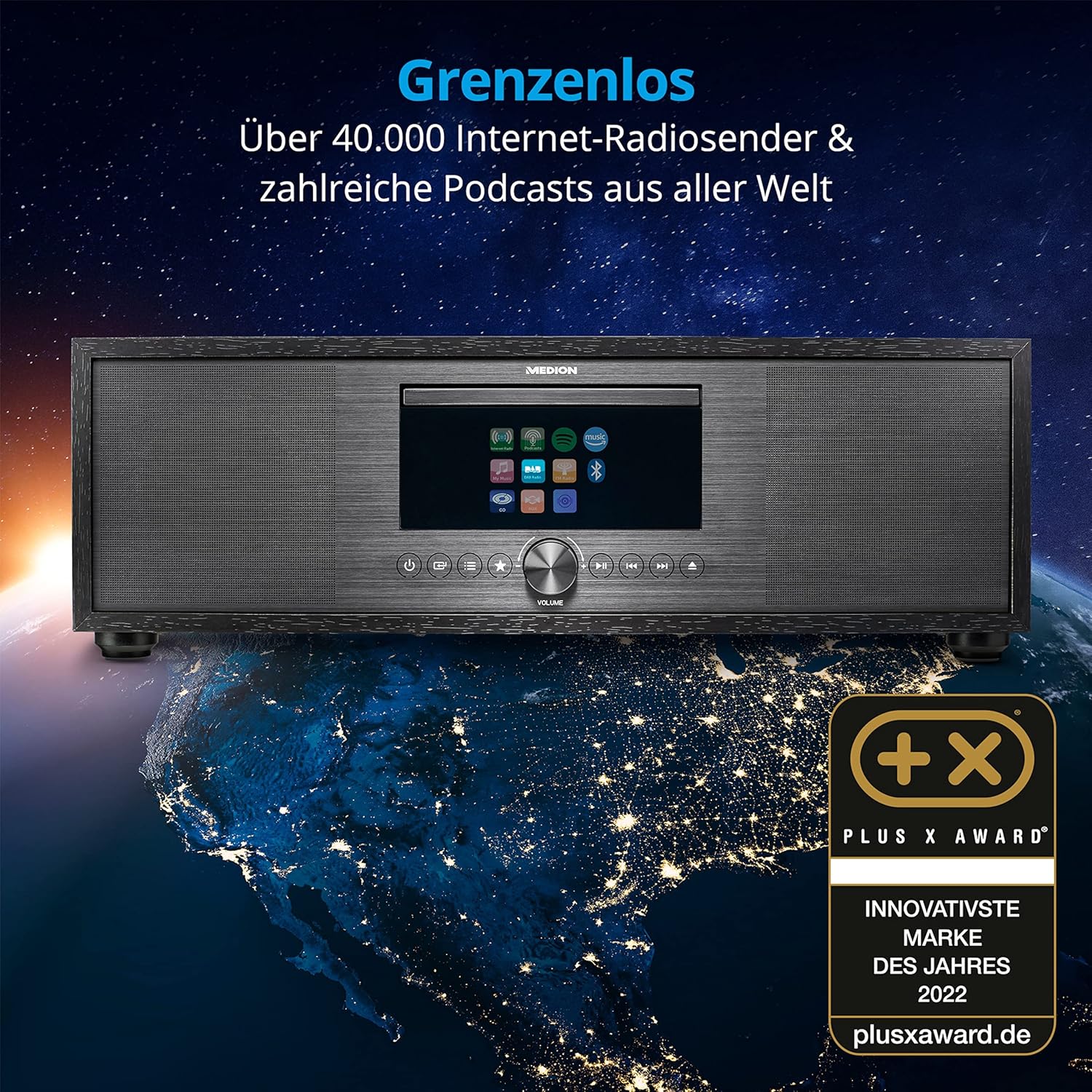
The MEDION P66400 system displaying its internet radio capabilities.
6.2 DAB+ and FM Radio
Switch to 'DAB+' or 'FM' mode. The system will automatically scan for available stations. You can save up to 40 stations as presets for quick access.
6.3 CD/MP3 Player
Insert an audio CD or an MP3 CD into the CD slot. The system will automatically detect and begin playback. Use the navigation buttons to control playback (play, pause, skip tracks).

Inserting a CD into the integrated CD player.
6.4 Bluetooth Connectivity
Select 'Bluetooth' mode. On your smartphone or other Bluetooth device, search for 'MEDION P66400' and pair. Once connected, you can stream audio wirelessly from your device to the audio system.

Streaming music via Bluetooth from a smartphone.
6.5 USB Playback
Insert a USB storage device into the USB port on the rear panel. Select 'USB' as the source. The system will display the contents of the USB device, allowing you to browse and play audio files.
6.6 AUX and Line In
Connect an external audio device (e.g., MP3 player, TV) to the AUX In (3.5 mm) or Line In (RCA) ports. Select 'AUX' or 'Line In' as the source to play audio from the connected device.
6.7 Spotify Connect and Amazon Music
The system supports Spotify Connect and Amazon Music. Ensure your device is connected to Wi-Fi. Use the respective apps on your smartphone or tablet to control music playback directly on the MEDION P66400.
6.8 Alarm Function
Access the alarm settings through the system menu. You can set multiple alarms with various sources (radio, buzzer) and snooze/sleep timer functions.
6.9 Sound Settings
The system features a 2.1 audio system with an integrated subwoofer, providing rich sound. Access the equalizer settings via the menu or remote control to choose from 9 sound presets or customize your audio experience.

Illustration of the 2.1 sound system with integrated subwoofer.
7. Maintenance
To ensure the longevity and optimal performance of your audio system:
- Cleaning: Use a soft, dry cloth to clean the exterior. Do not use liquid cleaners or abrasive materials.
- CD Player: Regularly clean the CD lens with a specialized CD lens cleaner.
- Ventilation: Keep ventilation openings clear of dust and obstructions.
- Storage: If storing the device for an extended period, disconnect it from power and store it in a cool, dry place.
8. Troubleshooting
| Problem | Possible Cause | Solution |
|---|---|---|
| No power | Power cable not connected; power outlet faulty. | Check power cable connection; try a different outlet. |
| No sound | Volume too low; incorrect source selected; mute activated. | Increase volume; select correct source; deactivate mute. |
| Poor radio reception | Antenna not properly connected or extended; weak signal. | Ensure antenna is fully extended and positioned correctly; try repositioning the unit. |
| Bluetooth pairing issues | Device not in pairing mode; distance too far. | Ensure both devices are in pairing mode; move devices closer. |
| CD not playing | CD inserted incorrectly; CD scratched or dirty; unsupported format. | Reinsert CD correctly; clean CD; ensure it's an audio CD or MP3 CD. |
9. Specifications
| Feature | Specification |
|---|---|
| Model Number | P66400 |
| Audio System | 2.1 with integrated subwoofer |
| Output Power (RMS) | 2 x 20 W + 1 x 40 W (subwoofer) |
| Radio Tuner | Internet Radio, DAB+, PLL FM (40 presets) |
| Display | 7.1 cm LCD, 4-level dimmable |
| Connectivity | Bluetooth, USB, AUX In (3.5 mm), Line In (RCA), Headphone Jack, Wi-Fi |
| CD Player | Supports Audio-CDs, MP3-CDs |
| Streaming Services | Spotify Connect, Amazon Music |
| Power Source | AC 220V (Electric Cable) |
| Dimensions (L x W x H) | 44 cm x 26 cm x 14.7 cm |
| Weight | 5.15 kg |
| Remote Control Batteries | 2 x AAA (included) |
10. Warranty and Support
For warranty information and customer support, please refer to the warranty card included in your package or visit the official MEDION website. Keep your proof of purchase for warranty claims.
Manufacturer: MEDION
Website: www.medion.com


